
VIMAR 01910 Electronic Timer Thermostat Instruction Manual
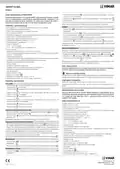
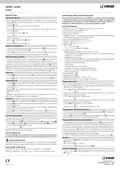
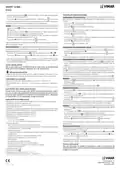
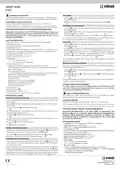


SMART CLIMA
01910
MAIN SETTINGS.
GUIDE RAPIDE INSTALLATEUR/UTILISATEUR
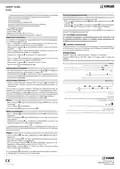
Setting date and time
Chronothermostat électronique de contrôle ON/OFF de la température ambiante (chauffage
et climatisation), programmation quotidienne/hebdomadaire, dispositif de contrôle de la
température classe I (contribution 1%), sortie à relais avec contact inverseur 5(2) A 250 V~,
alimentation par piles stylo AA LR6 1,5 V (non livrées), installation en saillie.
Before starting to program the timer-thermostat, it is advisable to set the current date and time.
- Press the
button; the device’s display will show only the arrow at the top indicating the
date and time to set.
- Using the
- Press the
hour will start blinking.
- Set the current hour with the
button, move the arrow onto the current date.
button to confirm and pass on to set the time; the two digits indicating the
CARACTÉRISTIQUES
• Alimentation : 3 V c.c. avec 2 piles alcalines AA LR6 1,5 V (non fournies)
• Autonimie des batteries : au-dessus d’un an
• Sortie : relais inverseur 5(2) A 250 V~
button.
• Type de réglage : ON/OFF
• Possibilité de connexion en radiofréquence avec actuateurs 01923 et 01924 après remplace-
ment du module à relais par le module émetteur 01921.1
• Mise à jour température affichée : chaque 20 s
• Affichage température ambiante : de 0 °C à +40 °C
• Hystérésis : réglable de 0,1 °C à 1 °C
- Press the
minutes will start blinking.
- Set the current minutes with the
button to confirm and pass on to set the minutes; the two digits indicating the
button.
- Press the
button to confirm and quit.
• Plage de réglage :
- +4 °C - +15 °C en horsgel
Setting manual operation
- +5 °C - +35 °C en chauffage ou climatisation
• Fonctions principales :
- réglage horaire de la température par tranches de 15 minutes
- 3 niveaux de température programmables pour chauffage + 3 niveaux de température pour
climatisation + 1 niveau hors gel
- If the timer-thermostat is working in automatic mode, press the
button to pass onto
button to confirm.
manual mode; the display will show the
.
- Using the button, select the desired temperature then press the
If necessary, wait approximately 5 seconds for the operation to be confirmed.
Setting automatic operation
- programmation hebdomadaire
- 1 programme automatique réglable par l’utilisateur (pour le chauffage comme pour la climatisation)
- possibilité de forcer le programme en modifiant la température
- réglage pour chauffage et climatisation
- If the timer-thermostat is working in manual mode, press the
automatic mode; the display will show the histogram for the program’s day selection.
In this case it is possible to pass onto manual mode temporarily, for example when the desired
button to pass onto
- fonction horsgel
temperature is not the programmed temperature, by selecting the setting with the
button and
- possibilité d’extinction avec temporisation
- possibilité d’activation grâce au composeur téléphonique
- sélection entre visualisation en degrés Celsius et Fahrenheit
- réinitialisation du dispositif
waiting approximately 5 seconds for the operation to be confirmed. The new setting will remain
active until the next programmed temperature level change, after which the saved program will
be restored. To go back onto automatic operating mode immediately, press the
button.
Switch-off
• Degré de protection : IP30
- Press the
button; the display will show the OFF symbol blinking alongside the temperature.
button to confirm. To switch the timer-thermostat back on, press the button.
• Appareil de classe II :
• Température de fonctionnement : T40 (0 °C +40 °C)
• Classification ErP (Règ. UE 811/2013): classe I, contribution 1%
- Press the
Timed switch-off
Réglage date et heure
- Press the
button; the display will show the OFF symbol blinking alongside the temperature.
Avant de commencer la programmation du chronothermostat, réglez jour et heure courante.
- Press the
button again; the display will show two blinking digits indicating the number
- Appuyer la touche
; l’afficheur du dispositif visualisera uniquement la flèche située en haut
of hours (h) to set.
- Using the button, select the desired number of hours (from 1 to 99) and then press the
button to confirm.
qui indique le jour et l’heure à régler.
- La touche
permet de déplacer la flèche au niveau du jour courant.
- Appuyer la touche
indiquent l’heure commencent à clignoter.
- La touche permet de régler l’heure courante.
pour confirmer et passer au réglage de l’heure; les 2 chiffres qui
The timer-thermostat will then stay off for the set period of time after which it will switch on
going into the prior operating mode (manual or automatic).
Antifreeze
- Appuyer la touche
qui indiquent les minutes commencent à clignoter.
- La touche permet de régler les minutes courantes.
pour confirmer et passer à la programmation des minutes; les 2 chiffres
- Press the
button; the display will show the OFF symbol blinking alongside the temperature.
- Press the
button again; the display will show two blinking digits to set if you want timed
switch-off for the device.
- Appuyer la touche
pour confirmer la programmation et sortir.
- Press the
button a third time; the display will show 3 blinking digits indicating the anti-
freeze temperature to set (from 04.0 °C to 15 °C).
Programmation fonctionnement manuel
- Using the
button, select the desired temperature and then press the
button to confirm.
- Si le chronothermostat fonctionne en automatique appuyer la touche
pour passer en
pour confirmer.
With the heating system off, the display will show the antifreeze symbol next to the measured temperature.
manuel; l’afficheur visualise le symbole
.
Summer/winter selection
- Par la touche sélectionner la valeur de température voulue et appuyer la touche
Attendre environ 5 secondes pour que l’opération soit confirmée.
Programmation fonctionnement automatique
This type of function is only used when, besides the heating system, it is also necessary to
control the air-conditioning system with the timer-thermostat.
- Press and hold down the
- Using the
summer and press the
button; the display will show the
button, select the symbol for the winter season and the
button to confirm.
symbol or the symbol
.
- Si le chronothermostat fonctionne manuellement appuyer la touche
pour passer en automa-
symbol for the
tique; l’afficheur visualisera l’histogramme graphique relatif à la courbe journalière du programme.
Dans ce cas il est possible de passer simultanément en mode manuel, par exemple au cas où
la température voulue est différente de la température programmée, en sélectionnant la valeur à
In air-conditioning operation (summer), the steps performed on the timer-thermostat are the
opposite to the ones in heating operation (winter).
programmer par la touche
et en attendant environ 5 secondes que l’opération soit confirmée.
La nouvelle programmation restera active jusqu’au changement suivant de niveau de tempéra-
ture programmée, après quoi le programme mémorisé sera rétabli.
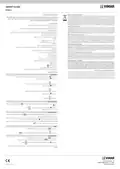
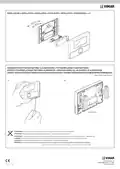
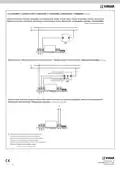
FOR THE INSTALLER.
For further information and for details on all the other timer-thermostat 01910 menus plea-
Pour revenir immédiatement en mode fonctionnement automatique, appuyer la touche
.
Extinction
- Appuyer la touche
OFF clignotant.
- Appuyer la touche
; l’afficheur visualisera à côté de la valeur de température le symbole
pour confirmer.
INSTALLATION RULES.
Installation should be carried out by qualified staff in compliance with the current regulations
regarding the installation of electrical equipment in the country where the products are installed.
Pour rallumer le chronothermostat appuyer la touche
.
REGULATORY COMPLIANCE.
LV Directive. EMC Directive. Standards EN 60730-1, EN 60730-2-7, EN 60730-2-9.
Extinction temporisée
- Appuyer la touche
; l’afficheur visualisera à côté de la valeur de température le symbole
REACH (EU) Regulation no. 1907/2006 – Art.33. The product may contain traces of lead.
OFF clignotant.
Viale Vicenza, 14
36063 Marostica VI - Italy
01910 01 2404

| General | Details |
|---|---|
| Name | VIMAR 01910 Electronic Timer Thermostat Instruction Manual |
| Make | VIMAR |
| Language | English |
| Filetype | PDF (Download) |
| File size | 1.12 MB |
 (1 votes, average: 5.00 out of 5)
 Loading...

VIMAR 30810.x-02973 Smart Home View Wireless Connected Dial Thermostat Instruction Manual

VIMAR 02912 Wi-Fi Thermostat Instruction Manual

VIMAR 02952 Well-Contact Plus Electronic Touchscreen Thermostat Instruction Manual

VIMAR 02913 Surface LTE Thermostat Installation Guide

VIMAR 02971 Smart Automation Rotary Dial Thermostat Instruction Manual

VIMAR 30810.G View Wireless Connected Dial Thermostat Instruction Manual

VIMAR 02970 Wheel Thermostat Instruction Manual


Hydro Smart HSRADSTATWIFI HSRadStat Wi Fi Thermostat User Guide

NT NetX X5 IP Ethernet Thermostat Instruction Manual
AuVerte SC801 SpiritCatcher Thermostat Owner’s Manual

BN-LINK 6×8 Reptile Heat Thermostat Instructions

SIEMENS RS485 Flush Mounted Room Thermostat User Manual

Garza 400610 Digital Programmable Thermostat User Manual

WTE WT-100 Zigbee Thermostat User Manual

Unisenza 230V-24V Stats Wired and Wireless Thermostat User Manual

Danfoss RET2001OT Digital Open Therm Room Thermostat User Guide
Nexans N-Comfort Kt+ Thermostat Instruction Manual