
SIEMENS RS485 Flush Mounted Room Thermostat User Manual


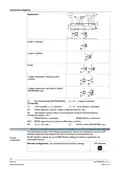


After power is applied, the thermostat resets and all LCD segments light up, indicating that
resetting was correct. After the reset, which takes about 3 seconds, the thermostat is ready
for commissioning by qualified HVAC staff.
If “NONE” is displayed on the LCD, the DIP switches are set to OFF-OFF-OFF for remote
configuration, but the application has not yet been assigned to the device. The application
can be set using commissioning tools via RS485 Modbus.
Display “NONE”
Note
When the application is changed, the thermostat reloads the factory settings for all control
parameters, except baud rate (P82), parity (P83) and zone addresses (P81)!
The thermostat's control parameters can be set to ensure optimum performance of the entire
system.
Control
parameters
The parameters can be adjusted via
●
●
Local HMI
Modbus commissioning tools
The control sequence may need to be set via parameter P01 depending on the application.
The factory setting for the 2-pipe application is “Cooling only”; and “Heating and cooling” for
the 4-pipe application.
Control sequence
Compressor-based application
When the thermostat is used with a compressor, adjust the minimum output On-time (P48)
and Off-time (P49) for Y1/Y2 to avoid damaging the compressor or shortening its life due to
frequent switching.
Recalibrate the temperature sensor if the room temperature displayed on the thermostat
does not match the room temperature measured (after minimum 1 hour of operation). To do
this, change P05.
Calibrate sensor
We recommend reviewing the setpoints and setpoint ranges (P08…P12) and changing them
as needed to achieve maximum comfort and save energy.
Setpoint and range
limitation
Disposal
This symbol or any other national label indicate that the product, its
packaging, and, where applicable, any batteries may not be disposed of as
domestic waste. Delete all personal data and dispose of the item(s) at
separate collection and recycling facilities in accordance with local and
national legislation.
Open Source Software (OSS)
All open source software components used within the product (including their copyright
holders and the license conditions) can be found from the website
Warranty
Technical data on specific applications are valid only together with Siemens products listed
under "Equipment combinations". Siemens rejects any and all warranties in the event that
third-party products are used.
9
Siemens
A6V12005486_en--_d
2022-11-14
Smart Infrastructure

| General | Details |
|---|---|
| Name | SIEMENS RS485 Flush Mounted Room Thermostat User Manual |
| Make | SIEMENS |
| Language | English |
| Filetype | PDF (Download) |
| File size | 1.07 MB |
 (1 votes, average: 5.00 out of 5)
 Loading...

SIEMENS RDZ100ZB Zigbee Room Thermostat Owner’s Manual

SIEMENS RDG400 Room Thermostat Instruction Manual

SIEMENS M3182 Room Thermostat Instruction Manual

SIEMENS RDS120-B Smart Thermostat Instructions

SIEMENS Powers Controls TH 192-3 Series Day Night Vent Room Thermostat Instruction Manual

SIEMENS RDY2000BN BACnet Commercial Thermostat User Manual

SIEMENS RDH100RF/SET Room Thermostat Instruction Manual

SIEMENS RDH100RF/SET Wireless Room Thermostat with LCD User Guide

SIEMENS RDG260KN Room Thermostat Instruction Manual

SIEMENS RDF660MB Flush Mount Room Thermostat Instruction Manual


AJAX108845 White Digital Programmable Thermostat User Guide

ENGO CONTROLS ESIMPLE230W Non-Programmable Wired Thermostat User Guide

homematic IP HmIP-eTRV-2 Radiator Thermostat Instruction Manual

oventrop Vindo TH Thermostat Instruction Manual

Haswill Electronics STC-8080H Thermostat User Guide

LEHNER VERSAND 01477 Easymaxx Digital Radiator Thermostat User Manual

EPH CONTROLS eTRV Smart Radiator Thermostat Instruction Manual

VIMAR 30810.G View Wireless Connected Dial Thermostat Instruction Manual

Amber DT-two Programmable Thermostat User Guide

Schluter Systems DITRA-HEAT-E-RS1 Floor Warming Thermostat User Guide