
LEHNER VERSAND 01477 Easymaxx Digital Radiator Thermostat User Manual








| General | Details |
|---|---|
| Name | LEHNER VERSAND 01477 Easymaxx Digital Radiator Thermostat User Manual |
| Make | LEHNER VERSAND |
| Language | English |
| Filetype | PDF (Download) |
| File size | 0.43 MB |
 (1 votes, average: 5.00 out of 5)
 Loading...

Lehner Versand 01477 Easymaxx Manual: Questions and Answers
Lehner Versand 01477 Easymaxx specifications
| Setpoint range | 5 to 35°C |
| Operating temperature | 0 to +50°C |
| Dimensions | 10x5.2x6.6cm |
How do I set holiday mode on the Lehner Versand 01477 Easymaxx?
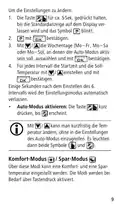
Hold the button for about 5 seconds until the default display exits.
- Press briefly repeatedly until the symbol flashes, then confirm.
- Set your desired temperature and number of holiday days (1-30) using the adjustment buttons.
- Confirm each setting. User Manual, p. 27
What does the symbol mean on the Lehner Versand 01477 Easymaxx display?
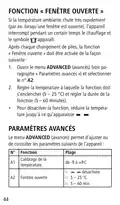
The device has detected a very rapid temperature drop, typically from an open window, and has paused heating temporarily. User Manual, p. 29
Can I use the Lehner Versand 01477 Easymaxx to set different minimum and maximum temperatures?
Yes. In the Advanced Settings menu, set A4 for minimum temperature (1-15°C) and A5 for maximum temperature (16-70°C). User Manual, p. 29
What battery type and quantity does this thermostat need?
3 x 1.5 V batteries (AA). Always replace all batteries together and never mix different types, brands or capacities. User Manual, p. 24
How do I know when batteries need replacing on the Lehner Versand?
The battery symbol flashes on the display. User Manual, p. 25
When should I remove batteries from the Lehner Versand 01477 Easymaxx?
Remove them when dead or if the device won't be used for a prolonged period. This prevents damage from battery leaks. User Manual, p. 23
Where is the battery compartment on the Lehner Versand 01477 Easymaxx?
On the back of the device. User Manual, p. 21
How do I access advanced settings on this thermostat?
Enter settings mode and navigate to advanced functions.
- Hold the button for approx. 5 sec. until the default display exits
- Press the button repeatedly until 'ADVANCED' flashes
- Keep pressing until the function number (A1-AA) you want appears
- Adjust values with the up/down controls and confirm with the appropriate button
- Settings mode exits automatically after a few seconds of inactivity User Manual, p. 31
What cleaning products should I use on a Lehner Versand thermostat?
Don't use caustic or abrasive agents, they damage the surface. Dust as needed and wipe stubborn dirt with a damp cloth. User Manual, p. 31


