
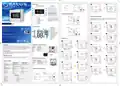
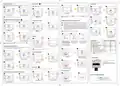
SALUS DT500 Thermostat User Guide


Temporary Override Mode
This function is available only in automatic mode (schedule). If a new setpoint temperature will be set during the schedule - it
will be maintained until next time interval starts according to programmed schedule.
Frost Protection
Installer Mode
1
3
4
Temperature of the Frost Protection mode is set as default at 5°C. This temperature can be changed in Installer
Mode in d03 parameter
2
4
6
3 sec
1
2
1
2
3 sec
3 sec
Press OK to confirm.
You can set up to 99 days.
Press +Hr ,
and OK buttons
simultaneously for 3 seconds.
Use the
or
choose the parameter.
button to
Use the
or
new setpoint temperature.
button to set
After new setpoint temperature set,
thermostat will return to the main screen.
To turn off the Holiday Mode, hold down
from the display.
button for 3 seconds. The airplane icon
should disappear
Press the
button to activate
3
Temporary Override mode will be disabled when new schedule will be set
the Frost Protection.
Manual Mode and setting setpoint temperature
Deactivate Frost Protection
1
DT500RF Thermostat Pairing with the DTRX5 Receiver
In this mode thermostat does not work according to the programmed schedule but it will maintain selected temperature.
Note: If you are using the DT600RF pack, the pairing between the thermostat and the receiver is already done.
During the pairing process, please make sure the thermostat and the receiver are at least 1 meter from each other.
1
2
2
Important note: The communication radius of the thermostat with the receiver is of maximum 100m, in
open space. In built space, with various obstacles (eg walls, floors, metal structures, furniture elements), the
communication radius will be significantly reduced. RF communication can be disrupted by local factors, such as
GSM antennas, radio frequency devices or toys, or other equipment that produces electromagnetic interference.
Receivers for the boiler must be powered from a stable voltage source, without frequent interruptions or voltage
fluctuations (outside the standard tolerance). The manufacturer is not responsible for identifying or combating
the effects of local disturbances.
Press OK to confirm.
Use the or
set a parameter value.
button to
5
Press the
button to activate
Press the
button to deactivate
If you want to re-pair the devices with each other, follow the steps below:
the Manual Mode.
the Frost Protection.
3
4
1
2
3
Press OK to confirm.
Follow steps 2-5, to set next parameters.
To exit the installer mode, wait 10 seconds
- thermostat will return automatically
to the main screen.
Sleep Mode
1
3 sec
ON
OFF
MANUAL AUTO
ON
OFF
MANUAL AUTO
ON
AUTO
2
Use the
or
new setpoint temperature.
button to set
After new setpoint temperature set,
thermostat will return to the main screen.
dxx Function
Parameter value Default value
Make sure that the receiver is Move the left switch to the OFF
disconnected from the power supply position with a quick motion and
The green LED will start blinking,
which will confirm that the receiver
has entered the pairing mode.
d01
Temperature display increments
0.1 °C or 0.5 °C
0.5 °C
To turn off the Manual Mode press the
on the thermostat will disappear.
button. Once the manual mode is off, the hand icon
,
and the switches on it are in the AUTO
and ON positions. Then connect the
receiver to the power supply and wait for
the green LED to glow continuously.
back to the ON position
3 sec
d02
d03
d04
d05
Temperature offset
+/- 3.0°C
0.0 °C
5.0 °C
5/2 d
ITLC
Frost protection setpoint temperature
Programmer selection
5.0 °C - 17.0 °C
5/2 or 24hr (7d)
ITLC or SPAN
Hourly temperature Override Mode (+Hr)
Hold
and
for 3 seconds to start the sleep mode
buttons simultaneously
Thermostat is in sleep mode.
This function is available in Automatic and Manual Mode. It is used to change the setpoint temperature for a specified number
of hours (up to 9 hours). Once that time is over, thermostat returns to previous mode.
TPI or SPAN algorithm selection
TPI = self-adaptive algorithm
SPAN = hysteresis (fixed temperature deviation)
4
5
When the sleep mode is activated, all thermostat functions are paused.
d06
TPI or SPAN adjustment (if you selected SPAN
in parameter d04, then parameter d05 will
display the SPAN settings, the same applies to
the TPI algorithm)
6CP or 9CP /
0.25 °C or 0.5 °C
6CP / 0.5 °C
1
2
Deactivate the Sleep Mode
3 sec
1
2
Press and hold PAIRING / TEST button
for 3 seconds.
The pairing process takes up to 9 minutes.
Once devices are successfully paired,
LED on the receiver will go solid green.
Battery replacement
Press +Hr button to set number of hours for
temperature override (e.g. to set up override
for 3 hours, press the button 3 times).
Use the
or
new setpoint temperature.
button to set
6
7
To insert and replace the batteries, follow the steps below:
Press twice any key
to deactivate sleep mode.
Thermostat will return to the previous mode.
1. Unlock the battery compartment.
3
4
2. Push the battery holder at the bottom of the thermostat
3. After adding or replacing the batteries, re-insert the battery
holder.
3 sec
Holiday Mode
Press and hold PAIRING / TEST button
for 3 seconds to end the pairing process.
In this mode the “frost protection” temperature is maintained for a specific number of days.
Press OK to confirm.
Test the pairing process
1
1
2
Turning off hourly temperature override mode before time’s up
2
1
2
Reset of the DT500/DT500RF thermostat
ON
UTO
1 sec
Press and hold
+
and OK buttons for 5 seconds,
or press the RESET button on the back of the thermostat.
Then the thermostat will be reset.
It will display all segments on the display and the default settings will be restored.
Use the
the number of days for Holiday Mode.
or
button to set
Press the button
to activate the Holiday Mode
Press PAIRING / TEST button to check the
connection with the receiver.
Press the + Hr button until number of hours
disappears from display.

| General | Details |
|---|---|
| Name | SALUS DT500 Thermostat User Guide |
| Make | SALUS |
| Language | English |
| Filetype | PDF (Download) |
| File size | 1.76 MB |
 (1 votes, average: 5.00 out of 5)
 Loading...

SALUS IT800 WIFI Smart Thermostat Installation Guide

SALUS 091FLRF Wireless Room Thermostat User Guide

SALUS Thermostat Sensor TS600 User Guide

SALUS Thermostat and Smart Plug Installation Guide

SALUS Programmable Wired Thermostat VS30W/VS30B Installation Guide

SALUS Wired Thermostat Installation Guide

SALUS Wired Digital Thermostat – Non-programmable HTRS230 User Manual

SALUS RT520 Radiator Thermostat User Guide

SALUS RT310 Thermostat User Manual

SALUS Thermostat RT520 User Manual


GENERAL LIFE FH105S Underfloor Heating Thermostat User Manual
Haswill STC-8080A Thermostat User Guide

Danfoss KPU 19 Thermostat Installation Guide

EPH Controls TRFPi2 Programmable RF Thermostat Instruction Manual

homematic IP HmIP-BWTH-A Wall Thermostat Installation Guide

SALUS TS600 Wireless Temperature Sensor Thermostat User Guide

GLOBAL WIFI Digital Heating Thermostat User Manual

Hydro Smart HSRADSTATWIFI HSRadStat Wi Fi Thermostat User Guide

WHITE-RODGERS 1F86EZ-0251 Emerson Blue Easy Set Thermostat User Manual

niko 550-00550 Home Control HVAC Thermostat Instructions