
Micro-Air EasyTouch RV 353 Thermostat Instruction Manual


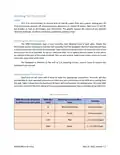


Bluetooth (Account) Password Reset
This screen is used to reset the saved Bluetooth password in the thermostat. This is the
password that must match your EasyTouch RV app account to make remote connections.
Only one account can have access to the thermostat. Use this whenever you reset the
password to your app account to regain remote access to the thermostat.
Bluetooth Password
Reset
Temperature Reading Adjustment
This setting allows you to calibrate the Inside temperature reading with an offset. For
example, if the inside temperature reads 72°F (22.2°C) and you feel it is 75°F (24°C), you
can use the up and down arrows on this page to increment the offset to +3°F (+1.8°C).
Temperature
Reading Adjustment
Temperature Gap (Hysteresis)
This setting determines the difference in temperature required between setpoint and
inside temperature before a heating or cooling cycle will begin. This is helpful to prevent
short cycling in large spaces or spaces with high thermal loss, by running a cycle for longer
amounts of time. This offset is applied to all logic that involves setpoint operations. Tap
9 for an operational example.
Temperature Gap
Button
Inside
Temperature (°F) Setpoint (°F) Setting (°F)
Heating
Heating Gap
System Operation
69
66
65
None
None
Heating Cycle Begins
Heating Cycle Continues
Heating Cycle Terminates
69
4
67
69
Table 9 - Temperature Gap Operational Example
Measurement Units
This setting determines how to display temperatures on the thermostat. Tap the Units
button to toggle between Fahrenheit and Celsius.
Units Button
Touchscreen Calibration
The EasyTouch RV touchscreen is calibrated at the factory to accurately interpret your
touch presses. Pressing the Touchscreen Calibrate Button will allow you to recalibrate the
touch press area. Follow the on-screen prompts to calibrate the touchscreen. Any
overlapping test targets on the second screen is a good calibration.
Touchscreen
Calibrate Button
Restart
This setting will turn the thermostat off then on as if removing and restoring power. Tap
the Restart button and follow the on-screen prompts to confirm.
Restart Button
Reset All Button
Reset All
This setting will reset certain settings in the thermostat back to factory defaults. Some
thermostats offer options to which settings to return to defaults. Tap the Reset All button
and follow the on-screen prompts to choose what you would like to reset.
14
©2022 Micro-Air Corp
May 10, 2022, revision 1.1

| General | Details |
|---|---|
| Name | Micro-Air EasyTouch RV 353 Thermostat Instruction Manual |
| Make | Micro-Air |
| Language | English |
| Filetype | PDF (Download) |
| File size | 0.41 MB |
 (1 votes, average: 5.00 out of 5)
 Loading...

micro-air EasyTouch 357 Multi Zone Replacement Thermostat Instruction Manual

Micro-Air EasyTouch RV 353 Touch Screen Thermostat Instruction Manual

Micro-Air 359 Touchscreen Thermostat Instruction Manual

micro-Air EasyTouch RV 351 Thermostat User Manual

Micro Air ETRV EasyTouch RV Thermostat Instruction Manual

micro-air EasyTouch RV 356 True Air RV Thermostat User Manual

micro-Air ASY-357-X02 EasyTouch 357 Touchscreen Thermostat User Manual

micro-Air EasyTouch 352 Thermostat User Manual

Micro-Air EasyTouch 355 Touch Screen Thermostat User Manual

Micro-Air 351 Air Conditioner Digital Thermostat User Guide


Honeywell Non-Programmable Digital Thermostat User Guide

beca BAC-2000-ML Modulating Touch Button Thermostats User Guide

MYS Air MS20,22,25 Thermostats User Manual

Moes WTP-BY-EU BHT-12 Smart Thermostat Instruction Manual

PREMTOOL BHT-009 GA ThermaHeat Smart Dial Wi-Fi Thermostat User Guide

BEOK TGM50 Thermostat User Guide

SALUS Thermostat RT520 User Manual

HIVE 81351 Thermostat Mini for Heating Installation Guide

DEVI 140F1161 Intelligent Electronic Timer Controlled Thermostat Installation Guide

hager 75643134 KNX Glass Sensor 3g Thermostat Owner’s Manual