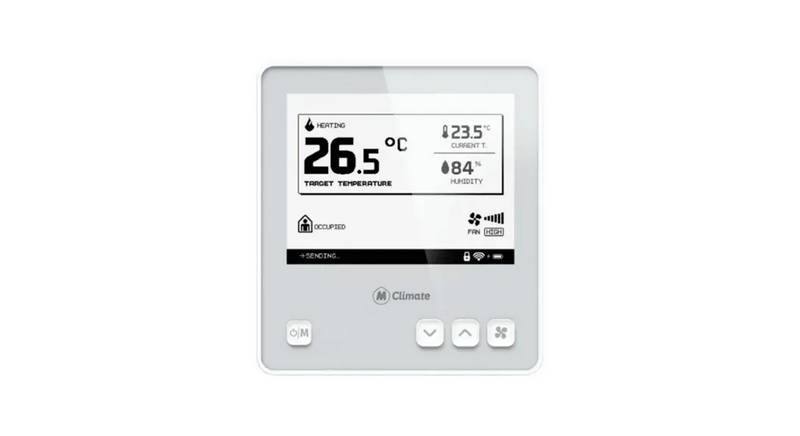
3. Whats Inside The Box?(Introduction → Technical Details, Safety Instructions, Legal Notices & Compatibility → Installation Guide → User Interface Guide → Connectivity And Smart Building → Wiring Diagrams)
4. Introduction(Overview Of The Product → Functions → Mclimate Fct Can Be Integrated Into Existing Bms And Bas Systems. → The Mclimate Fan Coil Thermostat (fct) Can Be Used With The Following Fcu Configurations: → Technical Wiring Diagrams For The Different Configurations Are Available Further In The Document.)
5. Technical Specifications(Legal Notices → Materials → Operating Conditions → Storage & Transport Conditions → Eu Declaration Of Conformity → Safety Instructions)
6. Installation Guide(Tools Required → Before You Install The Device → Open Your Lorawan Network Provider Access Panel → Continue The Installation)
7. Installation Guide(Danger Of Electrocution! → Danger - Electrical Voltage! → Rigid Wiring → The Following Conditions Must Be Met Or Observed During The Installation:)
8. Mounting(The Room Thermostat → Disconnect Power → Properly Size The Cables → See Mounting Instructions)
9. Mounting(Wiring Diagram → Connecting Wires → Restoring Power → Installers Menu → Maintenance)
10. Mounting(Validate That The Fan Coil Unit Is Reacting To Adjusting The Modes, Fan Speed And Target Temperature Through The Fct. → Do Not Use Non-flat Head Screws For The Mounting Bracket. → Mount The Mounting Bracket On The Wall Using The Enclosed Screws And If Needed - Dowels. → Slide The Fct On The Mounting Bracket And Tighten The Security Screw On The Bottom.)
15. Connectivity And Smart Building Features(Integration With Building Management Systems (bms) And Building Automation Systems (bas) → Explanation Of Lorawan Class C Connectivity → Integration With Mclimate Enterprise)
16. Wiring Diagrams(Heating And Cooling With 3-speed Fan → Heating And Cooling With Ecm Fan → Multipurpose Input/output)


 Loading...