
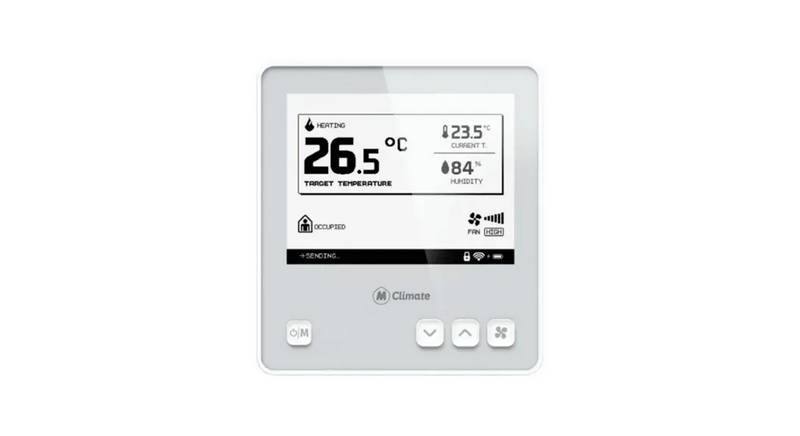
MClimate MC-LW-FCT-01 LoRaWAN Fan Coil Thermostat User Manual


Installation Guide
Tools required (not exhaustive, depends on
what thermostat you are replacing):
- T5 torx screwdriver (used on secure bolt on
mounting plate).
- Small flat screwdriver (used for connecting
wires to the terminal block).
Before you install the device, we highly recommend that you first commission it on your LNS. Once the device is powered, it’ll initiate a LoRaWAN
join-procedure using SF12. Please, make sure you enable ADR in your LNS and/or mark the device as static. The lower the spreading factor, the
better the communication interval from the FCT to the LoRaWAN gateway will be.
1
2
Open your LoRaWAN® Network provider access panel and add the device
using the supplied Serial Number, DevEUI, AppEUI (JoinEUI) and AppKey.
Continue the Installation with the instructions of your
LoRaWAN® Network provider.
You can get DevEUI, AppEUI (JoinEUI) & AppKey
information from the LoRaWAN® credentials .csv file we
sent you with the fulfillment confirmation.
The data is example.
Do not use.
5

| General | Details |
|---|---|
| Name | MClimate MC-LW-FCT-01 LoRaWAN Fan Coil Thermostat User Manual |
| Make | MClimate |
| Language | English |
| Filetype | PDF (Download) |
| File size | 3.74 MB |
 (1 votes, average: 5.00 out of 5)
 Loading...

MClimate MC-LW-V02 Smart Radiator Thermostat User Manual

BOSCH II 230V Room Thermostat Instruction Manual

GENERAL LIFE FH251S Underfloor Heating Thermostat User Manual

Wengart TP808-S-2 Low Voltage Thermostat User Guide

WHITE RODGERS 1E30-373 Low Voltage Thermostat Instruction Manual

SASWELL SAS908XWHB-7 Thermostat User Manual

White-Rodgers M30 Thermostat Instruction Manual

TPI KT Series Line Voltage Thermostat Instruction Manual

Heatit Z-TEMP2 Thermostat Installation Guide

Primevolve NFJ2002E Space Heater with Thermostat Instruction Manual

Neomitis RTMA Mechanical Room Thermostat Instruction Manual