
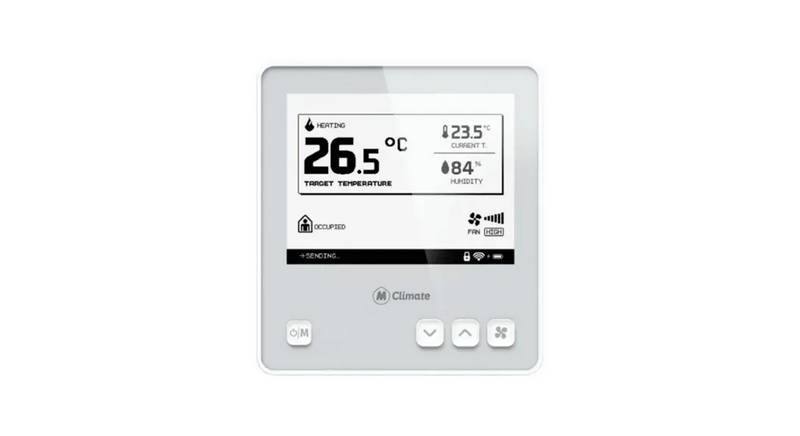
MClimate MC-LW-FCT-01 LoRaWAN Fan Coil Thermostat User Manual


Operating Instructions
Mode selection
By default, the device supports 3 operating modes -
heating/cooling/ventilation. Depending on the wiring diagram
of the Fan Coil Unit, some modes might be disabled by
default. E.g. if you are using a 2-pipe fan coil unit, it can either
heat or cool, it cannot do both throughout the whole year. In
this case, short-pressing the ON/OFF/MODE button will switch
between heating/ventilation or cooling/ventilation,
depending on the current allowed operational modes. If you
are using a 10k NTC connected to IO1 and IO2, the FCT will
determine the allowed operational modes independently
based on whether the system is circulating hot or cold water.
Fan Speed
If you want to change the fan speed, you can click the FAN
button. You will be able to change the fan speed based on
the allowed fan speeds in your wiring diagram (e.g. ECM fans
have 6 speeds).
Further, using a downlink, you can limit the selection of the
fan speed - e.g. make it so that only the first and second
speed can be used.
13

| General | Details |
|---|---|
| Name | MClimate MC-LW-FCT-01 LoRaWAN Fan Coil Thermostat User Manual |
| Make | MClimate |
| Language | English |
| Filetype | PDF (Download) |
| File size | 3.74 MB |
 (1 votes, average: 5.00 out of 5)
 Loading...

MClimate MC-LW-V02 Smart Radiator Thermostat User Manual

Schneider Electric TC-2931 Changeover Thermostat Instruction Manual

TELUS Battery for Smart Thermostat Instructions

EUROSTER 2026TXRX Air Conditioning Thermostat Instruction Manual

vaillant VR 92f/3 Wireless Additional Room Thermostat Instructions

ENGO CONTROLS EFAN-230W WIFI 230V Fan Coil Thermostat User Guide

Honeywell CT31 Low Voltage Thermostat Owner’s Manual

VIMAR 02970 Wheel Thermostat Instruction Manual

STEGO Type STO-STS 011 Mechanical Thermostat Instruction Manual

stelpro STZB402+ ELECTRONIC THERMOSTAT FOR THE SMART HOME User Guide

marmony MTC-40 Radio Controlled Room Thermostat Instruction Manual