
Home > heatmiser > heatmiser neoStat Touch-e Touchscreen Electric Floor Heating Thermostat Owner’s Manual
heatmiser neoStat Touch-e Touchscreen Electric Floor Heating Thermostat Owner’s Manual

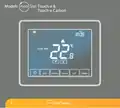








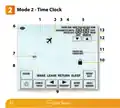


LCD Display
1. Holiday – Displayed when the thermostat is in holiday mode.
2. Frost Protection – Displayed when frost protection is enabled or activated by a Window/Door Switch.
3. Flame Symbol – Displayed when the thermostat is calling for heat and flashes when optimum
start is active.
4. Advanced Until - Displayed when the neoStat Touch-e is advanced to the next programmed comfort level.
5. Day Indicator - Displays the day of the week.
6. Hold Left - Displayed when a temperature hold is active, the remaining time will be shown.
7. Clock - Time displayed in 24 hour format.
8. Mesh Symbol - Displayed when connected to the neoHub.
9. Active Status - Indication for‘Preheat’and‘Frost Protection’modes.
10. Sensor Warning - Shows on screen when the thermostat has failed to receive a signal from a Wireless
Sensor or Window/Door Switch.
11. Floor Limit Symbol – Displayed when the floor probe has reached the floor temperature limit
configured in the setup menu.
12. Room Temp/Floor Temp/Set/Set Temp/Heating/Timer - Indicates displayed sensor mode and when
changes are being made to the current set point and switching periods .
13. Program Indicator - Displayed during programming (6 level mode) to show which level is being altered.
14. Up/down keys – Increase/decrease of lower digit group.
15. Program Indicator - Displayed during programming (4 level mode) to show which level is being altered.
16. Navigation/Programming keys – Used to configure the neoStat Touch-e.
17. View Floor Temperature Key - Used to change display to show floor temperature.
18. Keypad Lock Indicator – Displayed when the keypad is locked.
19. Temperature – Displays the current sensor temperature.
20. Temperature Format - Degrees Celsius or Fahrenheit.
21. Up/down keys – Increase/decrease of higher digit group.
22. Time/Day/Month/Year - Displays when setting the Clock/Calendar or a Holiday Period.
neo
10
StatTouch-e

| General | Details |
|---|---|
| Name | heatmiser neoStat Touch-e Touchscreen Electric Floor Heating Thermostat Owner’s Manual |
| Make | heatmiser |
| Language | English |
| Filetype | PDF (Download) |
| File size | 0.64 MB |
 (1 votes, average: 5.00 out of 5)
 Loading...

heatmiser Slimline-RF V3 Programmable Wireless Thermostat Instructions

heatmiser DS1-V2 Thermostat Owner’s Manual

heatmiser neoStat-e Electric Floor Heating Thermostat Instructions

heatmiser neoStat-Pro Smart Thermostat Instruction Manual

heatmiser Slimline-B V3 Programmable Room Thermostat Owner’s Manual


PowerOptimal Elon Smart Thermostat User Guide

King K901-B Wifi Programmable Thermostat Instruction Manual

STELPRO STZW402 – KI Electronic Thermostat Owner’s Manual

QH Basic Quality Heating CV Clock Thermostat Instruction Manual

Vaillant VRC 700 Programmable Weather Compensating Thermostat Owner’s Manual

White Rodgers 1E65-144 Non Programmable Electronic Digital Thermostat Instruction Manual

THE HEATING COMPANY TR220 WiFi Thermostat User Manual

Danfoss KPS 76 Pressure Switch and Thermostat Installation Guide

PRO T751 Thermostat Installation Guide

SALUS Programmable Wired Thermostat VS30W/VS30B Installation Guide