
EUROSTER 4040 Smart Programmable Thermostat User Manual



EUROSTER 4040 Smart – INSTALLATION AND OPERATION MANUAL 9
Pairing mode is described in point 8.1.
•
Test Mode
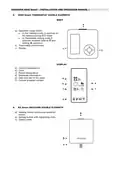
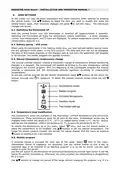
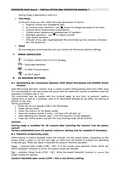
In the test mode you may check the main parameters of the kit:
✓
✓
✓
✓
✓
✓
✓
Program version and compilation date
RX receiver relay operation - use
button to change the status of the relay
Internal sensor temperature measurement
Cabled sensor temperature measurement (if installed)
Backlight operation – use
to switch it on/off
Light sensor operation
Strength of the radio signal between the thermostat and the receiver (transmis-
sion and reception)
•
Reset
By selecting and confirming this item you restore the thermostat factory settings.
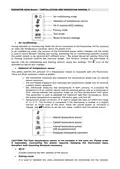
7. ERROR INDICATION
– no sensor, sensor short-circuit or damage
– discharged batteries
– no radio communication
– no Wi-Fi signal
8. RX RECEIVER SETTINGS
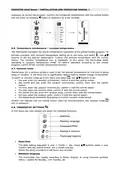
8.1. Establishing the connection between 4040 Smart thermostat and 4040RX Smart
receiver
Each thermostat and each receiver have a unique number distinguishing them from other ones.
It is not possible for any thermostat not paired with the particular receiver to interfere with the
operation of another pair or set.
The thermostat may be paired with the receiver again at any time. A blackout, battery
replacement as well as a complete reset of all thermostat settings do not affect the pairing of
devices in any way.
Pairing procedure:
•
•
•
•
•
•
Enter the service setting mode in the thermostat
Select pairing mode
Insert the receiver in the power socket
Press the receiver button 3 times – the blue LED will light up
After detecting the receiver digit 1 (the first receiver) will be displayed
Press the central button and exit the menu Pairing mode will be finished.
Caution!
Pairing mode is available for 10 minutes after inserting the receiver into the power
socket!
Factory-established pairs are paired, however, pairing may be repeated if necessary.
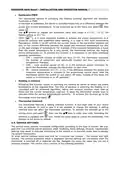
8.2. Selection of operating mode
While holding its button pressed, insert the receiver into the power socket. Depending on the
preset mode a green or red LED will light up. Each time the button is pressed the operating
mode changes. When the mode is selected the receiver restores operation.
Green – normally open mode (COM – NO). It is the mainly used operation mode. While the
device operation indicator is active, the output cables are shorted.
Red – normally closed mode (COM – NC). While the device operation indicator is active, the
output cables are opened.
Caution! Normally open mode (COM – NO) is the factory setting.

| General | Details |
|---|---|
| Name | EUROSTER 4040 Smart Programmable Thermostat User Manual |
| Make | EUROSTER |
| Language | English |
| Filetype | PDF (Download) |
| File size | 0.33 MB |
 (1 votes, average: 5.00 out of 5)
 Loading...

EUROSTER 2006TXRX Wireless Programmable Thermostat Installation Guide

EUROSTER 2026TXRX Air Conditioning Thermostat Instruction Manual


LuxPro T10-1141 Heat Thermostat Instruction Manual

Google Cloud 2024 Nest Learning Thermostat Instructions

BEOK TS4 Series Wi-Fi Touch Screen Thermostat User Manual

SALUS RT310i Smart Phone Controlled Programmable Thermostat Installation Guide

GENERAL LIFE SENNA 300S Digital Room Thermostat User Manual

HORSTMANN C-Stat 17-B 7 Day Programmable Room Thermostat Instruction Manual

EBECO EB-Therm 205 Thermostat User Guide

Vtech E-Smart W960 Thermostat Instruction Manual

EPH CONTROLS PR092K7 RF Cylinder Thermostat Instruction Manual

hyco PT01 Programmable Thermostat Instruction Manual