
EUROSTER 4040 Smart Programmable Thermostat User Manual



EUROSTER 4040 Smart – INSTALLATION AND OPERATION MANUAL 5
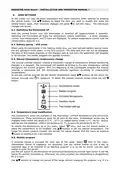
6. USER SETTINGS
In this mode, you may set basic parameters and select functions. Enter settings by pressing
the central button. Use
buttons to select the item you want to modify and press the
central button again, then introduce changes and press
changes are stored.
to exit the menu. The introduced
6.1. Switching the thermostat off
Hold the central button until the thermostat is switched off (approximately 5 seconds).
Switching the thermostat off holds the temperature control indefinitely – a clock, weekday,
current room temperature, and
central button again for 5 s.
icons are displayed. To restore temperature control hold the
6.2. Battery saving – ECO mode
When using the thermostat in the heating mode only, you may activate battery saving mode.
Put the operation mode switch in the ECO position. The date and time will not be displayed,
the time of thermostat response to the changes sent to and from the application will lengthen
to 20 minutes. The weekly program will operate normally.
6.3. Manual (temporary) temperature change
The manual override function enables a temporary change of temperature without introducing
changes in a program. The thermostat will operate according to the new temperature setting
throughout the current program. With the beginning of the subsequent program the manual
override is completed and the thermostat restores operation according to programmed
temperatures.
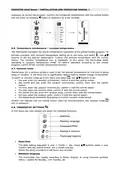
To activate manual override set the desired temperature using
buttons. At this point, the
manual override icon
button.
is displayed. To finish the manual override earlier press the left
6.4. Temperature level modification
Two temperature levels are available in the thermostat: comfort temperature and economical
temperature. These temperatures apply for all days of the week. Temperature values may be
changed freely within the range of 5 °C...35 °C (in cabled sensor mode: 5 °C...85 °C). Factory
settings are the following: comfort temperature 21 °C, economical temperature 20 °C.
To modify the temperature go to the menu, select
item, and use the central button to
select the temperature to be modified. Use buttons to set the desired temperature. The
longer the button remains pressed, the quicker the values change. Exit the menu by pressing
button or holding it for a few seconds.
6.5. Weekly program
A separate period is provided for each day of the week. Select
item in the menu.
Abbreviated names of weekdays are displayed. Use the central button to tick a day or
individual days to be modified (if an identical program is to be set for them). Use the right
button to enter the period.
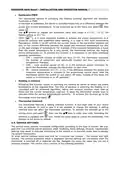
Use the left button to set the period for economical temperature and the right button to set the
period for comfort temperature. Whenever you press a button the temperature is programmed
for 0.5 hour.
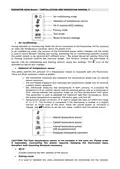
Use
buttons to change the period of the range without changing the program, e.g. if it is

| General | Details |
|---|---|
| Name | EUROSTER 4040 Smart Programmable Thermostat User Manual |
| Make | EUROSTER |
| Language | English |
| Filetype | PDF (Download) |
| File size | 0.33 MB |
 (1 votes, average: 5.00 out of 5)
 Loading...

EUROSTER 2006TXRX Wireless Programmable Thermostat Installation Guide

EUROSTER 2026TXRX Air Conditioning Thermostat Instruction Manual


WATTS Tekmar Wi-Fi Thermostat Instruction Manual

DEVIreg 530 Electronic Thermostat Installation Guide

FRIGIDAIRE W960 Installing E-Smart Thermostat User Manual

Honeywell CMR707A1049 Programmable Room Thermostat User Guide

Fantini Cosmi CH180-230V Touch Screen Programmable Thermostat Instructions

KONIGHAUS Remote Infrared Heater Plus Thermostat User Guide

Beca BHT-008 Heating Thermostat User Guide

PERRY TE541 Digital Thermostat User Manual

Living Heat Wi5 Wi-Fi Digital Heating Thermostat Instructions

DEVI 330 Electronic Thermostat Installation Guide