
×
- 1. Wireless Thermostat (Bezdrátový Termostat → Bezdrôtový Termostat → Bezprzewodowy Termostat → Vezeték Nélküli Termosztát → Brezžični Termostat)
- 2.
- 3.
- 4.
- 5.
- 6.
- 7.
- 8.
- 9.
- 10.
- 11.
- 12.
- 13. Wireless Thermostat (Important → Technical Specifications → Power Supply → Dimensions → Description Of The Thermostat (transmitter Unit) Icons And Buttons)
- 14. Thermostat Stand (Description Of The Receiver (switching Unit) → Procedure For Removing The Front Of The Switching Unit → Mobile Application → Description Of Registering And Logging Into The Application → Connecting The Thermostat To A Wi-fi Network For Control Via The Mobile App)
- 15. Description Of The Main Menu Of The Mobile App (Thermostat Status (on/off) → Work Mode Setting → Schedule → Setting → Thermostat Mode Icon)
- 16. Work Mode Icon (Adjust Temperature → Current Room Temperature → Current Set Temperature → Network Information About The Device → Deleting The Thermostat From The App → Installation)
- 17. Floor Heating Connection Diagram (Boiler Connection Diagram → Expansion Valve/electric Drive Connection Diagram → Putting The Device Into Operation → Pairing The Control Unit With The Switching Unit)
- 18. Testing Wireless Communication Between The Units (Main Switch → Led Indicators → Automated Mode → Manual Mode → Setting The Clock, Calendar)
- 19. Work Modes (Holiday Mode → Temporary Change Mode → Off Mode → Timed Temporary Change Mode → Hold Mode)
- 20. Heating Programme Setting Mode (Different Each Day Programme → Monday To Friday Programme → Saturday To Sunday Programme → All Week Programme → Factory Pre-set Times And Temperatures)
- 21. Screen Illumination (Other Technical Settings → Connecting The Thermostat To Wifi (cofi) → Switching Heating/cooling Mode → Setting The Temperature Differential → Ambient Temperature Calibration (cal) → Time Synchronisation (sync))
- 22. Software Version (Resetting The Thermostat → Key Lock → Upkeep And Maintenance)
- 23. Důležitá Upozornění (Technická Specifikace → Napájení → Součást Balení)
- 24. Rozměry (Popis Termostatu (vysílací Jednotky) Ikony A Tlačítka → Popis Přijímače (spínací Jednotky) → Způsob Sejmutí Přední Části Spínací Jednotky → Mobilní Aplikace)
- 25. Popis Registrace A Přihlášení Do Aplikace (Propojení Termostatu S Wi-fi Sítí Pro Ovládání Přes Mobilní Aplikaci → Popis Základního Menu Mobilní Aplikace)
- 26. Vymazání Časového Úseku (Nastavení → Ikona Módu Termostatu → Ikona Teplotního Režimu → Nastavení Teploty → Uživatelský Přehled/změna Hesla/update Aplikace → Instalace)
- 27. Umístění Termostatu (Schéma Zapojení Spínací Jednotky → Schéma Připojení Čerpadla/motorizovaného Ventilu → Schéma Připojení Podlahového Vytápění → Schéma Připojení Kotle)
- 28. Schéma Připojení Expanzního Ventilu/elektrického Pohonu (Uvedení Do Činnosti → Spárování Ovládací Jednotky Se Spínací Jednotkou → Testování Bezdrátové Komunikace Mezi Jednotkami → Hlavní Vypínač → Led Indikátory (diody) → Automatický Mód)
- 29. Manuální Mód (Nastavení Hodin, Kalendáře → Teplotní Režimy → Režim Prázdniny → Režim Dočasná Změna)
- 30. Režim Off (Režim Dočasná Hodinová Změna → Režim Hold → Režim Nastavení Teplotního Programu)
- 31. Teplotní Změna (Podsvícení Displeje → Další Technické Nastavení → Propojení Termostatu S Wi-fi → Nastavení Režimu Vytápění/chlazení → Nastavení Rozptylu Teploty)
- 32. Korekce Okolní Teploty (cal) (Synchronizace Času (sync) → Verze Softwaru → Resetování Termostatu (rese) → Zamknutí Kláves → Péče A Údržba)
- 33. Nevystavujte Výrobek Přímému Slunečnímu Světlu, Extrémnímu Chladu A Vlhku A Náhlým Změnám Teploty. Snížilo By To Přesnost Snímání.
- 34. Bezdrôtový Termostat P56211 (Dôležité Upozornenia → Technická Špecifikácia → Napájanie → Rozmery → Popis Termostatu (vysielacej Jednotky) Ikony A Tlačidlá)
- 35. Stojan Termostatu (Popis Prijímača (spínacej Jednotky) → Mobilná Aplikácia → Popis Registrácie A Prihlásenia Do Aplikácie → Prepojenie Termostatu S Wi-fi Sieťou Pre Ovládanie Cez Mobilnú Aplikáciu)
- 36. Zvoľte 2,4 Ghz Wifi Sieť, Vložte Heslo A Kliknite Na Ďalej. (Popis Základného Menu Mobilnej Aplikácie → Nastavenie Teplotného Režimu → Harmonogram → Nastavenie)
- 37. Ikona Teplotného Režimu (Nastavenie Teploty → Aktuálna Teplota V Miestnosti → Nastavená Teplota → Sieťové Informácie O Zariadení → Užívateľský Prehľad/zmena Hesla/update Aplikácie → Montáž Termostatu)
- 38. Schéma Pripojenia Podlahového Vykurovania (Schéma Pripojenia Kotla → Schéma Pripojenia Expanzného Ventilu/elektrického Pohonu → Uvedenie Do Činnosti → Spárovanie Ovládacej Jednotky So Spínacou Jednotkou)
- 39. Testovanie Bezdrôtovej Komunikácie Medzi Jednotkami (Hlavný Vypínač → Led Indikátory (diódy) → Automatický Mód → Manuálny Mód → Nastavenie Hodín, Kalendára)
- 40. Teplotné Režimy (Režim Prázdniny → Režim Dočasná Zmena → Režim Off → Režim Dočasná Hodinová Zmena → Režim Hold)
- 41. Režim Nastavenia Teplotného Programu (Nastavenie Teplotného Priebehu Počas Celého Dňa → Program Každý Deň Zvlášť → Program Pondelok Až Piatok → Program Sobota Až Nedeľa → Program Celý Týždeň → Podsvietenie Displeja)
- 42. Ďalšie Technické Nastavenie (Prepojenie Termostatu S Wi-fi (cofi) → Nastavenie Režimu Vykurovanie/chladenie → Nastavenie Rozptylu Teploty → Korekcia Okolitej Teploty (cal) → Synchronizácia Času (sync) → Verzia Softwaru)
- 43. Resetovanie Termostatu (Zamknutie Kláves → Nastavenie Zámku V Mobilnej Aplikácii → Starostlivosť A Údržba)
- 44. Upozornenie (Bezprzewodowy Termostat → Ważne Ostrzeżenia → Specyfikacja Techniczna)
- 45. Zawartość Opakowania (Opis Termostatu (jednostki Nadajnika) Ikony I Przyciski → Podstawka Termostatu → Opis Odbiornika (jednostki Przełączającej) → Sposób Zdejmowania Przedniej Części Jednostki Przełączającej → Aplikacja Mobilna)
- 46. Kod Qr Do Pobrania Aplikacji Android (Kod Qr Do Pobrania Aplikacji Ios → Opis Rejestracji I Logowania Się Do Aplikacji → Połączenie Termostatu Z Siecią Wi-fi Do Sterowania Za Pomocą Aplikacji Mobilnej → Opis Głównego Menu Aplikacji Mobilnej)
- 47. Stan Termostatu (Ustawienie Trybu Ogrzewania → Harmonogram → Ustawienie → Ikona Trybu Termostatu → Ikona Trybu Ogrzewania → Ustawienie Temperatury)
- 48. Usunięcie Termostatu Z Aplikacji (Przegląd Użytkownika/zmiana Hasła/update Aplikacji → Instalacja → Montaż Termostatu → Lokalizacja Termostatu → Schemat Podłączenia Jednostki Przełączającej)
- 49. Schemat Podłączenia Kotła (Uruchomienie Do Pracy → Sparowanie Jednostki Sterującej Z Jednostką Przełączającą → Testowanie Komunikacji Bezprzewodowej Między Jednostkami)
- 50. Zasięg Między Jednostką Sterującą, A Przełączającą Wynosi Maks. 100 M Na Otwartej Przestrzeni. W Pomieszczeniach Wewnętrznych Zasięg Może Si…
- 51. Tryb Wakacyjny (Tryb Zmiana Chwilowa → Tryb Off → Tryb Chwilowa Zmiana Godzinowa → Tryb Hold → Tryb Ustawienia Programu Ogrzewania)
- 52. Program (Wybieramy Program I Potwierdzamy Go Przyciskiem → Ustawienia Temperatury → Fabrycznie Zaprogramowane Czasy I Temperatury → Podświetlenie Wyświetlacza → Dalsze Ustawienia Techniczne)
- 53. Połączenie Termostatu Z Siecią Wi-fi (cofi) (Ustawienie Trybu Ogrzewania/chłodzenia → Ustawienie Histerezy Temperatury → Korekta Temperatury Otoczenia (cal) → Synchronizacja Czasu (sync) → Wersja Software)
- 54. Resetowanie Termostatu (Zamknięcie Klawiszy → Ustawienie Zamka W Aplikacji Mobilnej → Czyszczenie I Konserwacja)
- 55. Ostrzeżenie: Treść Tej Instrukcji Może Być Zmieniona Bez Uprzedzenia Z Powodu Ograniczonych Możliwości Drukowania Niektóre Z Przedstawionych… (Műszaki Jellemzők:)
- 56. Tápellátás (A Csomag Tartalma → A Termosztát (adóegység) Leírása Gombok És Piktogramok → A Vevő (kapcsolóegység) Leírása → A Kapcsolóegység Fedelének Eltávolítása → Mobilalkalmazás)
- 57. Qr-kód Az Android Alkalmazás Letöltéséhez (Qr-kód Az Ios Alkalmazás Letöltéséhez → A Regisztráció És Az Alkalmazásba Való Bejelentkezés Menete → A Termosztát Csatlakoztatása Wifi Hálózathoz Mobilalkalmazással Történő Vezérléshez → Megjegyzés)
- 58. A Termosztát Állapota (Hőmérséklet Üzemmód Beállítása → Ütemezés → Beállítások → Termosztát Üzemmód Piktogram → Hőmérséklet Üzemmód Piktogram → Hőmérséklet-beállítás)
- 59. Hálózati Információk Az Eszközről, Név Módosítása Az Alkalmazásban (Felhasználói Áttekintés/jelszómódosítás/alkalmazásfrissítés → Beszerelés → A Termosztát Felszerelése → A Termosztát Elhelyezése → A Kapcsolóegység Bekötési Rajza → Szivattyú/motorosszelep Bekötési Rajz)
- 60. Padlófűtés Csatlakoztatási Rajza (Kazán Csatlakoztatási Rajz → Üzembehelyezés → A Vezérlőegység És A Kapcsolóegység Párosítása)
- 61. A Vezeték Nélküli Kommunikáció Tesztelése (Főkapcsoló → A Led-állapotjelző (dióda) → Automatikus Üzemmód → Manuális Üzemmód → Az Óra És A Naptár Beállítása)
- 62. Hőmérséklet Üzemmódok (Nyaralás Üzemmód → Ideiglenes Változás Üzemmód → Off (ki) Üzemmód → Ideiglenes Párórás Változás Üzemmód → Hold (tartás) Üzemmód)
- 63. Hőmérséklet Program Beállítás Üzemmód (Hőmérséklet-ütemezés Beállítása Az Egész Napra → Hétfőtől Péntekig Program → Szombat-vasárnap Program → Egész Hét Program → Hőmérsékletváltozás)
- 64. Hőmérsékletváltozás (A Kijelző Háttérvilágítása → Egyéb Műszaki Beállítások → A Termosztát Csatlakoztatása A Wifihez (cofi) → A Fűtés/hűtés Üzemmód Beállítása → A Kapcsolási Tartomány Beállítása → Környezeti Hőmérséklet Korrekciója (cal))
- 65. Idő Szinkronizálása (sync) (Szoftververzió → A Termosztát Visszaállítása (rese) → Billentyűzár → Gondozás És Karbantartás)
- 66. Pomembnaopozorila (Svetujemo,danamestitevizvajausposobljendeloznik! → Aterméketnemerítsükvízbe,omásfolyadékba. → Atermékserülésevagymeghibásodásaeseténnepróbáljuksajátmagunkmegjavítani. → Azelektronikuskészülékeketnedobjakevegyesháztartásihulladékközé. → Atermékbelsőáramköreitne Módosítsuk. → Tisztításhozhasználjunkenyhénbenedvesítettfinomtörlőruhát.)
- 67. Tehnična Specifikacija (Merjenje Temperature → Nastavitev Temperature → Delovna Temperatura → Združitev Enot → Napajanje → Dimenzije)
- 68. Način Snetja Sprednjega Dela Termostata (Mobilna Aplikacija → Opis Registracije In Prijave V Aplikacijo → Povezovanje Termostata Z Wi-fi Omrežjem Za Upravljanje Preko Mobilne Aplikacije → Opomba)
- 69. Opis Osnovnega Menija Mobilne Aplikacije (Stanje Termostata → Nastavitev Temperaturnega Načina → Časovni Načrt → Nastavitve → Ikona Načina Termostata)
- 70. Izbris Termostata Iz Aplikacije (Uporabniški Pregled/sprememba Gesla/posodobitev Aplikacije → Namestitev → Namestitev Termostata → Shema Priključitve Stikalne Enote → Shema Priključitve Črpalke/motoriziranega Ventila → Shema Priključitve Talnega Ogrevanja)
- 71. Shema Priključitve Kotla (Shema Priključitve Ekspanzijskega Ventila/električnega Pogona → Aktiviranje Naprave → Povezovanje Upravljalne Enote S Stikalno Enoto → Testiranje Brezžične Komunikacije Med Enotama)
- 72. Glavno Stikalo (Led Indikatorji (diode) → Avtomatski Način → Ročni Način → Nastavitev Ure, Koledarja → Temperaturni Načini → Način Dopust)
- 73. Način Začasna Sprememba (Način Off → Način Proti Zmrzovanju → Način Začasna Urna Sprememba → Način Hold → Način Nastavitev Temperaturnega Programa)
- 74. Temperaturna Sprememba (Osvetlitev Zaslona → Ostale Tehnične Nastavitve → Povezava Termostata Z Wi-fi (cofi) → Povezovanje Termostata Z Wi-fi Omrežjem Za Upravljanje Preko Mobilne Aplikacije)
- 75. Nastavitve Načinov Ogrevanje/hlajenje (Nastavitev Razpona Temperature → Popravek Temperature Okolice (cal) → Sinhronizacijo Časa (sync) → Različica Programske Opreme → Ponastavitev Termostata (rese) → Zaklepanje Tipk)
- 76. Nastavitev Zaklepanja V Mobilni Aplikaciji (Skrb In Vzdrževanje → Opozorilo)
- 77. Bežični Termostat P56211 (Važno → Tehničke Specifikacije → Napajanje → Dimenzije → Opis Termostata (odašiljač) Ikone I Gumbi)
- 78. Postavke Programa (Postavke Za Datum I Vrijeme → Odabir Funkcije, Potvrda → Privremena Promjena Temperature; Navigacija U Postavkama → Povratak Na Glavni Izbornik → Mobilna Aplikacija → Opis Registracije I Prijave U Aplikaciju)
- 79. Povezivanje Termostata S Wi-fi Mrežom Za Upravljanje Putem Mobilne Aplikacije (Opis Glavnog Izbornika Mobilne Aplikacije → Status Termostata → Postavka Načina Rada → Raspored → Postavljanje)
- 80. Korekcija Temperature Okoline (Način Rada Sustava Grijanja/hlađenja → Kalendarski Način Rada → Ikona Načina Rada Termostata → Prilagodba Temperature → Mrežne Informacije O Uređaju → Postavljanje Termostata)
- 81. Shema Ožičenja Sklopne Jedinice (Puštanje Uređaja U Rad → Uparivanje Upravljačke Jedinice Sa Sklopnom Jedinicom)
- 82. Postavljanje Se Obavlja Putem Automatskog Uparivanja (način Rada Automatskog Učenja). (Provjera Bežične Komunikacije Između Jedinica → Glavni Prekidač → Led Indikatori → Automatizirani Način Rada → Ručni Način Rada → Postavljanje Sata I Kalendara)
- 83. Koristite Gumbe (Radni Načini → Način Rada Za Vrijeme Odmora → Način Rada Privremene Promjene → Način Rada Isključivanje → Vremenski Određeni Način Rada Privremene Promjene)
- 84. Način Rada Zadrži (Način Rada Postavljanja Programa Grijanja → Program Svaki Dan Različito → Program Od Ponedjeljka Do Petka → Program Od Subote Do Nedjelje → Program Cijeli Tjedan)
- 85. Temperaturna Promjena (Osvjetljenje Zaslona → Druge Tehničke Postavke → Povezivanje Termostata Na Wifi (cofi) → Prebacivanje Načina Rada Grijanja/hlađenja → Postavljanje Temperaturne Razlike)
- 86. Kalibracija Temperature Okoline (cal) (Sinkronizacija Vremena (sync) → Verzija Softvera → Ponovno Postavljanje Termostata (rese) → Zaključavanje Tipkovnice → Servis I Održavanje)
- 87. Proizvod Ne Izlažite Direktnoj Sunčevoj Svjetlosti, Ekstremnoj Hladnoći I Vlazi (Ne Postavljajte Proizvod Na Mjestima Izložena Vibracijama I Udarcima → Ne Izlažite Proizvod Kiši Ili Velikoj Vlazi → Ne Dirajte Unutarnje Električne Krugove Proizvoda → Za Čišćenje Proizvoda Upotrijebite Blago Navlaženu Mekanu Krpu → Nije Predviđeno Da Ovaj Uređaj Upotrebljavaju Osobe Smanjenih Fizičkih, Osjetilnih Ili Mentalnih Sposobnosti → Ne Bacajte Električne Uređaje Kao Nerazvrstani Komunalni Otpad)
- 88. Wichtige Hinweise (Technische Spezifikation → Stromversorgung → Beschreibung Des Thermostats)
- 89. Einstellung Von Datum Und Uhrzeit (Funktionsauswahl, Auswahlbestätigung → Temporäre Temperaturänderung; Navigieren In Einstellungen → Mobile App → Beschreibung Der Registrierung Und Anmeldung In Der App)
- 90. Aktivieren Sie Nach Eigenem Ermessen Die Datenanalyse-/personalisierungsop-tionen Und Klicken Sie Auf Zur Applikation Übergehen.
- 91. Einstellung (Symbol Für Den Thermostatmodus → Symbol Für Den Temperaturmodus → Temperatureinstellung → Aktuelle Raumtemperatur → Benutzerübersicht/passwortänderung/app-update → Installation)
- 92. Thermostat-standort (Schaltschema Für Die Schalteinheit → Anschlussschema Für Die Pumpe/das Motorisierte Ventil → Anschlussschema Für Die Fußbodenheizung → Anschlussschema Für Den Kessel)
- 93. Anschlussschema Für Das Expansionsventil/den Elektrischen Antrieb (Inbetriebnahme → Testen Der Drahtlosen Kommunikation Zwischen Den Einheiten → Hauptschalter)
- 94. Led-anzeigen (dioden) (Automatischer Modus → Manueller Modus → Einstellung Der Uhr, Des Kalenders → Temperaturmodi → Urlaubsmodus)
- 95. Modus Vorübergehende Änderung (Modus Off → Modus Temporäre Stundenänderung → Modus Hold → Temperaturprogrammeinstellungsmodus)
- 96. Die Uhrzeit Für Den Beginn Der Ersten Temperaturänderung Blinkt, Stellen Sie Die Uhrzeit Durch Wiederholtes Betätigen Der Tasten Ein (auflösu…
- 97. Verbindung Des Thermostats Mit Wlan (cofi) (Einstellung Des Heiz-/kühlmodus → Einstellung Der Temperaturstreuung → Korrektur Der Umgebungstemperatur (cal) → Zeitsynchronisation (sync) → Softwareversion)
- 98. Thermostat-reset (rese) (Tastensperre → Einstellung Der Sperre In Der Mobilen App → Pflege Und Instandhaltung)
- 99. Wichtige Hinweise (Technische Spezifikationen → Sicherheitshinweise → Entsorgungshinweise → Eu-konformitätserklärung)
- 100. Взаємозвязок Блоків (Досяжність Дії Блоку Передавача → Частота Wi-fi → Джерело Живлення → Опис Термостату (блок Передачі) → Опис Приймача (блоку Перемикання) → Спосіб Зняття Передньої Частини Перемикача)
- 101. Мобільна Програма (Опис Реєстрації Та Входу В Програму → Сполучення Термостату До Мережі Wi-fi Для Управління Через Мобільну Програму → Примітка)
- 102. Опис Основного Меню Мобільної Програми (Стан Термостата → Встановлення Температурного Режиму → Графік → Налаштування → Іконка Módu Термостата)
- 103. Скасування Термостату З Програми (Перегляд Користувача/зміна Пароля/оновлення Програми → Установка → Монтаж Терморегулятора → Розташування Термостата → Схема Підключення Блоку Перемикача → Схема Підключення Опалення Підлоги)
- 104. Схема Підключення Котла (Схема Підключення Розширювального Клапана/електроприводу → Підключення Обладнання → Впуск У Роботу → Сполучення Блоку Управління З Блоком Перемикача → Тестування Бездротового Звязку Між Блоками)
- 105. Досяжність Між Блоком Керування Та Блоком Перемикача (Головний Вимикач → Світлодіодні Індикатори (діоди) → Автоматичний Mód → Ручний Mód → Налаштування Годинника, Календаря → Режим Температури)
- 106. Налаштовану Кількість Днів, Підтвердіть Натиснувши Кнопку (Режим Тимчасова Зміна → Режим Off → Режим Тимчасова Зміна Годин → Режим Hold → Режим Встановлення Температурної Програми)
- 107. Програма Від Суботи До Неділі (Програма Цілий Тиждень → Виберіть Вибрану Програму Tа Підтвердіть Кнопкою → Температурні Зміни → Підсвічування Дисплея → Інші Технічні Налаштування)
- 108. Сполучення Термостата З Wifi (cofi) (Сполучення Термостата З Мережею Wifi Для Керування За Допомогою Мобільної Програми → Налаштування Режиму Опалення/охолодження → Встановлення Відхилення Температури → Корекція Навколишньої Температури (cal) → Синхронізація Часу (sync) → Версія Softwaru)
- 109. Скидання Термостата (rese) (Замикання Клавіатури → Налаштування Замка У Програмі Мобільника → Догляд Та Технічне Обслуговування)
- 110. Avertizări Importante (Specificații Tehnice)
- 111. Descrierea Termostatului (unității De Emisie) Simboluri Și Butoane (Stativul Termostatului → Descrierea Receptorului (unității De Comutare) → Modul De Îndepărtare A Capacului Frontal Al Unității De Comutare → Aplicație Mobilă)
- 112. Codul Qr Pentru Descărcarea Aplicației Android (Codul Qr Pentru Descărcarea Aplicației Ios → Descrierea Înregistrării Și Logării În Aplicație → Interconectarea Termostatului Cu Rețeaua Wi-fi Pentru Comanda Prin Aplicație Mobilă → Descrierea Meniului De Bază Al Aplicației Mobile)
- 113. Starea Termostatului (Setarea Regimului Termic → Diagramă → Setare → Simbolul Regimului Termostatului → Simbolul Regimului Termic → Setarea Temperaturii)
- 114. Raport Utilizator/schimbare Parolă/update Aplicație (Instalare → Montajul Termostatului → Amplasarea Termostatului → Schema De Racordare A Unității De Comutare → Schema De Racordare A Pompei/ventilului Motorizat → Schema De Racordare A Încălzii În Pardoseală)
- 115. Schema De Racordare A Cazanului (Schema De Racordare A Ventilului De Expansiune/acționării Electrice → Punerea În Funcțiune → Asocierea Unității De Comandă Cu Unitatea De Conectare → Testarea Comunicării Fără Fir Între Unități)
- 116. Accesibilitatea Între Unitatea De Comandă Și Cea De Comutare (Întrerupătorul Principal → Indicatoare Led (diode) → Regim Automat → Regim Manual → Reglarea Ceasului, Calendarului → Regimuri Termice)
- 117. Regimul Vacanță (Regimul Modificare Temporară → Regimul Off → Regimul Modificare Orară De Scurtă Durată → Regimul Hold → Regimul Setării Programului Termic)
- 118. Selectați Programul Ales Și Confirmați Cu Butonul (Modificare Termică → Iluminarea Ecranului → Alte Setări Tehnice → Interconectarea Termostatului Cu Wifi (cofi))
- 119. Interconectarea Termostatului Cu Rețeaua Wifi Pentru Comanda Prin Aplicație Mobilă (Setarea Regimului Încălzire/răcire → Setarea Abaterii Temperaturii → Corecția Temperaturii Ambientale (cal) → Sincronizarea Orei (sync) → Versiune Software → Resetarea Termostatului (rese))
- 120. Blocarea Tastelor (Setarea Blocării În Aplicație Mobilă → Grija Şi Întreţinerea → Atenționare)
- 121. Nu Aruncaţi Consumatorii Electrici La Deşeuri Comunale Nesortate, Folosiţi Bazele De Recepţie A Deşeurilor Sortate. Pentru Informaţii Actual…
- 122. Meniu Užrakinimas (Atostogų Režimas → Išlaikymo Režimas → Programos Nustatymai → Datos Ir Laiko Nustatymai → Funkcijos Parinkimas, Patvirtinimas → Mobiliesiems Įrenginiams Skirta Programa)
- 123. Įveskite Į El. Paštą Gautą Patvirtinimo Kodą. (Pasirinkite, Ar Norite Įjungti Duomenų Analizę/pritaikomumą, Ir Paspauskite Eiti Į Programėlę. → Prijunkite Termostatą Prie Wi-fi' Tinklo, Kad Galėtumėte Jį Valdyti. → Programėlėje Paspauskite Pridėti Įrenginį Ir Įjunkite Prieigą Prie Vietovės. → Pagrindinio Mobiliosios Programėlės Meniu Aprašymas. → Termostato Būsena (įjungta/išjungta) Apsaugos Nuo Užšalimo Režimas. → Darbinio Režimo Parinkimas.)
- 124. Nustatymas (Termostato Režimo Simbolis → Darbinio Režimo Simbolis → Koreguoti Temperatūrą → Dabartinė Patalpos Temperatūra → Termostato Pašalinimas Iš Programėlės → Montavimas)
- 125. Pasirinkite Vietą, Kur Šeimos Nariai Praleidžia Daugiausia Laiko, Pageidautina, Montuokite Šalia Vidinės Sienos, Kur Oras Laisvai Cirkuliuoj…
- 126. Prietaiso Naudojimas (Valdymo Bloko Susiejimas Su Perjungimo Bloku → Belaidžio Ryšio Tarp Blokų Tikrinimas → Pagrindinis Jungiklis → Šviesos Diodų Indikatoriai → Automatizuotas Režimas → Rankinis Režimas)
- 127. Darbiniai Režimai (Atostogų Režimas → Laikinas Režimo Pakeitimas → Išjungimo Režimas → Laikinas Režimo Pakeitimas Norimam Laikotarpiui)
- 128. Išlaikymo Režimas (Šildymo Programos Nustatymo Režimas → Programa Skirtinga Kasdien → Programa Nuo Pirmadienio Iki Penktadienio → Programa Nuo Šeštadienio Iki Sekmadienio → Programa Visa Savaitė)
- 129. Temperatūros Pokytis (Ekrano Apšvietimas → Kiti Techniniai Nustatymai → Termostato Prijungimas Prie Wi-fi' (cofi) → Šildymo/vėsinimo Režimo Perjungimas → Temperatūros Diferencialo Nustatymas)
- 130. Aplinkos Temperatūros Kalibravimas (cal) (Laiko Sinchronizavimas (sync) → Programinės Įrangos Versija → Termostato Atstatymas (rese) → Mygtukų Užrakinimas → Priežiūra Ir Aptarnavimas)
- 131. Saugokite Gaminį Nuo Didelės Jėgos Poveikio (Gaminį Valykite Šiek Tiek Drėgnu Minkštu Audiniu → Nenardinkite Gaminio Į Vandenį Ar Kitus Skysčius → Šis Prietaisas Neskirtas Naudoti Asmenims Su Negalia → Dėmesio! Šio Naudotojo Vadovo Turinys Gali Būti Keičiamas → Svarbu! → Pirmas Naudojimas)
- 132. Tehniskā Specifikācija (Temperatūras Mērījumi → Temperatūras Iestatīšana → Darba Temperatūra → Iekārtu Starpsavienojums → Barošanas Avots → Izmēri)
- 133. M/a Taustiņš (sarkana Led) (Manuālā Režīma Taustiņš (zaļa Led) → Mobilā Lietotne → Reģistrēšanās Un Pieteikšanās Lietotnē Apraksts → Termostata Pieslēgšana Wi-fi Tīklam, Lai Vadītu To Ar Mobilo Lietotni)
- 134. Mobilās Lietotnes Galvenās Izvēlnes Apraksts (Termostata Statuss → Darbības Režīma Iestatīšana → Grafiks → Iestatīšana → Termostata Režīma Ikona → Darbības Režīma Ikona)
- 135. Tīkla Informācija Par Ierīci, Vārda Maiņa Lietotnē, Atrašanās Vietas Informācija, Ikonas Pievienošana Galvenajam Ekrānam Un Citi Līdzīgi Ies… (Lietotāja Pārskats/paroles Maiņa/lietotnes Atjaunināšana → Uzstādīšana → Termostata Uzstādīšana → Termostata Novietojums → Pārslēgšanas Iekārtas Elektroinstalācijas Shēma → Sūkņa/motorizētā Vārsta Savienojumu Shēma)
- 136. Apkures Katla Savienojumu Shēma (Ierīces Lietošanas Uzsākšana → Vadības Bloka Savienošana Pārī Ar Pārslēgšanas Iekārtu → Bezvadu Savienojuma Starp Iekārtām Pārbaude)
- 137. Galvenais Slēdzis (Led Indikatori → Automātiskais Režīms → Manuālais Režīms → Pulksteņa, Kalendāra Iestatīšana → Darbības Režīmi → Brīvdienu Režīms)
- 138. Brīvdienu Režīms (Pagaidu Maiņas Režīms → Pretsasalšanas Režīms → Terminēts Pagaidu Maiņas Režīms → Uzturēšanas Režīms → Apkures Programmas Iestatījumu Režīms)
- 139. Izvēlieties Programmu Un Apstipriniet Ar (Temperatūras Vērtība Sāks Mirgot; Iestatiet, Atkārtoti Nospiežot → Rūpnīcā Iepriekš Iestatītie Laiki Un Temperatūras Ir Šādas: → Ekrāna Apgaismojums → Citi Tehniskie Iestatījumi → Termostata Pieslēgšana Wi-fi (cofi))
- 140. Termostata Pieslēgšana Wi-fi Tīklam (Pārslēgšana Starp Apkures Un Dzesēšanas Režīmu → Temperatūras Starpības Iestatīšana → Apkārtējās Temperatūras Kalibrēšana (cal) → Laika Sinhronizācija (sync) → Programmatūras Versija → Termostata Atiestatīšana (rese))
- 141. Izvēlnes Bloķēšana (Apkope Un Uzturēšana → Uzmanību! → Negremdējiet Ierīci Ūdenī Vai Citos Šķidrumos. → Ierīces Bojājumu Vai Defektu Gadījumā Neveiciet Remontdarbus Patstāvīgi. → Šī Ierīce Nav Paredzēta Lietošanai Personām, Kuras Ierobežotu Fizisko, Maņu Vai Garīgo Spēju. → Uzmanību! Šīs Rokasgrāmatas Saturs Var Tikt Grozīts Bez Iepriekšēja Brīdinājuma;)
- 142. Oluline! (Tehnilised Andmed: → Toiteallikas: → Mõõdud: → Termostaadi (saatjaüksuse) Kirjeldus Ikoonid Ja Nupud)
- 143. Määratud Temperatuur (Menüülukustus → Puhkuserežiim → Temperatuuri Ajutine Muudatus → Režiim Hold → Programmi Sätted → Mobiilne Kasutamine)
- 144. Sisestage Oma Riik Ja E-posti Aadress, Kontrollige Oma Nõusolekut Lõppkasutaja Litsentsilepinguga Ja Toksake Valikut Get Verification Code (h…
- 145. Päevane Režiim (Säte → Termostaadi Režiimi Ikoon → Töörežiimi Ikoon → Temperatuuri Reguleerimine → Termostaadi Kustutamine Rakendusest → Paigaldamine)
- 146. Valige Koht, Kus Pereliikmed Veedavad Suurema Osa Ajast, Eelistatavalt Siseseina Lähedal, Kus Õhk Ringleb Vabalt, Otsese Päikesevalguse Eest…
- 147. Seadme Kasutuselevõtt (Juhtseadme Sidumine Lülitusseadmega → Seadmetevahelise Juhtmevaba Ühenduse Testimine → Pealüliti → Led-näidikud → Automaatrežiim → Käsitsirežiim)
- 148. Töörežiimid (Puhkuserežiim → Ajutise Muutmise Režiim → Režiim Off → Ajastatud Ajutise Muutmise Režiim)
- 149. Režiim Hold (Kütteprogrammi Seadistusrežiim → Programm → Temperatuuri Muutus)
- 150. Laupäevast Pühapäevani (Temperatuuri Muutus → Ekraani Valgustus → Termostaadi Ühendamine Wi-fi-ga (cofi) → Kütte-/jahutusrežiimi Vahetamine → Temperatuurierinevuse Seadistamine → Ümbritseva Temperatuuri Kalibreerimine (cal))
- 151. Vajutage Nuppu (Aja Sünkroonimine (sync) → Tarkvara Versioon → Termostaadi Lähtestamine (rese) → Võtme Lukk → Korrashoid Ja Hooldamine)
- 152. Ärge Asetage Toodet Vihma Kätte Või Väga Niiskesse Kohta, Ega Laske Sel Kokku Puutuda Veetilkade Või -pritsmetega.
- 153. Измерване На Температурата (Температурна Настройка → Работна Температура → Взаимосвързаност На Уреда → Захранване → Размери → Описание На Термостата (трансмитер) Икони И Бутони)
- 154. Процедура За Сваляне На Предната Част На Превключващия Модул (Мобилно Приложение → Описание На Регистрацията И Влизането В Приложението → Свързване На Термостата Към Wi-fi Мрежа За Управление Чрез Мобилното Приложение)
- 155. Описание На Главното Меню На Мобилното Приложение (Състояние На Термостата → Настройка На Работен Режим → График → Настройки)
- 156. Икона За Работен Режим (Регулирайте Температурата → Мрежова Информация За Устройството, Промяна На Името В Приложението → Изтриване На Термостата От Приложението → Монтиране На Термостата → Поставяне На Термостата)
- 157. Електрическа Схема На Свързване На Превключващия Модул (Схема На Свързване На Помпата/моторизирания Клапан → Схема На Свързване На Подово Отопление → Схема На Свързване На Котел → Схема На Свързване На Разширителен Шибър/електрическо Задвижване → Въвеждане На Устройството В Експлоатация → Сдвояване На Управляващия И Превключващия Модул)
- 158. Настройка На Термостата (Проверка На Безжичната Връзка Между Модулите → Главен Превключвател → Светодиодни Индикатори → Автоматизиран Режим → Ръчен Режим)
- 159. Настройване На Часовника И Календара (Работни Режими → Режим Ваканция' → Режим На Временна Промяна → Режим Off (изкл.) → Режим Против Замръзване → Режим На Макрирана Временна Промяна)
- 160. Режим Hold (задържане) (Режим За Настройка На Програма За Отопляване → Програма Различна За Всеки Ден' → Програма От Понеделник До Петък' → Програма От Събота До Неделя' → Програма Цяла Седмица')
- 161. Фабрично Зададените Времена И Температури Са Следните: (Промяна На Температурата → Осветление На Екрана → Други Технически Настройки → Свързване На Термостата С Wifi (cofi) → Превключване На Режим Отопление/охлаждане)
- 162. Настройка На Температурната Разлика (Калибриране На Температурата На Околната Среда (cal) → Синхронизация На Времето (sync) → Версия На Софтуера → Нулиране На Термостата (rese) → Заключване На Бутоните → Настройка На Заключването В Мобилното Приложение:)
- 163. Обслужване И Поддръжка (Правилна Експлоатация → Ремонт И Поддръжка → Безопасност При Употреба)
- 164. Актуална Информация Относно Пунктовете За Събиране На Сортирани Отпадъци (Avertissements Importants → Spécifications Techniques)
- 165. Description Du Thermostat (émetteur): Icônes Et Boutons (Support Pour Thermostat → Description Du Récepteur (unité De Commutation) → Procédure De Retrait De La Partie Avant De Lunité De Commutation → Application Mobile)
- 166. Description De Lenregistrement Et De La Connexion À Lapplication (Connexion Du Thermostat À Un Réseau Wifi Pour Le Contrôle Via Lapplication Mobile → Description Du Menu Principal De Lapplication Mobile)
- 167. Boost: Voir Le Mode Changement Horaire Temporaire (Vacances: Voir Le Mode De Vacances → Planning → Réglage → Icône Du Mode De Thermostat → Icône Du Mode Thermique → Réglage De La Température)
- 168. Installation (Emplacement Du Thermostat → Schéma De Raccordement De Lunité De Commutation → Schéma De Raccordement Pompe/vanne Motorisée → Schéma De Raccordement Pour Le Chauffage Au Sol)
- 169. Schéma De Raccordement De La Chaudière (Mise En Service → Appareillage De Lunité De Commande Avec Lunité De Commutation → Test De La Communication Sans Fil Entre Les Unités)
- 170. Interrupteur Principal (Voyants Led (diodes) → Mode Automatique → Mode Manuel → Réglage De Lheure Et Du Calendrier → Modes Thermiques → Mode De Vacances)
- 171. Licône (Mode Changement Provisoire → Mode Off → Mode Changement Horaire Provisoire → Mode Hold)
- 172. Mode De Réglage Du Programme De Température (Réglage Des Températures Au Cours De La Journée (6 Changements De Température Dans Une Journée) → Programme Chaque Jour Séparément → Programme Du Lundi Au Vendredi → Programme Du Samedi Au Dimanche → Programme Toute La Semaine)
- 173. Changement De Température (Rétro-éclairage De Lécran → Connexion Du Thermostat Au Réseau Wifi (cofi) → Paramétrer Le Mode De Chauffage/climatisation → Régler La Variation De Température → Correction De La Température Ambiante (cal))
- 174. Synchronisation De Lheure (sync) (Version Du Software → Réinitialiser Le Thermostat (rese) → Verrouillage Des Boutons → Maintenance Et Entretien)
- 175. Ne Pas Exposer Le Produit Aux Intempéries Ou À Lhumidité (Ne Pas Obstruer Les Orifices De Ventilation De Lappareil → Pour Le Nettoyage, Toujours Utiliser Un Chiffon Doux Légèrement Humide → Cet Appareil Nest Pas Prévu Pour Être Utilisé Par Des Personnes Dont Les Capacités Physiques, Sensorielles Ou Mentales Sont Réduites → Avertissement: Le Contenu De La Présente Notice Peut Être Modifié Sans Préavis → Ne Pas Jeter Avec Les Ordures Ménagères → Avvertenze Importanti)
- 176. Spegnere Lalimentazione Prima Di Installare Il Termostato! (Specifiche Tecniche: → Impostazione Della Temperatura: Da 5 C A 35 C Con Incrementi Di 0,5 C → Collegamento Delle Unità: Tramite Segnale Radio 868 Mhz, 25 Mw E.r.p. Max. → Descrizione Del Termostato (unità Trasmittente) Icone E Pulsanti → Staffa Del Termostato (vedi Fig. 2))
- 177. Descrizione Del Ricevitore (unità Di Commutazione) (Modalità Di Rimozione Della Parte Anteriore Dellunità Di Commutazione → Applicazione Mobile → Descrizione Della Registrazione E Dellaccesso Allapplicazione → Connessione Del Termostato Alla Rete Wi-fi Per Il Controllo Tramite Applicazione Mobile)
- 178. Selezionare La Ricerca Manuale Del Dispositivo (Descrizione Del Menu Principale Dellapplicazione Mobile → Stato Del Termostato → Impostazione Della Modalità Di Temperatura → Programma → Impostazione)
- 179. Correzione Della Temperatura Ambiente (Modalità Di Sistema Riscaldamento/raffreddamento → Modalità Di Calendario → Impostazione Della Temperatura → Informazioni Di Rete Del Dispositivo → Installazione → Posizione Del Termostato)
- 180. Schema Elettrico Dellunità Di Commutazione (Schema Di Collegamento Della Pompa/valvola Motorizzata → Schema Di Collegamento Del Riscaldamento A Pavimento → Schema Di Collegamento Del Caldaia → Schema Elettrico Della Valvola Di Espansione/azionamento Elettrico → Messa In Funzione → Abbinamento Dellunità Di Controllo Allunità Di Commutazione)
- 181. Posizionare (Collegare → Test Della Comunicazione Wireless Tra Le Unità → Interruttore Principale → Indicatori Led (diodi) → Modalità Automatica → Modalità Manuale)
- 182. Modalità Di Temperatura (Modalità Vacanza → Modalità Modifica Temporanea → Modalità Off → Modalità Antigelo → Modalità Modifica Oraria Temporanea)
- 183. Modalità Hold (Modalità Di Impostazione Del Programma Di Temperatura)
- 184. Variazione Della Temperatura (Retroilluminazione Del Display → Altre Impostazioni Tecniche → Collegamento Del Termostato Al Wi-fi (cofi) → Collegamento Del Termostato A Una Rete Wi-fi Per Il Controllo Tramite Applicazione Mobile → Impostazione Della Modalità Riscaldamento/raffreddamento → Impostazione Della Dispersione Della Temperatura)
- 185. Correzione Della Temperatura Ambiente (cal) (Sincronizzazione Del Tempo (sync) → Versione Software → Reset Del Termostato (rese) → Blocco Tasti → Impostazione Del Blocco Tasti Nellapplicazione Mobile)
- 186. Cura E Manutenzione (Uso Corretto Del Prodotto → Pulizia E Manutenzione → Sicurezza E Avvertenze → Smaltimento Del Prodotto → Dichiarazione Di Conformità)
- 187. El Termostato Inalámbrico P56211 Está Diseñado Para El Control De Sistemas De Calefacción O Aire Acondicionado.
- 188. Cambio Temporal De Temperatura; Navegación Por La Configuración (Soporte Del Termostato → Descripción Del Receptor (unidad De Conmutación) → Desmontaje De La Parte Delantera De La Unidad De Conmutación → Aplicación Móvil → Descripción Del Registro E Inicio De Sesión En La Aplicación)
- 189. Conexión Del Termostato A La Red Wifi Para Controlarlo Mediante La Aplicación Móvil (Descripción Del Menú De La Aplicación Móvil → Estado Del Termostato → Configuración Del Modo Calefacción → Calendario)
- 190. Configuración (Restablecimiento Del Termostato A Los Ajustes De Fábrica → Bloqueo Del Teclado → Modo De Sistema De Calefacción/refrigeración → Instalación → Montaje Del Termostato → Ubicación Del Termostato)
- 191. No Coloque El Termostato Cerca De Fuentes De Calor (televisor, Radiadores, Refrigeradores...) Ni Cerca De Las Puertas. Si No Cumple Con Esta… (Esquema De Conexión De La Unidad De Conexión → Esquema De Conexión De La Bomba/válvula Motorizada → Esquema De Conexión Del Suelo Radiante → Esquema De Conexión De La Caldera → Esquema De La Válvula De Expansión/tracción Eléctrica → Puesta En Marcha → Emparejamiento De La Unidad De Control Con La Unidad De Conmutación)
- 192. El Emparejamiento Facilita La Transmisión De Datos Entre La Unidad De Control Y La Unidad De Conmutación. (Comprobación De La Comunicación Inalámbrica Entre Las Unidades → Interruptor Principal → Indicadores Led (diodos) → Modo Automático → Modo Manual)
- 193. Configuración Del Reloj Y El Calendario (Modos De Temperatura → Modo Vacaciones → Modo Cambio Temporal → Modo Off)
- 194. Modo Cambio De Hora Temporal (Modo Hold → Modo De Configuración Del Programa De Calefacción)
- 195. Cambio De Temperatura (Retroiluminación De La Pantalla → Otras Configuraciones Técnicas → Conexión Del Termostato Al Wi-fi (cofi) → Configuración Del Modo Calefacción/refrigeración)
- 196. Ajuste De La Dispersión De La Temperatura (Rectificación De La Temperatura Ambiente (cal) → Sincronización De Tiempo (sync) → Versión Del Software → Reinicio Del Termostato (rese) → Bloqueo Del Teclado)
- 197. Cuidado Y Mantenimiento (Consejos Para Su Correcta Manipulación → Recomendaciones De Limpieza → Advertencias Sobre El Uso Del Producto → Instrucciones De Reparación → Uso Seguro Del Aparato)
- 198. No Las Elimine Con La Basura Doméstica. Utilice Puntos De Recolección Especiales Para Los Residuos Clasificados. Póngase En Contacto Con Las…
- 199. Koel-verwarmingsmodus (Ingestelde Temperatuur → Menuvergrendeling → Modus Vakantie → Tijdelijke Temperatuurwijziging → Modus Hold → Huidige Kamertemperatuur)
- 200. Beschrijving Van De Registratie En Aanmelding Bij De Toepassing (Verbinding Van De Thermostaat Met Het Wifi-netwerk Voor Bediening Via Mobiele App → Beschrijving Van Het Basismenu Van De Mobiele App)
- 201. Instelling (Icoon Voor De Thermostaatmodus → Icoon Voor De Temperatuurmodus → Temperatuurinstelling → Huidige Kamertemperatuur → Verwijdering Van De Thermostaat Uit De Toepassing → Gebruikersoverzicht/wachtwoordwijzigingen/update Van De App)
- 202. Het Plaatsen Van De Thermostaat (Aansluitschema Van De Schakeleenheid → Aansluitschema Pomp/gemotoriseerde Klep → Aansluitingsschema Van De Vloerverwarming → Aansluitschema Van De Ketel)
- 203. Aansluitschema Expansieventiel/elektrische Aandrijving (Inbedrijfstelling → Koppelen Van De Regeleenheid Aan De Schakeleenheid → Testen Van De Draadloze Communicatie Tussen De Toestellen → Hoofdschakelaar)
- 204. Led-indicatoren (diodes) (Automatische Modus → Manuele Modus → Instellen Van De Klok, Kalender → Temperatuurmodi → Modus Vakantie)
- 205. Modus Tijdelijke Wijziging (Modus Off → Modus Tijdelijke Uurwijziging → Modus Hold → Instelmodus Van Het Temperatuurprogramma)
- 206. De Tijdswaarde Van Het Begin Van De Eerste Temperatuurwijziging Knippert, Stel De Tijd In Door Herhaaldelijk Te Drukken Op De Toetsen.
- 207. Verbinding Van De Thermostaat Met Wifi (Instellen Van De Verwarmings-/koelingsmodus → Instellen Van De Temperatuurspreiding → Correctie Van De Omgevingstemperatuur (cal) → Tijdsynchronisatie (sync) → Softwareversie)
- 208. Resetten Van De Thermostaat (rese) (Vergrendeling Van De Toetsen → Zorg En Onderhoud)
- 209. Productbeschadiging En Defecten (Veilig Gebruik Van Het Apparaat → Instructies Voor Kinderen → Wijzigingen In De Handleiding → Afvalverwerking En Milieu → Eu-conformiteitsverklaring)
- 210.
- 211.
- 212. Garancijska Izjava (Navodila Za Reklamacijski Postopek)
×
EMOS P56211 Wireless Thermostat Instruction Manual








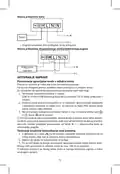
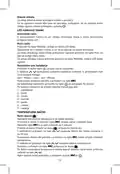


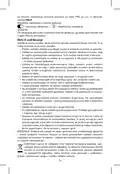
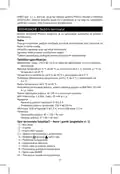







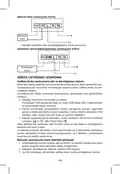








If you want to change the pairing code of the two units or the thermostat does
not function properly, repeat the entire pairing procedure from step 1 – the pairing
code will be rewritten automatically.
Testing Wireless Communication between the Units
1. Use the
button on the thermostat or use the app to set a temperature
several degrees higher than the current room temperature.
2. The red LED on the switching unit will light up.
3. If the LED does not light up, move the control unit closer to the switching unit.
The maximum range between the control and switching unit is 100 m in an
open space.
The range may decrease indoors as the signal has to pass through walls and
other obstacles.
Main Switch
To turn on the switching unit, set the switch to the position.
If the heating system is not used for an extended period of time, it is recommen-
ded to turn the switching unit off (switch the main switch to the position).
LED Indicators
Automated Mode
In automated mode, a red LED will glow when the thermostat switches on the
output relay.
Manual Mode
Press the MANUAL button; a green LED will light up.
The receiver will switch to manual mode and will not respond to commands
from the thermostat.
To switch on the output relay (turn on the connected device), press the M/A
button; a red LED will light up on it.
To turn off manual mode, press the MANUAL button again; the green LED will
switch off.
Setting the Clock, Calendar
Press the
Use the
button; the values will start flashing.
buttons to set the following values (holding the button down
accelerates the value change):
Day – Month – Year – Hour – Minute.
Confirm the set value by pressing
.
To end setting, press the
button or wait 30 seconds.
After setting is complete, the current day number will be displayed:
1 – Monday
2 – Tuesday
3 – Wednesday
4 – Thursday
5 – Friday
6 – Saturday
7 – Sunday
18

| General | Details |
|---|---|
| Name | EMOS P56211 Wireless Thermostat Instruction Manual |
| Make | EMOS |
| Language | English |
| Filetype | PDF (Download) |
| File size | 1.83 MB |
 (1 votes, average: 5.00 out of 5)
 Loading...

EMOS P56201BUF Floor Heating Thermostat User Guide

emos P56201 Digital Room Thermostat User Manual

EMOS P56201UF Floor Heating Thermostat Instruction Manual

emos P5604 Thermostat Instruction Manual

emos P5686 Immersion Thermostat Instructions

emos P5616OT Wireless Thermostat Instruction Manual

emos P56201UF GoSmart Digital Room Thermostat Instruction Manual

EMOS P5601UF Floor Heating Thermostat User Manual

emos P5684 Capillary Sensor Thermostat User Manual

emos P56211 Wireless Room Thermostat Instruction Manual


LG PREMTB10U Programmable Thermostat Instruction Manual

Fantini Cosmi CH121E Flush Mounting Thermostat User Manual
hager 20441404 Thermostat Owner’s Manual

Ensto ECO16BT-IN-WW Floor Heating Thermostat User Guide

Network Thermostat X7C-WIFI Smart Touchscreen Thermostat Instruction Manual

Beok Controls TGR85 Thermostat User Guide

Mi-Heat GH35EU Digital Greenhouse Thermostat User Manual

Danfoss TP5000 Si Electronic 5-2 Day Programmable Room Thermostat Installation Guide

GENERAL LIFE HT25S RF Wireless Room Thermostat User Manual

Honeywell RTH2510 Programmable Thermostat Owner’s Manual
Table of Contents
- 1. Wireless Thermostat - Bezdrátový Termostat →
- 2. Page 2 →
- 3. Page 3 →
- 4. Page 4 →
- 5. Page 5 →
- 6. Page 6 →
- 7. Page 7 →
- 8. Page 8 →
- 9. Page 9 →
- 10. Page 10 →
- 11. Page 11 →
- 12. Page 12 →
- 13. Wireless Thermostat - Important →
- 14. Thermostat Stand - Description Of The Receiver (switching Un... →
- 15. Description Of The Main Menu Of The Mobile App - Thermostat ... →
- 16. Work Mode Icon - Adjust Temperature →
- 17. Floor Heating Connection Diagram - Boiler Connection Diagram →
- 18. Testing Wireless Communication Between The Units - Main Swit... →
- 19. Work Modes - Holiday Mode →
- 20. Heating Programme Setting Mode - Different Each Day Programm... →
- 21. Screen Illumination - Other Technical Settings →
- 22. Software Version - Resetting The Thermostat →
- 23. Důležitá Upozornění - Technická Specifikace →
- 24. Rozměry - Popis Termostatu (vysílací Jednotky) Ikony A Tlačí... →
- 25. Popis Registrace A Přihlášení Do Aplikace - Propojení Termos... →
- 26. Vymazání Časového Úseku - Nastavení →
- 27. Umístění Termostatu - Schéma Zapojení Spínací Jednotky →
- 28. Schéma Připojení Expanzního Ventilu/elektrického Pohonu - Uv... →
- 29. Manuální Mód - Nastavení Hodin, Kalendáře →
- 30. Režim Off - Režim Dočasná Hodinová Změna →
- 31. Teplotní Změna - Podsvícení Displeje →
- 32. Korekce Okolní Teploty (cal) - Synchronizace Času (sync) →
- 33. Nevystavujte Výrobek Přímému Slunečnímu Světlu, Extrémnímu C... →
- 34. Bezdrôtový Termostat P56211 - Dôležité Upozornenia →
- 35. Stojan Termostatu - Popis Prijímača (spínacej Jednotky) →
- 36. Zvoľte 2,4 Ghz Wifi Sieť, Vložte Heslo A Kliknite Na Ďalej. -... →
- 37. Ikona Teplotného Režimu - Nastavenie Teploty →
- 38. Schéma Pripojenia Podlahového Vykurovania - Schéma Pripojeni... →
- 39. Testovanie Bezdrôtovej Komunikácie Medzi Jednotkami - Hlavný... →
- 40. Teplotné Režimy - Režim Prázdniny →
- 41. Režim Nastavenia Teplotného Programu - Nastavenie Teplotného... →
- 42. Ďalšie Technické Nastavenie - Prepojenie Termostatu S Wi-fi ... →
- 43. Resetovanie Termostatu - Zamknutie Kláves →
- 44. Upozornenie - Bezprzewodowy Termostat →
- 45. Zawartość Opakowania - Opis Termostatu (jednostki Nadajnika)... →
- 46. Kod Qr Do Pobrania Aplikacji Android - Kod Qr Do Pobrania Ap... →
- 47. Stan Termostatu - Ustawienie Trybu Ogrzewania →
- 48. Usunięcie Termostatu Z Aplikacji - Przegląd Użytkownika/zmia... →
- 49. Schemat Podłączenia Kotła - Uruchomienie Do Pracy →
- 50. Zasięg Między Jednostką Sterującą, A Przełączającą Wynosi Ma... →
- 51. Tryb Wakacyjny - Tryb Zmiana Chwilowa →
- 52. Program - Wybieramy Program I Potwierdzamy Go Przyciskiem →
- 53. Połączenie Termostatu Z Siecią Wi-fi (cofi) - Ustawienie Try... →
- 54. Resetowanie Termostatu - Zamknięcie Klawiszy →
- 55. Ostrzeżenie: Treść Tej Instrukcji Może Być Zmieniona Bez Upr... →
- 56. Tápellátás - A Csomag Tartalma →
- 57. Qr-kód Az Android Alkalmazás Letöltéséhez - Qr-kód Az Ios Al... →
- 58. A Termosztát Állapota - Hőmérséklet Üzemmód Beállítása →
- 59. Hálózati Információk Az Eszközről, Név Módosítása Az Alkalma... →
- 60. Padlófűtés Csatlakoztatási Rajza - Kazán Csatlakoztatási Raj... →
- 61. A Vezeték Nélküli Kommunikáció Tesztelése - Főkapcsoló →
- 62. Hőmérséklet Üzemmódok - Nyaralás Üzemmód →
- 63. Hőmérséklet Program Beállítás Üzemmód - Hőmérséklet-ütemezés... →
- 64. Hőmérsékletváltozás - A Kijelző Háttérvilágítása →
- 65. Idő Szinkronizálása (sync) - Szoftververzió →
- 66. Pomembnaopozorila - Svetujemo,danamestitevizvajausposobljend... →
- 67. Tehnična Specifikacija - Merjenje Temperature →
- 68. Način Snetja Sprednjega Dela Termostata - Mobilna Aplikacija →
- 69. Opis Osnovnega Menija Mobilne Aplikacije - Stanje Termostata →
- 70. Izbris Termostata Iz Aplikacije - Uporabniški Pregled/spreme... →
- 71. Shema Priključitve Kotla - Shema Priključitve Ekspanzijskega... →
- 72. Glavno Stikalo - Led Indikatorji (diode) →
- 73. Način Začasna Sprememba - Način Off →
- 74. Temperaturna Sprememba - Osvetlitev Zaslona →
- 75. Nastavitve Načinov Ogrevanje/hlajenje - Nastavitev Razpona T... →
- 76. Nastavitev Zaklepanja V Mobilni Aplikaciji - Skrb In Vzdržev... →
- 77. Bežični Termostat P56211 - Važno →
- 78. Postavke Programa - Postavke Za Datum I Vrijeme →
- 79. Povezivanje Termostata S Wi-fi Mrežom Za Upravljanje Putem M... →
- 80. Korekcija Temperature Okoline - Način Rada Sustava Grijanja/... →
- 81. Shema Ožičenja Sklopne Jedinice - Puštanje Uređaja U Rad →
- 82. Postavljanje Se Obavlja Putem Automatskog Uparivanja (način ... →
- 83. Koristite Gumbe - Radni Načini →
- 84. Način Rada Zadrži - Način Rada Postavljanja Programa Grijanj... →
- 85. Temperaturna Promjena - Osvjetljenje Zaslona →
- 86. Kalibracija Temperature Okoline (cal) - Sinkronizacija Vreme... →
- 87. Proizvod Ne Izlažite Direktnoj Sunčevoj Svjetlosti, Ekstremn... →
- 88. Wichtige Hinweise - Technische Spezifikation →
- 89. Einstellung Von Datum Und Uhrzeit - Funktionsauswahl, Auswah... →
- 90. Aktivieren Sie Nach Eigenem Ermessen Die Datenanalyse-/perso... →
- 91. Einstellung - Symbol Für Den Thermostatmodus →
- 92. Thermostat-standort - Schaltschema Für Die Schalteinheit →
- 93. Anschlussschema Für Das Expansionsventil/den Elektrischen An... →
- 94. Led-anzeigen (dioden) - Automatischer Modus →
- 95. Modus Vorübergehende Änderung - Modus Off →
- 96. Die Uhrzeit Für Den Beginn Der Ersten Temperaturänderung Bli... →
- 97. Verbindung Des Thermostats Mit Wlan (cofi) - Einstellung Des... →
- 98. Thermostat-reset (rese) - Tastensperre →
- 99. Wichtige Hinweise - Technische Spezifikationen →
- 100. Взаємозвязок Блоків - Досяжність Дії Блоку Передавача →
- 101. Мобільна Програма - Опис Реєстрації Та Входу В Програму →
- 102. Опис Основного Меню Мобільної Програми - Стан Термостата →
- 103. Скасування Термостату З Програми - Перегляд Користувача/змін... →
- 104. Схема Підключення Котла - Схема Підключення Розширювального ... →
- 105. Досяжність Між Блоком Керування Та Блоком Перемикача - Голов... →
- 106. Налаштовану Кількість Днів, Підтвердіть Натиснувши Кнопку - ... →
- 107. Програма Від Суботи До Неділі - Програма Цілий Тиждень →
- 108. Сполучення Термостата З Wifi (cofi) - Сполучення Термостата ... →
- 109. Скидання Термостата (rese) - Замикання Клавіатури →
- 110. Avertizări Importante - Specificații Tehnice →
- 111. Descrierea Termostatului (unității De Emisie) Simboluri Și B... →
- 112. Codul Qr Pentru Descărcarea Aplicației Android - Codul Qr Pe... →
- 113. Starea Termostatului - Setarea Regimului Termic →
- 114. Raport Utilizator/schimbare Parolă/update Aplicație - Instal... →
- 115. Schema De Racordare A Cazanului - Schema De Racordare A Vent... →
- 116. Accesibilitatea Între Unitatea De Comandă Și Cea De Comutare... →
- 117. Regimul Vacanță - Regimul Modificare Temporară →
- 118. Selectați Programul Ales Și Confirmați Cu Butonul - Modificare... →
- 119. Interconectarea Termostatului Cu Rețeaua Wifi Pentru Comanda ... →
- 120. Blocarea Tastelor - Setarea Blocării În Aplicație Mobilă →
- 121. Nu Aruncaţi Consumatorii Electrici La Deşeuri Comunale Nesor... →
- 122. Meniu Užrakinimas - Atostogų Režimas →
- 123. Įveskite Į El. Paštą Gautą Patvirtinimo Kodą. - Pasirinkite,... →
- 124. Nustatymas - Termostato Režimo Simbolis →
- 125. Pasirinkite Vietą, Kur Šeimos Nariai Praleidžia Daugiausia L... →
- 126. Prietaiso Naudojimas - Valdymo Bloko Susiejimas Su Perjungim... →
- 127. Darbiniai Režimai - Atostogų Režimas →
- 128. Išlaikymo Režimas - Šildymo Programos Nustatymo Režimas →
- 129. Temperatūros Pokytis - Ekrano Apšvietimas →
- 130. Aplinkos Temperatūros Kalibravimas (cal) - Laiko Sinchroniza... →
- 131. Saugokite Gaminį Nuo Didelės Jėgos Poveikio - Gaminį Valykit... →
- 132. Tehniskā Specifikācija - Temperatūras Mērījumi →
- 133. M/a Taustiņš (sarkana Led) - Manuālā Režīma Taustiņš (zaļa L... →
- 134. Mobilās Lietotnes Galvenās Izvēlnes Apraksts - Termostata St... →
- 135. Tīkla Informācija Par Ierīci, Vārda Maiņa Lietotnē, Atrašanā... →
- 136. Apkures Katla Savienojumu Shēma - Ierīces Lietošanas Uzsākša... →
- 137. Galvenais Slēdzis - Led Indikatori →
- 138. Brīvdienu Režīms - Pagaidu Maiņas Režīms →
- 139. Izvēlieties Programmu Un Apstipriniet Ar - Temperatūras Vērt... →
- 140. Termostata Pieslēgšana Wi-fi Tīklam - Pārslēgšana Starp Apku... →
- 141. Izvēlnes Bloķēšana - Apkope Un Uzturēšana →
- 142. Oluline! - Tehnilised Andmed: →
- 143. Määratud Temperatuur - Menüülukustus →
- 144. Sisestage Oma Riik Ja E-posti Aadress, Kontrollige Oma Nõuso... →
- 145. Päevane Režiim - Säte →
- 146. Valige Koht, Kus Pereliikmed Veedavad Suurema Osa Ajast, Eel... →
- 147. Seadme Kasutuselevõtt - Juhtseadme Sidumine Lülitusseadmega →
- 148. Töörežiimid - Puhkuserežiim →
- 149. Režiim Hold - Kütteprogrammi Seadistusrežiim →
- 150. Laupäevast Pühapäevani - Temperatuuri Muutus →
- 151. Vajutage Nuppu - Aja Sünkroonimine (sync) →
- 152. Ärge Asetage Toodet Vihma Kätte Või Väga Niiskesse Kohta, Eg... →
- 153. Измерване На Температурата - Температурна Настройка →
- 154. Процедура За Сваляне На Предната Част На Превключващия Модул... →
- 155. Описание На Главното Меню На Мобилното Приложение - Състояни... →
- 156. Икона За Работен Режим - Регулирайте Температурата →
- 157. Електрическа Схема На Свързване На Превключващия Модул - Схе... →
- 158. Настройка На Термостата - Проверка На Безжичната Връзка Межд... →
- 159. Настройване На Часовника И Календара - Работни Режими →
- 160. Режим Hold (задържане) - Режим За Настройка На Програма За О... →
- 161. Фабрично Зададените Времена И Температури Са Следните: - Про... →
- 162. Настройка На Температурната Разлика - Калибриране На Темпера... →
- 163. Обслужване И Поддръжка - Правилна Експлоатация →
- 164. Актуална Информация Относно Пунктовете За Събиране На Сортир... →
- 165. Description Du Thermostat (émetteur): Icônes Et Boutons - Su... →
- 166. Description De Lenregistrement Et De La Connexion À Lapplica... →
- 167. Boost: Voir Le Mode Changement Horaire Temporaire - Vacances... →
- 168. Installation - Emplacement Du Thermostat →
- 169. Schéma De Raccordement De La Chaudière - Mise En Service →
- 170. Interrupteur Principal - Voyants Led (diodes) →
- 171. Licône - Mode Changement Provisoire →
- 172. Mode De Réglage Du Programme De Température - Réglage Des Te... →
- 173. Changement De Température - Rétro-éclairage De Lécran →
- 174. Synchronisation De Lheure (sync) - Version Du Software →
- 175. Ne Pas Exposer Le Produit Aux Intempéries Ou À Lhumidité - N... →
- 176. Spegnere Lalimentazione Prima Di Installare Il Termostato! -... →
- 177. Descrizione Del Ricevitore (unità Di Commutazione) - Modalit... →
- 178. Selezionare La Ricerca Manuale Del Dispositivo - Descrizione... →
- 179. Correzione Della Temperatura Ambiente - Modalità Di Sistema ... →
- 180. Schema Elettrico Dellunità Di Commutazione - Schema Di Colle... →
- 181. Posizionare - Collegare →
- 182. Modalità Di Temperatura - Modalità Vacanza →
- 183. Modalità Hold - Modalità Di Impostazione Del Programma Di Te... →
- 184. Variazione Della Temperatura - Retroilluminazione Del Displa... →
- 185. Correzione Della Temperatura Ambiente (cal) - Sincronizzazio... →
- 186. Cura E Manutenzione - Uso Corretto Del Prodotto →
- 187. El Termostato Inalámbrico P56211 Está Diseñado Para El Contr... →
- 188. Cambio Temporal De Temperatura; Navegación Por La Configurac... →
- 189. Conexión Del Termostato A La Red Wifi Para Controlarlo Median... →
- 190. Configuración - Restablecimiento Del Termostato A Los Ajuste... →
- 191. No Coloque El Termostato Cerca De Fuentes De Calor (televiso... →
- 192. El Emparejamiento Facilita La Transmisión De Datos Entre La ... →
- 193. Configuración Del Reloj Y El Calendario - Modos De Temperatur... →
- 194. Modo Cambio De Hora Temporal - Modo Hold →
- 195. Cambio De Temperatura - Retroiluminación De La Pantalla →
- 196. Ajuste De La Dispersión De La Temperatura - Rectificación De... →
- 197. Cuidado Y Mantenimiento - Consejos Para Su Correcta Manipula... →
- 198. No Las Elimine Con La Basura Doméstica. Utilice Puntos De Re... →
- 199. Koel-verwarmingsmodu... - Ingestelde Temperatuur →
- 200. Beschrijving Van De Registratie En Aanmelding Bij De Toepass... →
- 201. Instelling - Icoon Voor De Thermostaatmodus →
- 202. Het Plaatsen Van De Thermostaat - Aansluitschema Van De Scha... →
- 203. Aansluitschema Expansieventiel/elektrische Aandrijving - Inb... →
- 204. Led-indicatoren (diodes) - Automatische Modus →
- 205. Modus Tijdelijke Wijziging - Modus Off →
- 206. De Tijdswaarde Van Het Begin Van De Eerste Temperatuurwijzig... →
- 207. Verbinding Van De Thermostaat Met Wifi - Instellen Van De Ver... →
- 208. Resetten Van De Thermostaat (rese) - Vergrendeling Van De To... →
- 209. Productbeschadiging En Defecten - Veilig Gebruik Van Het App... →
- 210. Page 210 →
- 211. Page 211 →
- 212. Garancijska Izjava - Navodila Za Reklamacijski Postopek →