
×
- 1. Thermostat
- 2.
- 3. Important (Technical Specifications → Description Of Control Elements → Display Description)
- 4. Installation (Thermostat Placement → Thermostat Installation → Wiring Diagram)
- 5. Opentherm Connection (Putting The Device Into Operation → Factory Preset Programmes → Table Of Preset Programmes → Programme Settings)
- 6. After Choosing A Mode (Using The Copy Function → Temporary Mode → Manual Temperature Setting Mode)
- 7. Holiday Mode (Anti-freeze Mode (off) → Time And Date Setting → Calibration Of Room Temperature → Temperature Differential Setting)
- 8. Heating/cooling Mode (Factory Reset → Lock Function → Display Illumination → Battery Replacement → Setting Opentherm Parameters)
- 9. Opentherm Error Indication (Upkeep And Maintenance)
- 10. Do Not Expose The Product To Rain Or High Humidity, Dropping Or Splashing Water. (Do Not Tamper With The Internal Electric Circuits Of The Product Doing So May Damage The Product And Will Automatically Void The Warranty. → Important Warnings → Technical Specification)
- 11. Rozptyl Nastavené Teploty (Napájení → Záložní Napájení → Příslušenství → Popis Ovládacích Prvků → Popis Displeje → Instalace)
- 12. Montáž Termostatu (Schéma Zapojení → Uvedení Do Činnosti → Továrně Přednastavené Programy)
- 13. Přednastavené Programy (Nastavení Programů → Použití Funkce Kopírování (copy))
- 14. Provizorní Režim (Manuální Režim Nastavení Teploty (man) → Režim Prázdniny (holiday Mode) → Protizámrazový Režim (off))
- 15. Nastavení Data A Času (Kalibrace Pokojové Teploty → Rozptyl Nastavené Teploty → Režim Topení/chlazení → Obnovení Továrního Nastavení (reset))
- 16. Funkce Lock (zámek Tlačítek) (Podsvícení Displeje → Výměna Baterie → Nastavení Parametrů Opentherm)
- 17. Indikace Chyb Opentherm (Péče A Údržba)
- 18. Důležité Upozornenia (Technická Špecifikácia → Popis Ovládacích Prvkov)
- 19. Holiday Mode (Batériový Priestor → Nastavenie Času A Dátumu → Výber A Úprava Programu (prog) → Režim Proti Zamrznutiu (off) → Manuálny Režim (man) → Automatický Režim (auto))
- 20. Schéma Zapojenia (On/off Zapojenie → Opentherm Pripojenie → Uvedenie Do Činnosti → Výrobou Prednastavené Programy → Tabuľka Prednastavených Programov)
- 21. Nastavenie Programov (Použitie Funkcie Kopírovania (copy) → Provizórny Režim)
- 22. Manuálny Režim Nastavenia Teploty (man) (Režim Prázdniny (holiday Mode) → Protizámrazový Režim (off) → Nastavenie Dátumu A Času → Kalibrácia Izbovej Teploty)
- 23. Kalibrácia Izbovej Teploty (Rozptyl Nastavenej Teploty → Režim Vykurovania/chladenia → Obnovenie Výrobného Nastavenia (reset) → Funkcia Lock (zámok Tlačidiel) → Podsvietenie Displeja → Výmena Batérie)
- 24. Nastavenie Parametrov Opentherm (Indikácia Chýb Opentherm)
- 25. Starostlivosť A Údržba (Výrobok Je Navrhnutý Tak, Aby Pri Vhodnom Zaobchádzaní Spoľahlivo Slúžil)
- 26. Termostat P5606ot Jest Przeznaczony Do Sterowania Systemów Grzewczych Albo Klimatyzacji. (Ważne Uwagi → Specyfikacja Techniczna → Opis Elementów Sterujących → Opis Wyświetlacza)
- 27. Instalacja (Lokalizacja Termostatu → Montaż Termostatu → Schemat Podłączenia → Podłączenie On/off)
- 28. Podłączenie Dla Protokołu Opentherm (Uruchomienie Do Pracy → Programy Wstępnie Ustawione Fabrycznie → Tabele Programów Fabrycznych → Ustawianie Programów)
- 29. Po Ustawieniu Wszystkich Sześciu Programów (Wykorzystanie Funkcji Kopiowania (copy) → Tryb Uproszczony)
- 30. Tryb Ręczny Ustawiania Temperatury (man) (Tryb Urlopowy (holiday Mode) → Tryb Przeciwzamrożeniowy (off) → Ustawianie Daty I Czasu → Kalibracja Temperatury Pokojowej)
- 31. Kalibracja Temperatury Pokojowej (Histereza Ustawionej Temperatury → Tryb Ogrzewanie/chłodzenie → Przywrócenie Ustawień Fabrycznych (reset) → Funkcja Lock (blokada Przycisków))
- 32. Podświetlenie Wyświetlacza (Wymiana Baterii → Ustawianie Parametrów Opentherm)
- 33. Wykrywanie Błędów Opentherm (Konserwacja I Czyszczenie)
- 34. Przy Uszkodzeniu Albo Wadzie Wyrobu Żadnych Napraw Nie Wykonujemy We Własnym Zakresie. Wyrób Przekazujemy Do Naprawy Do Sklepu, W Którym Zos…
- 35. A Kezelőszervek Leírása (A Kijelző Leírása → Szerelés → A Termosztát Elhelyezése → A Termosztát Felszerelése)
- 36. Fúrjon (Csatlakoztassa A Vezetékeket → Végezetül → Kapcsolási Rajz → Üzembe Helyezés → Gyárilag Előre Beállított Programok)
- 37. Az Előre Beállított Programok Táblázata (Programbeállítások → A Másolás (copy) Funkció Használata)
- 38. Ideiglenes Üzemmód (Kézi Hőmérséklet-beállítási Üzemmód (man) → Szabadság (holiday) Üzemmód → Fagyásvédelmi Üzemmód (off))
- 39. Idő És Dátum Beállítása (Szobahőmérséklet-kalibrálás → Beállított Hőmérséklet Kapcsolási Tartománya → Fűtés/hűtés Üzemmód)
- 40. Gyári Beállítások Visszaállítása (reset) (Lock Funkció (billentyűzár) → A Kijelző Háttérvilágítása → Elemcsere → Opentherm Paraméterek Beállítása)
- 41. A Kijelző Bal Sarkában A 05 Felirat Látható, Közepén A Hőmérséklet Jelenik Meg, Amit A +' Vagy -' Gombokkal Lehet Állítani. (Opentherm Hibajelzések → Gondozás És Karbantartás)
- 42. Ne Dugjon Semmilyen Tárgyat A Termék Szellőzőnyílásába! (Tisztításához Használjon Enyhén Benedvesített Finom Törlőruhát! → A Készüléket Nem Használhatják Felügyelet Vagy A Biztonságukért Felelős Személyektől Kapott Megfelelő Tájékoztatás Nélkül → Pomembna Opozorila → Tehnična Specifikacija)
- 43. Zasilno Napajanje (Opis Upravljalnih Elementov → Opis Zaslona → Namestitev → Namestitev Termostata)
- 44. Montaža Termostata (Shema Priključitve → Aktiviranje Naprave → Tovarniško Prednastavljeni Programi)
- 45. Tabela Prednastavljenih Programov (Nastavitev Programov → Uporaba Funkcije Kopiranje (copy))
- 46. Začasni Način (Ročni Način Nastavitve Temperature (man) → Način Dopust (holiday Mode) → Način Proti Zmrzovanju (off) → Nastavitev Datuma In Časa)
- 47. Umerjanje Sobne Temperature (Razpon Nastavljene Temperature → Način Ogrevanje/hlajenje → Ponastavitev Na Tovarniške Nastavitve (reset))
- 48. Funkcija Lock (zaklepanje Tipk) (Osvetlitev Zaslona → Zamenjava Baterij → Nastavitev Parametrov Opentherm)
- 49. Prikaz Napak Opentherm (Skrb In Vzdrževanje)
- 50. Termostat P5606ot (Važno → Tehničke Specifikacije → Opis Upravljačkih Elemenata)
- 51. Odaberi I Uredi Program (prog) (Način Rada Za Zaštitu Od Smrzavanja (off) → Ručni Način Rada (man) → Automatizirani Način Rada (auto) → Ugradnja → Postavljanje Termostata)
- 52. Električka Shema (Veza Za Uključivanje/isključivanje → Opentherm Veza → Puštanje Uređaja U Rad → Unaprijed Postavljeni Tvornički Programi → Tablica Unaprijed Postavljenih Programa)
- 53. Postavke Programa (Upotreba Funkcije Kopiranja (copy) → Privremeni Način Rada)
- 54. Način Rada Za Ručno Postavljanje Temperature (man) (Način Rada Za Vrijeme Odmora (holiday Mode) → Način Rada Protiv Smrzavanja (off) → Postavka Za Datum I Vrijeme → Podešenje Temperature Prostorije)
- 55. Podešenje Temperature Prostorije (Podešenje Diferencijalne Temperature → Način Rada Grijanja/hlađenja → Vraćanje Na Tvorničke Postavke (reset) → Funkcija Zaključavanja → Osvjetljenje Prikaza → Zamjena Baterije)
- 56. Postavljanje Parametara Opentherm (Oznaka Pogreške Opentherm → Održavanje I Servis)
- 57. Prije Upotrebe Proizvoda Pažljivo Pročitajte Priručnik. (Wichtige Hinweise → Ne Izlažite Proizvod Direktnoj Sunčevoj Svjetlosti, Jakoj Hladnoći, Vlazi I Naglim Promjenama Temperature. → Ne Postavljajte Proizvod Na Mjesta Izložena Vibracijama I Udarcima. → Za Čišćenje Proizvoda Koristite Blago Navlaženu Meku Krpu. → Ne Bacajte Električne Uređaje Kao Nerazvrstani Komunalni Otpad. → U Slučaju Oštećenja Proizvoda Ili Kvara, Proizvod Ne Popravljajte Sami.)
- 58. Technische Spezifikation (Beschreibung Der Bedienelemente → Beschreibung Des Displays)
- 59. Montage (Thermostat-standort → Montage Des Thermostats → Schaltbild)
- 60. Inbetriebnahme (Werkseitig Voreingestellte Programme → Tabelle Der Voreingestellten Programme → Programmeinstellungen)
- 61. Die Kopierfunktion Verwenden (copy) (Temporäre Betriebsart → Manueller Modus Der Temperatureinstellung (man))
- 62. Urlaubsmodus (holiday Mode) (Frostschutzmodus (off) → Einstellung Der Uhrzeit Und Des Datums → Kalibrierung Der Raumtemperatur)
- 63. Die Raumtemperaturkalibrierung Wird Beispielsweise Verwendet, Wenn Der Thermostat 21 C Anzeigt, Wir Jedoch Möchten, Dass Er 20 C Anzeigt.
- 64. Displaybeleuchtung (Batteriewechsel → Einstellung Der Opentherm-parameter)
- 65. Durch Drücken Der Taste ' Gelangen Sie Zu Den Schalteinstellungen Der Steuerung. (Fehlerindikation Von Opentherm → Pflege Und Instandhaltung)
- 66. Wichtiges Nachrichten (Technische Charakteristik)
- 67. Живлення (Аксесуари → Опис Елементів Управління → Опис Дисплея → Установка → Місце Розташування Термостата)
- 68. Установка Термостату (Схема Підключення → Введення В Експлуатацію)
- 69. Наперед Налаштуванні Заводські Програми (Таблиця Наперед Заданих Програм → Налаштування Програму → Використання Функції Копіювання (copy))
- 70. Налаштування Програм (Тимчасовий Режим → Ручний Режим Налаштування Температури (man) → Режим Канікули (holiday Mode))
- 71. Режим Від Зависання (off) (Налаштування Дати Та Часу → Калібрування Кімнатної Температури → Дисперсія Заданої Температури)
- 72. Режим Опалення / Охолодження (Оновлення Заводських Налаштувань (перезапуск) → Функція Lock (замок Кнопок) → Підсвічування Дисплея → Замінам Батарейок → Налаштування Параметрів Opentherm)
- 73. Індикація Помилок Opentherm (Догляд Та Обслуговування)
- 74. Використання Виробу (Умови Експлуатації → Чистка Та Обслуговування → Ремонт Виробу → Безпека Користування → Утилізація Електричних Пристроїв)
- 75. Termostatul P5606ot Este Destinat Pentru Comanda Sistemelor Termice Sau De Climatizare. (Avertizări Importante → Specificații Tehnice → Descrierea Elementelor De Comandă → Descrierea Ecranului)
- 76. Temperatura Solicitată (Programul Ales → Amplasarea Termostatului → Montajul Termostatului → Schema De Conectare)
- 77. Conectare Opentherm (Punerea În Funcțiune → Programe Presetate Din Fabricație → Tabelul Programelor Presetate → Setarea Programelor)
- 78. Folosirea Funcției Copiere (copy) (Regim Provizoriu)
- 79. Regimul Manual De Reglare A Temperaturii (man) (Modul Vacanță (holiday Mode) → Regim Anti-îngheț (off) → Setarea Orei Și Datei → Calibrarea Temperaturii Ambientale)
- 80. Calibrarea Temperaturii Ambientale (Abaterea Temperaturii Setate → Regim Încălzire/răcire → Reînnoirea Setării De Fabricație (reset) → Funcția Lock (blocajul Butoanelor) → Iluminarea Ecranului → Înlocuirea Bateriilor)
- 81. Setarea Parametrilor Opentherm (Indicare Erori Opentherm)
- 82. Grija Şi Întreţinerea (Recomandări Pentru O Manipulare Corectă → Instrucţiuni De Utilizare → Întreţinerea Produsului → Reparaţii Şi Curăţare → Utilizarea În Siguranţă → Eliminarea Deşeurilor)
- 83. Lt | Termostatas (Svarbu → Techninės Specifikacijos → Valdymo Elementų Aprašymas → Ekrano Aprašymas)
- 84. Montavimas (Termostato Montavimo Vieta → Termostato Montavimas → Montavimo Schema)
- 85. Opentherm' Jungtis (Prietaiso Naudojimas → Gamyklinės Programos → Iš Anksto Nustatytų Programų Lentelė → Programų Nustatymai)
- 86. Pasirinkę Režimą (Kopijavimo Funkcijos Naudojimas → Laikinas Režimas → Rankinis Temperatūros Nustatymo Režimas (man))
- 87. Mygtukais (Atostogų Režimas → Apsaugos Nuo Užšalimo Režimas (off) → Laiko Ir Datos Nustatymas → Kambario Temperatūros Kalibravimas)
- 88. Temperatūros Diferencialo Nustatymas (Šildymo Ir Vėsinimo Režimas → Gamykliniai Nustatymai → Užrakto Funkcija → Ekrano Apšvietimas → Baterijų Keitimas → Opentherm' Parametrų Nustatymas)
- 89. Perslinkite (Nuspauskite Mygtuką → Nuspaudus Mygtuką → Opentherm' Klaidos Rodymas → Techninė Priežiūra Ir Eksploatacija)
- 90. Saugokite Prietaisą Nuo Tiesioginių Saulės Spindulių, Didelio Šalčio, Drėgmės Ir Staigių Temperatūros Pokyčių. Tai Sumažintų Matavimo Tikslu… (Gaminį Valykite Šiek Tiek Drėgna Minkšta Šluoste. Nenaudokite Tirpiklių Ar Valiklių, Nes Jie Gali Subraižyti Plastikines Dalis Ir Sukelti Elektros Grandinės Dalių Koroziją. → Nemeskite Kartu Su Buitinėmis Atliekomis. Pristatykite Į Specialius Rūšiuojamoms Atliekoms Skirtus Surinkimo Punktus. → Pirms Pirmās Lietošanas Reizes Rūpīgi Izlasiet Termostata, Kā Arī Apku- Res Katla Vai Gaisa Kondicionēšanas Iekārtas Lietošanas Rokasgrāmatu.)
- 91. Pirms Termostata Uzstādīšanas Izslēdziet, Strāvas Padevi! (Uzstādīšana Ir Jāveic Kvalificētam Personālam! → Tehniskā Specifikācija → Vadības Elementu Apraksts (skatīt 1. Attēlu) → Displeja Apraksts (skatīt 2. Attēlu))
- 92. Uzstādīšana (Termostata Novietojums → Termostata Uzstādīšana → Elektroinstalācijas Shēma → Ierīces Lietošanas Uzsākšana)
- 93. Neizmantojiet 1,2 V Atkārtoti Uzlādējamas Baterijas. (Iepriekš Rūpnīcā Iestatītās Programmas → Iepriekš Iestatīto Programmu Tabula → Programmu Iestatījumi)
- 94. Kopēšanas Funkcijas Izmantošana (Pagaidu Režīms → Manuālas Temperatūras Iestatīšanas Režīms (man) → Brīvdienu Režīms)
- 95. Pretsasalšanas Režīms (off) (Laika Un Datuma Iestatīšana → Telpas Temperatūras Kalibrēšana → Temperatūras Diferenciāļa Iestatīšana)
- 96. Apkures/dzesēšanas Režīms (Rūpnīcas Iestatījumu Atjaunošana → Bloķēšanas Funkcija → Displeja Apgaismojums → Bateriju Nomaiņa → Opentherm Parametru Iestatīšana)
- 97. Opentherm Kļūdas Indikācija (Apkope Un Uzturēšana)
- 98. Nenovietojiet Izstrādājumu Vietā Ar Nepietiekamu Gaisa Plūsmu. (Izstrādājuma Tīrīšanai Izmantojiet Nedaudz Samitrinātu Mīkstu Drānu. → Negremdējiet Izstrādājumu Ūdenī Vai Citā Šķidrumā. → Šī Ierīce Nav Paredzēta Izmantošanai Personām (tostarp Bērniem). → Neizmetiet Kopā Ar Sadzīves Atkritumiem. → Oluline! → Tehnilised Kirjeldused)
- 99. Varutoiteallikas (Lisatarvikud → Mõõtmed Ja Kaal → Juhtelementide Kirjeldus → Kuva Kirjeldus → Paigaldamine → Termostaadi Asukoht)
- 100. Termostaadi Paigaldamine (Juhtmestiku Skeem → Seadme Kasutuselevõtt → Tehases Eelseadistatud Programmid)
- 101. Eelseadistatud Programmide Tabel (Programmi Sätted → Kopeerimisfunktsiooni Kasutamine)
- 102. Ajutine Režiim (Temperatuuri Käsitsi Seadistamise Režiim (man) → Puhkuserežiim → Külmumisvastane Režiim (off) → Kellaaja Ja Kuupäeva Käsitsi Määramine)
- 103. Vajutage Nuppu (Toatemperatuuri Kalibreerimine → Temperatuurierinevuse Säte → Kütte-/jahutusrežiim → Tehasesätete Taastamine)
- 104. Lukustusfunktsioon (Taustavalgustus → Patarei Vahetamine → Openthermi Parameetrite Seadistamine)
- 105. Openthermi Tõrketeated (Korrashoid Ja Hooldamine)
- 106. Ärge Visake Ära Koos Olmejäätmetega. Kasutage Spetsiaalseid Sorteeritud Jäätmete Kogumispunkte. Teavet Kogumispunktide Kohta Saate Kohalikul…
- 107. Режим Против Замръзване (off) (Ръчен Режим (man) → Автоматизиран Режим (auto) → Описание На Дисплея → Монтиране → Избиране На Място За Монтиране На Термостата → Монтиране На Термостата)
- 108. Електрическа Схема На Свързване (Вкл/изкл На Свързването → Свързване Opentherm → Въвеждане На Устройството В Експлоатация → Фабрично Предварително Зададени Програми)
- 109. Таблица С Предварително Зададени Програми (Настройване На Програма → Използване На Функцията За Копиране)
- 110. Временен Режим (Режим За Ръчно Настройване На Температурата (man) → Режим Ваканция')
- 111. Режим Против Замръзване (off) (Настройване На Часа И Датата → Калибриране На Температурата На Помещението → Настройване На Температурния Диференциал)
- 112. Режим На Отопление/охлаждане (Нулиране До Фабрични Настройки → Функция За Заключване → Осветяване На Дисплея → Смяна На Батерията → Настройване На Параметрите На Opentherm)
- 113. Настройки На Термостата (Индикация За Грешка На Opentherm → Обслужване И Поддръжка)
- 114. Не Излагайте Уреда На Пряка Слънчева Светлина, Прекалено Ниски Температури, Влажност И Резки Промени На Температурата. Това Би Намалило Точн…
- 115. Avertissements Importants (Spécifications Techniques → Description Des Éléments De Commande → Description De Lécran)
- 116. Installation (Emplacement Du Thermostat → Montage Du Thermostat → Schéma De Raccordement)
- 117. Raccordement Ot (Mise En Service → Opentherm → Programmes Par Défaut → Tableau De Programmes Par Défaut → Réglage Des Programmes)
- 118. Utilisation De La Fonction Copier (copy) (Mode Provisoire)
- 119. Mode Manuel Pour Régler La Température (man) (Mode Vacances (holiday Mode) → Mode Antigel (off) → Réglage De La Date Et De Lheure)
- 120. Calibration De La Température Ambiante (Variation De La Température Réglée → Mode Chauffage/climatisation → Renouvellement Des Réglages Par Défaut (reset))
- 121. Fonction Lock (verrouillage Des Boutons) (Rétro-éclairage De Lécran → Remplacement Des Piles → Réglage Des Paramètres Opentherm)
- 122. Indication Derreurs Opentherm (Entretien Et Maintenance)
- 123. Ne Pas Intervenir Sur Les Circuits Électriques Internes (Pour Le Nettoyage → Ne Pas Immerger Cet Appareil Dans De Leau Ni Dans Dautres Liquides → Cet Appareil Na Pas Été Conçu Pour Être Utilisé Par Des Personnes → Ne Pas Jeter Avec Les Ordures Ménagères → Avvertenze Importanti → Specifiche Tecniche)
- 124. Impostazione Della Temperatura (Alimentazione → Accessori → Descrizione Dei Comandi → Descrizione Del Display → Installazione)
- 125. Posizione Del Termostato (Montaggio Del Termostato → Schema Elettrico → Collegamento On/off → Collegamento Ot)
- 126. Messa In Funzione (Programmi Preimpostati In Fabbrica → Tabella Dei Programmi Preimpostati → Impostazioni Dei Programmi)
- 127. Utilizzo Della Funzione Di Copia (copy) (Modalità Provvisoria → Modalità Di Impostazione Manuale Della Temperatura (man))
- 128. Modalità Vacanze (holiday Mode) (Modalità Antigelo (off) → Impostazione Di Data E Ora → Calibrazione Della Temperatura Ambiente)
- 129. Dispersione Della Temperatura Impostata (Modalità Di Riscaldamento/raffreddamento → Ripristino Delle Impostazioni Di Fabbrica (reset) → Funzione Lock (blocco Dei Pulsanti) → Retroilluminazione Del Display → Sostituzione Della Batteria)
- 130. Impostazioni Dei Parametri Opentherm (Indicazione Degli Errori Opentherm)
- 131. Cura E Manutenzione (Uso Corretto Del Prodotto → Condizioni Ambientali Da Evitare → Pulizia Del Prodotto → Riparazione Del Prodotto → Avvertenze Per L'uso Da Parte Di Persone Con Incapacità)
- 132. Non Smaltire Con I Rifiuti Domestici. Utilizza Punti Di Raccolta Speciali Per I Rifiuti Differenziati. Contatta Le Autorit À Locali Per Informa…
- 133. Modo Anticongelante (off) (Modo Manual (man) → Modo Automático (auto) → Descripción De La Pantalla → Instalación → Ubicación Del Termostato → Montaje Del Termostato)
- 134. Esquema De Conexión (Conexión On/off → Puesta En Marcha → Programas Predeterminados De Fábrica → Tabla De Los Programas Predeterminados)
- 135. Ajustes De Programa (Uso De La Función Copiar (copy) → Modo Temporal)
- 136. Modo Manual De Ajustes De Temperatura (man) (Modo Vacaciones (holiday Mode) → Modo Anticongelante (off) → Ajustes De Hora Y Fecha)
- 137. Calibración De La Temperatura Ambiente (Dispersión De La Temperatura Ajustada → Modo De Calefacción/refrigeración → Restablecimiento De Los Ajustes De Fábrica (reset))
- 138. Función Lock (bloqueo De Las Teclas) (Retroiluminación De La Pantalla → Cambio De Pilas → Ajustes De Los Parámetros Opentherm)
- 139. Indicación De Los Errores Del Opentherm (Cuidado Y Mantenimiento)
- 140. Importante Información (Especificación Técnica)
- 141. Voeding En Noodvoeding (Toebehoren → Afmetingen En Gewicht → Beschrijving Van De Bedieningselementen → Beschrijving Van Het Display → Installatie → Het Plaatsen Van De Thermostaat)
- 142. Montage Van De Thermostaat (Aansluitschema → Inbedrijfstelling)
- 143. In De Fabriek Ingestelde Programmas (Tabel Van Vooraf Ingestelde Programmas → Programma-instellingen → Gebruik Van De Functie 'kopiëren' (copy))
- 144. Programma-instellingen (Voorlopige Modus → Handmatige Modus Voor Temperatuurinstelling (man) → Modus Vakantie (holiday Mode))
- 145. Druk (Antivriesmodus (off) → Instelling Van Datum En Tijd → Kalibratie Van De Kamertemperatuur → Spreiding Van De Ingestelde Temperatuur)
- 146. Spreiding (hysterese) (Verwarmings-/koelingsmodus → Terugzetten Naar De Fabrieksinstellingen (reset) → Functie Lock (toetsenvergrendeling) → Achtergrondverlichting Van De Display → Vervangen Van De Batterij → Instellen Van De Opentherm-parameters)
- 147. Temperatuurweergave (Schakelinstelling Limietregeling → Maximumwaarde Limietregeling → Instelling Omschakelen Warm Water → Instelling Temperatuur Warm Water → Instelling Bediening → Foutenindicatie Opentherm)
- 148. Zorg En Onderhoud
- 149. Deponeer Niet Bij Het Huisvuil. Gebruik Speciale Inzamelpunten Voor Gesorteerd Afval. Neem Contact Op Met De Lokale Autoriteiten Voor Inform…
- 150.
- 151.
- 152. Garancijska Izjava (Navodila Za Reklamacijski Postopek)
×
emos P5606OT Programmable Electronic Indoor Thermostat User Manual

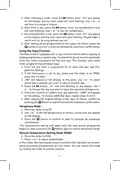
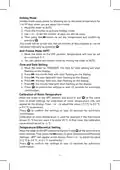
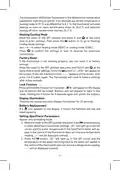
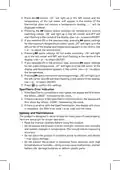


























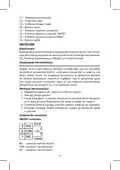








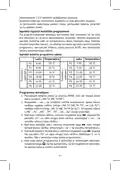















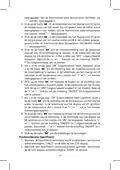




Messa in funzione
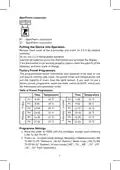
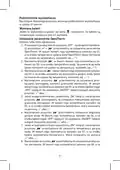
Rimuovere il coperchio anteriore del trasmettitore e inserire 2 batterie
alcaline AA da 1,5 V.
Non utilizzare batterie ricaricabili da 1,2V.
Una volta inserite le batterie, il termostato entra in funzione e il display
è attivo.
Se il termostato non funziona correttamente, controllare la polarità delle
batterie per vedere se le batterie sono scariche.
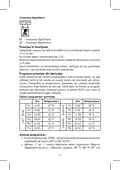
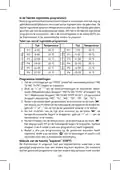
Programmi preimpostati in fabbrica
Questo termostato per ambienti programmabile è stato progettato per
essere facile da usare e richiedere un intervento minimo da parte dell’u-
tente. I tempi e le temperature preimpostati sono adatti alla maggior
parte degli utenti (vedi tabella seguente). Per accettare il programma
preimpostato in fabbrica, spostare il cursore sulla posizione AUTO per
attivare sul termostato la modalità automatica.
Tabella dei programmi preimpostati
Ora
Temperatura
20 °C
Ora
Temperatura
20 °C
P1
P2
P3
P4
P5
P6
6:00
P1
P2
P3
P4
P5
P6
7:30
8:00
15 °C
9:30
20 °C
12:00
14:00
16:30
22:30
15 °C
11:30
13:30
16:30
22:30
20 °C
15 °C
20 °C
21 °C
21 °C
15 °C
15 °C
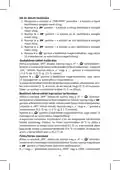
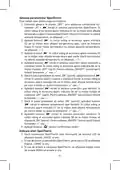
Impostazioni dei programmi
1. Portare il cursore su “PROG” finché il simbolo della settimana lavo-
rativa (“MO TU WE TH FR”) non inizia a lampeggiare.
2. Premere “+” o “-” per selezionare le impostazioni della modalità:
Modalità Settimana lavorativa/Weekend (lampeggia “MO TU WE TH
FR” o lampeggia “SA SU”), modalità Settimana (lampeggia “MO TU
WE TH FR SA SU”), modalità 24 ore (lampeggiano singolarmente
“MO”, “TU”, “WE”, “TH”, “FR”, “SA”, “SU”).
3. Dopo aver selezionato la modalità, premere una volta il pulsante “ “,
il display visualizzerà P1 e il valore dell’ora inizierà a lampeggiare;
utilizzare “+” o “-” per impostare il tempo sul valore desiderato.
4. Dopo aver impostato l’ora, premere una volta il pulsante “ “; il valore
della temperatura lampeggerà; utilizzare “+” o “-” per impostare
la temperatura.
126

| General | Details |
|---|---|
| Name | emos P5606OT Programmable Electronic Indoor Thermostat User Manual |
| Make | EMOS |
| Language | English |
| Filetype | PDF (Download) |
| File size | 1 MB |
 (1 votes, average: 5.00 out of 5)
 Loading...

EMOS P56201BUF Floor Heating Thermostat User Guide

emos P56201 Digital Room Thermostat User Manual

EMOS P56201UF Floor Heating Thermostat Instruction Manual

emos P5604 Thermostat Instruction Manual

emos P5686 Immersion Thermostat Instructions

EMOS P56211 Wireless Thermostat Instruction Manual

emos P5616OT Wireless Thermostat Instruction Manual

emos P56201UF GoSmart Digital Room Thermostat Instruction Manual

EMOS P5601UF Floor Heating Thermostat User Manual

emos P5684 Capillary Sensor Thermostat User Manual


Wengart WG603 Home Smart Thermostat User Guide

TRANE XR202 Programmable Thermostat User Guide

LuxPro T10-1141 Heat Thermostat Instruction Manual

Danfoss 014G2420 Ally Radiator Thermostat User Guide

vtech W960 E-Smart Wireless Thermostat

MAPEI 2855201 Dual-voltage Radiant Mapeheat Programmable Thermostat Owner’s Manual

Tio 230v Thermostat User Manual

Goodman GTST Connected Thermostat User Guide

sensi 1F87U-42WF Smart Thermostat Installation Guide

Danfoss VICUV40F,088N3650 Room Thermostat User Guide
Table of Contents
- 1. Thermostat →
- 2. Page 2 →
- 3. Important - Technical Specifications →
- 4. Installation - Thermostat Placement →
- 5. Opentherm Connection - Putting The Device Into Operation →
- 6. After Choosing A Mode - Using The Copy Function →
- 7. Holiday Mode - Anti-freeze Mode (off) →
- 8. Heating/cooling Mode - Factory Reset →
- 9. Opentherm Error Indication - Upkeep And Maintenance →
- 10. Do Not Expose The Product To Rain Or High Humidity, Dropping... →
- 11. Rozptyl Nastavené Teploty - Napájení →
- 12. Montáž Termostatu - Schéma Zapojení →
- 13. Přednastavené Programy - Nastavení Programů →
- 14. Provizorní Režim - Manuální Režim Nastavení Teploty (man) →
- 15. Nastavení Data A Času - Kalibrace Pokojové Teploty →
- 16. Funkce Lock (zámek Tlačítek) - Podsvícení Displeje →
- 17. Indikace Chyb Opentherm - Péče A Údržba →
- 18. Důležité Upozornenia - Technická Špecifikácia →
- 19. Holiday Mode - Batériový Priestor →
- 20. Schéma Zapojenia - On/off Zapojenie →
- 21. Nastavenie Programov - Použitie Funkcie Kopírovania (copy) →
- 22. Manuálny Režim Nastavenia Teploty (man) - Režim Prázdniny (h... →
- 23. Kalibrácia Izbovej Teploty - Rozptyl Nastavenej Teploty →
- 24. Nastavenie Parametrov Opentherm - Indikácia Chýb Opentherm →
- 25. Starostlivosť A Údržba - Výrobok Je Navrhnutý Tak, Aby Pri V... →
- 26. Termostat P5606ot Jest Przeznaczony Do Sterowania Systemów G... →
- 27. Instalacja - Lokalizacja Termostatu →
- 28. Podłączenie Dla Protokołu Opentherm - Uruchomienie Do Pracy →
- 29. Po Ustawieniu Wszystkich Sześciu Programów - Wykorzystanie F... →
- 30. Tryb Ręczny Ustawiania Temperatury (man) - Tryb Urlopowy (ho... →
- 31. Kalibracja Temperatury Pokojowej - Histereza Ustawionej Temp... →
- 32. Podświetlenie Wyświetlacza - Wymiana Baterii →
- 33. Wykrywanie Błędów Opentherm - Konserwacja I Czyszczenie →
- 34. Przy Uszkodzeniu Albo Wadzie Wyrobu Żadnych Napraw Nie Wykon... →
- 35. A Kezelőszervek Leírása - A Kijelző Leírása →
- 36. Fúrjon - Csatlakoztassa A Vezetékeket →
- 37. Az Előre Beállított Programok Táblázata - Programbeállítások →
- 38. Ideiglenes Üzemmód - Kézi Hőmérséklet-beállítási Üzemmód (ma... →
- 39. Idő És Dátum Beállítása - Szobahőmérséklet-kal... →
- 40. Gyári Beállítások Visszaállítása (reset) - Lock Funkció (bil... →
- 41. A Kijelző Bal Sarkában A 05 Felirat Látható, Közepén A Hőmér... →
- 42. Ne Dugjon Semmilyen Tárgyat A Termék Szellőzőnyílásába! - Ti... →
- 43. Zasilno Napajanje - Opis Upravljalnih Elementov →
- 44. Montaža Termostata - Shema Priključitve →
- 45. Tabela Prednastavljenih Programov - Nastavitev Programov →
- 46. Začasni Način - Ročni Način Nastavitve Temperature (man) →
- 47. Umerjanje Sobne Temperature - Razpon Nastavljene Temperature →
- 48. Funkcija Lock (zaklepanje Tipk) - Osvetlitev Zaslona →
- 49. Prikaz Napak Opentherm - Skrb In Vzdrževanje →
- 50. Termostat P5606ot - Važno →
- 51. Odaberi I Uredi Program (prog) - Način Rada Za Zaštitu Od Sm... →
- 52. Električka Shema - Veza Za Uključivanje/isključ... →
- 53. Postavke Programa - Upotreba Funkcije Kopiranja (copy) →
- 54. Način Rada Za Ručno Postavljanje Temperature (man) - Način R... →
- 55. Podešenje Temperature Prostorije - Podešenje Diferencijalne ... →
- 56. Postavljanje Parametara Opentherm - Oznaka Pogreške Openther... →
- 57. Prije Upotrebe Proizvoda Pažljivo Pročitajte Priručnik. - Wi... →
- 58. Technische Spezifikation - Beschreibung Der Bedienelemente →
- 59. Montage - Thermostat-standort →
- 60. Inbetriebnahme - Werkseitig Voreingestellte Programme →
- 61. Die Kopierfunktion Verwenden (copy) - Temporäre Betriebsart →
- 62. Urlaubsmodus (holiday Mode) - Frostschutzmodus (off) →
- 63. Die Raumtemperaturkalibrierung Wird Beispielsweise Verwendet... →
- 64. Displaybeleuchtung - Batteriewechsel →
- 65. Durch Drücken Der Taste ' Gelangen Sie Zu Den Schalteinstell... →
- 66. Wichtiges Nachrichten - Technische Charakteristik →
- 67. Живлення - Аксесуари →
- 68. Установка Термостату - Схема Підключення →
- 69. Наперед Налаштуванні Заводські Програми - Таблиця Наперед За... →
- 70. Налаштування Програм - Тимчасовий Режим →
- 71. Режим Від Зависання (off) - Налаштування Дати Та Часу →
- 72. Режим Опалення / Охолодження - Оновлення Заводських Налаштув... →
- 73. Індикація Помилок Opentherm - Догляд Та Обслуговування →
- 74. Використання Виробу - Умови Експлуатації →
- 75. Termostatul P5606ot Este Destinat Pentru Comanda Sistemelor ... →
- 76. Temperatura Solicitată - Programul Ales →
- 77. Conectare Opentherm - Punerea În Funcțiune →
- 78. Folosirea Funcției Copiere (copy) - Regim Provizoriu →
- 79. Regimul Manual De Reglare A Temperaturii (man) - Modul Vacan... →
- 80. Calibrarea Temperaturii Ambientale - Abaterea Temperaturii S... →
- 81. Setarea Parametrilor Opentherm - Indicare Erori Opentherm →
- 82. Grija Şi Întreţinerea - Recomandări Pentru O Manipulare Core... →
- 83. Lt | Termostatas - Svarbu →
- 84. Montavimas - Termostato Montavimo Vieta →
- 85. Opentherm' Jungtis - Prietaiso Naudojimas →
- 86. Pasirinkę Režimą - Kopijavimo Funkcijos Naudojimas →
- 87. Mygtukais - Atostogų Režimas →
- 88. Temperatūros Diferencialo Nustatymas - Šildymo Ir Vėsinimo R... →
- 89. Perslinkite - Nuspauskite Mygtuką →
- 90. Saugokite Prietaisą Nuo Tiesioginių Saulės Spindulių, Dideli... →
- 91. Pirms Termostata Uzstādīšanas Izslēdziet, Strāvas Padevi! - ... →
- 92. Uzstādīšana - Termostata Novietojums →
- 93. Neizmantojiet 1,2 V Atkārtoti Uzlādējamas Baterijas. - Iepri... →
- 94. Kopēšanas Funkcijas Izmantošana - Pagaidu Režīms →
- 95. Pretsasalšanas Režīms (off) - Laika Un Datuma Iestatīšana →
- 96. Apkures/dzesēšanas Režīms - Rūpnīcas Iestatījumu Atjaunošana →
- 97. Opentherm Kļūdas Indikācija - Apkope Un Uzturēšana →
- 98. Nenovietojiet Izstrādājumu Vietā Ar Nepietiekamu Gaisa Plūsm... →
- 99. Varutoiteallikas - Lisatarvikud →
- 100. Termostaadi Paigaldamine - Juhtmestiku Skeem →
- 101. Eelseadistatud Programmide Tabel - Programmi Sätted →
- 102. Ajutine Režiim - Temperatuuri Käsitsi Seadistamise Režiim (m... →
- 103. Vajutage Nuppu - Toatemperatuuri Kalibreerimine →
- 104. Lukustusfunktsioon - Taustavalgustus →
- 105. Openthermi Tõrketeated - Korrashoid Ja Hooldamine →
- 106. Ärge Visake Ära Koos Olmejäätmetega. Kasutage Spetsiaalseid ... →
- 107. Режим Против Замръзване (off) - Ръчен Режим (man) →
- 108. Електрическа Схема На Свързване - Вкл/изкл На Свързването →
- 109. Таблица С Предварително Зададени Програми - Настройване На П... →
- 110. Временен Режим - Режим За Ръчно Настройване На Температурата... →
- 111. Режим Против Замръзване (off) - Настройване На Часа И Датата →
- 112. Режим На Отопление/охлаждане - Нулиране До Фабрични Настройк... →
- 113. Настройки На Термостата - Индикация За Грешка На Opentherm →
- 114. Не Излагайте Уреда На Пряка Слънчева Светлина, Прекалено Нис... →
- 115. Avertissements Importants - Spécifications Techniques →
- 116. Installation - Emplacement Du Thermostat →
- 117. Raccordement Ot - Mise En Service →
- 118. Utilisation De La Fonction Copier (copy) - Mode Provisoire →
- 119. Mode Manuel Pour Régler La Température (man) - Mode Vacances... →
- 120. Calibration De La Température Ambiante - Variation De La Tem... →
- 121. Fonction Lock (verrouillage Des Boutons) - Rétro-éclairage D... →
- 122. Indication Derreurs Opentherm - Entretien Et Maintenance →
- 123. Ne Pas Intervenir Sur Les Circuits Électriques Internes - Po... →
- 124. Impostazione Della Temperatura - Alimentazione →
- 125. Posizione Del Termostato - Montaggio Del Termostato →
- 126. Messa In Funzione - Programmi Preimpostati In Fabbrica →
- 127. Utilizzo Della Funzione Di Copia (copy) - Modalità Provvisor... →
- 128. Modalità Vacanze (holiday Mode) - Modalità Antigelo (off) →
- 129. Dispersione Della Temperatura Impostata - Modalità Di Riscal... →
- 130. Impostazioni Dei Parametri Opentherm - Indicazione Degli Err... →
- 131. Cura E Manutenzione - Uso Corretto Del Prodotto →
- 132. Non Smaltire Con I Rifiuti Domestici. Utilizza Punti Di Racco... →
- 133. Modo Anticongelante (off) - Modo Manual (man) →
- 134. Esquema De Conexión - Conexión On/off →
- 135. Ajustes De Programa - Uso De La Función Copiar (copy) →
- 136. Modo Manual De Ajustes De Temperatura (man) - Modo Vacacione... →
- 137. Calibración De La Temperatura Ambiente - Dispersión De La Te... →
- 138. Función Lock (bloqueo De Las Teclas) - Retroiluminación De L... →
- 139. Indicación De Los Errores Del Opentherm - Cuidado Y Mantenim... →
- 140. Importante Información - Especificación Técnica →
- 141. Voeding En Noodvoeding - Toebehoren →
- 142. Montage Van De Thermostaat - Aansluitschema →
- 143. In De Fabriek Ingestelde Programmas - Tabel Van Vooraf Inges... →
- 144. Programma-instelling... - Voorlopige Modus →
- 145. Druk - Antivriesmodus (off) →
- 146. Spreiding (hysterese) - Verwarmings-/koeling... →
- 147. Temperatuurweergave - Schakelinstelling Limietregeling →
- 148. Zorg En Onderhoud →
- 149. Deponeer Niet Bij Het Huisvuil. Gebruik Speciale Inzamelpunt... →
- 150. Page 150 →
- 151. Page 151 →
- 152. Garancijska Izjava - Navodila Za Reklamacijski Postopek →