
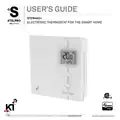
stelpro STZW402 ELECTRONIC THERMOSTAT SMART HOME User Guide
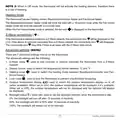


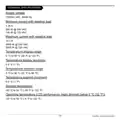


7. °STELPRO information menu: used to gain information on the product
- Version
- Date of production (mm/dd)
- Year of production
- Z-Wave Node Id
- Baseboard/convector control checksum
- Fan-forced heater control checksum
- Reset to default
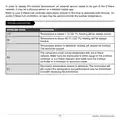
Modification of the settings:
- To gain access to the advanced settings root menu, press the UP and DOWN buttons
simultaneously for 3 seconds.
- At this point each setting (1 to 7) may be accessed by using the UP and DOWN buttons.
- To edit a value, choose a setting then simultaneously press the UP and DOWN buttons once.
Press the UP or DOWN button to edit the value.
- Confirm your choice by pressing the UP and DOWN buttons simultaneously one time at which
point the icon will momentarily flash rapidly if a change has been made.
- To exit the advanced settings press the UP and DOWN buttons simultaneously for 3 seconds at
any time. If the thermostat is left idle it will revert back to the main screen after 30 seconds
Z-Wave inclusion/exclusion (
Inclusion:
)
Make sure the Z-Wave hub is in the include mode (refer to your Z-Wave hub instruction manual).
To add (include) the thermostat to a Z-Wave network, enter Menu 1 (Z-Wave menu) and select (On).
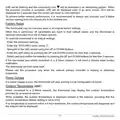
Then press the UP and DOWN buttons to start the inclusion process. During inclusion, (On) will be
blinking and the connectivity icon
will be animated in an increasing pattern. When the inclusion
process has been completed, (On) will be displayed solid. If an error occurs, (Err) will be displayed
for 3 seconds then the screen will revert to (Off) selection.
Exclusion:
Make sure the Z-Wave hub is in the exclude mode (refer to your Z-Wave hub instruction manual).
To remove (exclude) the thermostat from a Z-Wave network, enter Menu1 (Z-Wave menu) and
select (Off). Then press the UP and DOWN buttons to start the exclusion process. During exclusion,
10
040D05A_INSSTZW402+0622

| General | Details |
|---|---|
| Name | stelpro STZW402 ELECTRONIC THERMOSTAT SMART HOME User Guide |
| Make | StelPro |
| Language | English |
| Filetype | PDF (Download) |
| File size | 0.41 MB |
 (1 votes, average: 5.00 out of 5)
 Loading...

STELPRO STF362NP Floor Heating Thermostat Owner’s Manual

STELPRO ST302P Programmable Electronic Thermostat Owner’s Manual

STELPRO SAT402ZB Smart Thermostat User Guide

STELPRO ST252NPFF Non-Programmable Electronic Thermostat Owner’s Manual

STELPRO ST402PFF Programmable Electronic Thermostat Owner’s Manual

STELPRO ASMC402 Maestro Zigbee Smart Programmable Thermostat User Guide

STELPRO SIBTE12C Electronic Thermostat Owner’s Manual

STELPRO STZW402+ Electronic Thermostat for The Smart Home Owner’s Manual

STELPRO SIBTE13F Electronic Thermostat User Guide

STELPRO STCP MULTIPLE PROGRAMMING ELECTRONIC THERMOSTAT User Guide


GENERAL LIFE HT220 Digital Room Thermostat User Manual

GENERAL LIFE SENNA 300S RF Wireless Room Thermostat User Manual

INTIEL DT-3.1 Programmable Differential Thermostat User Manual

auronic AU3151 Oil Radiator with Thermostat User Manual

EZAIoT R7C RGB Colorful LCD Screen Thermostat User Manual

Homematic IP BMOAONSUT Radiator Thermostat User Manual

BEOK CONTROLS TDS75 Series Thermostat User Guide

PRO1 T731W Wireless PTAC Non-Programmable Thermostat Installation Guide
tuya TRV603 Smart WiFi Radiator Thermostat Instruction Manual

BEOK CONTROLS TDS72 Digital Screen Thermostat Instruction Manual