
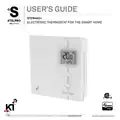
stelpro STZW402 ELECTRONIC THERMOSTAT SMART HOME User Guide




(Off) will be blinking and the connectivity icon
will be animated in an decreasing pattern. When
the exclusion process is complete, (Off) will be displayed solid. If an error occurs, (Err) will be
displayed for 3 seconds then the screen will revert to (On) selection.
To achieve better network performance, it is recommended to always add (include) your Z-Wave
devices starting from the closest one to the farthest one.
Factory Reset
The thermostat may be manually reset to its original factory settings.
When this is performed, all parameters are reset to their default values and the thermostat is
removed (excluded) from the Z-Wave network.
To reset the thermostat to its default settings:
- Enter the advanced settings
- Enter the °STELPRO menu (menu 7)
- Navigate to the (def) screen using the UP or DOWN buttons.
- Enter the (def) menu by pressing the UP and DOWN buttons for less than 3 seconds
- Select (yes) and confirm the selection by pressing the UP and DOWN buttons for less than 3 seconds.
If the thermostat was added (included) in a Z-Wave network, it will send a (device reset locally)
notification.
The thermostat will then reset itself.
Please use this procedure only when the network primary controller is missing or otherwise
inoperable.
Power Outage
If a power outage occurs, the thermostat will stop working but all configuration is saved.
Outdoor Temperature (
)
When connected to a Z-Wave network, the thermostat may display the outdoor temperature
provided by an external sensor.
When available, the outdoor temperature is displayed instead of the setpoint, providing that the
outdoor temperature display setting is set to (On).
If no temperature is received within a 4-hour timeframe, the outdoor temperature will disappear and
the setpoint will be displayed.
11
040D05A_INSSTZW402+0622

| General | Details |
|---|---|
| Name | stelpro STZW402 ELECTRONIC THERMOSTAT SMART HOME User Guide |
| Make | StelPro |
| Language | English |
| Filetype | PDF (Download) |
| File size | 0.41 MB |
 (1 votes, average: 5.00 out of 5)
 Loading...

STELPRO STF362NP Floor Heating Thermostat Owner’s Manual

STELPRO ST302P Programmable Electronic Thermostat Owner’s Manual

STELPRO SAT402ZB Smart Thermostat User Guide

STELPRO ST252NPFF Non-Programmable Electronic Thermostat Owner’s Manual

STELPRO ST402PFF Programmable Electronic Thermostat Owner’s Manual

STELPRO ASMC402 Maestro Zigbee Smart Programmable Thermostat User Guide

STELPRO SIBTE12C Electronic Thermostat Owner’s Manual

STELPRO STZW402+ Electronic Thermostat for The Smart Home Owner’s Manual

STELPRO SIBTE13F Electronic Thermostat User Guide

STELPRO STCP MULTIPLE PROGRAMMING ELECTRONIC THERMOSTAT User Guide


Hotwire HWGL2 Dual Programming Thermostat Instructions

alza WT410 Thermostat User Manual

NEOMITIS RTE7D, RTE7BD Wired Digital 7 Day Programmable Room Thermostat Instruction Manual

expert4house BHT-8000 Heating Thermostat User Guide

GENERAL LIFE MITRA HT10 RF Digital Room Thermostat User Guide

IMMERGAS 3.030909 Smartech Plus Smart Chrono Thermostat Installation Guide

honeywell RLV3150 Electronic Thermostat User Manual

Moes WIFI 002 Series Wi-Fi Thermostat Instruction Manual

EPH CONTROLS CP4 Programmable RF Thermostat User Manual

Vaillant senso Comfort Thermostat Instructions