
SKYTECH 5320P Programmable Thermostat Fireplace Remote Control Instruction Manual


PROGRAM FUNCTION
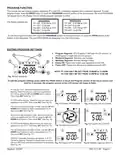
This remote has two default program segments (P1) and (P2): A weekday segment and a weekend segment. To enter
program mode, push the PROG button or touch the PROGRAM (bottom) portion of the touchscreen; the word PROGRAM
will appear above the display time to indicate program operation is active.
WEEKDAYS
“P1 ON” 5:00 AM at 72ºF
“P1 OFF” 9:00 AM
WEEKENDS
“P1 ON” 6:00 AM at 72ºF
“P1 OFF” 10:00 AM
The factory presets are:
“P2 ON” 4:00 PM at 72ºF
“P2 OFF” 10:00 PM
“P2 ON” 5:00 PM at 72ºF
“P2 OFF” 10:00 PM
To turn the program function OFF, touch the PROGRAM portion on the touchscreen, or press the PROG Button at the
bottom of the transmitter. The word PROGRAM will disappear from the LCD screen.
EDITING PROGRAM SETTINGS
1. Program Segment: (P1) Program 1 (left side of LCD screen), or
2
3
(P2)Program 2 (right side of LCD screen).
2. Weekend Segment: Saturday and Sunday.
3. Weekday Segment: Monday through Friday.
4. Flame ON: Flame icon shows your appliance to turn ON.
5. Flame OFF: Flame icon shows your appliance to turn OFF.
1
4
NOTE: P1 CAN ONLY BE SET FROM 12:00AM to 12:00PM
P2 CAN ONLY BE SET FROM 12:00PM to 12:00 AM
5
Fig. 10 Edit segments.
To edit the program settings press either the PROG button or touch the Program section of the touch screen and
hold or 5 seconds, the program section o the LCD screen will begin to fash.
•
P1 ON and “S S” (Weekend Segment) should be
fashing. Select the time you want your appliance to
turn ON by using the UP and DOWN touch buttons.
Then press SET (See Fig. 11).
•
•
P1 OFF will be fashing. Select the time you want your
appliance to turn OFF. Then press SET (See Fig.12).
Fig. 11 Program ON at 6:00AM.
Fig. 12 Program OFF at 10:00AM.
The set temperature will begin to fash. Use the UP and
DOWN touch buttons to select a temperature for P1,
then press SET (See Fig. 13).
•
Now the P2 ON will begin to fash. Select the time you
want your appliance to turn ON by using the UP and
DOWN touch buttons. Then press SET. (See Fig. 14).
•
•
P2 OFF will be fashing. Select a time you want your
appliance to turn OFF. Then press SET (See Fig. 15).
Fig. 14 Program ON at 5:00PM.
Fig. 13 Temperature set 72°F.
The set temperature will begin to fash. Use the UP and
DOWN touch buttons to select a temperature for P2,
then press SET (See Fig. 11).
•
“MTWTF” (Weekday Segment) will replace “S S”. P1
ON will be fashing. Repeat the above steps to set the
ON and OFF times and set temperatures for weekdays.
(See Fig. 16)
Fig. 15 Program OFF at 10:00PM. Fig.16 Weekday segments (Mon-Fri).
REV. 8-11-20 Page 4
Skytech: 5320P

| General | Details |
|---|---|
| Name | SKYTECH 5320P Programmable Thermostat Fireplace Remote Control Instruction Manual |
| Make | Skytech |
| Language | English |
| Filetype | PDF (Download) |
| File size | 0.49 MB |
 (1 votes, average: 5.00 out of 5)
 Loading...


ENGO E901 Programmable Wired Thermostat User Manual

Danfoss RT 2 Thermostat Installation Guide

HEAT-MY-HOME HMH200 WiFi Thermostat User Guide
Robertshaw RS8210 Thermostat Installation Guide

King Electric K322E Electronic Non Programmable Thermostat Instructions

HASWILL ELECTRONICS STC-200 Thermostat User Guide

SALUS CONTROLS HTR-RF Smart Home Dial Thermostat User Guide

Science Equip CH1920-001 Magnetic Stirrer Hot Plate Thermostat Instructions

AURATON Libra U Wireless Digital Room Thermostat User Manual

expert4house BHT-2000 Series Zigbee Thermostat User Guide