
×
- 1. Pni Ct36 Pro
- 2. English
- 3. Special Warnings (Technical Specifications)
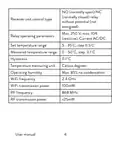
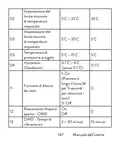
- 4. No (normally Open)/nc (normally Closed) Relay Without Potential (not Energized) (Receiver Unit Control Type → Relay Operating Parameters → Set Temperature Range → Measured Temperature Range → Temperature Measuring Unit → Operating Humidity)
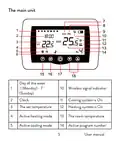
- 5. The Main Unit (Day Of The Week → Wireless Signal Indicator → Clock → Cooling System Is On → Heating System Is On → The Set Temperature)
- 6. Programmed Mode Selection (Eco Mode Active → Heating, Cooling Mode Selection → Manual Mode Active → Thermostat On/off → Battery Indicator)
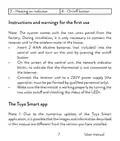
- 7. Heating On Indicator (On/off Button → Instructions And Warnings For The First Use → The Tuya Smart App)
- 8. Connect The Mobile Phone To A 2.4 Ghz Wireless Network (Download The Tuya Smart Application → Open The Tuya Smart Application → Select The 'small Home Appliances' - 'thermostat (wi-fi)' Option → Select The Wifi Network And Add The Network Password → Long Press The Pairing Button On The Receiver Unit)
- 9. In The Application, Press 'next' And Confirm That The Led Indicator On The Product Blinks Quickly.
- 10. Functions Available In The Application (Display The Set Temperature And The Measured Temperature → Heating/cooling Status → Operation Mode Selection)
- 11. Advanced Settings (Daily Program Setting → Child Protection → Anti-freeze Protection → Open Window Protection → Temperature Calibration → Setting Dead Zone)
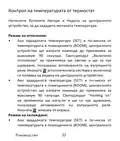
- 12. Temperature Control From The Thermostat (Heating Mode → Cooling Mode)
- 13. Temperature Control From The Tuya Smart Application
- 14. Pairing The Two Units
- 15. The Icon (Delete Pairing → Lost Or Weak Signal)
- 16. Recommendations (Set The Time And The Day Of The Week)
- 17. Keys Until You Reach The Desired Value. Press The M Key To
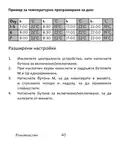
- 18. Example Of Temperature Programming For Days (Day H H H H)
- 19. Menu Description (Options → Default → Internal Sensor Temperature Calibration → Setting The Maximum Set Temperature Limit → Setting The Minimum Set Temperature Limit → Frost Protection Temperature)
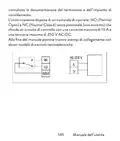
- 20. Open Window Detection - Owd (Owd - Detection Time → Owd - Temperature Drop (during Detection) → Owd - Time Delay (return To Previous Setting/program) → Return To Factory Settings → Software Version → Receiver Unit Connection Diagram)
- 21. And To A Heating Plant Is Performed Only By Qualified Personnel
- 22. Специални Предупреждения (Технически Спецификации)
- 23. Захранване На Приемника (Тип Управление На Приемника → Параметри На Работа На Релето → Задайте Температурен Диапазон → Измерен Температурен Диапазон → Устройство За Измерване На Температура → Работна Влажност)
- 24. Rf Свързаност Между Двете Устройства (Основната Единица → Ден От Седмицата → Индикатор За Безжичен Сигнал → Ръководство)
- 25. Охладителната Система Е Включена (Часовник → Зададената Температура → Отоплителната Система Е Включена → Активен Режим На Отопление → Активен Режим На Охлаждане → Програмиран Избор На Режим)
- 26. Приемното Устройство (Инструкции Употреба И Предупреждения За Първа)
- 27. Свържете Приемника Към 230v Захранване (Уверете Се, Че Термостатът Работи Правилно → Приложението Tuya Smart → Забележка 1 → Забележка 2 → Предупреждение)
- 28. Към Безжичната Мрежа На Честота 2,4 Ghz. Новото
- 29. Приложението (Светодиодът На Приемника → Ръководство)
- 30. Функции, Налични В Приложението (Показване На Зададената Температура И Измерената → Състояние На Отопление/охлаждане)
- 31. Избор На Режим На Работа: Ръчен, Еко И Програмиран (Разширени Настройки: → За Двата Режима На Работа, Heat И Cold, Са Налични)
- 32. Контрол На Температурата От Термостат (Режим На Отопление → Режим На Охлаждане)
- 33. Контрол На Температурата От Приложението Tuya Smart
- 34. Температура (Сдвояване На Двете Единици → Предупреждение)
- 35. Сдвояване На Приемника (Тест На Функционалността)
- 36. Изтриване На Сдвояването (Загубен Или Слаб Сигнал)
- 37. Препоръки (Задайте Часа И Деня От Седмицата → Ръководство)
- 38. 4. Индикаторът, Съответстващ На Деня От Седмицата,
- 39. Конфигуриране На Дневна Програма Чрез
- 40. Day H H H H
- 41. Меню Описание (Стойности → Default → Вътрешно → Калибриране На → Температура На Защита От Замръзване → Хистерезис (мъртва Зона))
- 42. Откриване На Отворен Прозорец - Owd (Owd - Време За Откриване → Owd - Температурен Спад (по Време На Откриване) → Owd - Забавяне Във Времето → Ръководство)
- 43. Върнете Се Към Фабричните Настройки (Софтуерна Версия → Схема На Свързване На Приемника → Предупреждение: Свързването На Приемника Към Електрическа Мрежа 230 V И Към Отоплителна Централа Се Извършва Само От Квалифициран Персонал И Само След)
- 44. Справка С Документацията На Термостата И Отоплителната Централа (Приемникът Има Команда От Релеен Тип → Примери За Свързване С Определени Модели Топлоелектрически Централи)
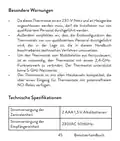
- 45. Besonderewarnungen (Technische Spezifikationen → Stromversorgung Der Zentraleinheit → Stromversorgung Der Empfängereinheit)
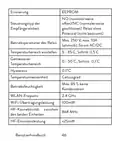
- 46. Erinnerung (Betriebsparameter Des Relais → Temperaturbereich Einstellen → Gemessener Temperaturbereich → Hysteresis → Temperaturmesseinheit → Betriebsfeuchtigkeit)
- 47. Die Haupteinheit (Drahtlose Signalanzeige → Das Kühlsystem Ist Eingeschaltet → Die Eingestellte Temperatur → Das Heizsystem Ist Eingeschaltet → Aktiver Heizmodus → Aktiver Kühlmodus)
- 48. Auswahl Des Eco- Oder Manuellen Modus (Eco-modus Aktiv → Auswahl Des Heiz- Und Kühlmodus → Manueller Modus Aktiv → Programmierter Thermostat Modus Aktiv → Batterieanzeige Von Temperatur Und Parametern)
- 49. Kopplungstaste (Anzeige Heating Ausgeschaltet' → Betriebsanzeige → Ein-/aus-taste → Hinweise Und Warnhinweise Für Den Ersten Gebrauch)
- 50. Die Tuya Smart-app (Hinweis 1: Aufgrund Der Zahlreichen Updates Der Tuya Smart-anwendung Ist Es Möglich, Dass Die In Diesem Handbuch Beschriebenen Bilder Und Informationen Von Der Von Ihnen Installierten Version Abweichen. → Warnung: Stellen Sie Sicher, Dass Sie Das Telefon Über Die 2,4-ghz-frequenz Mit Dem Drahtlosen Netzwerk Verbunden Haben. → Laden Sie Die Tuya Smart-anwendung Aus Dem App Store Oder Google Play Herunter Oder Scannen Sie Den Untenstehenden Qr-code:)
- 51. 3. Öffnen Sie Die Tuya Smart-anwendung Und Drücken Sie
- 52. Benutzerhandbuch
- 53. In Der Anwendung Verfügbare Funktionen (Die Folgenden Funktionen Stehen In Der Tuya Smart-anwendung Zur Verfügung:)
- 54. Auswahl Des Betriebsmodus: Manuell, Eco Und Programmiert (Erweiterte Einstellungen → Für Die Beiden Betriebsarten Wärme Und Kälte → Tagesprogrammeinstellung → Einstellungen)
- 55. Heizmodus
- 56. Kühlmodus
- 57. Temperaturregelung Über Die Tuya Smart-anwendung
- 58. Hinweis: Wenn Die Temperatur Auf Dem Bildschirm Der Zentraleinheit Nicht Innerhalb Von Maximal 2 Minuten Aktualisiert Wird, Überprüfen Sie I… (Koppeln Der Beiden Einheiten)
- 59. Kopplung Löschen (Testen Sie Die Funktionalität → Verbindung Mit Der Empfängereinheit Herstellen)
- 60. Achtung: Koppeln Sie Zuerst Die Beiden Einheiten Und Fügen Sie Dann Den Thermostat Zur Tuya Smart-anwendung Hinzu. Signal Verloren Oder Schw…
- 61. Stellen Sie Die Uhrzeit Und Den Wochentag Ein (Erkennung Geöffneter Fenster)
- 62. Öffnen“ Erscheint Auf Dem Bildschirm Und Die Eingestellte
- 63. Beispiel Einer Temperaturprogrammierung Für Tage (Day H H H H)
- 64. Menu Beschreibung (Einstellen Der Maximal Eingestellten Temperaturgrenze → Einstellen Der Minimal Eingestellten Temperaturgrenze → Frostschutztemperatur → Hysteresis)
- 65. Erkennung Geöffneter Fenster - Owd (Owd - Erkennungszeit → Owd - Temperaturabfall (während Der Erkennung) → Owd - Zeitverzögerung (zurück Zur Vorherigen Einstellung/programm) → Halten Sie Die Ein-/aus-taste 5 Sekunden Lang Gedrückt, Bis Der Thermostat Neu Startet. → Zurück Zu Den Werkseinstellungen)
- 66. Softwareversion (Anschlussplan Der Empfängereinheit → Achtung → Benutzerhandbuch)
- 67. Advertencias Especiales (Especificaciones Técnicas → Alimentación De La Unidad Central → Manual De Usuario)
- 68. Fuente De Alimentación De La Unidad Receptora (Tipo De Control De La Unidad Receptora → Parámetros De Funcionamiento Del Relé → Establecer Rango De Temperatura → Rango De Temperatura Medido → Unidad De Medida De Temperatura → Humedad De Funcionamiento)
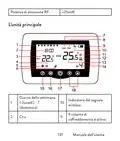
- 69. Conectividad Rf Entre Las Dos Unidades. (Potencia De Emisión De Rf → La Unidad Principal → Día De La Semana → Wireless Signal Indicator → Cooling System Is On)
- 70. La Temperatura Establecida (Modo De Calefacción Activo → Modo De Enfriamiento Activo → Selección De Modo Eco, Manual, Programado → Modo Ecológico Activo → Modo Manual Activo → Modo Programado Activo)
- 71. La Unidad Receptora (Instrucciones Y Advertencias Para El Primer Uso. → Botón De Emparejamiento → Indicador De Encendido → Indicador De Calentamiento → Botón De Encendido/apagado)
- 72. Conecte La Unidad Receptora A Una Fuente De Alimentación (Asegúrese De Que El Termostato Esté Funcionando Correctamente → La Aplicación Tuya Smart → Conecta El Teléfono Móvil A Una Red Inalámbrica De 2,4 Ghz → Advertencia: Asegúrese De Haber Conectado El Teléfono A La Red Inalámbrica En La Frecuencia De 2,4 Ghz → Descargue La Aplicación Tuya Smart Desde App Store)
- 73. Google Play O Escanee El Código Qr A Continuación:
- 74. Manual De Usuario 74
- 75. Funciones Disponibles En La Aplicación (Smart → Estado De Calefacción/refrigeración → Selección Del Modo De Funcionamiento)
- 76. Ajustes Avanzados (Modos De Funcionamiento → Configuración Del Programa Diario → Protección Infantil → Protección Anticongelante → Protección De Ventana Abierta → Calibración De Temperatura)
- 77. Control De Temperatura Desde El Termostato (Modo Calefacción → Modo De Enfriamiento)
- 78. Control De Temperatura Desde La Aplicación Tuya Smart
- 79. Emparejamiento De Las Dos Unidades
- 80. Eliminar Emparejamiento (Advertencia: Primero Empareje Las Dos Unidades Y Luego Agregue El Termostato A La Aplicación Tuya Smart.)
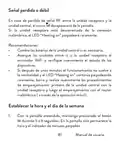
- 81. Señal Perdida O Débil (Recomendaciones: → Establecer La Hora Y El Día De La Semana)
- 82. Detección De Ventana Abierta
- 83. Detendrá La Función Y Llevará El Sistema Al Modo De Funcionamiento
- 84. Ejemplo De Programación De Temperatura Por Días (Day H H H H → Menu Descripción Opciones Default)
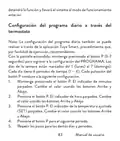
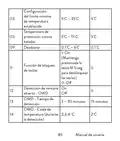
- 85. Configuración Del Límite Mínimo De Temperatura Establecido (Temperatura De Protección Contra Heladas → Deadzone → Función De Bloqueo De Teclas → Detección De Ventana Abierta - Owd)
- 86. Owd - Retardo De Tiempo (Versión Del Software → Diagrama De Conexión De La Unidad Receptora → Advertencia → Manual De Usuario)
- 87. La Unidad Receptora Cuenta Con Un Comando Tipo Relé, No (normal Abierto) Y Nc (normal Cerrado) Sin Potencial (no Energizado) Que Cierra Un C…
- 88. Avertissements Spéciaux (Spécifications Techniques → Alimentation De L'unité Centrale → Alimentation Du Récepteur → Manuel Utilisateur)
- 89. Mémoire (Eeprom → Type De Commande Du Récepteur → Paramètres De Fonctionnement Du Relais → Plage De Température Mesurée → Unité De Mesure De La Température → Humidité D'exploitation)
- 90. Puissance D'émission Rf (Lunité Principale → Indicateur De Signal → Le Système De Refroidissement Est Activé → Le Système De Chauffage Est Allumé → Manuel Utilisateur)
- 91. Mode Chauffage Actif (Mode Refroidissement Actif → Sélection Du Mode Eco → Mode Éco Actif → Mode Manuel Actif → Marche/arrêt Du Thermostat → Mode Programmé Actif)
- 92. Lunité De Réception (Instructions Et Avertissements Pour La Première Utilisation → Bouton D'appairage → Indicateur Heating On → Indicateur D'alimentation → Bouton Marche/arrêt)
- 93. Connectez Le Récepteur (Lapplication Tuya Smart → Remarque 1 → Remarque 2 → Attention)
- 94. Fréquence.
- 95. Manuel Utilisateur
- 96. Fonctions Disponibles Dans Lapplication (Smart → Etat Chauffage/refroidissement)
- 97. Sélection Du Mode De Fonctionnement (Réglages Avancés → Protection Enfants → Protection Antigel → Protection Fenêtre Ouverte → Calibrage De La Température → Réglage De La Zone Morte)
- 98. Contrôle De La Température Depuis Le Thermostat (Mode Chauffage: → Mode Refroidissement:)
- 99. Contrôle De La Température Depuis Lapplication Tuya Smart
- 100. Remarque: Si La Température Sur Lécran De Lunité Centrale Ne Se Met Pas À Jour Dans Un Délai Maximum De 2 Minutes, Vérifiez À Nouveau Dans L… (Appairage Des Deux Unités → Attention: Les Deux Unités Sont Couplées En Usine.)
- 101. Appairage Avec Le Récepteur (Supprimer Le Jumelage → Attention : Associez Dabord Les Deux Unités Puis Ajoutez Le Thermostat À Lapplication Tuya Smart)
- 102. Signal Perdu Ou Faible (Recommandations → Régler Lheure Et Le Jour De La Semaine)
- 103. Détection De Fenêtre Ouverte
- 104. La Fonction, Ramenant Le Système Au Mode De Fonctionnement
- 105. Exemple De Programmation De Température Par Jour (Day H H H H → Menu Description Option Default)
- 106. Réglage De La Limite Maximale De Température Réglée (Réglage De La Limite Minimale De Température De Consigne → Température De Protection Contre Le Gel → Hysteresis (deadzone) → Fonction De Verrouillage Des Touches → Détection De Fenêtre Ouverte - Owd)
- 107. Owd - Temps De Détection (Owd - Chute De Température → Owd - Temporisation)
- 108. Schéma De Connexion Du Récepteur (Attention: Le Raccordement Du Boîtier Récepteur → Unité De Réception → Exemples De Raccordement)
- 109. Különleges Figyelmeztetések (Műszaki Adatok → Használati Utasítás)
- 110. Vevőegység Vezérlési Típusa (Relé Működési Paraméterei → Hőmérséklet Mérő Egység → Működési Páratartalom → Wifi Frekvencia → Rf Kapcsolat)
- 111. A Fő Egység (A Hét Napja → Vezeték Nélküli Jel Jelző → A Hűtőrendszer Be Van Kapcsolva → A Beállított Hőmérséklet → A Fűtési Rendszer Be Van Kapcsolva → Aktív Fűtési Mód)
- 112. Aktív Hűtési Mód (Eco Mód Aktív → Programozott Mód Kiválasztása → Fűtés, Hűtés Üzemmód Kiválasztása → Manuális Mód Aktív → Termosztát Be/ki → Akkumulátor Jelző)
- 113. Párosítás Gomb (Heating On Jelző → Tápellátás Visszajelző → Be/ki Gomb → Utasítások És Figyelmeztetések Az Első Használathoz → A Tuya Smart Alkalmazás)
- 114. Csatlakoztassa A Mobiltelefont Egy 2,4 Ghz-es Vezeték Nélküli Hálózathoz, És Aktiválja A Gps-helymeghatározást A Telefonon.
- 115. Használati Utasítás
- 116. Az Alkalmazásban Elérhető Funkciók (Használati Utasítás)
- 117. Üzemmód Kiválasztása: Kézi, Eco És Programozott (További Beállítások → Napi Programbeállítás → Gyermekvédelem → Fagyvédelem → Nyitott Ablakvédelem → Hőmérséklet Kalibrálása)
- 118. Hőmérséklet Szabályozás A Termosztátról (Fűtési Mód → Hűtési Mód)
- 119. Hőmérséklet Szabályozás A Tuya Smart Alkalmazásból
- 120. Megjegyzés (A Két Egység Párosítása → Ha A Termosztát Offline Állapotban Jelenik Meg Az Alkalmazásban)
- 121. Párosítás Törlése (Elveszett Vagy Gyenge Jel)
- 122. Ajánlások (Állítsa Be Az Időt És A Hét Napját → Használati Utasítás)
- 123. Villogni (Nyitott Ablak Észlelése → Napi Program Konfigurálása A Termosztáton Keresztül)
- 124. Példa Hőmérséklet-programozásra Napokra (Day H H H H)
- 125. Kapcsolja Ki A Központi Egységet A Be-/kikapcsoló Gomb Megnyomásával. (Menu Leírás → Belső Érzékelő → Lehetőségek → Használati Utasítás)
- 126. Hysteresis (Billentyűzár Funkció → Nyitott Ablak Észlelése - Owd → Owd Észlelési Idő → Owd - Hőmérséklet Csökkenés → Owd - Időkésleltetés → Használati Utasítás)
- 127. Visszatérés A Gyári Beállításokhoz (Szoftver Verzió → A Vevőegység Bekötési Rajza → Használati Utasítás)
- 128. Használati Utasítás
- 129. Avvertenze Speciali (Specifiche Tecniche → Alimentazione Dell'unità Centrale → Alimentazione Dell'unità Ricevente → Eeprom)
- 130. Relè No (normalmenteaperto)/nc (normalmentechiuso) Senza Potenziale (noneccitato) (Tipo Di Controllo Dell'unitàricevente → Parametri Di Funzionamentodel Relè → Impostare L'intervallo Ditemperatura → Intervallo Di Temperaturamisurata → Umidità Operativa → Potenza Di Trasmissione Wifi)
- 131. Potenza Di Emissione Rf (Lunità Principale → Giorno Della Settimana → Indicatore Del Segnale Wireless → Il Sistema Di Raffreddamento È Attivo → Manuale Dellutente)
- 132. La Temperatura Impostata (Modalità Di Riscaldamento Attiva → Modalità Di Raffreddamento Attivo → Modalità Ecologica Attiva → Selezione Modalità Eco, Manuale, Programmata → Modalità Manuale Attiva → Modalità Programmata Attiva)
- 133. Lunità Ricevente (Pulsante Di Abbinamento → Indicatore Di Heating On → Indicatore Di Alimentazione → Tasto Di Accensione/spegnimento → Istruzioni E Avvertenze Per Il Primo Utilizzo)
- 134. Collegare Lunità Ricevente Ad Una Alimentazione A 230v (Assicurati Che Il Termostato Funzioni Correttamente → Lapp Tuya Smart → Nota 1 → Nota 2 → Collega Il Telefono Cellulare A Una Rete Wireless A 2,4 Ghz → Attenzione)
- 135. 3. Apri L’applicazione Tuya Smart E Premi Il Pulsante + O “add
- 136. Manuale Dellutente
- 137. Funzioni Disponibili Nellapplicazione (Visualizza La Temperatura Impostata → Stato Riscaldamento/raffrescamento)
- 138. Selezione Modalità Di Funzionamento: Manuale, Eco (Impostazioni Avanzate → Modalità Di Funzionamento: Caldo E Freddo → Impostazione Programma Giornaliero → Protezione Bambini → Protezione Antigelo → Calibrazione Temperatura)
- 139. Controllo Della Temperatura Dal Termostato (Modalità Riscaldamento → Modalità Di Raffreddamento)
- 140. Controllo Della Temperatura Dallapplicazione Tuya Smart
- 141. Nota: Se La Temperatura Sullo Schermo Dellunità Centrale Non Si Aggiorna Entro Un Massimo Di 2 Minuti, Verificare Nuovamente Nellapplicazion… (Associazione Delle Due Unità)
- 142. Premere (Elimina Labbianamento → Attenzione: Associare Prima Le Due Unità E Poi Aggiungere Il Termostato Allapplicazione Tuya Smart.)
- 143. Segnale Perso O Debole (Raccomandazioni: → Imposta Lora E Il Giorno Della Settimana)
- 144. Rilevamento Finestra Aperta
- 145. Operativa Precedente.
- 146. Esempio Di Programmazione Della Temperatura Per Giorni (Day H H H H → Menu Descrizione Opzioni Default)
- 147. Impostazione Del Limite Massimo Di Temperatura Impostato (Impostazione Del Limite Minimo Di Temperatura Impostato → Temperatura Di Protezione Antigelo → Hysteresis (deadzone) → Funzione Di Blocco Dei Tasti → Rilevamento Finestra Aperta - Owd)
- 148. Owd - Calo Di Temperatura (Owd - Ritardo → Versione Software → Schema Di Collegamento Dellunità Ricevente → Attenzione: Il Collegamento Dellunità Ricevente Ad Una Alimentazione Di 230 V E Ad Un Impianto Di Riscaldamento Deve Essere Effettuato Solo Da Personale Qualificato E Solo Dopo Aver)
- 149. Consultato La Documentazione Del Termostato E Dellimpianto Di Riscaldamento. Lunità Ricevente Dispone Di Un Comando Di Tipo Relè, No (normal…
- 150. Speciale Waarschuwingen (Technische Specificaties → Gebruikershandleiding)
- 151. Voeding Ontvangereenheid (Geheugen → Besturingstype → Bedrijfsparameters Van Het Relais → Temperatuurbereik Instellen → Hysteresis → Temperatuur Meeteenheid)
- 152. De Hoofdeenheid (Draadloze Signaalindicator → Koelsysteem Is Ingeschakeld → Verwarmingssysteem Is Ingeschakeld → Gebruikershandleiding)
- 153. Actieve Verwarmingsmodus (Actieve Koelmodus → Geprogrammeerde Modusselectie → Eco-modus Actief → Handmatige Modus Actief → Thermostaat Aan/uit → Batterij Indicator)
- 154. De Ontvangsteenheid (Instructies En Waarschuwingen Voor Het Eerste Gebruik → Gebruikershandleiding)
- 155. De Tuya Smart-app (Verbinding Maken Met Een 2,4 Ghz Draadloos Netwerk → Zorg Ervoor Dat De Thermostaat Goed Werkt)
- 156. 2. Download De Tuya Smart Applicatie Uit De App Store Of
- 157. Gebruikershandleiding
- 158. Functies Beschikbaar In De Applicatie (Weergave Van De Ingestelde Temperatuur En De Gemeten Temperatuur → Verwarmings-/koelingsstatus)
- 159. Keuze Van De Bedrijfsmodi: Handmatig, Eco En Geprogrammeerd (Geavanceerde Instellingen → Voor De Twee Bedrijfsmodi, Verwarmen En Koud)
- 160. Temperatuurregeling Vanaf De Thermostaat (Verwarmingsmodus → Koelmodus)
- 161. Temperatuurregeling Vanuit De Tuya Smart-applicatie
- 162. Het Koppelen Van De Twee Eenheden (Als De Thermostaat Offline Verschijnt In De Applicatie → Controleer De Status Van De Thermostaat → Instructies Voor Het Koppelen)
- 163. Koppeling Verwijderen (Test De Functionaliteit Door De Ingestelde Temperatuur (set) Te Wijzigen En Kijk Hoe Het Relais In De Ontvanger Wordt Geactiveerd.)
- 164. Verloren Of Zwak Signaal (Aanbevelingen: → Stel De Tijd En De Dag Van De Week In)
- 165. Detectie Van Open Raam
- 166. Bedrijfsmodus En Het Pictogram “open Raam” Verdwijnt Van Het
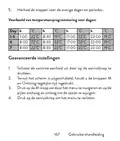
- 167. Voorbeeld Van Temperatuurprogrammering Voor Dagen (Day H H H H)
- 168. Menu Beschrijving (Opties → Kalibratie Van De Interne Sensortemperatuur → Instellen Van De Maximaal Ingestelde Temperatuurlimiet → Instellen Van De Minimaal Ingestelde Temperatuur → Vorstbeschermings Temperatuur → Hysteresis)
- 169. Detectie Open Raam (Owd - Detectietijd → Owd - Temperatuurdaling → Owd - Tijdvertraging → Software Versie)
- 170. Aansluitschema Ontvangereenheid (Gebruikershandleiding)
- 171. Specjalne Ostrzeżenia (Termostat → Specyfikacja Techniczna → Instrukcja Obsługi)
- 172. Przekaźnik No (normalnie Otwarty)/nc (normalnie Zamknięty) Bez Potencjału (niezasilany) (Typ Sterowania Jednostką Odbiorczą → Parametry Pracy Przekaźnika → Ustawić Zakres Temperatur → Wilgotność Pracy → Częstotliwość Wi-fi → Moc Transmisji Wifi)
- 173. Jednostka Główna (Dzień Tygodnia → Wskaźnik Sygnału Bezprzewodowego → Układ Chłodzenia Jest Włączony → Zegar → Ustawiona Temperatura → System Ogrzewania Jest Włączony)
- 174. Aktywny Tryb Ogrzewania (Aktywny Tryb Chłodzenia → Wybór Trybu Eco → Tryb Ręczny Aktywny → Tryb Zaprogramowany Aktywny → Włączenie/wyłączenie Termostatu → Wskaźnik Baterii)
- 175. Jednostka Odbiorcza (Przycisk Parowania → Wskaźnik Zasilania → Wskaźnik Włączenia → Przycisk Włączania/wyłączania → Instrukcje I Ostrzeżenia Dotyczące Pierwszego Użycia)
- 176. Podłącz Odbiornik Do Źródła Zasilania 230v (operacja Może Być Wykonana Wyłącznie Przez Wykwalifikowany Personel). Upewnij Się, Że Termostat …
- 177. 3. Otwórz Aplikację Tuya Smart I Naciśnij Przycisk + Lub „dodaj
- 178. Instrukcja Obsługi
- 179. Funkcje Dostępne W Aplikacji (Wyświetla Ustawioną I Zmierzoną Temperaturę → Stan Ogrzewania/chłodzenia → Wybór Trybu Pracy)
- 180. Zaawansowane Ustawienia (Dla Dwóch Trybów Pracy, Ogrzewania I Chłodzenia → Ustawienie Programu Dziennego → Zabezpieczenie Przed Dziećmi → Zabezpieczenie Przed Zamarzaniem → Zabezpieczenie Otwartego Okna → Kalibracja Temperatury)
- 181. Regulacja Temperatury Z Termostatu (Tryb Ogrzewania: → Tryb Chłodzenia:)
- 182. Sterowanie Temperaturą Z Aplikacji Tuya Smart
- 183. Parowanie Dwóch Jednostek (Uwaga → Ostrzeżenie)
- 184. Usuń Parowanie (Przetestuj Funkcjonalność → Uwaga: Najpierw Sparuj Obydwa Urządzenia, A Następnie Dodaj Termostat Do Aplikacji Tuya Smart. → Instrukcja Obsługi)
- 185. Utracony Lub Słaby Sygnał (Zalecenia: → Ustaw Godzinę I Dzień Tygodnia)
- 186. Wskaźnik (Wykrywanie Otwartego Okna → Instrukcja Obsługi)
- 187. Codzienna Konfiguracja Programu Za Pomocą
- 188. Przykład Programowania Temperatury Na Dni (Menu Opis Opcje Default)
- 189. Ustawianie Maksymalnego Ustawionego Limitu Temperatury (Ustawianie Minimalnego Ustawionego Limitu Temperatury → Temperatura Ochrony Przed Zamarzaniem → Hysteresis (deadzone) → Funkcja Blokady Klawiszy → Wykrywanie Otwartego Okna - Owd)
- 190. Owd Czas Detekcji (Owd Spadek Temperatury (podczas Detekcji) → Owd Opóźnienie Czasowe (powrót Do Poprzedniego Ustawienia/programu) → Wróć Do Ustawień Fabrycznych → Wersja Oprogramowania)
- 191. Schemat Podłączenia Odbiornika (Uwaga → Odbiornik Posiada Polecenie Typu Przekaźnikowego → Przykłady Połączeń Z Określonymi Modelami Elektrowni Cieplnych → Instrukcja Obsługi)
- 192. Atentionari Speciale (Specificatii Tehnice → Manual De Utilizare)
- 193. Releu No (normal Deschis) (Tip Comanda Unitate Receptor → Parametri De Functionare → Interval Temperatura Setata → Interval Temperatura Masurata → Hysteresis → Unitate De Masura Temperatura)
- 194. Prezentare Unitate Centrala (Ziua Saptamanii → Indicator Semnal Wireless → Ora Curenta → Indicator Racire Pornita → Indicator Incalzire Pornita → Temperatura Setata)
- 195. Selectare Mod Eco (Selectare Mod Incalzire → Mod Eco Activ → Mod Manual Activ → Mod Programat Activ → Pornire/oprire Termostat → Indicator Baterie)
- 196. Instructiuni Si Atentionari La Prima Utilizare (Control Din Aplicatia Tuya Smart)
- 197. Apropiere Si Activati Locatia Gps.
- 198. Manual De Utilizare
- 199. Functii Disponibile In Aplicatie (Afisare Temperatura Setata Si Temperatura Masurata → Afisare Stare Incalzire/racire → Selectare Mod De Lucru)
- 200. Setari Avansate (Moduri De Lucru → Setare Program Zilnic → Protectie Copii → Protectie Anti-inghet → Calibrare Temperatura → Setare Dead Zone)
- 201. Controlul Temperaturii Din Termostat (Mod Incalzire: → Mod Racire:)
- 202. Controlul Temperaturii Din Aplicatia Tuya Smart
- 203. Nota: Daca Temperatura Pe Ecranul Unitatii Centrale Nu Se Actualizeaza Intr-un Interval De Maxim 2 Minute, Verificati Din Nou In Aplicatie S…
- 204. Led-ul (Pictograma → Stergere Imperechere Unitati → Atentionare: Imperecheati Mai Intai Cele Doua Unitati Si Mai Apoi Adaugati Termostatul In Aplicatia Tuya Smart. → Semnal Slab Sau Pierdut → Manual De Utilizare)
- 205. Recomandari (Setare Ora Si Ziua Saptamanii)
- 206. Indicatorul Corespunzator Zilei Saptamanii (Ecranul Revine La Modul Normal De Afisare → Functia Detectie Geam Deschis → Configurare Program Zilnic Prin Termostat)
- 207. Exemplu De Programare Temperatura Pe Zile (Zi Ora Temp Ora Temp Ora Temp Ora Temp)
- 208. Cu Ecranul Stins, Apasati Lung Si Simultan Butoanele M Si Sus.
- 209. Functie Detectie (Geam Deschis - Owd → Owd - Timp → On: Pornit → Owd - Scadere → Temperatura → Revenire La Setarile Din Fabrica)
- 210. Diagrama Conexiuni Unitate Receptor (Atentionare: Conectarea Unitatii Receptor La O Sursa De Alimentare → Manual De Utilizare)
- 211. Exemple De Conectare (Pro La Diferite Modele De Centrale Termice → Atentionare: Conectarea Unitatii Receptor La O Sursa De Alimentare)
- 212. Ferroli Divacondens 24/28 (Vaillant Ecotec Pure)
- 213. Motan Max Optimus
- 214. Eu Simplified Declaration Of Conformity (Onlineshop Srl Declares That Smart Thermostat Pni Ct36 Pro → Onlineshop Srl Декларира, Че Интелигентен Термостат Pni Ct36 → Pro Спазва Директивата Emc 2014/30/eu, Red 2014/53/ue И Rohs → Vereinfachte Eu- Konformitätserklärung → Intelligenter Thermostat Pni)
- 215. Déclaration De Conformité Simplifiée De L’ue (Thermostat Intelligent Pni Ct36 Pro → Egyszerűsített Eu Megfelelési Közlemény → Intelligens Termosztát Pni → Ct36 Pro → Dichiarazione Ue Di Conformità Semplificata)
- 216. Vereenvoudigde Eu-conformiteitsverklaring (Onlineshop Srl Verklaart Dat Slimme Thermostaat Pni Ct36 Pro → Uproszczona Deklaracja Zgodności Ue → Inteligentny Termostat Pni Ct36 → Pro → Declaratie Ue De Conformitate Simplificata)
- 217.
- 218.
×
PNi CT36PRO Smart Thermostat Instruction Manual











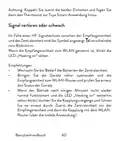


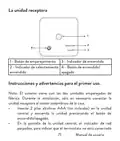
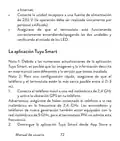


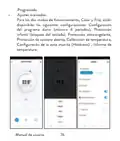
















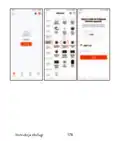


Note: If the temperature on the screen of the central unit does
not update within a maximum of 2 minutes, check again in the
application the status of the thermostat (Online or Offline) and
the set temperature.
Pairing the two units
Warning: The two units come paired from the factory. Perform
this procedure only if absolutely necessary.
If the thermostat appears Offline in the application, the signal
icon
is missing from the screen, the “Heating on” LED on the
receiver unit is off and the units do not communicate with each
other, perform the pairing procedure below:
1.
Long press the pairing button on the receiver unit until the
“Heating on” LED flashes rapidly.
2. Turn off the screen of the central unit by pressing the on/
off button.
3. When the screen is off, press and hold the M button on the
central unit until a 4-digit code appears on the screen.
4. Immediately press the up arrow button to pair with the
receiver unit.
5. The “Heating on” LED blinks rarely and then goes out.
User manual
14

| General | Details |
|---|---|
| Name | PNi CT36PRO Smart Thermostat Instruction Manual |
| Make | PNI |
| Language | English |
| Filetype | PDF (Download) |
| File size | 1.12 MB |
 (1 votes, average: 5.00 out of 5)
 Loading...

PNI-CT40 Smart Wireless Thermostat User Manual

PNI CT25PW WIFI Smart Thermostat User Manual

PNi ACRF8508 Wireless Programmable Room Thermostat Instruction Manual


Coplax PH1001T Portable Electric Space Heater with Thermostat Instruction Manual

MYSON Unisenza Digital Thermostat User Manual

Danfoss TP7000 Series Electronic 7 Day Programmable Room Thermostat Instruction Manual

Fantini Cosmi CH180-230V Touch Screen Programmable Thermostat Instructions

ENGO CONTROLS EONEBATW, EONEBATB Internet Controlled Thermostat User Manual

BEOK TGR85-EP Underfloor Heating Thermostat User Guide

Honeywell RTH8500 Wi-Fi Series Thermostat User Guide

ENGO EONEBATW, EONEBATB Internet Controlled Thermostat User Guide

VIVE TP-N-751 Programmable Thermostat Installation Guide

expert4house BHT-12 Smart Thermostat User Manual
Table of Contents
- 1. Pni Ct36 Pro →
- 2. English →
- 3. Special Warnings - Technical Specifications →
- 4. No (normally Open)/nc (normally Closed) Relay Without Potent... →
- 5. The Main Unit - Day Of The Week →
- 6. Programmed Mode Selection - Eco Mode Active →
- 7. Heating On Indicator - On/off Button →
- 8. Connect The Mobile Phone To A 2.4 Ghz Wireless Network - Dow... →
- 9. In The Application, Press 'next' And Confirm That The Led In... →
- 10. Functions Available In The Application - Display The Set Tem... →
- 11. Advanced Settings - Daily Program Setting →
- 12. Temperature Control From The Thermostat - Heating Mode →
- 13. Temperature Control From The Tuya Smart Application →
- 14. Pairing The Two Units →
- 15. The Icon - Delete Pairing →
- 16. Recommendations - Set The Time And The Day Of The Week →
- 17. Keys Until You Reach The Desired Value. Press The M Key To →
- 18. Example Of Temperature Programming For Days - Day H H H H →
- 19. Menu Description - Options →
- 20. Open Window Detection - Owd - Owd - Detection Time →
- 21. And To A Heating Plant Is Performed Only By Qualified Person... →
- 22. Специални Предупреждения - Технически Спецификации →
- 23. Захранване На Приемника - Тип Управление На Приемника →
- 24. Rf Свързаност Между Двете Устройства - Основната Единица →
- 25. Охладителната Система Е Включена - Часовник →
- 26. Приемното Устройство - Инструкции Употреба И Предупреждения ... →
- 27. Свържете Приемника Към 230v Захранване - Уверете Се, Че Терм... →
- 28. Към Безжичната Мрежа На Честота 2,4 Ghz. Новото →
- 29. Приложението - Светодиодът На Приемника →
- 30. Функции, Налични В Приложението - Показване На Зададената Те... →
- 31. Избор На Режим На Работа: Ръчен, Еко И Програмиран - Разшире... →
- 32. Контрол На Температурата От Термостат - Режим На Отопление →
- 33. Контрол На Температурата От Приложението Tuya Smart →
- 34. Температура - Сдвояване На Двете Единици →
- 35. Сдвояване На Приемника - Тест На Функционалността →
- 36. Изтриване На Сдвояването - Загубен Или Слаб Сигнал →
- 37. Препоръки - Задайте Часа И Деня От Седмицата →
- 38. 4. Индикаторът, Съответстващ На Деня От Седмицата, →
- 39. Конфигуриране На Дневна Програма Чрез →
- 40. Day H H H H →
- 41. Меню Описание - Стойности →
- 42. Откриване На Отворен Прозорец - Owd - Owd - Време За Открива... →
- 43. Върнете Се Към Фабричните Настройки - Софтуерна Версия →
- 44. Справка С Документацията На Термостата И Отоплителната Центр... →
- 45. Besonderewarnungen - Technische Spezifikationen →
- 46. Erinnerung - Betriebsparameter Des Relais →
- 47. Die Haupteinheit - Drahtlose Signalanzeige →
- 48. Auswahl Des Eco- Oder Manuellen Modus - Eco-modus Aktiv →
- 49. Kopplungstaste - Anzeige Heating Ausgeschaltet' →
- 50. Die Tuya Smart-app - Hinweis 1: Aufgrund Der Zahlreichen Upd... →
- 51. 3. Öffnen Sie Die Tuya Smart-anwendung Und Drücken Sie →
- 52. Benutzerhandbuch →
- 53. In Der Anwendung Verfügbare Funktionen - Die Folgenden Funkt... →
- 54. Auswahl Des Betriebsmodus: Manuell, Eco Und Programmiert - E... →
- 55. Heizmodus →
- 56. Kühlmodus →
- 57. Temperaturregelung Über Die Tuya Smart-anwendung →
- 58. Hinweis: Wenn Die Temperatur Auf Dem Bildschirm Der Zentrale... →
- 59. Kopplung Löschen - Testen Sie Die Funktionalität →
- 60. Achtung: Koppeln Sie Zuerst Die Beiden Einheiten Und Fügen S... →
- 61. Stellen Sie Die Uhrzeit Und Den Wochentag Ein - Erkennung Ge... →
- 62. Öffnen“ Erscheint Auf Dem Bildschirm Und Die Eingestellte →
- 63. Beispiel Einer Temperaturprogrammierung Für Tage - Day H H H... →
- 64. Menu Beschreibung - Einstellen Der Maximal Eingestellten Tem... →
- 65. Erkennung Geöffneter Fenster - Owd - Owd - Erkennungszeit →
- 66. Softwareversion - Anschlussplan Der Empfängereinheit →
- 67. Advertencias Especiales - Especificaciones Técnicas →
- 68. Fuente De Alimentación De La Unidad Receptora - Tipo De Cont... →
- 69. Conectividad Rf Entre Las Dos Unidades. - Potencia De Emisió... →
- 70. La Temperatura Establecida - Modo De Calefacción Activo →
- 71. La Unidad Receptora - Instrucciones Y Advertencias Para El P... →
- 72. Conecte La Unidad Receptora A Una Fuente De Alimentación - A... →
- 73. Google Play O Escanee El Código Qr A Continuación: →
- 74. Manual De Usuario 74 →
- 75. Funciones Disponibles En La Aplicación - Smart →
- 76. Ajustes Avanzados - Modos De Funcionamiento →
- 77. Control De Temperatura Desde El Termostato - Modo Calefacció... →
- 78. Control De Temperatura Desde La Aplicación Tuya Smart →
- 79. Emparejamiento De Las Dos Unidades →
- 80. Eliminar Emparejamiento - Advertencia: Primero Empareje Las ... →
- 81. Señal Perdida O Débil - Recomendaciones: →
- 82. Detección De Ventana Abierta →
- 83. Detendrá La Función Y Llevará El Sistema Al Modo De Funciona... →
- 84. Ejemplo De Programación De Temperatura Por Días - Day H H H ... →
- 85. Configuración Del Límite Mínimo De Temperatura Establecido - ... →
- 86. Owd - Retardo De Tiempo - Versión Del Software →
- 87. La Unidad Receptora Cuenta Con Un Comando Tipo Relé, No (nor... →
- 88. Avertissements Spéciaux - Spécifications Techniques →
- 89. Mémoire - Eeprom →
- 90. Puissance D'émission Rf - Lunité Principale →
- 91. Mode Chauffage Actif - Mode Refroidissement Actif →
- 92. Lunité De Réception - Instructions Et Avertissements Pour La... →
- 93. Connectez Le Récepteur - Lapplication Tuya Smart →
- 94. Fréquence. →
- 95. Manuel Utilisateur →
- 96. Fonctions Disponibles Dans Lapplication - Smart →
- 97. Sélection Du Mode De Fonctionnement - Réglages Avancés →
- 98. Contrôle De La Température Depuis Le Thermostat - Mode Chauf... →
- 99. Contrôle De La Température Depuis Lapplication Tuya Smart →
- 100. Remarque: Si La Température Sur Lécran De Lunité Centrale Ne... →
- 101. Appairage Avec Le Récepteur - Supprimer Le Jumelage →
- 102. Signal Perdu Ou Faible - Recommandations →
- 103. Détection De Fenêtre Ouverte →
- 104. La Fonction, Ramenant Le Système Au Mode De Fonctionnement →
- 105. Exemple De Programmation De Température Par Jour - Day H H H... →
- 106. Réglage De La Limite Maximale De Température Réglée - Réglag... →
- 107. Owd - Temps De Détection - Owd - Chute De Température →
- 108. Schéma De Connexion Du Récepteur - Attention: Le Raccordemen... →
- 109. Különleges Figyelmeztetések - Műszaki Adatok →
- 110. Vevőegység Vezérlési Típusa - Relé Működési Paraméterei →
- 111. A Fő Egység - A Hét Napja →
- 112. Aktív Hűtési Mód - Eco Mód Aktív →
- 113. Párosítás Gomb - Heating On Jelző →
- 114. Csatlakoztassa A Mobiltelefont Egy 2,4 Ghz-es Vezeték Nélkül... →
- 115. Használati Utasítás →
- 116. Az Alkalmazásban Elérhető Funkciók - Használati Utasítás →
- 117. Üzemmód Kiválasztása: Kézi, Eco És Programozott - További Be... →
- 118. Hőmérséklet Szabályozás A Termosztátról - Fűtési Mód →
- 119. Hőmérséklet Szabályozás A Tuya Smart Alkalmazásból →
- 120. Megjegyzés - A Két Egység Párosítása →
- 121. Párosítás Törlése - Elveszett Vagy Gyenge Jel →
- 122. Ajánlások - Állítsa Be Az Időt És A Hét Napját →
- 123. Villogni - Nyitott Ablak Észlelése →
- 124. Példa Hőmérséklet-programo... Napokra - Day H H H H →
- 125. Kapcsolja Ki A Központi Egységet A Be-/kikapcsoló Gomb Megny... →
- 126. Hysteresis - Billentyűzár Funkció →
- 127. Visszatérés A Gyári Beállításokhoz - Szoftver Verzió →
- 128. Használati Utasítás →
- 129. Avvertenze Speciali - Specifiche Tecniche →
- 130. Relè No (normalmenteaperto)/nc (normalmentechiuso) Senza Pot... →
- 131. Potenza Di Emissione Rf - Lunità Principale →
- 132. La Temperatura Impostata - Modalità Di Riscaldamento Attiva →
- 133. Lunità Ricevente - Pulsante Di Abbinamento →
- 134. Collegare Lunità Ricevente Ad Una Alimentazione A 230v - Ass... →
- 135. 3. Apri L’applicazione Tuya Smart E Premi Il Pulsante + O “a... →
- 136. Manuale Dellutente →
- 137. Funzioni Disponibili Nellapplicazione - Visualizza La Temper... →
- 138. Selezione Modalità Di Funzionamento: Manuale, Eco - Impostaz... →
- 139. Controllo Della Temperatura Dal Termostato - Modalità Riscal... →
- 140. Controllo Della Temperatura Dallapplicazione Tuya Smart →
- 141. Nota: Se La Temperatura Sullo Schermo Dellunità Centrale Non... →
- 142. Premere - Elimina Labbianamento →
- 143. Segnale Perso O Debole - Raccomandazioni: →
- 144. Rilevamento Finestra Aperta →
- 145. Operativa Precedente. →
- 146. Esempio Di Programmazione Della Temperatura Per Giorni - Day... →
- 147. Impostazione Del Limite Massimo Di Temperatura Impostato - I... →
- 148. Owd - Calo Di Temperatura - Owd - Ritardo →
- 149. Consultato La Documentazione Del Termostato E Dellimpianto D... →
- 150. Speciale Waarschuwingen - Technische Specificaties →
- 151. Voeding Ontvangereenheid - Geheugen →
- 152. De Hoofdeenheid - Draadloze Signaalindicator →
- 153. Actieve Verwarmingsmodus - Actieve Koelmodus →
- 154. De Ontvangsteenheid - Instructies En Waarschuwingen Voor Het... →
- 155. De Tuya Smart-app - Verbinding Maken Met Een 2,4 Ghz Draadlo... →
- 156. 2. Download De Tuya Smart Applicatie Uit De App Store Of →
- 157. Gebruikershandleidin... →
- 158. Functies Beschikbaar In De Applicatie - Weergave Van De Inge... →
- 159. Keuze Van De Bedrijfsmodi: Handmatig, Eco En Geprogrammeerd ... →
- 160. Temperatuurregeling Vanaf De Thermostaat - Verwarmingsmodus →
- 161. Temperatuurregeling Vanuit De Tuya Smart-applicatie →
- 162. Het Koppelen Van De Twee Eenheden - Als De Thermostaat Offline... →
- 163. Koppeling Verwijderen - Test De Functionaliteit Door De Inge... →
- 164. Verloren Of Zwak Signaal - Aanbevelingen: →
- 165. Detectie Van Open Raam →
- 166. Bedrijfsmodus En Het Pictogram “open Raam” Verdwijnt Van Het →
- 167. Voorbeeld Van Temperatuurprogrammering Voor Dagen - Day H H ... →
- 168. Menu Beschrijving - Opties →
- 169. Detectie Open Raam - Owd - Detectietijd →
- 170. Aansluitschema Ontvangereenheid - Gebruikershandleidin... →
- 171. Specjalne Ostrzeżenia - Termostat →
- 172. Przekaźnik No (normalnie Otwarty)/nc (normalnie Zamknięty) B... →
- 173. Jednostka Główna - Dzień Tygodnia →
- 174. Aktywny Tryb Ogrzewania - Aktywny Tryb Chłodzenia →
- 175. Jednostka Odbiorcza - Przycisk Parowania →
- 176. Podłącz Odbiornik Do Źródła Zasilania 230v (operacja Może By... →
- 177. 3. Otwórz Aplikację Tuya Smart I Naciśnij Przycisk + Lub „do... →
- 178. Instrukcja Obsługi →
- 179. Funkcje Dostępne W Aplikacji - Wyświetla Ustawioną I Zmierzo... →
- 180. Zaawansowane Ustawienia - Dla Dwóch Trybów Pracy, Ogrzewania... →
- 181. Regulacja Temperatury Z Termostatu - Tryb Ogrzewania: →
- 182. Sterowanie Temperaturą Z Aplikacji Tuya Smart →
- 183. Parowanie Dwóch Jednostek - Uwaga →
- 184. Usuń Parowanie - Przetestuj Funkcjonalność →
- 185. Utracony Lub Słaby Sygnał - Zalecenia: →
- 186. Wskaźnik - Wykrywanie Otwartego Okna →
- 187. Codzienna Konfiguracja Programu Za Pomocą →
- 188. Przykład Programowania Temperatury Na Dni - Menu Opis Opcje ... →
- 189. Ustawianie Maksymalnego Ustawionego Limitu Temperatury - Ust... →
- 190. Owd Czas Detekcji - Owd Spadek Temperatury (podczas Detekcji... →
- 191. Schemat Podłączenia Odbiornika - Uwaga →
- 192. Atentionari Speciale - Specificatii Tehnice →
- 193. Releu No (normal Deschis) - Tip Comanda Unitate Receptor →
- 194. Prezentare Unitate Centrala - Ziua Saptamanii →
- 195. Selectare Mod Eco - Selectare Mod Incalzire →
- 196. Instructiuni Si Atentionari La Prima Utilizare - Control Din... →
- 197. Apropiere Si Activati Locatia Gps. →
- 198. Manual De Utilizare →
- 199. Functii Disponibile In Aplicatie - Afisare Temperatura Setata... →
- 200. Setari Avansate - Moduri De Lucru →
- 201. Controlul Temperaturii Din Termostat - Mod Incalzire: →
- 202. Controlul Temperaturii Din Aplicatia Tuya Smart →
- 203. Nota: Daca Temperatura Pe Ecranul Unitatii Centrale Nu Se Ac... →
- 204. Led-ul - Pictograma →
- 205. Recomandari - Setare Ora Si Ziua Saptamanii →
- 206. Indicatorul Corespunzator Zilei Saptamanii - Ecranul Revine ... →
- 207. Exemplu De Programare Temperatura Pe Zile - Zi Ora Temp Ora ... →
- 208. Cu Ecranul Stins, Apasati Lung Si Simultan Butoanele M Si Su... →
- 209. Functie Detectie - Geam Deschis - Owd →
- 210. Diagrama Conexiuni Unitate Receptor - Atentionare: Conectare... →
- 211. Exemple De Conectare - Pro La Diferite Modele De Centrale Te... →
- 212. Ferroli Divacondens 24/28 - Vaillant Ecotec Pure →
- 213. Motan Max Optimus →
- 214. Eu Simplified Declaration Of Conformity - Onlineshop Srl Dec... →
- 215. Déclaration De Conformité Simplifiée De L’ue - Thermostat In... →
- 216. Vereenvoudigde Eu-conformiteitsverklaring - Onlineshop Srl V... →
- 217. Page 217 →
- 218. Page 218 →