Home > Honeywell > Honeywell RLV4300 5-2 Programmable Thermostat Owner’s Manual

Honeywell RLV4300 5-2 Programmable Thermostat Owner’s Manual

Owner’s  
Guide  
RLV4300  
5-2 Programmable Thermostat  
firealarmresources.com  
GeneralDetails
NameHoneywell RLV4300 5-2 Programmable Thermostat Owner’s Manual
MakeHoneywell
LanguageEnglish
FiletypePDF (Download)
File size0.73 MB
Download PDF
1 Star2 Stars3 Stars4 Stars5 Stars (1 votes, average: 5.00 out of 5)
Loading...
Honeywell T6 Pro Programmable Thermostat User Manual
Honeywell D1-528 Direct Thermostat Installation Guide
Honeywell FocusPRO P200 Programmable Thermostat User Guide
Honeywell RCHT8610WF Series Smart Thermostat Installation Guide
Honeywell T9 Smart Thermostat Installation Guide
Honeywell TH2320WF4011 FocusPRO Smart S200 Series Thermostat User Guide
Honeywell TL116A Thermostat Installation Guide
T10 Pro Smart Thermostat with Redlink Room Sensor
Honeywell TH6320WF2003 Lyric T6 Pro Wi-Fi Programmable Thermostat User Guide
Honeywell RTH2300 Thermostat User Guide

Honeywell RLV4300 5-2 Programmable Thermostat Owner’s Manual
Get the free PDF manual for the Honeywell RLV4300 5-2 Programmable Thermostat Owner’s Manual and access setup steps, usage instructions, and troubleshooting tips. 👉 View online or download now to keep your thermostat running smoothly!

Honeywell RLV4300 5-2 Programmable Thermostat Owner’s Manual Overview

Summary of Contents

  • Page 1: Owner's guide for RLV4300. 5-2 programmable thermostat.
  • Page 2: Owner’s Guide Overview About your new thermostat Installation guidelines Wiring Mounting the thermostat Operation Advanced settings Clock and day setting Temperature display and setting Automatic mode
  • Page 3: About your new thermostat This thermostat is designed to control an electric heating system such as a baseboard heater, a radiant ceiling, a convector or a fan-forced heater. The thermostat cannot be used with: a resistive load under 1.25 A a resistive load over 12.5 A a system driven by a contactor or a relay (inductive load) a central heating system Supplied parts One (1) thermostat Two (2) 6-32 mounting screws Two (2) solderless connectors
  • Page 4: Owner’s Guide Controls Screen Up/Down buttons Program button Return button Mode button Advanced setup Pull cover down Minute button Hour button Day button
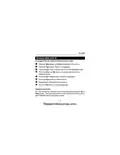
  • Page 5: Display shows time and day when the thermostat is configured for a fan-forced heater. Display appears when the setpoint is shown. Display indicates when power to the thermostat is cut off. Display appears when the clock has been reset. Temperature settings are available. Heating intensity indicator is present. Economy mode can be activated. Automatic mode is an option. Manual mode is also available.
  • Page 6: Owner’s Guide Installation guidelines Turn off power to the heating system at the main power panel to avoid electrical shock. All cables and connections must comply with local electrical codes. This thermostat has tinned copper wires for line and load connections. Special CO/ALR solderless connectors must be used if these wires will be connected to aluminium conductors. Install the thermostat onto an electrical box. Install the thermostat about 1.5 m (5 feet) high, on an inside wall facing the heater. Avoid locations where there are air drafts, dead air spots, or direct sunlight. Do not install the thermostat on a wall that conceals chimney or stove pipes. The thermostat wires are not polarized; either wire can be connected to the load or to the power supply.
  • Page 7: Wiring Connect the thermostat wires to the heating system and to the power supply using solderless connectors for copper wires. 2-wire installation 4-wire installation
  • Page 8: Owner’s Guide Mounting the thermostat Loosen the screw underneath the thermostat and separate the faceplate from the wallplate. The screw remains captive and cannot be completely removed. Mount the wallplate to the electrical box using the provided screws. Reinstall the faceplate onto the wallplate and tighten the screw underneath the thermostat. If there is a protective film or sticker on the thermostat’s screen, peel it off. Apply power to the heating system. Verify the installation by checking that the heating system can be turned On or Off. Keep the thermostat's air vents clean and free from obstructions.
  • Page 9: Advanced settings The parameter tables are on the following pages. Pull the cover down. Briefly insert a pointed object (e.g., paperclip) through the advanced setting opening. The first parameter will appear. To display the next parameter, press the Mode button. To modify a parameter, press the Up or Down button. To exit the menu, press the Ret button or do not press any button for 1 minute.
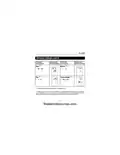
  • Page 10: Owner’s Guide 69-1918EF-02 Advanced settings Temperature display format Time display format °C / °F 24 h / 12 h Early Start Automatic Daylight Saving Time Early Start is used in Automatic mode only. When Early Start is enabled, the thermostat determines when to start heating so the desired temperature be reached at the beginning of periods 1 and 3. When Automatic Daylight Saving Time is enabled, the thermostat automatically switches to daylight saving time on the second Sunday of March and to normal time on the first Sunday of November.
  • Page 11: Advanced settings Parameter and options Display and default setting Year: 00 - 99 Month: 1 - 12 Day: 1 - 31 Cycle length: Std / Fan Available only if Daylight Saving Time is enabled (On) Generally set to 15-second cycle (Std) for better temperature control Set to 5-minute cycle (Fan) for fan-forced heaters to prevent premature fan motor burnout Fan appears on the thermostat’s screen when 5-minute cycle is selected
  • Page 12: Owner’s Guide 69-1918EF-02 Clock and day setting The clock must be set when time appears on the screen. Pull the cover down. Press the day button to set the day. Use the hour and min buttons to set the clock. Press the ret button to exit.
  • Page 13: Temperature display and setting The thermostat normally displays the room temperature. To display the set temperature, press the Up or Down button once. The setpoint temperature will remain on the screen for 5 seconds. To change the setpoint temperature, press the Up or Down button repeatedly until the desired temperature is displayed. The screen is backlit for 12 seconds when any button is pressed.
  • Page 14: Owner’s Guide Automatic mode (running the schedule) To place the thermostat in Automatic mode, press the Mode button until Auto appears on the screen. In this mode, the thermostat follows the programmed schedule. You can program up to 4 periods in a day. You can set 2 different programs: one for the weekdays and another one for the weekend. By default, the thermostat is programmed with a specific schedule for weekdays and weekends. You can temporarily override the current temperature using the Up or Down button. The new setpoint will be used until the end of the current period. During the override, Auto flashes on the screen.
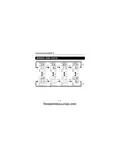
  • Page 15: Automatic mode To modify the schedule: Press the Mode button until Auto appears on the screen. Press the Pgm button. Period 1 of the weekday program is displayed. To display another period, press the Pgm button. To toggle between the weekday program and the weekend program, press the Day button. Press the Hour and Min buttons to set the start time of the displayed period. To cancel the period, press the Mode button. The thermostat will display --:--. Press the Up or Down button to set the temperature of the displayed period. Repeat steps to set another period. Press the Ret button to end programming.
  • Page 16: Owner’s Guide Automatic mode (cont’d)
  • Page 17: Manual mode allows for a permanent override of the schedule. To activate Manual mode, press the Mode button until Man appears on the screen. In Manual mode, temperature modifications must be done manually. Press the Up or Down button to set the temperature, with a default setting of 21°C (70°F). Economy mode is activated by pressing the Mode button until Econo appears on the screen. Economy mode is ideal for weekend residences, maintaining an economical temperature during absence. The temperature can be raised to a comfortable level by your usual arrival time. If you do not arrive at your cottage, the temperature will revert to the economy level until the next weekend.
  • Page 18: Owner’s Guide 69-1918EF-02 The Economy mode has two periods which you can set. Set the day and time that you want the temperature to start rising. Set to a comfortable level (e.g., 22°C). Set the day and time that you want the temperature to start dropping to the economy level. Set to an economy level (e.g., 15°C). Place the thermostat in Economy mode during your absence. When you arrive, place the thermostat in Automatic mode or in Manual mode. When you leave, switch the thermostat back to Economy mode.
  • Page 19: Economy mode To program the two periods of the Economy mode, press the Mode button until Econo appears on the screen. Press the Pgm button. Period 1 is displayed. Press the Day button to set the start day of the displayed period. Press the Hour and Min buttons to set the start time of the displayed period. Press the Up or Down button to set the temperature. Press the Pgm button to select Period 2. Repeat steps 3 through 5 to set Period 2. Press the Ret button to end programming. You can temporarily override the current temperature using the Up or Down button. The new setpoint will be used until the end of the current period.
  • Page 20: Owner’s Guide During a power outage, the thermostat display remains lit for the first 2 minutes. The LP (low power) indicator appears and all buttons are disabled. Then the screen turns blank. The settings are stored in memory. When power returns, the thermostat returns to the mode of operation preceding the power outage. If the power failure exceeded 5 hours, the clock and date must be re-adjusted. Set Automatic Daylight Saving Time back to On if you wish to continue using the feature.
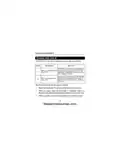
  • Page 21: In case of difficulty Problem Solutions Thermostat’s housing is hot. This is normal. Correct the situation if any of the following exists: The thermostat is exposed to an air draft. The sticker on the thermostat’s screen has not been removed. Wrong temperature is displayed. The thermostat is located near or above a heat source such as a light dimmer. The time is not yet set or the thermostat was without power for more than 5 hours. Wrong time is displayed. Ensure the thermostat is in Automatic mode. Check the clock and the schedule. If the thermostat is configured for 12-hour format, ensure that PM appears on the screen when afternoon times are displayed. Temperature does not change according to the programmed schedule. The thermal circuit breaker in the heater is opened.
  • Page 22: Owner’s Guide 69-1918EF-02 Specifications Supply: 120/240 VAC, 60 Hz Minimum load: 1.25 A (resistive only) Maximum load: 12.5 A (resistive only) Display range: 0°C to 50.0°C (32°F to 99°F) Setpoint range: 5.0°C to 27.0°C (41°F to 81°F) Resolution: 0.5°C (1°F) Storage temperature: -20.0°C to 50.0°C (-4°F to 120°F)
  • Page 23: Warranty Honeywell warrants this product, excluding battery, to be free from defects in workmanship or materials for a period of one year from the date of purchase. If the product is determined to be defective or malfunctions, Honeywell shall repair or replace it at their option. To claim the warranty, return the product with proof of purchase or contact Honeywell Customer Care. This warranty does not cover removal or reinstallation costs. The warranty does not apply if the defect was caused by damage while in the consumer's possession. Honeywell's sole responsibility is to repair or replace the product within the stated terms. Honeywell shall not be liable for any loss or damage, including incidental or consequential damages. This warranty is the only express warranty made on this product. The duration of any implied warranties is limited to the one-year duration of this warranty. This warranty gives specific legal rights, and you may have other rights that vary by state.
  • Page 24: Owner’s Guide Automation and Control Systems Honeywell International Inc. Printed in China
  • Page 25: Guide du propriétaire Thermostat programmable 5-2
  • Page 26: Guide du propriétaire Aperçu À propos du thermostat Contrôles Affichage Installation Directives d’installation Branchement Installer le thermostat Fonctionnement Réglages avancés Réglage de l’heure et du jour
  • Page 27: À propos du thermostat Ce thermostat est conçu pour commander un appareil de chauffage électrique tel qu’une plinthe chauffante, un plafond radiant, un convecteur ou un ventiloconvecteur. Ce thermostat ne peut être utilisé avec une charge résistive inférieure à 1,25 A. Ce thermostat ne peut être utilisé avec une charge résistive supérieure à 12,5 A. Ce thermostat ne peut être utilisé avec un appareil muni d’un contacteur ou d’un relais (charge inductive). Ce thermostat ne peut être utilisé avec un système de chauffage central. Pièces fournies Un thermostat. Deux vis de montage 6-32. Deux connecteurs sans soudure.
  • Page 28: Guide du propriétaire Contrôles Écran Boutons Haut/Bas Bouton Programme Bouton Retour Bouton Mode Réglages Réglage des minutes Réglage de l’heure Réglage du jour
  • Page 29: Affichage Heure et jour Apparaît lorsque le thermostat est configuré pour un ventiloconvecteur Apparaît lorsque la température de consigne est affichée Apparaît lors d’une panne de courant Apparaît lorsque l’horloge a été réinitialisée Indicateur de l’intensité du chauffage Mode Économie Mode Automatique Mode Manuel
  • Page 30: Guide du propriétaire Directives d’installation Mettre le système de chauffage hors tension afin d’éviter tout risque de choc électrique. Tous les câbles et les connexions doivent être conformes au code d’électricité local. Les fils du thermostat qui servent aux raccordements de ligne et de charge sont étamés. Des connecteurs CO/ALR spéciaux doivent être utilisés si ces fils seront reliés à des conducteurs d'aluminium. Installer le thermostat sur une boîte électrique. Installer le thermostat à environ 1,5 mètre (5 pieds) du sol, sur une cloison intérieure faisant face à l’appareil de chauffage. Éviter les endroits où il y a des courants d’air, des points d’air stagnant ou des rayons de soleil. Ne pas installer le thermostat sur un mur qui dissimule des conduits d’air ou d’une cheminée. Les fils du thermostat ne sont pas polarisés; le sens du branchement n’a donc aucune importance.
  • Page 31: Branchement Brancher le thermostat au système de chauffage et à l’alimentation en utilisant des connecteurs sans soudure pour fils de cuivre. Installation à 4 fils Installation à 2 fils
  • Page 32: Installer le thermostat. Desserrer la vis sous le thermostat et séparer la façade du thermostat de la plaque murale. Fixer le thermostat à la boîte électrique à l’aide des vis fournies. Replacer la façade du thermostat sur la plaque murale et resserrer la vis sous le thermostat. Enlever la pellicule (autocollant) de l’écran s’il y a lieu. Mettre le système de chauffage sous tension. Vérifier l’installation en s’assurant que le système de chauffage peut être activé. Désactiver le système en diminuant la température de consigne. Garder les ouvertures d’aération du thermostat propres et non obstruées.
  • Page 33: Réglages avancés Les tableaux des paramètres sont sur les pages suivantes. Tirer le couvercle vers le bas. Insérer brièvement un objet pointu dans l’ouverture des réglages avancés. Le premier paramètre apparaîtra. Pour afficher le paramètre suivant, appuyer sur le bouton Mode. Pour modifier un paramètre, appuyer sur le bouton Haut ou Bas. Pour sortir du menu, appuyer sur le bouton Ret ou n’appuyer sur aucun bouton pendant 1 minute.
  • Page 34: Guide du propriétaire Réglages avancés Affichage et réglage par défaut Paramètre et options Format d’affichage de la température Format d’affichage de l’heure Démarrage anticipé La fonction de démarrage anticipé n’est utilisée qu’en mode Automatique. Lorsque le passage automatique à l’heure normale/avancée est activé, il permet au thermostat de passer automatiquement à l’heure avancée.
  • Page 35: Réglages avancés (suite) Affichage et réglage par défaut Paramètre et options Année: 00 - 99 Mois: 1 - 12 Jour: 1 - 31 Durée du cycle: Std / Fan Utilisez le cycle de 15 secondes (Std) pour une meilleure régulation de température. Utilisez le cycle de 5 minutes (Fan) si vous avez un ventiloconvecteur. Fan apparaît à l’écran lorsque le cycle de 5 minutes est sélectionné.
  • Page 36: Guide du propriétaire Réglage de l’heure et du jour Régler l’horloge lorsque Time apparaît à l’écran. Cette situation se produit lorsque le thermostat est mis sous tension pour la première fois ou après une panne de courant de plus de 5 heures. Tirer le couvercle vers le bas. Appuyer sur le bouton Day pour régler le jour. Utiliser les boutons Hour et Min pour régler l’heure. Appuyer sur le bouton Ret pour terminer.
  • Page 37: Affichage et réglage de la température Le thermostat affiche normalement la température mesurée de la pièce. Pour voir la température de consigne, appuyer une fois sur le bouton Haut ou Bas. La température de consigne restera affichée pendant 5 secondes. Pour modifier la température de consigne, appuyer sur le bouton Haut ou Bas pendant que la température de consigne est affichée. L’écran est rétroéclairé pendant 12 secondes lorsqu’on appuie sur un bouton.
  • Page 38: Guide du propriétaire Mode automatique (utiliser l’horaire) Pour placer le thermostat en mode automatique, appuyer sur le bouton mode jusqu’à ce qu'auto apparaisse à l’écran. Dans ce mode, le thermostat suit l’horaire programmé. Vous pouvez programmer jusqu'à 4 périodes par jour. Vous pouvez avoir 2 programmes différents : un pour les jours de la semaine et un autre pour la fin de semaine. Par défaut, le thermostat est programmé avec un horaire spécifique pour les jours de la semaine et le week-end. Vous pouvez modifier temporairement la température à partir des boutons haut et bas. La nouvelle valeur sera utilisée jusqu'à la fin de la période en cours. Durant la dérogation, auto clignote à l’écran.
  • Page 39: Mode automatique Pour modifier l’horaire, appuyer sur le bouton Mode jusqu’à ce qu'Auto apparaisse à l’écran. Appuyer sur le bouton Pgm. La période 1 pour les jours de la semaine est affichée. Pour changer de période, appuyer sur le bouton Pgm jusqu’à ce que la période désirée soit affichée. Pour alterner entre le programme pour les jours de la semaine et celui pour la fin de semaine, appuyer sur le bouton Day. Appuyer sur les boutons Hour et Min pour régler l’heure du début de la période affichée. Pour désactiver la période, appuyer sur le bouton Mode. Le thermostat affichera --:--. Appuyer sur le bouton Haut ou Bas pour régler la température pour la période affichée. Répéter les étapes pour régler une autre période. Appuyer sur le bouton Ret pour sortir de la programmation.
  • Page 40: Guide du propriétaire Mode automatique (suite)
  • Page 41: Mode manuel (dérogation permanente à l’horaire) Pour placer le thermostat en mode Manuel, appuyer sur le bouton Mode jusqu’à ce que Man apparaisse à l’écran. Appuyer sur le bouton Haut ou Bas pour régler la température. Dans ce mode, toute modification au réglage de température doit être faite manuellement. Mode économie Pour placer le thermostat en mode Économie, appuyer sur le bouton Mode jusqu’à ce que Econo apparaisse à l’écran. Ce mode est idéal pour les résidences de fin de semaine (chalets). Il peut être utilisé pour maintenir la température à un niveau économique pendant votre absence. La température augmentera pour atteindre un niveau confortable à votre heure d’arrivée habituelle. Si vous n’allez pas à votre chalet, la température reviendra au niveau économique jusqu'à la fin de semaine suivante.
  • Page 42: Guide du propriétaire Mode Économie Le mode Économie utilise deux périodes que vous pouvez régler. Régler le jour et l’heure auxquels vous désirez que la température commence à augmenter afin d’atteindre un niveau confortable. Régler à un niveau confortable (ex : 22 °C). Régler à un niveau économique (ex : 15 °C). Le mode Économie peut être utilisé comme suit : placer le thermostat en mode Économie durant votre absence. Dès votre arrivée, placer le thermostat en mode Automatique ou Manuel avant qu’il ne revienne au niveau économique. Lors de votre départ, replacer le thermostat en mode Économie.
  • Page 43: Mode Économie Pour programmer les deux périodes du mode Économie, appuyer sur le bouton Mode jusqu’à ce qu’Econo apparaisse à l’écran. Appuyer sur le bouton Pgm. La période 1 est affichée. Appuyer sur le bouton Day pour régler le jour du début de la période. Appuyer sur les boutons Hour et Min pour régler l’heure du début de la période. Appuyer sur le bouton Haut ou Bas pour régler la température. Appuyer sur le bouton Pgm pour sélectionner la période 2. Répéter les étapes pour régler la période 2. Appuyer sur le bouton Ret pour terminer la programmation. Dérogation temporaire : Vous pouvez modifier temporairement la température à partir des boutons Haut et Bas.
  • Page 44: Guide du propriétaire Panne de courant Lors d'une panne de courant, l’écran reste allumé pendant les 2 premières minutes. Durant cette période, la mention LP est affichée et tous les boutons sont désactivés. Ensuite, l’écran s’éteint. Les réglages sont sauvegardés en mémoire. Au retour du courant, le thermostat retourne au mode de fonctionnement précédent la panne. Si la panne a duré plus de 5 heures, l’horloge et la date devront être réglés de nouveau. Réactivez le passage automatique à l’heure normale/avancée si vous désirez continuer à utiliser cette fonction.
  • Page 45: En cas de difficulté Problèmes Solutions Le boîtier du thermostat est chaud. Ceci est normal. Corriger la situation si : Il y a un courant d’air à proximité. L’autocollant sur l’écran du thermostat n’a pas été enlevé. La température affichée est erronée. L’heure affichée est erronée. Le thermostat est situé près ou au-dessus d’une source de chaleur tel qu’un gradateur de lumière. L’heure n’est pas encore réglée ou il y a eu une panne de courant de plus de 5 heures. Vérifier si le thermostat est placé en mode automatique. Le réglage de température ne change pas selon l’horaire. Vérifier l’horloge et l’horaire.
  • Page 46: Guide du propriétaire Fiche technique Alimentation : 120/240 Vca, 60 Hz Charge minimale : 1,25 A (résistive seulement) Charge maximale : 12,5 A (résistive seulement) Plage d’affichage : 0 °C à 50,0 °C (32 °F à 99 °F) Plage de réglage : 5,0 °C à 27,0 °C (41 °F à 81 °F) Résolution : 0,5 °C (1 °F) Entreposage : -20 °C à 50 °C (-4 °F à 120 °F)
  • Page 47: Garantie Honeywell garantit ce produit, à l'exception des piles, contre tout vice de fabrication ou de matière pour un (1) an à partir de la date d'achat par le consommateur. En cas de défectuosité ou de mauvais fonctionnement pendant la période de garantie, Honeywell remplacera ou réparera le produit. Si le produit est défectueux, il doit être retourné avec une preuve d'achat indiquant la date d'achat. La présente garantie ne couvre pas les frais de retrait ou de réinstallation. La responsabilité de Honeywell se limite à réparer ou à remplacer le produit. Honeywell n'est en aucun cas responsable des pertes ou dommages, y compris les dommages indirects ou accessoires. Certaines provinces ne permettent pas l'exclusion ou la restriction des dommages indirects. La présente garantie tient lieu de toutes les autres garanties, expresses ou tacites. La présente garantie donne au consommateur des droits légaux spécifiques qui peuvent varier d'une province à l'autre.
  • Page 48: Guide du propriétaire Solutions de régulation et d’automatisation Honeywell International Inc. Imprimé en Chine