
HEATIT 54 304 59 DIN Smart Thermostat Installation Guide


1. INTRODUCTION
HEATIT
PRODUCT
DOCUMENTS
Heatit DIN Smart Thermostat is an electronic thermostat
designed for electrical heatingand cooling. The thermostat can
be controlled via Z-Wave® via a Z-Wave gateway. It can also be
controlled by Wi-Fi using the MyHeatit app, or via Modbus 485
and the buttons on the front of the thermostat. The thermostat
has a user friendly interface.
DIN SMART
THERMOSTAT
Z-Wave Installers manual
Firmware version
Document version
FW 1.0
Article no.
Ver-A
Document date
54 304 59
01.03.2025
Org. doc. date 01.03.2025
The Heatit DIN Smart Thermostat is a versatile solution for
both residential and industrial use. It functions as a standard
floor heating thermostat, offering simple temperature control
with three modes: Heat, Cool, and Eco. Additionally, it features
a specially designed industrial function (INDU) that allows
it to handle setpoints ranging from -30°C to 85°C, making
it ideal for demanding industrial applications. It can also
be used as a plus/minus snow melting thermostat (PLUS),
adjusting temperatures for efficient snow and ice melting on
outdoor areas, driveways, or stairs. With the Heatit DIN Smart
Thermostat, you get precise temperature control for a wide
range of purposes.
Heatit DIN Smart Thermostat
54 304 59
The thermostat clicks easily on a standard DIN rail and can
be installed in the main switchboard. The thermostat has
connection for two external temperature sensors.
TABLE OF CONTENTS
1. Introduction
22. Display on/off
While used on Wi-Fi, the thermostat can communicate over
a local API, where the user can make integration with a local
gateway, server, controller that offers such a service, without
needing connecting it to the cloud. The device also supports
Amazon Alexa and Google Home (Amazon Alexa and Google
Home are pending).
2. Statement regarding
products from multiple
manufacturers
23. Display icons
24. Child lock
25. Open window detection
26. Modbus
3. Behavior within the
Z-Wave network
27. Firmware update - OTA
28. Error codes
4. Installation Disclaimer
5. Quick Start
29. Safety features
30. QR-Code Placement
31. Security
To see more information regarding the functionality for the
Wi-Fi version, see the Wi-Fi manual of the product.
6. Connections
7. Installation
8. Add/Remove
32. Node Information Frame
33. Associations
Heatit DIN Smart Thermostat has active power metering
and it gives you real time information about your power
consumption. It also allows you to set the power metering
value manually in case of connection with a contactor.
9. Factory Reset
10. Startup
34. Association Groups
35. Configuration Parameters
36. Command Classes
37. Supported Command
Classes
11. Principles of regulation
12. Local settings menu
13. Display Menu structure
14. Standby and main screen
15. Temperature shown in
display
The device has implemented ZeroX™ technology. This
technology makes sure the relay switches at 0V when turning
on and off. With this technology the thermostat will have a
much longer lifetime.
38. Controlled Command
Classes
16. KWh value in menu
17. Size of load
39. Thermostat dimensions
40. Thermostat controls
41. Chart - Display menu
Structure
Heatit DIN Smart Thermostat has been developed for central
controlling systems and all the features are easily accessible
over MODBUS 485.
18. Choice of sensor
19. Selecting sensor value
20. Calibration
Product info
21. Brightness
The thermostat can withstand a load of max 16A/3600W at
230VAC. We recommend a contactor for loads above 13A.


| General | Details |
|---|---|
| Name | HEATIT 54 304 59 DIN Smart Thermostat Installation Guide |
| Make | HEATIT |
| Language | English |
| Filetype | PDF (Download) |
| File size | 1.07 MB |
 (1 votes, average: 5.00 out of 5)
 Loading...

heatit Z-TRM6 DC Z Wave Electronic Thermostat Instruction Manual

HEATIT Z-TRM3 Thermostat User Guide

Heatit Z-TEMP2 Thermostat Installation Guide

heatit Z-TRM3 WiFi Thermostat Instruction Manual

HEATIT Z-Temp3 is a Battery Operated Thermostat Instruction Manual

4512673 Heatit ZM Thermostat 16A User Guide

HEATIT Z-TRM6 Matt Z-Wave Thermostat User Guide

HEATIT 54 305 41 WiFi6 Thermostat Installation Guide

HEATIT Z-TEMP3 Thermostat User Guide

heatit ET-7AW Touchscreen Programmable Thermostat User Manual

Heatit 54 304 DIN Manual: Questions and Answers
Heatit 54 304 DIN specifications
| Power supply | 230VAC 50Hz |
| Setpoint range | 2°C to 40°C |
| Differential | 0.3°C to 3.0°C (default 0.5°C) |
| Operating temperature | 5°C to 40°C |
| Storage temperature | -30°C to 70°C |
| Humidity | 10% to 85% RH |
| IP rating | IP21 |
| Communication | Z-Wave, 868.4MHz |
| Power consumption | <2W |
How do I clear a sensor error on the Heatit 54 304 DIN?
Disconnect the device from mains power, check the wiring and sensor connections, then reconnect.
- Turn off power to the thermostat.
- Inspect all wiring and sensor connections for damage or loose contacts.
- Repair or replace any faulty sensors.
- Restore power to the device. Installation Guide, p. 5
What do error codes Err6 and Err7 mean on the Heatit 54 304 DIN?
Err6 signals overheating and Err7 indicates an overload exceeding 16A.
| Error Code | Meaning |
|---|---|
| Err6 | Overheating detected; relay switched off. |
| Err7 | Overload detected (current draw over 16A); relay switched off. |
Can the Heatit 54 304 DIN work with external room sensors longer than 50 meters?
No. The maximum length for an NTC sensor cable is 50 meters. Installation Guide, p. 12
What do the icons on the Heatit 54 display mean?
The thermostat shows a relay status icon. Other messages include Childlock activated or disabled, backlight on or off in standby, open window detected, and settings stored. Installation Guide, p. 12
How do I know if the Heatit 54 304 DIN has entered the settings menu?
Hold the middle button for 5 seconds. The display will show Success if you've entered the menu, or Fail if entry didn't work. Installation Guide, p. 9
Heatit 54 304 DIN compared with other Heatit thermostats
| Specification | Heatit 54 304 DIN | Heatit Z-TRM6 DC Z Wave | Heatit Z-Temp3 is | Heatit Z-TRM3 |
|---|---|---|---|---|
| Power supply | 230VAC 50Hz | 230VAC 50Hz | 2.7VDC to 3.3VDC | 230VAC 50/60Hz |
| Setpoint range | 2°C to 40°C | 5°C to 40°C | 5°C to 40°C | 5°C to 40°C |
| Differential | 0.3°C to 3.0°C (default 0.5°C) | 0.3°C to 3.0°C (default 0.5°C) | 0.3°C to 3.0°C (Default 0.5°C) | 0.3°C to 3.0°C (default 0.5°C) |
| IP rating | IP21 | IP21 | IP21 | IP 21 |
| Communication | Z-Wave, 868.4MHz | Z-Wave, 868.4MHz | Z-Wave, 868.4MHz | Z-Wave |
| Power consumption | <2W | <2W | <1W | <2.0W |
More Heatit thermostat manuals

OJ ELECTRONICS UTN-4991 Non Programmable Thermostat Owner’s Manual

ENSTO ECO10BTW-J Floor Heating Thermostat Instruction Manual

Honeywell RTH9590 Wi-Fi Color Touchscreen Programmable Thermostat User Guide

GE APPLIANCES THERMOSTAT Owner’s Manual

Honeywell Communicating Fan Coil Thermostat Instruction Manual

GENERAL SENNA 300S Smart Room Thermostat User Manual
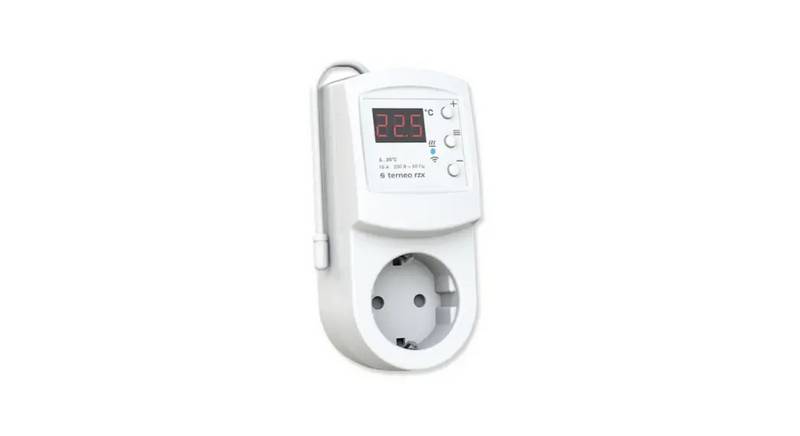
terneo rzx Smart Thermostat User Manual

Centrometal TU-DT-2024-ENG Thermostat Instruction Manual

heatmiser neoStat Touch-e Touchscreen Electric Floor Heating Thermostat Owner’s Manual

AURATON Libra Room Thermostat User Manual