
Google Nest Learning Thermostat Installation Guide






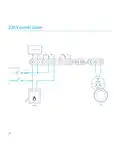
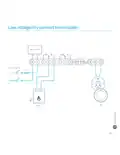

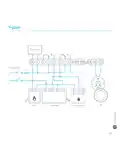
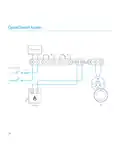






Installing it on the wall
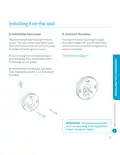
5. Install the Nest base
6. Connect the wires
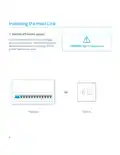
Remove the old thermostat if there
is one. You can attach the Nest base
directly to the wall or use the trim plate
included to cover up any marks.
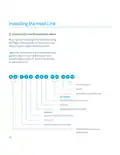
Connect the wires coming through
the wall to Nest’s T1 and T2 terminals.
It doesn’t matter which wire goes into
which connector.
If you’re using the trim plate, snap it
onto the base first, then screw them
to the wall as one piece.
→ Continue to page 15.
When installed on the wall, the Nest
Thermostat should be 1.2-1.5 m above
the floor.
IMPORTANT: Terminate and insulate
all wires according to the regulations
in your country or region.
13

| General | Details |
|---|---|
| Name | Google Nest Learning Thermostat Installation Guide |
| Make | |
| Language | English |
| Filetype | PDF (Download) |
| File size | 0.3 MB |
 (1 votes, average: 5.00 out of 5)
 Loading...

Google G953-01573-01-A Nest 4th Gen Smart Wi-Fi Thermostat Owner’s Manual


SANGAMO CHPWIFI Fort Programmable Thermostat User Guide

warmup RFT-P Programmable Radiant Floor Thermostat User Manual

hyco PT01 Programmable Thermostat Instruction Manual

NEOMITIS RTE0RFA Wireless Digital Room Thermostat and Receiver Instruction Manual
ENERGY TK02 Electronic Thermostat for Warm Floor User Manual

STELPRO STCP Floor Heating Thermostat Multiple Programming User Guide

Danfoss RET1001M – V2 Room Thermostat Installation Guide

vtech T961NN50 Amana Wired Thermostat User Guide

Amana DS01 PTAC Wireless Thermostat User Manual

Lightwave DTS92E Honeywell Home Wireless Room Thermostat User Manual