
Google Nest Learning Thermostat Installation Guide


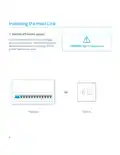





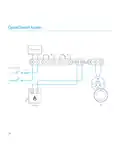






2. Connect to power and the control circuit
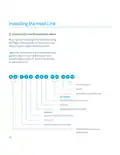
Check the heating system’s wiring to determine what
type it is.
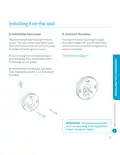
Remove the Heat Link cover and connect the L (live)
and N (neutral) terminals on the Heat Link to the L and
N circuit on the boiler or junction box. This will power
the Heat Link.
Connect the heating control circuit to the Heat Link 1
(normally closed/satisfied), 2 (common), 3 (normally
open/call-for-heat) as needed.
If the system has a hot water control circuit, connect it
to 4 (normally closed/satisfied), 5 (common), 6 (normally
open/call-for-heat) as needed.
If you have an OpenTherm boiler, connect its control
circuit to the OT1 and OT2 terminals.
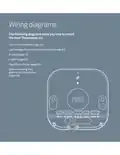
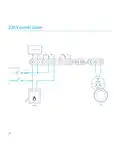
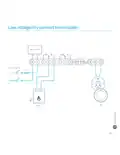
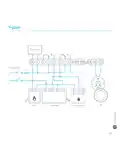
→ See pages 20-25 for detailed wiring diagrams.
9

| General | Details |
|---|---|
| Name | Google Nest Learning Thermostat Installation Guide |
| Make | |
| Language | English |
| Filetype | PDF (Download) |
| File size | 0.3 MB |
 (1 votes, average: 5.00 out of 5)
 Loading...

Google G953-01573-01-A Nest 4th Gen Smart Wi-Fi Thermostat Owner’s Manual


ESi Controls ESRTERFW Wireless Digital Room Thermostat Installation Guide

hysencontrol HYT001 WIFI Digital Heating Thermostat Instruction Manual

FRICO TAP16R Electronic Thermostat User Guide

industrie technik TF Frost Protection Thermostat Instruction Manual

ENGO CONTROLS ESIMPLE230W Non-Programmable Wired Thermostat User Guide

GENERAL LIFE ARUNA 302S Smart Room Thermostat User Manual

beok R6X Wireless Gas Boiler Thermostat Instruction Manual

Danfoss RAS-C2 Radiator Thermostat Installation Guide

SALUS CONTROLS HTR-RF Smart Home Dial Thermostat User Guide

HIHOME Smart Radiator Thermostat User Manual