
Home > Emerson > EMERSON Programmable Touchscreen Thermostat Setup in E2 and Site Supervisor User Guide
EMERSON Programmable Touchscreen Thermostat Setup in E2 and Site Supervisor User Guide




Menu Option Number
Corresponding Baud Rate
9600 bps
19200 bps (default)
Modbus Baud Rate
0
1
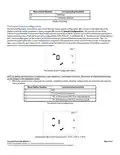
Thermostat System Configuration
The third configuration menu allows users to set the thermostat system configuration. SC is shown on the right side of the
display to indicate which parameter is being changed (SC stands for System Configuration). The current revision of the
Emerson Programmable Touchscreen Thermostat supports Conventional HVAC Systems such as RTU and Heat-pump Systems
using a reversing valve. There are 4x possible configurations: IDLE, RTU, HP_O and finally HP_B. The first system configuration is
IDLE. In this configuration, all the outputs of the thermostats are open and the thermostat controls are inactive. This is to
prevent any issues within the current configuration compared to the equipment connected to the thermostat. To change the
value, press either the up or down arrow, and then press the check icon to go to the next parameter. Press CA to cancel and
return to the normal display without saving any changes.
Thermostat System Configuration Menu
NOTE: By default, the thermostat is configured as 2 heat-stages and 2 cool-stages thermostat. The number of heating/cooling stages
can be changed in the subsequent menus.
•
When the system is not configured, for example, configured in IDLE, all other configurations are accessible through the
menu as below:
Menu Option Number
Corresponding Baud Rate
0
1
2
3
IDLE
RTU (Conventional Systems)
*HP_O (Heat-pump with O as reversing signal)
*HP_B (Heat-pump with B as reversing signal)
Thermostat System Configuration
Configuration Menu with Options 0-IDLE, 1-RTU, 2-HP-O, 3-HP-B
Document Part # 026-4850 Rev 1
Page 4 of 10
©2020 Emerson Retail Solutions, Inc. This document may be photocopied for personal use.

| General | Details |
|---|---|
| Name | EMERSON Programmable Touchscreen Thermostat Setup in E2 and Site Supervisor User Guide |
| Make | Emerson |
| Language | English |
| Filetype | PDF (Download) |
| File size | 0.23 MB |
 (1 votes, average: 5.00 out of 5)
 Loading...

EMERSON ST75W Sensi Touch Wi-Fi Smart Thermostat Installation Guide

EMERSON Thermostat Common Wire Kit SA11 Instruction Manual

EMERSON 1F75H-21PR Programmable Heat Pump Thermostat Instruction Manual

EMERSON 1F75C-11PR Programmable Thermostat Installation Guide

EMERSON 1D56-310 White-Rodgers Low Voltage Horizontal Mounting Thermostat Instruction Manual

EMERSON 1F87U-42WF Sensi Smart Thermostat User Guide

EMERSON 1F83C-11NP Single Stage Thermostat Owner’s Manual

EMERSON 1F75P-21PR Display Thermostat Instruction Manual

EMERSON 1F75H-21NP Non Programmable Heat Pump Thermostat Instruction Manual

EMERSON 1F75C-11NP Non Programmable Single Stage Thermostat User Manual


heatmiser Slimline-RF V3 Programmable Wireless Thermostat Instructions

RUUD EcoNet Smart Thermostat User Guide

GENERAL LIFE HT220 RF Wireless Room Thermostat User Manual

Rayotec Coloursense Wi-Fi Thermostat Instruction Manual

SALUS ST898ZB Optima S Thermostat Installation Guide

MOES BRT-100 Radiator TRV Thermostat Instruction Manual

eurotherm Smart One 365 Thermostat User Manual

Honeywell FocusPRO TH6000 Series Programmable Thermostat Instruction Manual

bryant Smart Thermostat User Guide

Agatige MH1823 Intelligent Thermostat User Guide