ATAG One Zone Thermostat User Manual
































| General | Details |
|---|---|
| Name | ATAG One Zone Thermostat User Manual |
| Make | ATAG |
| Language | English |
| Filetype | PDF (Download) |
| File size | 0.84 MB |
 (1 votes, average: 5.00 out of 5)
 Loading...

Atag One Manual: Questions and Answers
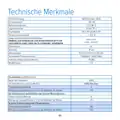
Atag One specifications
| Power supply | BUS (8 to 24V max) |
| Storage temperature | -20 to 70°C |
| Humidity | 20% RH to 80% RH |
| IP rating | IP 20 |
What's the difference between current and desired room temperature on Atag One?
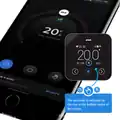
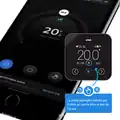
Current room temperature shows what it is now. Desired room temperature shows what you've set it to.
| Display element | What it shows |
|---|---|
| Current room temperature | The actual temperature right now |
| Desired room temperature | The temperature you've set as your target |
What does the blue button do on Atag One?
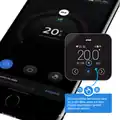
It confirms a question or selection. When flashing, it signals an error message.
| State | Function |
|---|---|
| Pressed | Confirms a question or your selection |
| Flashing | Indicates an error message |
How do I increase the desired temperature using the arrows?
Press the right arrow button to increase a value or move to the next page.
- Press the right arrow button on the display panel User Manual, p. 18
How long is the Atag One covered by warranty?
Two years from the original purchase or installation date. User Manual, p. 24
Can the Atag One work with bus wire longer than 50 metres?
No. Maximum bus wire length is 50 m with minimum cross-sectional area of 0.6 mm². Use shielded or twisted pair cable to avoid interference. User Manual, p. 26
Does Atag One support Wi-Fi channels outside 1-13?
No, the product operates on Wi-Fi channels 1-13 only in the 2400 MHz - 2483.5 MHz frequency band. User Manual, p. 26
What do the symbols on Atag One display mean?
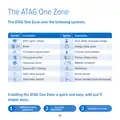
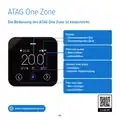
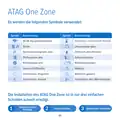
Wi-Fi signal and activity, zone modes, holiday mode, boiler and heat pump status, outdoor temperature, weather conditions, notifications, screen lock, and electric element activity. User Manual, p. 19
What does fireplace mode mean on Atag One Zone thermostat?
The system operates based on weather conditions and ignores room temperature, accounting for another heat source in the room. Close the radiators in that room. User Manual, p. 22
Where should I place the Atag One Zone thermostat on my wall?
At a height of approximately 1.5 metres above the floor. Avoid locations near heating sources, draughts, windows, doors, or direct sunlight. User Manual, p. 20
Atag One compared with other HVAC thermostats
| Specification | Atag One | REHAU NEA H 24 V | Honeywell T140 | Schneider Electric SpaceLogic |
|---|---|---|---|---|
| Power supply | BUS (8 to 24V max) | 230V-AC+/-10% 24V-AC+20%-10% | 2 AA or LR6 alkaline batteries 1.5 V | 24 VAC @ 50/60Hz or 24 VDC |
| Storage temperature | -20 to 70°C | -20 to 65 °C | -20°C to 50°C (-4°F to 122°F) | -20 to 60°C (-4 to 140°F) |
| IP rating | IP 20 | IP30 | IP 40 | IP 30 |