
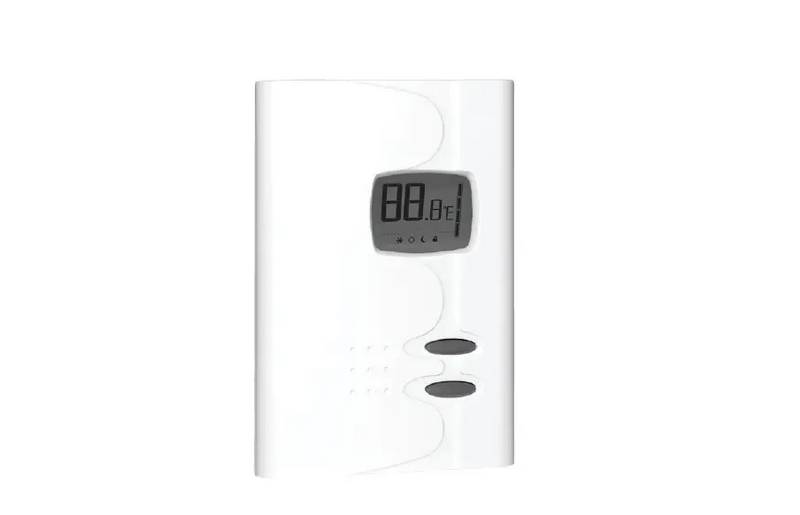
Stelpro STE362RNP Electronic Thermostat User Guide


Fan mode
The activation of the Fan mode is similar to the Celsius/Fahr-
enheit adjustment. To activate or deactivate Fan mode, you
must press down both buttons simultaneously for at least
3 seconds while in Day mode. Once the 3 seconds have
passed, C or F will blink. At this point, release the buttons.
You must then press down on the bottom button to activate
or deactivate the Fan mode. The fan pictogram will turn on or
off depending on the case.
When Fan mode is activated, the stop or minimum heating
time (OFF/ON) for a complete 15 minute cycle is established
at 5 minutes. This is done to limit the amount of time the
thermostat will turn on or off. Also, if the thermostat reaches
a differential superior or inferior to the 2 degrees requested,
it will shut off before the end of the minimum heating time of
5 minutes. The deactivation of the Fan mode will cause the
thermostat to go back to the heating cycle previously pro-
grammed. Once the adjustment finished, you can exit the Fan
mode by not pressing down on any buttons for 5 seconds.
Saving the parameters and power failures
The thermostat saves some parameters in a non-volatile
memory to be able to recover them after being shut off (a
power failure, for example). These parameters are the Day/
Night settings, the Smart mode, the state of the Security
mode, the maximum setting of the Security mode, the Cel-
sius/Fahrenheit mode, the Fan mode, the ideal changeover
time of the relay and the number of minutes associated to a
heating cycle, the number of hours of the night time-switch,
the number of hours remaining on the night time-switch and
the day/night current. These parameters are saved every
minute if any changes are made, except for the Day/Night
mode and the remaining time left on the time-switch. These
are saved only if the Security mode had not been activated.
INSSTE362RNP0711

| General | Details |
|---|---|
| Name | Stelpro STE362RNP Electronic Thermostat User Guide |
| Make | StelPro |
| Language | English |
| Filetype | PDF (Download) |
| File size | 0.33 MB |
 (1 votes, average: 5.00 out of 5)
 Loading...

STELPRO STF362NP Floor Heating Thermostat Owner’s Manual

STELPRO ST302P Programmable Electronic Thermostat Owner’s Manual

STELPRO SAT402ZB Smart Thermostat User Guide

STELPRO ST252NPFF Non-Programmable Electronic Thermostat Owner’s Manual

STELPRO ST402PFF Programmable Electronic Thermostat Owner’s Manual

STELPRO ASMC402 Maestro Zigbee Smart Programmable Thermostat User Guide

STELPRO SIBTE12C Electronic Thermostat Owner’s Manual

STELPRO STZW402+ Electronic Thermostat for The Smart Home Owner’s Manual

stelpro STZW402 ELECTRONIC THERMOSTAT SMART HOME User Guide

STELPRO SIBTE13F Electronic Thermostat User Guide

hansgrohe AXOR STARCK Concealed Thermostat with Shut Off Valve Instruction Manual

REPTO R3300030 Smart Thermostat Instruction Manual

Danfoss RT 9E Automatic Thermostat Installation Guide

EUROLAMP 147-44030 Digital Heating Smart Thermostat User Manual

Danfoss RET2001OT Digital Open Therm Room Thermostat User Guide

emos P5606OT Programmable Electronic Indoor Thermostat User Manual

DEVI 532 Electronic Thermostat Installation Guide

nVent RAYCHEM AT-TS-13 Surface Sensing Thermostat Instruction Manual

Vaillant VRC 700 Weather Compensating Thermostat Instruction Manual

HERSCHEL T-BT Battery Powered Wireless Thermostat Instruction Manual