
STELPRO STE302NP Single Programming Electronic Thermostat User Guide


Procedures to deactivate the Security mode
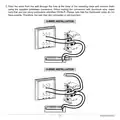
1. To deactivate the Security mode, start by cutting off the thermostat power at circuit breaker and wait
at least 20 seconds.
2. Turn the thermostat power back on and the
icon will blink for a maximum of 5 minutes.
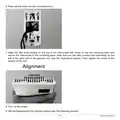
3. Simultaneously press down both buttons for 13 seconds (note that the backlight will blink after 3
seconds and the °C or °F symbol will appear after 8 seconds, but continue to keep both buttons
pressed down). After 13 seconds, the
icon will disappear and the degrees symbol (C or F) will stop
blinking, indicating that the Security mode is deactivated. Release the buttons.
Fan mode
The activation of the Fan mode is similar to the Celsius/Fahrenheit adjustment.
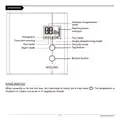
To activate or deactivate the Fan mode, you must press down both buttons simultaneously for 3 seconds
while in Day mode. Once the 3 seconds have passed, the Celsius/Fahrenheit symbol will blink. (For the
backlit models, press down both buttons for at least 3 seconds in Day mode. Note that the backlight will
blink after 3 seconds but hold down the buttons until the Celsius/Fahrenheit symbol blinks.) At this point,
release the buttons. You must then press down the bottom button to activate or deactivate the Fan mode.
The Fan pictogram will turn on or off depending on the case.
When the Fan mode is activated, the stop or minimum heating time (off/on) for a complete 10 minute
cycle is established at 90 seconds (factory setting). You can adjust it from 90 to 300 seconds. This is
done to limit the amount of times the thermostat will turn on or off. Also, if the thermostat reaches a
differential superior or inferior to the 2 degrees requested, it will shut off immediately. The deactivation of
the Fan mode will cause the thermostat to go back to the heating cycle previously programmed. Once
the adjustment is finished, you can exit the adjustment mode by not pressing any buttons for 5 seconds.
Ventilation intervals duration
You can adjust the minimum time between the fan startups and shutdowns. This adjustment is similar
to the fan activation procedure. First, you have to enter the fan adjustment mode, as described in the
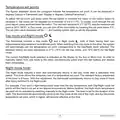
previous section. Then, you must press down the bottom button for 3 seconds, until the
icon blinks. A
duration in seconds will appear. You can adjust it from 90 (factory setting) to 300 seconds by increments
of 30 seconds. Once the adjustment is done, you can exit the adjusment mode by not pressing down
any button during 5 seconds.
INSSTE302NP0614
12

| General | Details |
|---|---|
| Name | STELPRO STE302NP Single Programming Electronic Thermostat User Guide |
| Make | StelPro |
| Language | English |
| Filetype | PDF (Download) |
| File size | 0.36 MB |
 (1 votes, average: 5.00 out of 5)
 Loading...

STELPRO STF362NP Floor Heating Thermostat Owner’s Manual

STELPRO ST302P Programmable Electronic Thermostat Owner’s Manual

STELPRO ST402PFF Programmable Electronic Thermostat Owner’s Manual

STELPRO SAT402ZB Smart Thermostat User Guide

STELPRO ST252NPFF Non-Programmable Electronic Thermostat Owner’s Manual

STELPRO ASMC402 Maestro Zigbee Smart Programmable Thermostat User Guide

STELPRO SIBTE12C Electronic Thermostat Owner’s Manual

STELPRO STZW402+ Electronic Thermostat for The Smart Home Owner’s Manual

STELPRO SIBTE13F Electronic Thermostat User Guide

STELPRO STCP MULTIPLE PROGRAMMING ELECTRONIC THERMOSTAT User Guide


HEARTH AND HOME Technologies E474962 Smart Stat Hht Remote Thermostat Instruction Manual

tado 104388 Smart Thermostat Installation Guide

CLIMATE MC-LR-THERMOS Wireless Thermostat User Manual

VIVE TP-N-751 Programmable Thermostat Installation Guide

SALUS HTR230 Dial Thermostat User Manual

Schneider Drayton Digistat 3rd Generation Wireless Programmable Room Thermostat User Guide

Danfoss DEVIreg 530 Electronic Thermostat Installation Guide

CIELO BM101WA Breez Max Smart Thermostat Installation Guide

nVent RAYCHEM RayStat-M2 Thermostat Instruction Manual

WATTS TEK564 Invita WiFi Thermostat Instruction Manual