
STELPRO STE302NP Single Programming Electronic Thermostat User Guide
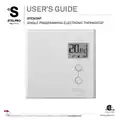


USER’S GUIDE
STE302NP
SINGLE PROGRAMMING ELECTRONIC THERMOSTAT
Energy Verified
INSSTE302NP0614
For further information or to consult this guide online, please visit our website at www.stelpro.com


| General | Details |
|---|---|
| Name | STELPRO STE302NP Single Programming Electronic Thermostat User Guide |
| Make | StelPro |
| Language | English |
| Filetype | PDF (Download) |
| File size | 0.36 MB |
 (1 votes, average: 5.00 out of 5)
 Loading...

STELPRO STF362NP Floor Heating Thermostat Owner’s Manual

STELPRO ST302P Programmable Electronic Thermostat Owner’s Manual

STELPRO SAT402ZB Smart Thermostat User Guide

STELPRO ST252NPFF Non-Programmable Electronic Thermostat Owner’s Manual

STELPRO ST402PFF Programmable Electronic Thermostat Owner’s Manual

STELPRO ASMC402 Maestro Zigbee Smart Programmable Thermostat User Guide

STELPRO SIBTE12C Electronic Thermostat Owner’s Manual

STELPRO STZW402+ Electronic Thermostat for The Smart Home Owner’s Manual

STELPRO SIBTE13F Electronic Thermostat User Guide

STELPRO STCP MULTIPLE PROGRAMMING ELECTRONIC THERMOSTAT User Guide

Stelpro STE302NP Manual: Questions and Answers
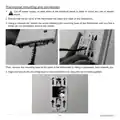
How do I remove the mounting base from the Stelpro STE302NP?
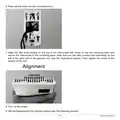
Loosen the screw retaining the mounting base until it feels loose, then tilt it downward and toward you to remove it.
- Loosen the retaining screw with a screwdriver until the base feels loose.
- Tilt the mounting base downward.
- Pull the mounting base toward you. User Guide, p. 4
What do the bars in the thermometer icon on the Stelpro STE302NP indicate?
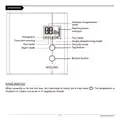
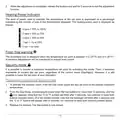
| Bars displayed | Heating power percentage |
|---|---|
| 4 bars | 75% to 100% |
| 3 bars | 50% to 75% |
| 2 bars | 25% to 50% |
| 1 bar | 1% to 25% |
| 0 bars | No heat |
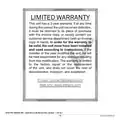
How long is the warranty on the Stelpro STE302NP?
3 years from purchase. Return the unit to its place of purchase with an invoice copy, or contact customer service. User Guide, p. 16
How do you set up the night light on the Stelpro STE302NP?
The thermostat must be in Day mode first.
- Press both buttons simultaneously for 3 seconds until the backlight blinks.
- Release the buttons. Night light mode will activate or deactivate. User Guide, p. 13
Is Day mode or Night mode active on my Stelpro STE302NP?
A Sun icon shows Day mode is active; a Moon icon indicates Night mode. User Guide, p. 13
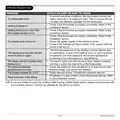
Why won't the Stelpro STE302NP heating respond after I adjust the temperature?
Check that your set point isn't below 3°C, which disables the system.
- Minimum set point is 3°C (37°F); below this, the display reads -.-, and heating won't start.
- Raise the set point to at least 3°C to restore heating. User Guide, p. 8
More Stelpro thermostat manuals

sygonix 2997033 Wi-Fi Radiator Thermostat Instruction Manual

elko One Matter Thermostat Owner’s Manual

EUROTRONIC Spirit ZigBee Energy Saving Radiator Thermostat User Guide

Honeywell T6811DP08 Digital Thermostat Instruction Manual

Schneider Electric TC900 Series Space Logic Thermostat Instruction Manual

Danfoss KPS 76 Pressure Switch and Thermostat Installation Guide

YOLINK YS4003-UC Smart Thermostat User Guide

Carrier Wi-Fi Enabled 24V Smart Thermostat Instruction Manual

Expert4house BAC-1000ALNE Room Thermostat User Guide

Comfortmaker ION Gray Smart Thermostat Instruction Manual