
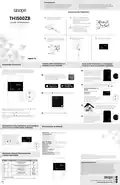
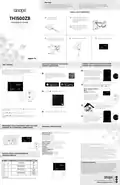
sinope TH1500ZB Smart Double Pole Thermostat Installation Guide


Warnings
Before starting the installation of your new thermostat.
make sure that the breakers for your heating system are
off at the main electrical panel!
The installation of this thermostat must be performed
by a certified electrician and comply with the national
and local electrical codes and regulations.
INSTALL YOUR THERMOSTAT
1
Unlock and lift the
thermostat cover.
2
Use the provided connectors
to connect the load/line wires
located on the back of the
thermostat.
TH1500ZB
Installation Guide
Make sure to firmly tighten the
wire connectors for a secure
connection. A loose connection
can be a fire hazard.
Smart Double
Pole Thermostat
3
Use the screws to secure the
thermostat to the electrical box.
4
Replace the cover and lock.
5
Power up the thermostat.
CONNECT YOUR THERMOSTAT TO THE GT130
GATEWAY OR A COMPATIBLE ZIGBEE SYSTEM
ADD YOUR THERMOSTAT TO THE GT130
GATEWAY AND NEVIWEB
USER SETTINGS
All the parameters of your thermostat can be programmed through
Neviweb or the interface of your compatible Zigbee gateway.
However, if your thermostat is not connected to you gateway and you wish
to change the temperature format, you need to:
Initiate the connectivity session
by pressing the RF signal button
on the GT130 gateway. The
1
1
If you do not have an account yet,
indicator light will start flashing.
download the Neviweb app for iOS or
Android to create an account and add
your device.
Compatible Zigbee gateway:
refer to the installation guide for
the latter.
Connect your thermostat to the network by pressing
2
briefly and simultaneously on the
and
buttons.
On the thermostat display:
Blinks: Connecting
Remains lit: Connected
Tap the
, then select "Add Device".
2
If the connectivity fails, the
symbol will disappear from the
display. Refer to our Website
to troubleshoot the unit.
10 sec.
Connect all your thermostats the
same way, by going to the next
closest thermostat.
3
3e
1er
Get the setpoint to its minimum and hold the
access the menu.
button for 10 seconds to
2e
Passerelle
Follow the steps of the Installation Wizard.
3
Press the
Press the
or
button to change the setting,
buttons simultaneously to save and go to the next
and
When all your devices are
connected, close the connectivity
session of your GT130 gateway
or your compatible Zigbee
gateway.
4
parameter. Continue to press until the end of the list to exit the menu.
DISCONNECT YOUR THERMOSTAT FROM THE GT130
GATEWAY OR A COMPATIBLE ZIGBEE SYSTEM
TECHNICAL SPECIFICATIONS
Operating voltage: 120/208/240/277Vac, 50/60 Hz
Maximum load:
1800 W @ 120 V / 15 A
3120 W @ 208 V / 15 A
3600 W @ 240 V / 15 A
To disconnect your thermostat
from the GT130 gateway or a
compatible Zigbee gateway,
press the
and
buttons
4155 W @ 277 V / 15 A
simultaneously during 10
Setpoint range: 5 °C to 30 °C (41 °F to 86 °F)
Display range: 0 °C to 50 °C (32 °F to 99 °F)
Resolution: 0.5 °C ( 1 °F)
seconds. The
symbol will
Transmitter Module IC : 22394-ZBM1501 / FCC ID:2AK2T-ZBM1501
disappear from the display.
This device complies with Industry Canada license exempt RSS standard(s). Operation is subject to the
following two conditions:
(1) this device does not cause interference, and (2) this device must accept any interference, including
interference that may cause undesired operation of the device.
This equipment has been tested and found to comply with the limits for a Class B digital device,
pursuant to part 15 of the FCC Rules. These limits are designed to provide reasonable protection against
harmful interference in a residential installation. This equipment generates, uses and can radiate radio
frequency energy, and if not installed and used in accordance with the instructions, may cause harmful
interference to radio communications. However, there is no guarantee that interference will not occur in
a particular installation. If this equipment does cause harmful interference to radio or television
reception, which can be determined by turning the equipment OFF and ON, the user is encouraged to
try to correct the interference by one or more of the following measures:
Storage: -20 °C to 50 °C (-4 °F to 122 °F)
Operation: 0 °C to 50 °C (32 °F to 122 °F)
Protocol: Zigbee 3.0
Frequency: 2.4 GHz
Transmission power: +20 dBm
Receiver sensitivity: -108 dBm
10 sec.
SETTINGS WHICH CAN BE MODIFIED ON
THE DEVICE DIRECTLY
Reorient or relocate the receiving antenna.Increase the separation between the equipment and
receiver. Connect the equipment into an outlet on a circuit different from that to which the receiver is
connected. Consult the dealer or an experienced radio/TV technician for help.
Name
Load
Parameters & settings
Display
Load power
0 W to 4155 W (2)
3-year limited warranty
SINOPÉ TECHNOLOGIES INC. warrants the components of their products against
defects in material and workmanship for a 3 year period from the date of purchase,
under normal use and service, when proof of purchase of such is provided to the
manufacturer. This warranty does not cover any transportation costs that may be
incurred by the consumer. Nor does it cover a product subjected to misuse or
accidental damage. The obligation of SINOPÉ TECHNOLOGIES INC., under the
terms of this warranty, will be to supply a new unit and this releases the
manufacturer from paying the installation costs or other secondary charges linked
to replacing the unit or the components.
Temperature format
°C or °F (Default: °C)
Temp
Min
Minimum setpoint
5 °C to 30 °C (Default: 5 °C)
Maximum setpoint
5 °C to 30 °C (Default: 30 °C)
Max
4
1) Load power
Reading of the load power connected to the thermostat, featured in watts.
For more information, visit our website:
660-0737-0002-D

| General | Details |
|---|---|
| Name | sinope TH1500ZB Smart Double Pole Thermostat Installation Guide |
| Make | sinope |
| Language | English |
| Filetype | PDF (Download) |
| File size | 1.13 MB |
 (1 votes, average: 5.00 out of 5)
 Loading...

sinope TH1134ZB-HC Smart Line Voltage Thermostat Owner’s Manual

sinope Smart Low Voltage Thermostat TH1400WF Installation Guide

sinope Smart Floor Heating Thermostat TH1310WF Installation Guide

sinope TH1124NP Non Programmable Thermostat for Electric Heating Owner’s Manual

sinope TH1300ZB-C4 3600W Smart Floor Heating Thermostat Installation Guide

sinope TH1400NP Non Programmable Low Voltage Thermostat Installation Guide

sinope TH1134ZB Smart Line Voltage Thermostat Installation Guide

sinope TH1500WF Smart Double Pole Thermostat Installation Guide


GENERAL LIFE HT250S Digital Room Thermostat User Manual

COMPUTHERM E800RF Multizone Wi-Fi Thermostat Instruction Manual

SALUS RT510 Thermostat Instruction Manual

emos P5606OT Programmable Electronic Indoor Thermostat User Manual

Jung FTR231 Floor Thermostat Instruction Manual

LUXPRO PSD111+ Series Thermostat Instruction Manual

SALUS CONTROLS 091FLv2 Digital Programmable Thermostat Instruction Manual

LUTRON 653 Right Thermostat Control Datasheet

BAXI uSense 2 Wired Smart Thermostat Installation Guide

Honeywell TH6320ZW2003 Pro Z-Wave Programmable Thermostat Installation Guide