
Home > olympia electronics > olympia electronics BS-850-KIT Wireless Programmable WiFi Electronic Chrono Thermostat User Manual
olympia electronics BS-850-KIT Wireless Programmable WiFi Electronic Chrono Thermostat User Manual



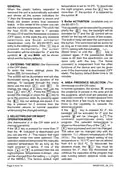




make sure you have programmed the defined. In order for the program to execute
device clock with the correct time.
correctly make sure you have programmed
the device clock with the correct time.
WEEKLYPROGRAMING EXAMPLE.
The weekly program in general is based on WIRELESS CONNECTION SETTING
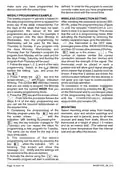
the daily programming which is repeated for After installing the peripheral received (BS-
every day of the week independently. For 851/R), press the programming key (Figure
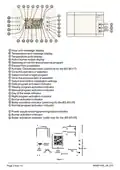
the days of the week that have not been 1) until the indicator POWER/STATUS (LD1)
programmed, the values of the last starts to blink in a rapid manner. This shows
programmed day are valid. For example, if that the unit is in programming mode. After
you program only the days Monday to activating the thermostat by removing the
Wednesday, then the programming for battery separation tape, go to the selection
Wednesday will be used for the days
(the thermostat in the OFF state,
Thursday to Sunday. If you program only prolonged press of the MENU/ENTER key
the days Monday, Wednesday and and then22 consecutive presses of the key
Thursday then for Tuesday’s program the
lead us to the screen
). The
program from Monday will be used and for number of dashes verifies the correct
the days Friday, Saturday and Sunday the connection between the two devices and
program fromThursday will be used. also shows the strength of the signal. The
1. Follow the steps 1, 2, 3, and 4 of the daily thermostat must be placed in such a
programming. Select in the
(Mode) position that will allow good signal strength
and press the which means that at least 2 dashes must be
shown. If less that 2 dashes are shown the
section the setting
ESC
key
.
2. Press 7 times the
screen shows with the
key and the communication between the two devices is
indication not good and can lead to communication
blinking. The symbol ΜΟ (Monday) means errors and bad operation.
that you are ready to program the Monday To completion of the wireless installation
ESC
program and the symbol WEEK that you procedure is done by pressing the
are in weekly programming mode.
3. Press the
key
on the thermostat and by a prolonged press
key and the screen shows of the programming key on the peripheral
MENU
ENTER
. From now the procedure follows the until the
POWER/STATUS(LD1) indicator
steps 8-14 of the daily programming and stops to blink and remains ON.
you can set the required temperatures on
the required time.
MOUNTING
4. Completing the programming of the Select mounting areas away from heating
ESC
Monday program press the
the screen shows
indication
key and elements, door and window openings and
with the fireplaces and in general, away for all heat
blinking. By pressing the sources and away from drafts. Mount the
key, the day indicator changes to TU thermostat at a height of about 1.5 meters
(Τuesday) you can repeat the steps for and on an interior wall (The external wall
programming a new program for Tuesday. have a lower temperature than the internal
The same can be done for the rest of the wall and can affect the device).
days of the week.
5. The completion of the weekly
programming can be done by pressing the
ESC
key
when the indicator
is
blinking. The screen will show the
message briefly and the settings will
be stored in to the devices memory.
6. Activate the device using the
key.
The weekly program will start to execute as
940851000_09_010
Page 10 from 14

| General | Details |
|---|---|
| Name | olympia electronics BS-850-KIT Wireless Programmable WiFi Electronic Chrono Thermostat User Manual |
| Make | olympia electronics |
| Language | English |
| Filetype | PDF (Download) |
| File size | 2.27 MB |
 (1 votes, average: 5.00 out of 5)
 Loading...

olympia electronics BS-830 Digital Electronic Thermostat Instruction Manual


BOSCH BCC110 Thermostat User Guide

Sygonix SY-6052180 Wi-Fi Thermostat Instruction Manual

Vine TJ-610E Smart Thermostat User Manual

WATTS TEK564 Invita WiFi Thermostat Instruction Manual

Danfoss TPOne-M Electronic Programmable Room Thermostat User Guide

Honeywell RTHL3550 Non-programmable Thermostat Installation Guide

resideo TH2110WF4008 Smart Thermostat User Guide

PELICAN TC3 Commercial Connected Thermostat Installation Guide

Gelia ip24 1.5m Cable With Stepless Thermostat Instruction Manual

GENERAL HT250S Digital Room Thermostat User Manual