
Home > olympia electronics > olympia electronics BS-850-KIT Wireless Programmable WiFi Electronic Chrono Thermostat User Manual
olympia electronics BS-850-KIT Wireless Programmable WiFi Electronic Chrono Thermostat User Manual







The option are:
or
(Degree
for all the 24 hour base.
Celsius ή Degree Fahrenheit) and regard
the display of the temperature in ºC or ºF.
Depending on the selection, the symbol ºC
or ºF are shown on the center right of the
screen.
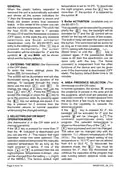
9. SELECTING THE UPPERAND LOWER
L I M I T S O F T H E M A N U A L
TEMPERATURE ADJUSTMENT (the
thermostat is in the OFFstate).
After entering the MENU and by
consecutive presses of the key
C . ( B a c k L i g h t ) S C R E E N
ILLUMINATION.
the
message (High Temperature Limit)
With this setting you can turn off the screen
illumination in order to conserve battery
will be shown on the bottom of the screen
as well as the initial value 30.0 ºC. By
MENU
ENTER
energy. If
screen illumination will be activated every
time a key is pressed. If is selected
(ΟΝ) is selected then the
pressing the key
temperature between the lower
you can change this
limit
and the value of 30.0 ºC. By pressing the
ESC
then the screen illumination will be
deactivated
key
and then immediately the
key
the lower section of the screen shows the
message (Low Temperature Limit) as
well as the initial temperature of 6.0 ºC. With
The factory default is
.
D. (LED) BURNER OUTPUT
INDICATOR.
MENU
ENTER
the
key you can adjust the value
This setting can deactivate the burner
output indicator in order to conserve battery
between 6.0 ºC and the value of the upper
limit. The two limits define a temperature
area that can be used by the user to enter
the desired temperature. The selection of
the limits influences the manual adjustment
of the temperature and is independent from
the operating mode of the unit (manual,
daily weekly) and does not have any
influence on the programs for daily or
weekly operation.
energy.. If
(ON) is selected then when
the burner output is active the indicator will
briefly blink every second so the user has a
knowledge of the state of the thermostat
from a distance.. If (OFF) is selected
then the indicator is deactivated.
Ε. (Time Out) TEMPORARY TIME
FOR MANUALOPERATION.
With this setting you can determine the time
period for which the manual temperature
adjustment is valid. When the thermostat is
running a daily or weekly program and you
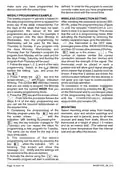
10.OTHER MENU SETTINGS (the
thermostat is in the OFFstate).
All the menu settings that follow can be
changed by using the same method as
described in the previous chapters. After
press the keys
or
, either you
change the temperature through the
application, then the thermostat enters
briefly the manual mode for a time period
entering the ΜΕΝU use the
key to
select the required setting. The messages
are shown in the bottom section of the
screen like this:
that is determined by the setting
. The
value of this setting can be from 3 to 10
hours after which normal program
execution is continued. The factory default
is 3 hours.
A.
(Mode) OPERATION MODE.
One of three operation modes can be
selected:
F.
SETTING.
(Differential) DIFFERENTIAL
(User) Manual mode (the symbol
ΜΑΝ. is shown on the top right of the
screen).
(Day) daily operation (the symbol
DAYis shown on the top right of the screen.
(7 Days) weekly program (the symbol
WΕΕK is shown on the top right of the
screen).
This setting determines the ” temperature
window” between activation and
deactivation of the burner output. For
example, if the room temperature is set to
23.0 °C then with a differential of 0.5 °C the
output to the burner will be deactivated at
23.0 °C and will be reactivated at22.5 °C.
The factory default is
.
Β. (Unit) TEMPERATURE UNIT.
940851000_09_010
Page 7 from 14

| General | Details |
|---|---|
| Name | olympia electronics BS-850-KIT Wireless Programmable WiFi Electronic Chrono Thermostat User Manual |
| Make | olympia electronics |
| Language | English |
| Filetype | PDF (Download) |
| File size | 2.27 MB |
 (1 votes, average: 5.00 out of 5)
 Loading...

olympia electronics BS-830 Digital Electronic Thermostat Instruction Manual


HYSEN HY312 Wi-Fi Digital Heating Thermostat Instruction Manual

STELPRO SAT402ZB Smart Thermostat User Guide

GV S603R-3A Programmable Digital White Thermostat User Manual

PRAXISDIENST DZ 003 Dry Block Thermostat User Manual

Honeywell T4M Programmable Modulating Thermostat Installation Guide

AXOR 15707000 Ecostat E Thermostat Instruction Manual

seitron KTY003 Hygge Kit Class 5 WiFi Battery Powered Programmable Thermostat User Guide

SIEMENS RDS120-B Smart Thermostat Instructions

NEOMITIS Rtaneoa Wired Analog Room Thermostat Instruction Manual

Fantini Cosmi C820RQ LED Thermostat User Manual