
Home > nVent RAYCHEM > nVent RAYCHEM SENZ Wifi Programmable Floor Heating Thermostat User Guide
nVent RAYCHEM SENZ Wifi Programmable Floor Heating Thermostat User Guide




SENZ WIFI
Programmable Floor Heating Thermostat
Software Version 2
Quick Start Guide
EN - CZ - DE - DA - FI - FR - NL - NO - PL -
RU - SK - SV - ET - HU
Amazon, Alexa and all related logos are trademarks of
Amazon.com, Inc. or its affiliates. Google and related
marks and logos are trademarks of Google LLC.


| General | Details |
|---|---|
| Name | nVent RAYCHEM SENZ Wifi Programmable Floor Heating Thermostat User Guide |
| Make | nVent RAYCHEM |
| Language | English |
| Filetype | PDF (Download) |
| File size | 1.08 MB |
 (1 votes, average: 5.00 out of 5)
 Loading...

nVent RAYCHEM ETS-05 Electronic Thermostat Instruction Manual

nVent RAYCHEM RAYSTAT-EX-02 Mechanical Thermostat Installation Guide

nVent RAYCHEM Elexant 3500i Electronic Thermostat Installation Guide

nVent RAYCHEM RayStat-M2 Thermostat Instruction Manual

nVent RAYCHEM Green Leaf Programmable Thermostat Instruction Manual

nVent RAYCHEM AT-TS-13 Surface Sensing Thermostat Instruction Manual

nVent RAYCHEM GM-TA Thermostat Instruction Manual

nVent SENZ Manual: Questions and Answers
nVent SENZ specifications
| Power supply | 230 VAC +/– 10%, 50 Hz |
| IP rating | IP21 |
| Wire size | 2,5 mm² screw cage clamp |
How do I change the temperature on my nVent SENZ thermostat?
Touch the set temperature button to override the current programme temporarily. User Guide, p. 17
What's the difference between Boost and Holiday mode on the nVent SENZ?
| Mode | Description |
|---|---|
| Boost | Adaptable temporary override of the desired temperature |
| Holiday | Schedule for a holiday |
What do the buttons do on the nVent SENZ thermostat display?
| Button | Function |
|---|---|
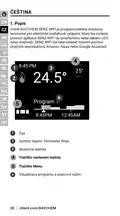
| Set temperature button | Temporarily override the current programme |
| Menu button | Enter the Main menu |
Can I control the nVent SENZ with voice commands from smart speakers?
Yes. The thermostat can be controlled by voice using Amazon Alexa or Google Assistant compatible smart speakers. User Guide, p. 16
Is the nVent SENZ safe for children to use unsupervised?
No. Children aged 8 and above may use it only with supervision and instruction on safe operation and hazards. Children must not play with the appliance, and cleaning or maintenance requires adult supervision. User Guide, p. 19
nVent SENZ compared with other nVent thermostats
| Specification | nVent SENZ | nVent Green Leaf |
|---|---|---|
| Power supply | 230 VAC +/– 10%, 50 Hz | 230VAC, +10%, –15%, 50Hz |
| IP rating | IP21 | IP 21 |
| Wire size | 2,5 mm² screw cage clamp | Max. 2,5 mm² |
More nVent thermostat manuals

GENERAL LIFE ARUNA 302S Digital Room Thermostat User Manual

WARMZONE UWG5 Wi-Fi LED Touch Thermostat User Guide

Honeywell D1-528 Direct Thermostat Installation Guide

ecoer EST01 Wi-Fi Programmable Thermostat User Guide

GENERAL LIFE MITRA HT10 RF Digital Room Thermostat User Guide

BEOK CONTROLS TR9B Capacitive Touch LCD Smart Thermostat Owner’s Manual

Danfoss RET230 Electronic Heat Cool Thermostat Instruction Manual

KeepRite TSTATIIEWF-01 Ion Gray Smart Thermostat Owner’s Manual

Rayotec PERGARP0DCN6YB3I Wi-Fi Thermostat Instruction Manual

Honeywell ATC928 Evohome Connected Multi Zone Room Thermostat Installation Guide