
Rayotec PERGARP0DCN6YB3I Wi-Fi Thermostat Instruction Manual


Coloursense Wi-Fi Thermostat Troubleshooꢀng guide
Contents
Number
Issue
Heaꢀng icon flashing
1
2
3
4
No display on screen
Unable to separate the front from the backplate
The display looks like it has scratches straight out of the box
1. The heaꢀng icon is flashing
This indicates that the floor probe has reached its high temperature limit and has stopped calling for
power. If the floor is not hot then this is normally an indicaꢀon that the floor probe has been placed
too close to one of the heaꢀng elements and needs to be moved.
If you have checked that the floor probe is not too close to one of the elements and the issue persists
then you need to check that there is nothing obstrucꢀng the heat from escaping, parꢀcularly in the
area around the floor probe. Things such as flat boꢁomed furniture or bean bags etc can cause the
heat to get trapped underneath.
2. No display on the screen
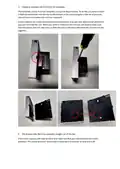
Firstly check that the unit has power to it. If there is power, make sure the wiring is in the unit
correctly, the incoming power needs to be in terminals 3 and 4 and the heaꢀng mat goes into 5 and
6. If everything is wired in correctly then check that the faceplate is plugged in correctly and has not
been damaged. On the faceplate of the unit there is a block where the pins from the backplate need
to connect to, ensure this is lined up properly and the faceplate is securely clipped to the backplate.


| General | Details |
|---|---|
| Name | Rayotec PERGARP0DCN6YB3I Wi-Fi Thermostat Instruction Manual |
| Make | Rayotec |
| Language | English |
| Filetype | PDF (Download) |
| File size | 0.12 MB |
 (1 votes, average: 5.00 out of 5)
 Loading...

Rayotec Coloursense Wi-Fi Thermostat Instruction Manual

Rayotec Freedom Wi-Fi Thermostat Instructions

Rayotec PERGARP0DCN6YB3I Manual: Questions and Answers
What's the difference between heating icon flashing and no display on Rayotec PERGARP0DCN6YB3I?
Flashing heating icon means the floor probe reached its temperature limit. No display indicates a power or wiring issue. Instruction Manual, p. 1
How do I separate the front cover from the backplate on Rayotec PERGARP0DCN6YB3I?
Insert a flathead screwdriver into the slot at the bottom and apply light pressure until you hear a click.
- Locate the slot on the bottom of the unit.
- Insert a flathead screwdriver and press gently.
- Listen for the click that signals separation. Instruction Manual, p. 2
More Rayotec thermostat manuals

King Electric K322E Electronic Non Programmable Thermostat Instructions

Honeywell RTH2300 Thermostat User Guide

EAE TECHNOLOGY KNX ORIA Thermostat Installation Guide

BEOK BOT-T9N-WIFI Desktop Type RF Smart Thermostat for Wall-Hung Boiler User Manual

SUNSKY BHT-006 Series Thermostat Instruction Manual

Milesight WT201-868M Smart Thermostat User Guide

Honeywell CM907 Programmable Room Thermostat User Guide

hansgrohe 24240XXX Shower Column Including Thermostat Instruction Manual

Honeywell Home X8S Smart Thermostat User Guide

Google Nest Learning Thermostat (4th gen) Installation Guide