Home > NEOMITIS > NEOMITIS PRG7 RF 7 Day Two Channel Programmer with RF Room Thermostat Instruction Manual

NEOMITIS PRG7 RF 7 Day Two Channel Programmer with RF Room Thermostat Instruction Manual

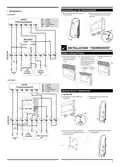
INSTALLATION - PROGRAMMER  
MOUNTING OF WALL MOUTING PLATE  
For best performance, do not mount the programmer on metal wall boxes and leave at  
least 30 cm distance from any metal objects including wall boxes and boiler housing.  
INSTALLATION INSTRUCTIONS  
The digital programmer is fixed on the wall with the wall plate which is supplied with  
the product.  
1- Unscrew the 2 screws under the  
2- Remove the wall plate from the  
programmer.  
programmer.  
PRG7 RF  
7 DAY TWO CHANNEL PROGRAMMER  
WITH RF ROOM THERMOSTAT  
x2  
3- Secure the wall plate with the two  
screws provided using the horizontal  
and verꢁcal holes.  
4- In case of surface mounꢁng, a knock  
out area is provided on the wall plate  
and on the corresponding area of the  
programmer.  
INSTALLING BATTERY  
TABLE OF CONTENTS  
Programmer baꢂery  
access  
Pack contains ............................................................................................1  
Installaꢀon - Programmer..........................................................................1  
Mounꢀng of wall mouꢀng plate .......................................................................................1  
Installing baꢁeries.............................................................................................................1  
Wiring ...............................................................................................................................1  
Mounꢀng of the Programmer...........................................................................................2  
Installaꢀon - Thermostat ...........................................................................2  
Installing baꢁeries.............................................................................................................2  
Mounꢀng of thermostat....................................................................................................2  
Pairing procedure..............................................................................................................3  
Installer seꢁngs ........................................................................................3  
WIRING  
Advanced installer seꢂng.................................................................................................3  
All electrical installaꢀon work should be carried out by a suitably qualified  
Electrician or other competent person. If you are not sure how to install  
this programmer consult either with a qualified electrician or heaꢀng En-  
gineer. Do not remove or refit the appliance onto the backplate without  
the mains supply to the system being isolated.  
Technical specificaꢀons .............................................................................4  
PACK CONTAINS  
All wiring must be in accordance with IEE regulaꢀons. This product is for fixed wiring  
only.  
• Internal wiring  
N = Neutral IN  
Note: The unit is double in insulated so  
does not require an earth but a terminal  
is supplied for the spare wire.  
L
= Live IN  
1
2
3
4
= HW/Z2: Normal close output  
= CH/Z1: Normal close output  
= HW/Z2: Normal open output  
= CH/Z1: Normal open output  
Clock  
L
OFF  
ON  
OFF  
ON  
x
1
x1  
x1  
Programmer  
Thermostat  
Thermostat table stand  
N
1
2
3
4
6A  
max  
HW  
OFF OFF  
CH  
HW  
ON  
CH  
ON  
N
L
220V-240V~  
50Hz  
x2  
x4  
x4  
AA Baꢀeries (LR6)  
Screw Anchor  
Screws  
1
P
R
G
7
R
F
B
N
E
O
E
N
G
C
P
V
0
1
0
1
0
7
2
0
2
1
GeneralDetails
NameNEOMITIS PRG7 RF 7 Day Two Channel Programmer with RF Room Thermostat Instruction Manual
MakeNEOMITIS
LanguageEnglish
FiletypePDF (Download)
File size2.63 MB
Download PDF
1 Star2 Stars3 Stars4 Stars5 Stars (1 votes, average: 5.00 out of 5)
Loading...
NEOMITIS RTE7OTA Wired Digital 7 Day Programmable Smart Room Thermostat Instruction Manual
Neomitis RTMA Mechanical Room Thermostat Instruction Manual
NEOMITIS RTE7D, RTE7BD Wired Digital 7 Day Programmable Room Thermostat Instruction Manual
NEOMITIS Rtaneoa Wired Analog Room Thermostat Instruction Manual
NEOMITIS RTE7SD Mains Powered Digital 7 Day Programmable Room Thermostat Instruction Manual
NEOMITIS RTE0RFA Wireless Digital Room Thermostat and Receiver Instruction Manual
NEOMITIS RTE0B Wired Digital Room Thermostat Installation Guide
NEOMITIS RTUa Mechanical Room Thermostat Instruction Manual

NEOMITIS PRG7 RF 7 Day Two Channel Programmer with RF Room Thermostat Instruction Manual
Get the free PDF manual for the NEOMITIS PRG7 RF 7 Day Two Channel Programmer with RF Room Thermostat Instruction Manual and access setup steps, usage instructions, and troubleshooting tips. 👉 View online or download now to keep your thermostat running smoothly!

NEOMITIS PRG7 RF 7 Day Two Channel Programmer with RF Room Thermostat Instruction Manual Overview

Summary of Contents

  • Page 1: Installation instructions for the digital programmer include mounting the wall plate supplied with the product. For optimal performance, avoid mounting the programmer on metal wall boxes and maintain a distance of at least 30 cm from metal objects. All electrical installation work should be performed by a qualified electrician or competent person. The unit is double insulated and does not require an earth connection, but a terminal is provided for a spare wire. Wiring must comply with IEE regulations, and this product is intended for fixed wiring only. The pack contains AA batteries, screws, and a screw anchor for installation. The programmer features a two-channel setup with a room thermostat. Ensure the mains supply to the system is isolated before removing or refitting the appliance onto the backplate. The installation process includes securing the wall plate with screws and ensuring proper battery access. A knock-out area is provided on the wall plate for surface mounting.
  • Page 2: Mounting of the programmer involves replacing it on the wall and securing it with screws. Wiring diagrams are provided for a 3 port system. Installation of the thermostat requires removing the battery cover and inserting two AA batteries while noting the correct polarity. The thermostat must be mounted on the wall by unscrewing the screws and securing the wall plate with provided screws. Boiler and pump connections are detailed for the 2 port system. The document includes specifications for voltage and frequency. The programmer model mentioned is PRG7RF, a 2 channel programmer. Battery installation instructions emphasize the importance of correct polarity. The mounting process includes both horizontal and vertical holes for secure installation. Zone valve connections are indicated for proper setup.
  • Page 3: Secure the thermostat by screwing the locking screws under the thermostat. The programmer and thermostat RF icon will be solid when pairing is complete and normal display is returned. If you want to check the signal strength, press and release the RF test button on the thermostat. Recommended locations for your thermostat include being installed approximately 1.5 m above floor level on an inside wall, away from direct sunshine and any other sources of heat or cold. Advanced settings can be modified by pressing until the correct option is in display. Select gravity/pumped mode to ensure proper operation of the product. The thermostat measures the temperature of the place where it is installed and does not account for temperature differences in different locations. To bond the programmer and thermostat together, move the mode sliders to the OFF position and then move the program slider to the RUN position. Press and hold the RF test button until Pair is shown in the display to initiate pairing. The pre-set value for the clock is 12 hours, which can be changed to 24 hours.
  • Page 4: Auto Summer/Winter change over default is ON. Maximum range in the home is 15m, varying by building construction and environment. Power supply is 220V-240V/50Hz. Output per relay is 3(2)A, 240V/50Hz. Manual temperature setting range is from +5°C to +30°C. Battery life is approximately 2 years. You can adjust the number of ON/OFF switching time periods, with a pre-set number of 2. The digital programmer can manage Central Heating and Hot Water or 2 zones. The backlight can be switched off, with a pre-set value of ON. The product must be disposed of at a special recycling point at the end of its useful life.
  • Page 5: controls and display programmer operating lcd display 7 day two channel programmer programming sliders sequences thermostat overview initial power up thank you for purchasing our PRG7 RF it is this ease of operation that is intended to make your life easier and help you save energy and money.
  • Page 6: - After 2 seconds, the LCD will show the default time and day. - Within 1 minute, press and hold the RF Test button on the thermostat until Pair is shown in the display. - The pairing icon will be flashing. - A low battery level indicator will appear when the battery must be changed. - The programmer and thermostat RF icon will be solid when pairing is complete. - To start, insert the two AA batteries provided into the battery compartment. - The PRG is already set with the correct date and time. - Move the Programming slider to position to set the CH/Z1 and HW/Z2 programming. - The thermostat and the programmer are not bonded together at the factory. - Default schedule includes two On/OFF periods starting at 06:30 am and ending at 08:30 am.
  • Page 7: The current program can be copied to the next days. Press Yes to copy or No to program manually the next day. Advance mode allows you to switch ON the system in advance until the next On/OFF period end time. Holiday mode allows you to switch off the heating and hot water for a specified number of days, adjustable between 1 and 99 days. Constant mode means the system is permanently turned ON. All day mode means the system turns ON from the first On period start time until the last Off period end time of the current day. Automatic mode means the unit is controlling to the programming that has been selected. Permanent Off mode means the system stays Off permanently, but the boost mode can still be used. Review mode allows you to review all programming in one time, starting from the beginning of the week. Boost mode allows you to switch ON for 1, 2, or 3 hours temporarily. The desired temperature can be set by turning the dial clockwise to increment or counter-clockwise to decrement.
  • Page 8: Factory settings Troubleshooting Display disappears on programmer: Check fused spur supply. Check that the thermostat is calling for heat. If no increase, set temperature. Check the position of the batteries. Heating does not come on: If the CH Indicator light is on, it is unlikely to be a fault with the programmer. If the CH indicator light is NOT ON, check the programme then try BOOST. Nothing in the display: Check the position of the batteries. Check that your room thermostat is calling for heat. Check that the boiler is on. Hot water does not come on: If the HW Indicator light is on, it is unlikely to be a fault with the programmer. If HW indicator light is NOT ON, check programme then try BOOST. You made a mistake while setting: All LCD display will be turned ON for 2 seconds and the factory settings will be restored. The system is not heating but is on: If an indicator light is on but the system remains cold, then you should contact your installer. Set date and clock: Move the Programming slider to position. The preset year is solid. What is a programmer? Programmers allow you to set ‘On’ and ‘Off’ time periods. What is PID: The PID feature works by using a formula to calculate the difference between the desired temperature setpoint and current ambient temperature.