
LUX TX500Ub Non Programmable Thermostat Instruction Manual


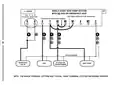


COMPLETE THE INSTALL:
INSTALL BATTERIES INTO THERMOSTAT: Install two brand new Energizer® or
DURACELL® “AA” size alkaline (only) batteries, into the thermostat’s battery
compartment. Ensure the batteries are installed in the proper direction.
GAS / ELEC CIRCUIT BOARD OPTION (“G” TERMINAL FAN OPERATION): This
setting is a plastic shorting cap called a jumper. This jumper must remain
installed, and set to either GAS or ELECTRIC for your system to work properly.
This setting changes how your system’s blower fan (if applicable) is controlled
while the thermostat is in HEAT or EMERG HEAT mode, when the Fan switch in
the AUTO position. This setting does not affect the fan operation while in COOL
mode.
When set to “GAS”, the blower fan is controlled
solely by the heating system itself. Systems that
would typically use the “GAS” setting would be:
BATTERY
natural gas, propane, or oil furnaces, and boilers.
NOTE: If your blower fan does not operate properly
after installation, move the Gas / Electric option to
ELEC
the “Electric” setting.
When set to “ELEC”, the blower fan is controlled
directly by the thermostat. This setting is required
for heating systems that do not control their own
fan, such as HEAT PUMPS, and units that only have
an electric-resistive heating element as the heat
source.
JP1
GAS
FRONT PANEL ITEMS:
These items below are all located behind the door on the front of the thermostat.
To open the door, pull outwards using the small indentation in the center of the
top edge of the thermostat housing.
HEAT / OFF / COOL, SYSTEM MODE SWITCH: Set this switch to HEAT to control
your heating system, and COOL to control your cooling system. The OFF position
will disable both the heating and cooling units.
AUTO / ON, FAN MODE SWITCH: When this switch is in AUTO, the blower fan (if
present in your system) will automatically cycle on and off by itself while heating
or cooling is running. When in the ON position, the blower fan will run constantly
17

| General | Details |
|---|---|
| Name | LUX TX500Ub Non Programmable Thermostat Instruction Manual |
| Make | LUX |
| Language | English |
| Filetype | PDF (Download) |
| File size | 0.31 MB |
 (1 votes, average: 5.00 out of 5)
 Loading...

LUX TX700U Universal Thermostat Instruction Manual

LUX CAG1500 SERIES Smart Temp Electronic Thermostat Instruction Manual

LUX PSP511A Smart Temp Electronic Thermostat Instruction Manual

LUX TX1500E Programmable Thermostat Instruction Manual

LUX PSP511A Series Programmable 5-2 Thermostat Instruction Manual

LUX PSPH521 Series Programmable Heat Pump Thermostat Instruction Manual

LUX DHP2120 Battery Powered Non Programmable Digital Heat Pump Thermostat Installation Guide

CH200SA Versatile Deluxe Low Voltage Thermostat Installation Guide

LUX TH10 Heating Only Mercury FREE Manual Thermostat Instruction Manual

LUX PSP511Ca Programmable Thermostat Instruction Manual


HERSCHEL iQ T2 Wireless Thermostat Instruction Manual

Livn 147 Thermostat User Guide

industrie technik TF Frost Protection Thermostat Instruction Manual

Danfoss ECtemp 531 Electronic Thermostat Installation Guide

TotalHome TTHWP Wireless Programmable Thermostat Installation Guide

Danfoss RT 2 Thermostat Installation Guide

WATTS Tekmar Wi-Fi Thermostat Instruction Manual

Thermafloor TF1 Programmable Radiant Floor Thermostat User Manual

LUXPRO PSD111+ Series Thermostat Instruction Manual

Hotwire HWTH Horizontal Thermostat Instructions