
Google Nest Learning Thermostat (4th gen) Installation Guide


Troubleshooting - Power Sharing
Power requirements and details
Baꢀery – The preferred voltage of the stat is 3.9V. If the thermostat drops below 3.8V, it will enter a “Power Saver”
mode where some features and functions will be disabled. You will see this on the thermostat under the Power
Info seꢀings page. If the voltage drops below 3.6V, the thermostat will disconnect from Wi-Fi and if it drops below
3.7V, other features such as the Wake On Approach of the thermostat will be disabled.
Appropriate power readings - Can be found on the thermostat under Seꢀings> Equipment> Power Info
Value Found on Thermostat
With Common or Power
Connector
Without Common or Power Connector
VIN (Voltage input)
24 to 42V
24 to 42V
Iin (Current Intensity input)
150 to 300 mA
20 to 300 mA
Note: These values are not RMS voltage. You can divide the Voc or VIN by 1.414 to get an approximate RMS
voltage the stat is reading. Always confirm voltage with a multimeter.
Iin readings and what they mean
Iin is the input current limit the thermostat is using now. The leꢀer next to the Iin value indicates the method of
power sharing. The value should be above 20mA for full functionality. Some of the leꢀers may be combined to
provide more detail; for example, WA means that we are actively sharing power from the W wire.
Note: The thermostat will power share less frequently during the first 5 minutes of a call or heating or cooling
when in the A or T mode.
●
●
●
●
SY – Improved power sharing function being used on the Y wire.
W – W is used for power sharing.
Y – Y is used for power sharing.
P – Drawing power from the Nest Power Connector. Note: this will confirm the Power Connector is
installed and functioning correctly.
●
●
T – Taco valve detected and utilizing a specific power sharing method for Wax Actuated Valves.
A – Sharing power from an active wire, either W or Y.
PS values and what they mean.
PS values are stats for the available methods of power sharing. These will provide more details, but will likely only
be relevant when calling Pro Support.
●
●
●
●
C – Maximum current draw on C-wire. Note: this will verify C wire functionality.
Y, W, or YW – Maximum current draw on Y, W or Y+W wires when the thermostat is not activating them.
YA or WA – Maximum current draw on Y or W wires when the thermostat is activating them.
YP or WP – Metric to assess Power Connector presence on Y/W wires (greater than 12 typically means
Power Connector is present, but there are other conditions that also need to be met for it to be detected).
78

| General | Details |
|---|---|
| Name | Google Nest Learning Thermostat (4th gen) Installation Guide |
| Make | Nest |
| Language | English |
| Filetype | PDF (Download) |
| File size | 17.85 MB |
 (1 votes, average: 5.00 out of 5)
 Loading...

nest B08K2M13NY Thermostat E Smart Thermostat Installation Guide


BEOK TDS72 Digital Screen Thermostat Instruction Manual

Roth SL Car Air Conditioner Thermostat Instructions

EPH CONTROLS TRFPi2 COMBIPACK2 Programmable RF Thermostat Instruction Manual

ELEKTROBOCK PT02 Electronic Pipe Thermostat Instruction Manual
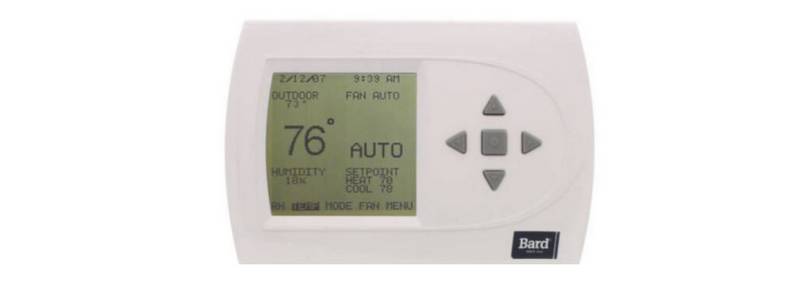
BARD THERMOSTAT Menu Driven Display 1120-445A User Manual

EcoNet RETST800SYS Smart Thermostat User Guide

EMERSON 1D56-310 White-Rodgers Low Voltage Horizontal Mounting Thermostat Instruction Manual

Danfoss TP5001 Programmable Room Thermostat User Guide

EMOS P5611OT Wireless Thermostat Instruction Manual

SALUS CONTROLS T105 Digital Programmable Thermostat User Guide