
Drayton 2290M Mains Digital Room Thermostat User Manual


3a.Complete the wiring according to the connections shown
in Fig 3.
Digistat
3rd Generation
Programmable Room
Thermostat
(Fig 3)
Model: 2290M
3b.If your boiler supports OpenTherm please follow these
instructions:
Technical Helpline Tel: 0333 6000 622
Remove the OpenTherm cables from the existing controller
or thermostat. Connect the cables to the OpenTherm
terminals OT1 and OT2 on the Digistat. Polarity is not
important.
Email: customer. care@draytoncontrols.co.uk
User and Installation Guide 06490309001 Iss C
Wire L and N from a separate supply with a 3A fuse.
Installation Guide
Note that when connected to an OpenTherm boiler, Installer
Options 06 Valve Protection and 08 Application Type are not
available. The following options will appear in the Installer
Options list:
Before Installation
If you do not have the knowledge to install the thermostat
safely then you must arrange for a competent electrician
to install it for you. Wiring must conform to the current IEE
regulations.
10 Upper CH water set point
11 Lower CH water set point
12Set DHWtemp
30-80°C
10-25°C
45-70°C
Default 70°C
Default 10°C
Default 60°C
Prior to commencing the installation you must ensure the
mains supply is switched off.
4. Close the black hinged terminal cover and replace the front
cover by locating the two latches at the top then fasten the
2 screws at the bottom (Fig 4).
1. Remove the front cover by releasing the 2 screws at the
bottom. Mounting holes and electrical connections are
found underneath the hinged black cover (Fig 1).
(Fig 4)
(Fig 1)
5. The Digistat is now installed and will automatically start to
control the room temperature.
2. Fix back plate directly onto the wall using suitable wall plugs
and screws or mount over existing wall box (Fig 2).
(Fig 2)


| General | Details |
|---|---|
| Name | Drayton 2290M Mains Digital Room Thermostat User Manual |
| Make | Drayton |
| Language | English |
| Filetype | PDF (Download) |
| File size | 0.33 MB |
 (1 votes, average: 5.00 out of 5)
 Loading...

Drayton RF902 Digistat 3rd Generation Wireless 2-Channel Programmable Thermostat Installation Guide

Drayton Wiser Smart Room Thermostat Instruction Manual

Drayton 2290M Digistat 3rd Generation Programmable Room Thermostat Installation Guide
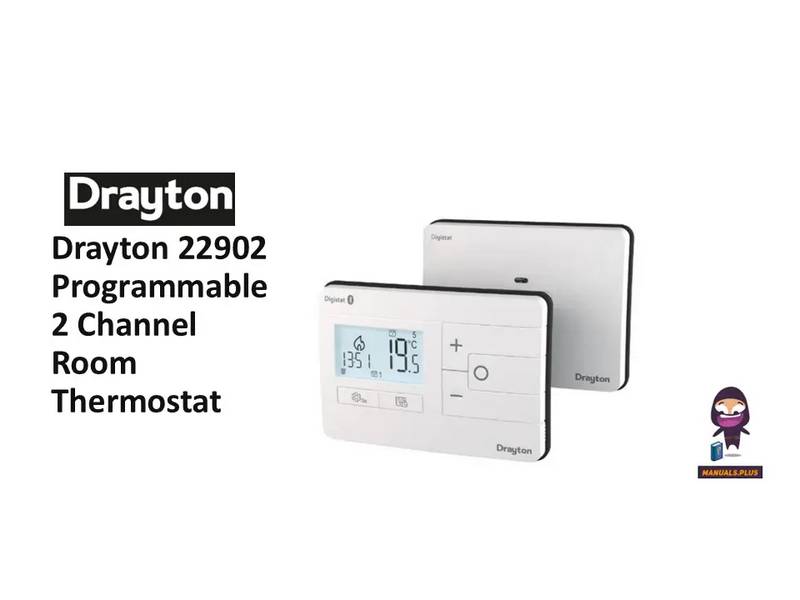
Drayton 22902 Programmable 2 Channel Room Thermostat Installation Guide

Drayton RF710 Digital Wireless Room Thermostat Installation Guide

Drayton 2290M Mains Digital Room Thermostat User Manual Overview
Summary of Contents
- Page 1: Complete the wiring according to the connections shown in Fig 3. If your boiler supports OpenTherm please follow these instructions. Remove the OpenTherm cables from the existing controller or thermostat. Connect the cables to the OpenTherm terminals OT1 and OT2 on the Digistat. Wiring must conform to the current IEE regulations. Prior to commencing the installation you must ensure the mains supply is switched off. The Digistat is now installed and will automatically start to control the room temperature. Fix back plate directly onto the wall using suitable wall plugs and screws or mount over existing wall box. Note that when connected to an OpenTherm boiler, Installer Options 06 Valve Protection and 08 Application Type are not available. Before installation, if you do not have the knowledge to install the thermostat safely then you must arrange for a competent electrician to install it for you.
- Page 2: Installer options allow access to various settings by pressing the settings button for 3 seconds. Option 04 enables the change of maximum setpoint temperature. Option 05, when enabled, adjusts the thermostat setpoint early based on ambient temperature and heat gain data. Delayed Start saves energy by delaying implementation of the setpoint if the ambient temperature is close to it. Option 06 ensures valve protection by operating each relay output for at least one minute each week. Option 07 reduces central heating output to 30% in the event of a sensor fault. Option 02 activates frost protection, maintaining a minimum temperature of 7°C when the temperature falls to 5°C. Option 13 allows locking of installer settings until a 3-digit code is entered. Option 20 resets the device to its original factory settings. Option 08 allows selection of the central heating system energy type.
- Page 3: Installer options for the Digistat thermostat include various service interval settings and a programmable clock feature. The thermostat can operate in different program types, including 24-hour, 5-2 day, or 7-day settings. Service interval mode can be enabled or disabled, and users can set a service due date and alarm. The Digistat allows for temperature control throughout the day without traditional on/off times. It features a service boost option and a password reset function for security. The device operates within a temperature range of 0°C to +40°C and can be stored between -20°C and 65°C. Pre-programmed settings are designed for typical 9-5 patterns, with different temperatures for weekdays and weekends. The product complies with relevant EC directives and standards, ensuring safety and reliability. Bluetooth trademarks are acknowledged, and the product's compliance declaration is available online. Technical specifications include power supply details and operating frequency information.
- Page 4: What is a programmable room thermostat? A programmable room thermostat is both a programmer and a room thermostat. A programmer allows you to set ‘On’ and ‘Off’ time periods to suit your own lifestyle. A room thermostat works by sensing the air temperature and switching on the heating when the air temperature falls below the thermostat setting. You can have different temperatures in individual rooms by installing thermostatic radiator valves (TRVs) on individual radiators. A programmable room thermostat lets you choose what times you want the heating to be on and what temperature it should reach. The time on the programmer must be correct and may need adjustments for daylight saving time. Turning a programmable room thermostat to a higher setting will not make the room heat up any faster. You may be able to temporarily adjust the heating programme using options like ‘Override’, ‘Advance’, or ‘Boost’. The way to set and use your programmable room thermostat is detailed in the instructions. You have completed the quick start and the unit is now set correctly to follow your required timings.

Mi-HEAT M2 Wi-fi Bluetooth Thermostat Instruction Manual

LG PREMTB10U Programmable Thermostat Instruction Manual

Honeywell YT43MRFBT32 Room Thermostat Instructions

Danfoss Eco Electronic Radiator Thermostat Instruction Manual

TRU COMPONENTS TC-NTL-ExT6 Hazardous Area Thermostat Instructions

4512673 Heatit ZM Thermostat 16A User Guide

Dettson 2-Stage WiFi Thermostat R02P033 Owner’s Manual

Eurotronic Technology sprit Z-Wave Smart Radiator Thermostat Installation Guide

CENTER EHE0200322 RF Wireless 7 Day Programmable Thermostat Installation Guide

DIGITEN DTC-101, DTC-151 Thermostat User Manual