
BEOK TCB38WIFI Color TFT-LCD Heating Thermostat User Manual


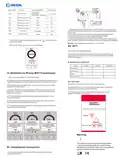


COLOR TFT-LCD HEATING THERMOSTAT
VI. Model Spec
Week
Controlled Objects
Program
XXX-EP
For electric heating appliances
For water heating appliances
For gas boiler
16A
XXX-WP
XXX-WPB
3A
3A
I. Product Summary:
Color TFT-LCD Heating Thermostat is WIFI touch screen thermostat with
phone control. It is applied to temperature control of industrial,
commercial and domestic room, and start of control heating appliances,
especially floor heating systems. It can be controlled by phone. Phone
systems are IOS and Andriod system optional.
VII.Wiring Digram
II. Technical Parameter:
Power Supply
Current Load
200 ~ 240V 50 ~60Hz
≤3A(water heating)
≤16A(electric heating)
XXX-EP
XXX-WP
Power Consumption
External Material
Sensing Element
Set Temp. Range
<0.3W
PC+ABS (flame retardant)
NTC
5-60℃
5-99℃
Floor Set Temp. Range
Accuracy
±1℃
86x86x13.3mm
Dimension
Ambient Temp.
Storage Temp.
0-45℃,5-95%RH(Non-condensing)
-5~55℃
Timing Error
<1%
XXX-WPB
III.Main Functions and Characteristics
1. WIFI for Andriod & Apple iOS
2. Large screen display and touch button
3. Power-off memory function
4. Real-time data save function
5. 5+2 or 6+1or 7days six periods program schedule
6. Anti-freezing function
VIII. Thermostat Operation Instruction
1. Main key instruction
7. 3 sensor modes can be setting
8. Selectable 80mmx80mm European hidden box.
9. With child lock function
ON/OFF key;
IV. User Interface Explanation(Thermostat Port)
Mode Key: Switch between Manual mode, Auto mode, Temporary
manual mode. Long press to enter period setting
Time key: Hour, minute and week setting.
Up key: To increase temperature.
Down key: To reduce temperature.
Server
WIFI
Lock
Wed
Time
Room temp.
22:55
.
17
0
Set Temp.
Anti-frozen
Set temp
.
20
.0
5
35
Manual
/Auto
Auto
Period 6
Period
Heating
2. Set up child locks
Long press
Long press
to enter into child lock mode, will display.
again, the child lock will be disappeared.
Power
on/off
Down
Up
Time setting
Menu
3. Turn off the backlight mode by turning off the lights
V. User Interface Explanation(Phone Port)
Wed
22:55
Set Temp.
20
.0
When turning on or off, press the time button and down button
simultaneously to enter the green light energy-saving mode. The
thermostat is working normally, but there will be a faint display.


| General | Details |
|---|---|
| Name | BEOK TCB38WIFI Color TFT-LCD Heating Thermostat User Manual |
| Make | BEOK |
| Language | English |
| Filetype | PDF (Download) |
| File size | 0.4 MB |
 (1 votes, average: 5.00 out of 5)
 Loading...

BEOK Color TFT-LCD Heating Thermostat User Manual

BEOK TDS21WIFI-AC Fan Coil Thermostat Instruction Manual

BEOK TGR85-EP Underfloor Heating Thermostat User Guide

BEOK TDR89 Zigbee Room Thermostat User Guide

BEOK BOT-R7X Wireless Gas Boiler Heating Thermostat Instruction Manual

BEOK TDS23 Wi-Fi Fan Coil Thermostat Instruction Manual

BEOK TGP53 China Piano Buttons Underfloor Heating Thermostat User Guide

beok TGW60 Thermostat User Guide

BEOK TS4 Series Wi-Fi Touch Screen Thermostat User Manual

BEOK TGP53 Wifi Thermostat User Guide

BEOK TCB38WIFI Manual: Questions and Answers
BEOK TCB38WIFI specifications
| Power supply | 200 ~ 240V 50 ~60Hz |
| Floor temperature limit | 5-99℃ |
| Setpoint range | 5-60℃ |
| Accuracy | ±1℃ |
| Sensor | NTC |
| Operating temperature | 0-45℃,5-95RH |
| Storage temperature | -5~55℃ |
| Dimensions | 86x86x13.3mm |
| Power consumption | <0.3W |
What does 'Ext sensor dropped' mean on BEOK TCB38WIFI display?
The selected sensor mode doesn't match the actual sensor setup, or a sensor has failed. The thermostat stops heating until you correct the sensor mode or fix the sensor. User Manual, p. 2
What do the icons on the BEOK TCB38WIFI screen mean?
| Icon | Meaning |
|---|---|
| WIFI | Network connection status |
| Lock | Child lock is active |
| Anti-frozen | Anti-freezing function is enabled |
| Manual/Auto | Current operating mode |
Can I control the BEOK TCB38WIFI thermostat from my phone?
Yes. Download Beok Home app from App Store (iOS) or Google Play (Android), then connect via WIFI when the EasyConfig screen appears. User Manual, p. 2
BEOK TCB38WIFI compared with other BEOK thermostats
| Specification | BEOK TCB38WIFI | BEOK Color TFT-LCD Heating Thermostat | BEOK TDR89 | BEOK TDS21WIFI-AC |
|---|---|---|---|---|
| Power supply | 200 ~ 240V 50 ~60Hz | 200 ~ 240V 50 ~60Hz | 100 ~ 240V | AC200~240V 50 ~60Hz |
| Setpoint range | 5-60℃ | 5-60℃ | 5-95℃ | 10-40℃ |
| Accuracy | ±1℃ | ±0.5℃ | ±1℃ | ±1℃ |
| Sensor | NTC | NTC | NTC | NTC |
| Operating temperature | 0-45℃,5-95RH | 0-45℃,5-95RH | 0-45℃,5-95RH | 0-45℃,5-95RH |
| Storage temperature | -5~55℃ | -5~55℃ | -5~55℃ | -5~55℃ |
| Dimensions | 86x86x13.3mm | 86x86x13.3mm | 86x90x14mm | 86x86x13.3mm |
| Power consumption | <0.3W | <0.3W | <1W | <0.5W |
More BEOK thermostat manuals

NT NetX X5N-SM Thermostat Installation Guide

momit Bevel Smart Thermostat Installation Guide

Chytre Vypinace HC-T020-EWF Series Wireless Thermostat User Manual

InfraComfort HY01WE Programmable Non Wi-Fi Thermostat User Manual

Ensto ECO16BT-IN-WW Floor Heating Thermostat User Guide

namron 1402746 Touch Thermostat Instruction Manual

technolysis HYT002-WIFI WI-FI Digital Heating Thermostat User Manual

QuietWarmth THERMAEGH-ET72 Thermaegh Wifi Programmable Touchscreen Thermostat User Manual

Beca BHT-9000 Thermostat User Guide

Smart Temp SMT-450 Flexistat WiFi Thermostat Instructions