
BEOK TCB38WIFI Color TFT-LCD Heating Thermostat User Manual


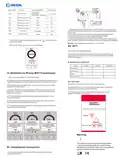


COLOR TFT-LCD HEATING THERMOSTAT
VI. Model Spec
Week
Controlled Objects
Program
XXX-EP
For electric heating appliances
For water heating appliances
For gas boiler
16A
XXX-WP
XXX-WPB
3A
3A
I. Product Summary:
Color TFT-LCD Heating Thermostat is WIFI touch screen thermostat with
phone control. It is applied to temperature control of industrial,
commercial and domestic room, and start of control heating appliances,
especially floor heating systems. It can be controlled by phone. Phone
systems are IOS and Andriod system optional.
VII.Wiring Digram
II. Technical Parameter:
Power Supply
Current Load
200 ~ 240V 50 ~60Hz
≤3A(water heating)
≤16A(electric heating)
XXX-EP
XXX-WP
Power Consumption
External Material
Sensing Element
Set Temp. Range
<0.3W
PC+ABS (flame retardant)
NTC
5-60℃
5-99℃
Floor Set Temp. Range
Accuracy
±1℃
86x86x13.3mm
Dimension
Ambient Temp.
Storage Temp.
0-45℃,5-95%RH(Non-condensing)
-5~55℃
Timing Error
<1%
XXX-WPB
III.Main Functions and Characteristics
1. WIFI for Andriod & Apple iOS
2. Large screen display and touch button
3. Power-off memory function
4. Real-time data save function
5. 5+2 or 6+1or 7days six periods program schedule
6. Anti-freezing function
VIII. Thermostat Operation Instruction
1. Main key instruction
7. 3 sensor modes can be setting
8. Selectable 80mmx80mm European hidden box.
9. With child lock function
ON/OFF key;
IV. User Interface Explanation(Thermostat Port)
Mode Key: Switch between Manual mode, Auto mode, Temporary
manual mode. Long press to enter period setting
Time key: Hour, minute and week setting.
Up key: To increase temperature.
Down key: To reduce temperature.
Server
WIFI
Lock
Wed
Time
Room temp.
22:55
.
17
0
Set Temp.
Anti-frozen
Set temp
.
20
.0
5
35
Manual
/Auto
Auto
Period 6
Period
Heating
2. Set up child locks
Long press
Long press
to enter into child lock mode, will display.
again, the child lock will be disappeared.
Power
on/off
Down
Up
Time setting
Menu
3. Turn off the backlight mode by turning off the lights
V. User Interface Explanation(Phone Port)
Wed
22:55
Set Temp.
20
.0
When turning on or off, press the time button and down button
simultaneously to enter the green light energy-saving mode. The
thermostat is working normally, but there will be a faint display.


| General | Details |
|---|---|
| Name | BEOK TCB38WIFI Color TFT-LCD Heating Thermostat User Manual |
| Make | BEOK |
| Language | English |
| Filetype | PDF (Download) |
| File size | 0.4 MB |
 (1 votes, average: 5.00 out of 5)
 Loading...

BEOK Color TFT-LCD Heating Thermostat User Manual

BEOK TDS21WIFI-AC Fan Coil Thermostat Instruction Manual

BEOK TGR85-EP Underfloor Heating Thermostat User Guide

BEOK TDR89 Zigbee Room Thermostat User Guide

BEOK BOT-R7X Wireless Gas Boiler Heating Thermostat Instruction Manual

BEOK TDS23 Wi-Fi Fan Coil Thermostat Instruction Manual

BEOK TGP53 China Piano Buttons Underfloor Heating Thermostat User Guide

beok TGW60 Thermostat User Guide

BEOK TS4 Series Wi-Fi Touch Screen Thermostat User Manual

BEOK TGP53 Wifi Thermostat User Guide


GENERAL LIFE HT500 SET Smart Room Thermostat User Manual

Danfoss ATF Clamp-On Pipe Mounting Frost Thermostat Installation Guide

bandary FC660 Smart Thermostat User Guide

UNDERFLOOR HEATING WORLD UWi5 Wi-Fi Digital Heating Thermostat Instruction Manual

Honeywell Home X1N Non Programmable Thermostat Installation Guide

GENERAL SENNA 270S Smart Room Thermostat User Manual

Danfoss M30 React Radiator Thermostat Installation Guide

QC Manufacturing Inc IT-30003 Attic Fan Adjustable Thermostat User Manual

White-Rodgers 1F97-1277 Big Blue Single Stage Thermostat User Manual

HomeHome App ESP01V2 Mini Relay Thermostat Installation Guide