
BAXI uSense 2 Wired Smart Thermostat Installation Guide










6. Outdoor sensor
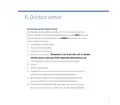
Connecting to an outdoor sensor
If an outdoor sensor weather compensator is connected in conjunction
with the uSense 2 (OpenTherm installations only) you can ONLY adjust the
heating curve on the uSense 2 App (you CANNOT adjust using the room
unit or appliance controls).
1. Open the Baxi uSense 2 App
2. Click on the installer menu
3. Click on advance settings
4. Enter service code 0012 Remember to re-enter this code to disable
installer access when you finish adjusting the heating curve
5. You will see a message ‘Your access level has been updated’
6. Click OK
7. Click on heating curve
8. Change the curve to suit the requirements of the user in accordance
with the recommendations of the sensor manufacturer
9. Do not adjust any other settings in the Advanced Feature menu,
as they may affect the correct operation of the appliance
10. Either completely close the App or re-enter the code to cancel the
access level so that your customer can’t adjust important settings.
9

| General | Details |
|---|---|
| Name | BAXI uSense 2 Wired Smart Thermostat Installation Guide |
| Make | BAXI |
| Language | English |
| Filetype | PDF (Download) |
| File size | 0.34 MB |
 (1 votes, average: 5.00 out of 5)
 Loading...

BAXI uSense 2 Wired Smart Thermostat Gateway Installation Guide


TX1000 Thermostat Instruction Manual

BOSCH BCC110 Connected Control Wi-Fi Thermostat User Manual

DEVI 140F1143 Electronic Intelligent Timer Thermostat Installation Guide

SILVERCREST IAN 469312_2310 Digital Radiator Thermostat Instruction Manual

HYSEN HY02DB-WIFI Wifi Plug In Thermostat User Manual

MAGNUM FIRST M9-TS1 24 Volt Intelligent Thermostat Owner’s Manual

Braeburn Programmable Touchscreen Thermostat User Manual

Aprilaire 8570 Premium Programmable Thermostat Instruction Manual

MOES ZTRV-BY-100 Radiator Thermostat User Guide

SKYTECH 5320P Programmable Thermostat Fireplace Remote Control Instruction Manual