
Home > TECH CONTROLLERS > TECH CONTROLLERS EU-T-4.1n, EU-T-4.2n Wireless Thermostat User Manual
TECH CONTROLLERS EU-T-4.1n, EU-T-4.2n Wireless Thermostat User Manual






USER MANUAL
4.3. CLOCK
In order to set current time, enter the menu and press
screen appears on the screen.
or
until time setting
By pressing + or - set the hour and minutes. Press
Press to confirm and move on to the next parameter or press and hold MENU to
to confirm.
confirm and return to the main screen view.
4.4. DAY FROM...
This function enables the user to define the exact time of entering the day mode.
When Day/night mode is active, comfort temperature applies at daytime.
To configure this parameter press
By pressing + or - set the hour and minute of day mode activation.
Press to confirm and move on to the next parameter or press and hold MENU to
or
until Day from… setting screen appears.
confirm and return to the main screen view.
4.5. NIGHT FROM...
This function enables the user to define the exact time of entering the night mode.
When Day/night mode is active, economical temperature applies at nighttime.
To configure this parameter press
By pressing + or - set the hour and minute of night mode activation.
Press to confirm and move on to the next parameter or press and hold MENU to
or
until Night from… setting screen appears.
confirm and return to the main screen view.
4.6. BUTTON LOCK
In order to activate the button lock, press MENU until a padlock icon appears. Use one
of the buttons
the buttons
or
to select ON. In order to unlock the buttons, press and hold
at the same time, select the button lock function and select OFF.
4.7. OPTIMUM START
Optimum start is an intelligent system controlling the heating/cooling process. It involves constant monitoring of the
heating/cooling system efficiency and using the information to activate the heating/cooling process in advance in order
to reach the pre-set temperatures.
The system requires no user intervention. It precisely reacts to any changes that affect the efficiency of the
heating system. If, for example, some changes have been introduced to the heating system and the house heats up faster
than before, the Optimum start system will recognize the changes at the next pre-programmed temperature change (from
comfort to economical) and in the next cycle the heating system activation will be adequately delayed, reducing the time
needed to reach the desired temperature.
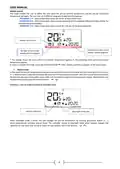
Room temperature -
OPTIMUM START switched off:
Room temperature -
OPTIMUM START switched on:
A – pre-programmed change from economical temperature to comfort temperature
13

| General | Details |
|---|---|
| Name | TECH CONTROLLERS EU-T-4.1n, EU-T-4.2n Wireless Thermostat User Manual |
| Make | TECH CONTROLLERS |
| Language | English |
| Filetype | PDF (Download) |
| File size | 0.53 MB |
 (1 votes, average: 5.00 out of 5)
 Loading...

TECH CONTROLLERS EU-R-8b PLUS Wireless Two Position Room Thermostat User Manual

TECH CONTROLLERS EU-R-12b Wireless Room Thermostat User Manual

TECH CONTROLLERS EU-T-4.1n Wireless Thermostat User Manual


Mi-HEAT M2 Wi-fi Bluetooth Thermostat Instruction Manual

Honeywell Home T3 Pro Non-Programmable Thermostat User Manual

VIESSMANN ViCare ZK05991 Wireless Thermostat Instruction Manual

Honeywell 5000 Series Non Programmable Digital Thermostat Instruction Manual

Braeburn Programmable Touchscreen Thermostat User Manual

BEOK CONTROLS TCR7 IPS Colorful LCD Screen Smart Thermostat Owner’s Manual

Danfoss TP5000 Si Electronic 5-2 Day Programmable Room Thermostat Installation Guide

SALUS Digital Room Thermostat RT310/RT310RF Installation Guide

SALUS HTRS-RF Wireless Digital Thermostat Instruction Manual

niko 550-00550 Home Control HVAC Thermostat Instructions