
Home > TECH CONTROLLERS > TECH CONTROLLERS EU-T-4.1n, EU-T-4.2n Wireless Thermostat User Manual
TECH CONTROLLERS EU-T-4.1n, EU-T-4.2n Wireless Thermostat User Manual






USER MANUAL
If the user wants to edit programs 7÷9, it is possible to edit the settings for each day separately. Press buttons
briefly in order to select a day.
or
editing parameters for
Monday
In order to choose the days when a given program should apply, use of the Menu button.
STEP 3 - ASSIGNING COMFORT OR ECONOMICAL TEMPERATURE TO PARTICULAR HOURS
An hour which is being edited is displayed on the controller screen. In order to assign
comfort temperature, press the plus button (+). In order to select economical
temperature, press the minus button (-).
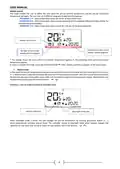
The parameters of the weekly program are displayed at the bottom of the screen: hours
to which comfort temperature has been assigned are displayed whereas hours
to which economical temperature has been assigned are not displayed.
edited hour
Example:
The following screenshot presents daily settings of
program no. 7 for Monday
24⁰⁰-01⁵⁹- economical temperature
02⁰⁰-06⁵⁹- comfort temperature
07⁰⁰-14⁵⁹- economical temperature
15⁰⁰-21⁵⁹- comfort temperature
22⁰⁰-00⁵⁹- economical temperature
editing weekdays
parameters
NOTE
When the user finishes the editing process by pressing MENU button, the
controller returns to the main screen view and this program is selected as the
current program.
4.10. PRE-SET COMFORT TEMPERATURE
Pre-set comfort temperature is used in weekly control mode and day/night mode.
Press one of the buttons
on the screen.
until the comfort temperature change screen appears
Press + or - to set the desired temperature.
Press to confirm and move on to the next parameter or press and hold MENU to
confirm and return to the main screen view.
4.11. PRE-SET ECONOMICAL TEMPERATURE
Pre-set economical temperature is used in weekly control mode and day/night mode.
Press one of the buttons
appears on the screen.
Press + or - to set the desired temperature.
until the economical temperature change screen
Press to confirm and move on to the next parameter or press and hold MENU to
confirm and return to the main screen view.
4.12. PRE-SET TEMPERATURE HYSTERESIS
Room temperature hysteresis defines the tolerance of the pre-set temperature at
which cooling or heating is activated (within the range of 0,2 ÷ 4°).
In order to set the hysteresis, press one of the buttons
settings appear on the screen.
until the hysteresis
15

| General | Details |
|---|---|
| Name | TECH CONTROLLERS EU-T-4.1n, EU-T-4.2n Wireless Thermostat User Manual |
| Make | TECH CONTROLLERS |
| Language | English |
| Filetype | PDF (Download) |
| File size | 0.53 MB |
 (1 votes, average: 5.00 out of 5)
 Loading...

TECH CONTROLLERS EU-R-8b PLUS Wireless Two Position Room Thermostat User Manual

TECH CONTROLLERS EU-R-12b Wireless Room Thermostat User Manual

TECH CONTROLLERS EU-T-4.1n Wireless Thermostat User Manual


EUROLAMP 147-44030 Digital Heating Smart Thermostat User Manual
MCOHome MH-5900 Z Wave Thermostat User Guide

ADVENT AIR ACTH12 Digital LCD Thermostat Instruction Manual

New Zealand Thermostat Underline Heating Kit User Guide

ideal HEATING Halo Combi RF Wireless Boiler Thermostat User Guide

vtech W960 E-Smart Wireless Thermostat User Manual

Honeywell RTH6500WF Wi-Fi Programmable Thermostat User Guide

Honeywell Decorative Cover Plate forT8775, T87K, or T87N Thermostat Installation Guide

GENERAL FH10, FH10S Underfloor Heating Thermostat User Manual

GLOBAL HY06RF-BW/WW/WE Thermostat User Manual