
SASWELL SAS908XWHB-7 Thermostat User Manual










Quick start and tips
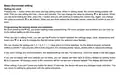
Temperature changing, programming switches (at what hour the switch should occur) and all confirmations are done by
short pressing button P, when the value is blinking. You can change the values, when they are blinking, by pressing
buttons (decrease value) or (increase value) and again confirming the values by short pressing button P. To exit
any editing just short press the button R. All values, settings will be saved.
Also, if you are editing settings or configuring the device and you don’t press any button for 20 seconds, the device will
exit the current editing and save its current values.

Transmitter (thermostat) – Button descriptions
Button description
1.
2.
3.
4.
5.
6.
7.
On / Off (stand by)
Setting the clock
Setting the programs (short press/ Hold, constant temperature (long press)
Confirm / Exit
Reset button
Up; Increase value
Down; Reduce value

| General | Details |
|---|---|
| Name | SASWELL SAS908XWHB-7 Thermostat User Manual |
| Make | SASWELL |
| Language | English |
| Filetype | PDF (Download) |
| File size | 0.65 MB |
 (1 votes, average: 5.00 out of 5)
 Loading...

SASWELL T11FHL Heated Floor Thermostat User Manual

SASWELL SAS919WHB-0 Thermostat User Manual


SALUS CONTROLS BTR230 Non Programmable Thermostat User Guide

neptronic STS3 Series Wall Thermostat Instruction Manual

BEOK TGP508 Vertical Buttons Underfloor Heating Thermostat User Guide

PURGEAR STC-8080H Digital Thermostat User Guide

GENERAL SENNA 300 Digital Room Thermostat User Manual

PECO T372P Thermostat Instruction Manual

EMERSON 1F75C-11NP Non Programmable Single Stage Thermostat User Manual

GENERAL LIFE FH105S Underfloor Heating Thermostat User Manual

DEVI 316 Electronic Thermostat Installation Guide

ecoer EST01 Wi-Fi Programmable Thermostat User Guide