
SASWELL SAS908XWHB-7 Thermostat User Manual










Basic thermostat setting
Setting the clock
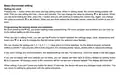
Pressing the button enters the clock and day setting mode. When in editing mode, the current setting position will
blink. First you are setting the time – hours and minutes. You can change the value by pressing or buttons. When
you are done setting the time, press the button and you will continue to setting the current day. Again, you change
the value by pressing or buttons. When you are done setting the time/date values, press the R button to exit and
save.
Programming the heating modes and schedules
By short pressing the P key, you enter heating mode programming. For every program and schedule you can look up
to the default tables on the next pages.
When you are in editing mode, you can use the P button to switch between the settings (days, clock, temperature and
timer) and or keys to change the desired values (when the selected value flashes).
We can choose the settings for 7, 5 + 2, 5 + 1 + 1 days and 4 or 6 time switches. As the default program schedule
setting is set the 7-day program with 6 time programs. For changing these values, please refer to advanced settings.
If you won’t change any of the schedules, the default settings will stay. For reference, check the tables in the next pages.
If you are not happy with your settings you’ve made, you can always set them back to factory default by holding button
R for 3 seconds. All changes made to the schedules will be lost and set to factory default! The display will show dEF.
When editing, if you don’t press any button for about 15 seconds, the device will save any changes made until then. You
can return to editing by going back with the same procedure.
Example of setting the default 7-day schedule with 6 switches. Use tables at the start of this manual for
reference.
1.
2.
Enter the editing mode by briefly pressing the P button.
The day flashes, then press or to select the day you want to edit. Confirm the selection by briefly
pressing the P button.
3.
4.
5.
The time is blinking now. Press or key to select the desired time to start the time program. Confirm
the selection by briefly pressing the P button.
The temperature is now flashing. Press or button to select the desired temperature of the time
program. Confirm the selection by briefly pressing the P button.
Now you have finished editing the first of the six time programs for the selected day, the clock is flashing,
and the next time program (switch) editing is started. By briefly pressing the R key, you can finish editing
the program / schedule or continue by briefly pressing P to edit another time program, following the same
steps from 2-4.
When you are finished with the sixth time program, you will switch to editing the next day after the same
steps 2-4.
Once you have finished editing the heating programs, just confirm with briefly pressing the R key. If you do not make
any changes within 30 seconds all the settings are saved.

Advanced thermostat settings
To access advanced thermostat settings, turn off the device by briefly pressing the
key. The device must be off or in
standby. Then long press the P button (3 seconds) and enter the advanced setting. You can change the values using
or keys. Press the P button to move through the menu and save the settings with the R key (exit the settings).
Settings explanation:
Step
Setting
Change
option
Description
name
(default
value)
1
2
3
4
5
CL (0)
-4 to +4
Temperature display correction
Maximum output, operating temperature
Lowest output, operating temperature
Temperature display in Celsius or Fahrenheit
AH (350)
AL (50)
FC (C)
bL (05)
20 – 35 °C
5 – 20 °C
C / F
00 / 05 / 15
Backlight duration in seconds
Temperature range: temperature difference between switching on and off. If,
for example, the temperature on the system is set at 22 ° C and the range at
0.5 ° C the heating system starts to operate if the room temperature drops to
21.5 ° C and switches off when the temperature reaches 22.5 ° C. A smaller
set hysteresis can affect the life of the thermostat and the connected devices!
Programming option
6
db (0.5)
0.2 – 5.0
7
P51 (7)
0 / 2 / 3 / 7
7: Separate setting for each day
3: 5 days + 1 + 1
2: 5 days + 2 weekends
0: programs disabled
Settings continue on the next page

| General | Details |
|---|---|
| Name | SASWELL SAS908XWHB-7 Thermostat User Manual |
| Make | SASWELL |
| Language | English |
| Filetype | PDF (Download) |
| File size | 0.65 MB |
 (1 votes, average: 5.00 out of 5)
 Loading...

SASWELL T11FHL Heated Floor Thermostat User Manual

SASWELL SAS919WHB-0 Thermostat User Manual


HEIL TSTATIIEWF-01 Smart Thermostat Owner’s Manual

GENERAL FH260S Underfloor Heating Thermostat User Manual

GENERAL LIFE FH104S Underfloor Heating Thermostat User Manual

KCONTR K6HWIFI WiFi Smart Thermostat User Guide
BARD THERMOSTAT Menu Driven Display 1120-445A User Manual

FantiniCosmi C820RQ LED Thermostat Instruction Manual

TECH CONTROLLERS EU-T-4.1n Wireless Thermostat User Manual

tado ST02 Wired Smart Thermostat X Installation Guide

Beca BAC-9000 Smart Knob Thermostat User Guide

SIEMENS RDH100RF/SET Room Thermostat Instruction Manual