
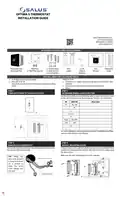
SALUS ST898ZB Optima S Thermostat Installation Guide


STEP 5
STEP 6
ATTACH WIRING
CONNECT THE BATTERIES
Pull the battery tab from the
back of the thermostat to
activate the batteries.
• Using the labels, match the
wires to the appropriate
terminal.
• If the C wire is connected, the
thermostat will draw power
from the AC connection and
use the batteries as backup.
• For each wire, press the
terminal button and fully insert
the wire into the side hole.
• Release the terminal button to
secure the wire.
• Battery-only operation
typically lasts 18 months.
• If you have RC and RH wires,
remove the jumper betweeen
RC and RJP.
• ST898ZBR works as a router
and cannot run on batteries.
• ST898ZBR works as a router and requires RH/RC and C-wire.
STEP 7
STEP 8
ATTACH THERMOSTAT TO MOUNTING PLATE
TURN POWER BACK ON TO THE HVAC SYSTEM
After the initial configuration, the home screen will be displayed,
and the thermostat is ready to be attached to the Mounting Plate.
Align the connector pins and the plastic retention posts, then
push the thermostat onto the Mounting Plate.
Make sure the connector pins are not bent and that the
thermostat is fully seated on the Mounting Plate.
or
STEP 9
OPTIONAL STEP
INITIAL CONFIGURATION
CONFIGURE THE NEW THERMOSTAT
Settings that can be changed include:
After initial power-up, the thermostat will attempt to pair with a
network for 10 minutes. You may need to initiate scanning for
devices in your connected home system. Once paired, canceled
X
with the Down button ( ), or timed out, the device will ask for
the following initial settings.
Compressor protection.
Y1Y2 MIN OFF T
FAN DELAY
Fan Delay after cooling stops.
Max Heating Set point
HEAT MAX SETPT
COOL MIN SETPT
DEAD BAND
To move forward and back through the Settings menu and make
any changes to the settings, the buttons function as follows:
Min Cooling Set point
Dead band value is used for Auto mode.
Frost setpoint
Touch
Button
Type Action
SET FROST TEMP
HEAT PROTECT
LOCK SRC-
Enter Settings menu,
Save and go to next parameter setup
--
Heat Protect Setpoint
Settings
+ or
/
Short Increment parameter value by 1
Key Lock Source (Device+App or App Only)
After long press time, increment by 1 at 4 Hz
rate while key remains down
Long
Key Lock Type (Mode / FAN / Set Pt / Param / Combinations)
C/F Selection
LCK-
Short Decrement parameter value by 1
DEGREE UNITS
BRIGHTNESS
If applicable, decrement value by 1. After long
press time, decrement by 1 at 4 Hz rate while
key remains down
-
Set display brightness
Long
Display On Time in seconds
Language Selection
DISPLAY ON-
LANGUAGE-
Save and go to previous parameter setup
--
Back
After 30 seconds of no user input, changes will be saved, and the
device will return to Home screen.
Time Display Format
24 HOUR CLOCK
shOw HUMIDITY
HUMIDITY SETPT
TIME
Show or hide humidity reading
Humidity Set Point
Configuration Parameters
See “Configuring the Thermostat” section in the Optima S User
Manual for more details.
Set Time and Date (see note)
Enable Day Light Saving (see note)
Set Year (see note)
EQPT TYP-
Choose HVAC Type
DST ADJUST
SET YEAR
Set Reversing Valve
REVERS VALVE-
FAN CNTL-
Select fan control
Set Month and Date (see note)
Display current schedule mode:
To lock and unlock the keypad
Identify devices on the shared channel
Initiate Join to available network
Delete network and Join new network
Reset to Factory default settings
DATE M/D-
Auxiliary Relay function
AUX FUNC-
EDIT-
AUX ACTIVE-
TEMP SEL-
Auxiliary Relay operation
Internal or remote temperature sensor
Internal temperature sensor offset
Remote temperature sensor offset
Heating differential 1st stage
Heating differential 2nd stage
Cooling differential 1st stage
Cooling differential 2nd stage °
LOCK KEYS?
IDENTIFY?
INT TEMP OFFST
RMT TEMP OFFST
DLTA 1ST STAGE
DLTA 2ND STAGE
DLTA 1ST STAGE
DLTA 2ND STAGE
JOIN NETWORK?
NEW NETWORK?
FACTORY RESET?
Note: These settings will not appear if you are connected to the Internet.
SMC-QG-ST898ZB-EN-202208v1
Copyright © SALUS North America, Inc. 2022

| General | Details |
|---|---|
| Name | SALUS ST898ZB Optima S Thermostat Installation Guide |
| Make | SALUS |
| Language | English |
| Filetype | PDF (Download) |
| File size | 0.3 MB |
 (1 votes, average: 5.00 out of 5)
 Loading...

SALUS IT800 WIFI Smart Thermostat Installation Guide

SALUS 091FLRF Wireless Room Thermostat User Guide

SALUS Thermostat Sensor TS600 User Guide

SALUS Thermostat and Smart Plug Installation Guide

SALUS Programmable Wired Thermostat VS30W/VS30B Installation Guide

SALUS Wired Thermostat Installation Guide

SALUS Wired Digital Thermostat – Non-programmable HTRS230 User Manual

SALUS RT520 Radiator Thermostat User Guide

SALUS RT310 Thermostat User Manual

SALUS Thermostat RT520 User Manual


PRO1 T751i Thermostat Installation Guide

BEOK BOT-R315 RF GasBolier Programmable Thermostat Instruction Manual

Honeywell Home FocusPRO 200 Series Programmable Thermostat Installation Guide

ENGO Controls E901WIFI Internet Wireless Thermostat User Guide

homematic IP HmIP-eTRV-2 Radiator Thermostat Instruction Manual

BEOK TDS23 Wi-Fi Thermostat User Manual

OJ ELECTRONICS MWD5-1999-R3C3 Voice Thermostat Instructions

Wengart TP808-3 7 Day Programmable Thermostat User Manual

Danfoss ATF Clamp-On Pipe Mounting Frost Thermostat Installation Guide

SmartLife ZBHTR20WT Zigbee Radiator Thermostat Installation Guide