
Home > QuietWarmth > QUIETWarmth Type UCG Thermostat User Manual
QUIETWarmth Type UCG Thermostat User Manual





Type UCG/UDG
English
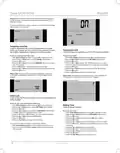
Adjust the setpoint until the heating symbol (
) appears. Use the Up
Factory setting: Auto mode
button to increase the heating demand and then press the OK button
Wait 10 seconds to allow the thermostat to adjust to the new setpoint.
Then press the TEST button on the top of the thermostat.
The test is successful if the red light in the TEST button lights up and
GROUND FAULT is shown on the display. If this does not occur, check
the installation/contact your electrical installer.
AUTO
OVERRIDE
MAN. MODE
Press the Standby/Reset button to reset the GFCI.
The red light should go out and the display returns to normal appearance.
Press the Down button to return to the original temperature setting.
If the test fails, check the heating cable and thermostat.
MODE
SCHEDULE
PROGRAM
SETTINGS
EXIT
If during normal operation the GFCI trips without the TEST button being
pressed, there could be a ground fault! To check whether it is a ground
fault or nuisance tripping, press Standby/Reset.
If this causes the red light to go off and stay off, it was nuisance tripping
and the system is operating correctly. If this does not occur, there is a
ground fault! Contact your electrical installer.
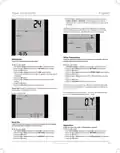
Step 2: Choosing the weekly schedule for your program.
You have the following options:
5:2 will give you 5 days (Monday to Friday) with the same four events
(Morning, Out, Home, Night) and 2 days (Saturday and Sunday) with the
same two events (Morning and Night).
Active Display
After 1 minute without user activity the display will go into idle mode (the
display backlight will turn off). Press any key to activate the display.
6:1 will give you 6 days (Monday to Saturday) with the same four events
(Morning, Out, Home, Night) and 1 day (Sunday) with the same two
events (Day and Night).
Exit Menu
I want to exit a menu.
7:0 will give you individual settings for each day from Monday to Sunday.
1 With Active Display (backlight on) press OK to activate the menu.
2 Press the Up or Down buttons until the SCHEDULE option flashes.
3 Press the OK button.
To do so, you must use the EXIT option:
The various menus and submenus contain an EXIT option.
1 Press the Up or Down buttons until EXIT flashes.
2 Press the OK button. You may have to repeat steps 1 and 2 to return
to the final EXIT option.
4 Press the Up or Down buttons until the required program
(5:2, 6:1 or 7:0) flashes in the lower part of the display.
5 Press the OK button.
Please note: When you activate a menu, the menu item last selected will
begin flashing. This allows you to view the latest setting. If, for example,
you activate the MODE menu, MAN. MODE will flash if you used
MAN. MODE the last time.
SCHEDULE
This principle also applies to current temperature/time settings. When
you enter the various menus, they always display the value that was last
selected. This allows you to check the current settings.
Should you enter a menu by mistake, you can exit it again without
changing the setting by simply confirming the current setting, i.e. by
clicking the OK button.
MON TUE WED THU
FRI
4-Event Program
I want the temperature to be controlled automatically in accord-
ance with a program of individual temperature settings for four
separate events during a day:
Step 3: Select the time and temperature settings for each event
in the program of days selected in the previous step.
1 Press the Up or Down buttons until the PROGRAM option flashes.
2 Press the OK button.
• when I wake up in the morning,
• when I am away at work,
• when I come home,
3 Press the Up or Down buttons until the day(s) that you wish to
program flash in the lower part of the display, e.g. MON TUE WED
THU FRI.
4 Press the OK button. The symbol for the first event (e.g. morning)
will now flash.
5 Press the OK button. The time will flash, allowing you to set the time
at which you want the period to begin. The time can be set in an
interval of 15 minuttes.
6 Press the Up or Down buttons until the required time is displayed.
7 Press the OK button. The temperature setting will now flash in the
upper part of the display.
• and at night.
To do so, you must perform the following 3 steps:
Step 1: Select automatic temperature control.
1 With Active Display (backlight on) press OK to activate the
menu.
2 Press the Up or Down buttons until the MODE option flashes.
3 Press the OK button.
4 Press the Up or Down buttons until the AUTO options flashes in
the upper part of the display.
5 Press the OK button.
© 2012 OJ Electronics A/S
2

| General | Details |
|---|---|
| Name | QUIETWarmth Type UCG Thermostat User Manual |
| Make | QuietWarmth |
| Language | English |
| Filetype | PDF (Download) |
| File size | 0.35 MB |
 (1 votes, average: 5.00 out of 5)
 Loading...

QuietWarmth THERMAEGH-ET72 Thermaegh Wifi Programmable Touchscreen Thermostat User Manual


uponor D Plus RH T-247 BUS Smatrix Base Thermostat Instruction Manual

nVent RAYCHEM ETS-05 Electronic Thermostat Instruction Manual

DEVIreg 610 Electronic Thermostat Installation Guide

aube technologies TH115-AF-GA Programmable Thermostat Owner’s Manual

HYSEN HY312 Wi-Fi Digital Heating Thermostat Instruction Manual

Aprilaire S86N MUPR Multi Stage Universal Thermostat Owner’s Manual

ADAX VG11 Digital Thermostat User Guide

Micro-Air 351 Air Conditioner Digital Thermostat User Guide

Danfoss TPOne-RF Electronic Programmable Room Thermostat Installation Guide

550-13060 HVAC-Thermostat Niko Home Control Instructions