
×
- 1. Nibe Rmu S40 (Installatörshandbok → Rumsenhet → Installer Manual → Room Unit → Installateurhandbuch Fernbedie → Fernbedienung)
- 2.
- 3. Allmänt (Rumsenhetens Konstruktion → Elinkoppling → Sähköasennukset → Käyttöönotto → Styrning Introduktion → Tekniska Uppgifter)
- 4. Märkning (Viktig Information → Säkerhetsinformation → Återvinning → Öppen Källkod → Symboler → Allmänt)
- 5. Montering (Kompatibla Produkter → Innehåll → Montering Utan Bakstycke)
- 6. Montering Med Bakstycke (Rumsenhetens Konstruktion → Anslut Rmu S40 Till Huvudprodukten → Displayenhet → Plats För Minneskort (micro-sd) → Anslutningsplint, Kommunikation Och Spänning → Spänningsmatning, Micro-usb)
- 7. Inkoppling Mot Huvudprodukt (Elinkoppling → Värmepump/inomhusmodul → Strömförsörjning → Trådad Anslutning)
- 8. Styrmodul (Inkoppling Av Tillbehör Och En Rmu S40 → Tänk På!)
- 9. Klimatsystem Och Zoner (Igångkörning → Rumsgivare → Inställningar I Huvudprodukt)
- 10. Trådlös Anslutning (Styrning Introduktion → Displayenhet → Trådad Anslutning → Av/på-knappen → Displayen → Plats För Minneskort)
- 11. Navigering (Informationssidor → Välja → Varmvatten → Funktionssidor → Ändra En Inställning → Hjälpmeny)
- 12. Menyträd (Värme → Klimatsystem 1)
- 13. Skapa Profil I Huvudprodukten (Hemskärmar → Värme Och Kyla → Inställning Av Temperatur (utan Styrande Rumsgivare Aktiverad) → Inställning Av Temperatur (med Styrande Rumsgivare Aktiverad) → Tänk På!)
- 14. Meny 2 Anslutningar (Trådlös Anslutning → Trådad Anslutning → Varmvatten → Meny 4 Licenser → Ventilation → Meny 8 Fabriksinställning)
- 15. Komfortstörning (Kommunikationsfel → Hanteralarm → Larm → Displayenärsläckt → Aktiverahjälpdrift → Tänkpå!)
- 16. Tekniska Uppgifter (Mått → Tekniska Data → Märkspänning (från Huvudprodukt) → Kapslingklass → Driftsätt (en60730) → Driftområde Temperatur → Mått Och Vikt)
- 17. Marking (Safety Information → Open Source Code → Symbols → General)
- 18. Mounting (Compatible Products → Installation Without Rear Panel)
- 19. Installation With Rear Panel (Room Unit Design → Electrical Connection → Display Unit → Power Supply, Micro-usb → On/off Button (switch))
- 20. Connection To Main Product (Electrical Connection → Heat Pump/indoor Module → Wired Connection)
- 21. Control Module (Connection Of Accessories And An → Caution → Accessories)
- 22. Climate Systems And Zones (Commissioning → Room Sensor → Settings In The Main Product)
- 23. Wireless Connection (Wired Connection → The Status Lamp → The On/off Button → The Display → Space For Memory Card)
- 24. Home Screens (Information Pages → Function Pages → Change A Setting → Help Menu)
- 25. Menu Tree (Heat → Climate System 1 → Current Temperature → Set Temperature → Works To Set Temperature)
- 26. Create Profiles In The Main Control Menus (Home Screens → Heating And Cooling → Setting The Temperature (without Controlling Room Sensor Activated) → Setting The Temperature (with Controlling Room Sensor Activated) → Caution)
- 27. Menu 2 Connections (Wireless Connection → Wired Connection → Menu 4 Licences → Menu 7 Display Zones → Menu 8 Factory Setting → Menu 9 Information)
- 28. Troubleshooting (Communication Error → Manage Alarm → Heating → Alarm → The Display Is Off → Activate Auxiliary Operation)
- 29. Technical Data (Dimensions → Technical Specifications → Wireless Units → Miscellaneous → Dimensions And Weight → Article Data)
- 30. Allgemeines (Wichtige Informationen → Sicherheitsinformationen → Kennzeichnung → Recycling → Open Source → Symbole)
- 31. Montage (Kompatible Produkte → Inhalt → Montage Ohne Rückteil → Elektrischer Anschluss)
- 32. Montage Mit Rückteil (Aufbau Der Fernbedienung → Elektrischer Anschluss → Bedienfeld → Platz Für Speicherkarte (micro-sd) → Spannungsversorgung, Micro-usb → Aus-ein-schalter (schalter))
- 33. Anschluss Am Hauptprodukt (Elektrischer Anschluss → Wärmepumpe/inneneinheit → Stromversorgung → Anschluss Per Kabel)
- 34. Steuermodul (Anschluss Von Zubehör Und Einem → Hauptprodukt → Zubehör)
- 35. Klimatisierungssysteme Und Zonen (Inbetriebnahme → Raumtemperaturfühler → Repeater Rpp 10 → Einstellungen Im Hauptprodukt → Hauptprodukt)
- 36. Funkverbindung (Steuerung Einführung → Bedienfeld → Anschluss Per Kabel → Statuslampe → Aus-ein-schalter → Display)
- 37. Navigation (Startbilder → Informationsseiten → Brauchwasser → Funktionsseiten → Änderung Einer Einstellung)
- 38. Menüstruktur (Heizung → Klimatisierungssystem 1 → Aktuelle Temperatur → Eingestellte Temperatur → Arbeitet Auf Die Eingestellte Temperatur Hin)
- 39. Profilerstellung In Menü 4.3 (Startbilder → Heizung Und Kühlung → Einstellung Der Temperatur (ohne Aktiviertem Steuernden Raumfühler) → Einstellung Der Temperatur (mit Aktiviertem Steuerndem Raumfühler) → Achtung!)
- 40. Menü 4 Lizenzen (Menü 7 Zonen Anzeigen → Menü 8 Werkseinstellung → Menü 9 Informationen → Pv Solar → An-/abwesenheit → Menü 1 Nachtmodus)
- 41. Fehlersuche (Kommunikationsfehler → Alarmverwaltung → Alarm → Das Display Ist Ausgeschaltet → Hilfsbetrieb → Achtung!)
- 42. Technische Daten (Maße → Rückteil → Nennspannung (vom Hauptprodukt) → Betriebsmodus (en60730) → Abmessungen Und Gewicht)
- 43. Merkintä (Turvallisuustiedot → Kierrätys → Avoin Lähdekoodi → Symbolit → Yleistä)
- 44. Asennus (Yhteensopivat Tuotteet → Sisältö → Asennus Ilman Takakappaletta)
- 45. Asennus Takakappaleen Kanssa (Huoneyksikön Rakenne → Sähköasennukset → Näyttö → Paikka Muistikortille (micro-sd) → Jännitteensyöttö, Micro-usb → Pois/päälle-painike (katkaisin))
- 46. Kytkentä Päätuotteeseen (Sähköasennukset → Lämpöpumppu/sisäyksikkö → Rmu S40:n Liitin (aa4-x1) → Virransyöttö → Langallinen Liitäntä)
- 47. Ohjausyksikkö (Lisävarusteen Ja Rmu S40:n Kytkeminen → Lisätarvikkeet → Muista!)
- 48. Lämmitysjärjestelmä Ja Alueet (Käyttöönotto → Huoneanturi → Toistin Rpp 10 → Päätuotteen Asetukset)
- 49. Langaton Liitäntä (Langallinen Liitäntä → Muista! → Näyttö → Paikka Muistikortille → Vihje! → Ohjaus - Johdanto)
- 50. Navigointi (Tietosivut → Käyttövesi → Toimintosivut → Muuta Asetuksia → Ohjevalikko)
- 51. Valikkopuu (Lämmitys → Lämmitysjärjestelmä 1)
- 52. Luo Profiileja Päätuotteen Valikossa (Lämmitys Ja Jäähdytys → Toimintoesimerkkejä → Muista!)
- 53. Valikko 2 Liitännät (Langaton Liitäntä → Langallinen Liitäntä → Käyttövesi → Valikko 4 Lisenssit → Valikko 7 Näytä Vyöhykkeet → Ilmanvaihto)
- 54. Vianetsintä (Yhteysvika → Hälytysten Käsittely → Hälytys → Näyttö Sammunut → Nollaa Hälytys → Aktivoi Varakäyttö)
- 55. Tekniset Tiedot (Mitat → Takakappale → Tuotetiedot)
- 56. Généralités (Informations Relatives À La Sécurité → Marquage → Récupération → Code Open Source → Symboles)
- 57. Installation (Produits Compatibles → Contenu → Installation Sans Panneau Arrière)
- 58. Installation Avec Panneau Arrière (Présentation De L'unité → Raccordement Électrique → Unité D'affichage → Logement Pour Carte Mémoire (micro Sd) → Bouton Marche/arrêt (commutateur))
- 59. Raccordement Au Produit Principal (Raccordement Électrique → Pompe À Chaleur/module Intérieur → Alimentation → Connexion Filaire)
- 60. Régulateur (Produit Principal → Accessoires)
- 61. Circuits De Distribution Et Zones (Mise En Service → Sonde D'ambiance → Répéteur Rpp 10 → Réglages Dans Le Produit Principal)
- 62. Connexion Sans Fil (Unité D'affichage → Connexion Filaire → Voyant D'état → Bouton Marche/arrêt → Écran → Logement Carte Mémoire)
- 63. Navigation (Écrans D'accueil → Eau Chaude → Pages De Fonctions → Modification D'un Réglage)
- 64. Arborescence Des Menus (Chaleur → Circuit Distrib. 1 → Température Actuelle → Température Définie → Réglage De La Température)
- 65. Créer Des Profils Dans Le Commande - Menus (Écrans D'accueil → Chauffage Et Rafraîchissement → Réglage De La Température (sans Sonde D'ambiance De Régulation Activée) → Réglage De La Température (avec Sonde D'ambiance De Régulation Activée))
- 66. Menu 2 Connexions (Connexion Sans Fil → Connexion Filaire → Menu 4 Licences → Menu 7 Affichage Des Zones → Menu 8 Réglage D'usine → Menu 9 Informations)
- 67. Dépannage (Erreur De Communication → Gestion Des Alarmes → Alarme → Lécran Est Éteint → Réinitialiser Alarme → Fonctionnement Auxiliaire)
- 68. Données Techniques (Caractéristiques Techniques → Mode De Fonctionnement (en60730) → Plage De Fonctionnement, Température → Plage De Fonctionnement, Humidité Relative → Dimensions Et Poids → Données Produit)
- 69. Algemeen (Veiligheidsinformatie → Keurmerk → Terugwinning → Open Source Code → Symbolen)
- 70. Montage (Compatibele Producten → Installatie Zonder Achterplaat)
- 71. Installatie Met Achterplaat (Ontwerp Ruimte-unit → Elektrische Aansluiting → Bedieningseenheid → Ruimte Voor Geheugenkaart (micro-sd) → Voeding, Micro-usb)
- 72. Aansluiten Op Hoofdproduct (Elektrische Aansluiting → Warmtepomp/binnenunit → Rmu S40 → Bedrade Aansluiting)
- 73. Regelmodule (Aansluiting Van Accessoires En Een → Rmu S40 → Hoofdproduct → Accessoires)
- 74. Klimaatsystemen En -zones (Inbedrijfstelling → Ruimtevoeler → Repeater Rpp 10 → Instellingen In Het Hoofdproduct)
- 75. Draadloze Aansluiting (Bedieningseenheid → Bedrade Aansluiting → Het Statuslampje → De Aan/uit-knop → Het Display → Ruimte Voor Geheugenkaart)
- 76. Navigatie (Startschermen → Informatiepagina's → Selecteren → Functiepagina's → Helpmenu)
- 77. Menustructuur (Warmte → Klimaatsysteem 1 → Huidige Temperatuur → Ingestelde Temperatuur → Werkt Om De Temperatuur In Te Stellen)
- 78. Maak Profielen Aan In Het Menu Regeling (Profielen Van Het Startschermen Hoofdproduct → Verwarming En Koeling → Instellen Van De Temperatuur (zonder Geactiveerde Regelende Ruimtesensor) → Instellen Van De Temperatuur (met Geactiveerde Regelende Ruimtesensor) → Let Op!)
- 79. Menu 2 Verbindingen (Draadloze Aansluiting → Bedrade Aansluiting → Menu 4 Licenties → Menu 7 Displayzones → Menu 8 Fabrieksinstelling → Ventilatie)
- 80. Problemen Oplossen (Communicatiefout → Alarm Beheren → Het Display Is Uit → Hulpstand Activeren)
- 81. Technische Gegevens (Afmetingen → Technische Specificaties → Nominale Spanning (vanaf Hoofdproduct) → Veiligheidsklasse → Draadloze Eenheden → Afmetingen En Gewicht → Artikelgegevens)
- 82.
- 83. Kontaktinformation (Austria → Czech Republic → Denmark → Finland → France → Germany)
- 84. 2149-1
×
NIBE RMU S40 Room Thermostat Instruction Manual



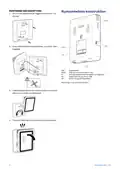










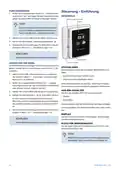
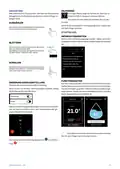


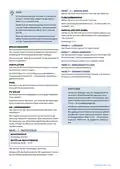


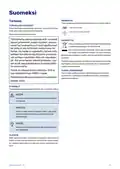
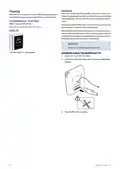
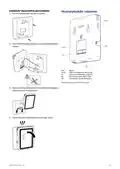


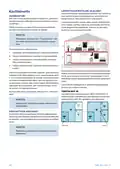

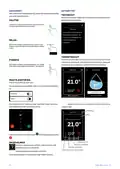


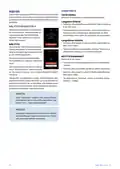
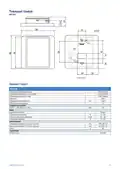


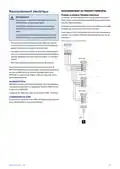
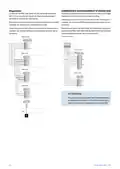






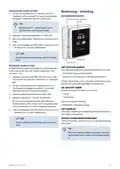
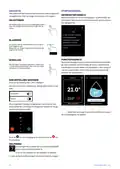


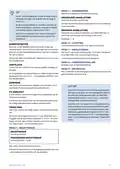
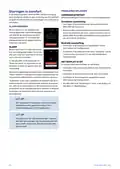


INSTALLATION WITH REAR PANEL
1. Screw the rear panel onto the wall using 2 screws.
Room unit design
AA32
2. Connect RMU S40 to the main product, see section
"Electrical connection".
SF1
AA4
X1
X5
AA4
AA32
X1
X5
SF1
Display unit
Space for memory card (Micro-SD)
Terminal block, communication and voltage
Power supply, Micro-USB
On/Off button (Switch)
Designations according to standard EN 81346-2.
3. Angle the display unit and secure the unit to the two
clamps at the bottom of the rear panel.
4. Press RMU S40 firmly to the top of the rear panel.
NIBE RMU S40 | GB
19

| General | Details |
|---|---|
| Name | NIBE RMU S40 Room Thermostat Instruction Manual |
| Make | NIBE |
| Language | English |
| Filetype | PDF (Download) |
| File size | 3.88 MB |
 (1 votes, average: 5.00 out of 5)
 Loading...


GREYSTONE TLFLF24X01 Flying Lead Low Limit Thermostat Instruction Manual

Thalos Key 230 Bianco Touch Screen Wall Thermostat Instruction Manual

industrie technik TF Frost Protection Thermostat Instruction Manual

Lightwave DTS92E Honeywell Home Wireless Room Thermostat User Manual

Haswill Electronics STC-9100 Thermostat User Manual

Warmup 3iE Energy Monitoring Thermostat Instruction Manual

ETHERMA 3 set 2024 Smart Thermostat Instruction Manual

VIMAR 02970 Wheel Thermostat Instruction Manual

GENERAL LIFE MITRA 250S Digital Room Thermostat User Manual

Honeywell N100 Series Non Programmable Thermostat Installation Guide
Table of Contents
- 1. Nibe Rmu S40 - Installatörshandbok →
- 2. Page 2 →
- 3. Allmänt - Rumsenhetens Konstruktion →
- 4. Märkning - Viktig Information →
- 5. Montering - Kompatibla Produkter →
- 6. Montering Med Bakstycke - Rumsenhetens Konstruktion →
- 7. Inkoppling Mot Huvudprodukt - Elinkoppling →
- 8. Styrmodul - Inkoppling Av Tillbehör Och En Rmu S40 →
- 9. Klimatsystem Och Zoner - Igångkörning →
- 10. Trådlös Anslutning - Styrning Introduktion →
- 11. Navigering - Informationssidor →
- 12. Menyträd - Värme →
- 13. Skapa Profil I Huvudprodukten - Hemskärmar →
- 14. Meny 2 Anslutningar - Trådlös Anslutning →
- 15. Komfortstörning - Kommunikationsfel →
- 16. Tekniska Uppgifter - Mått →
- 17. Marking - Safety Information →
- 18. Mounting - Compatible Products →
- 19. Installation With Rear Panel - Room Unit Design →
- 20. Connection To Main Product - Electrical Connection →
- 21. Control Module - Connection Of Accessories And An →
- 22. Climate Systems And Zones - Commissioning →
- 23. Wireless Connection - Wired Connection →
- 24. Home Screens - Information Pages →
- 25. Menu Tree - Heat →
- 26. Create Profiles In The Main Control Menus - Home Screens →
- 27. Menu 2 Connections - Wireless Connection →
- 28. Troubleshooting - Communication Error →
- 29. Technical Data - Dimensions →
- 30. Allgemeines - Wichtige Informationen →
- 31. Montage - Kompatible Produkte →
- 32. Montage Mit Rückteil - Aufbau Der Fernbedienung →
- 33. Anschluss Am Hauptprodukt - Elektrischer Anschluss →
- 34. Steuermodul - Anschluss Von Zubehör Und Einem →
- 35. Klimatisierungssyste... Und Zonen - Inbetriebnahme →
- 36. Funkverbindung - Steuerung Einführung →
- 37. Navigation - Startbilder →
- 38. Menüstruktur - Heizung →
- 39. Profilerstellung In Menü 4.3 - Startbilder →
- 40. Menü 4 Lizenzen - Menü 7 Zonen Anzeigen →
- 41. Fehlersuche - Kommunikationsfehler →
- 42. Technische Daten - Maße →
- 43. Merkintä - Turvallisuustiedot →
- 44. Asennus - Yhteensopivat Tuotteet →
- 45. Asennus Takakappaleen Kanssa - Huoneyksikön Rakenne →
- 46. Kytkentä Päätuotteeseen - Sähköasennukset →
- 47. Ohjausyksikkö - Lisävarusteen Ja Rmu S40:n Kytkeminen →
- 48. Lämmitysjärjestelmä Ja Alueet - Käyttöönotto →
- 49. Langaton Liitäntä - Langallinen Liitäntä →
- 50. Navigointi - Tietosivut →
- 51. Valikkopuu - Lämmitys →
- 52. Luo Profiileja Päätuotteen Valikossa - Lämmitys Ja Jäähdytys →
- 53. Valikko 2 Liitännät - Langaton Liitäntä →
- 54. Vianetsintä - Yhteysvika →
- 55. Tekniset Tiedot - Mitat →
- 56. Généralités - Informations Relatives À La Sécurité →
- 57. Installation - Produits Compatibles →
- 58. Installation Avec Panneau Arrière - Présentation De L'unité →
- 59. Raccordement Au Produit Principal - Raccordement Électrique →
- 60. Régulateur - Produit Principal →
- 61. Circuits De Distribution Et Zones - Mise En Service →
- 62. Connexion Sans Fil - Unité D'affichage →
- 63. Navigation - Écrans D'accueil →
- 64. Arborescence Des Menus - Chaleur →
- 65. Créer Des Profils Dans Le Commande - Menus - Écrans D'accuei... →
- 66. Menu 2 Connexions - Connexion Sans Fil →
- 67. Dépannage - Erreur De Communication →
- 68. Données Techniques - Caractéristiques Techniques →
- 69. Algemeen - Veiligheidsinformati... →
- 70. Montage - Compatibele Producten →
- 71. Installatie Met Achterplaat - Ontwerp Ruimte-unit →
- 72. Aansluiten Op Hoofdproduct - Elektrische Aansluiting →
- 73. Regelmodule - Aansluiting Van Accessoires En Een →
- 74. Klimaatsystemen En -zones - Inbedrijfstelling →
- 75. Draadloze Aansluiting - Bedieningseenheid →
- 76. Navigatie - Startschermen →
- 77. Menustructuur - Warmte →
- 78. Maak Profielen Aan In Het Menu Regeling - Profielen Van Het S... →
- 79. Menu 2 Verbindingen - Draadloze Aansluiting →
- 80. Problemen Oplossen - Communicatiefout →
- 81. Technische Gegevens - Afmetingen →
- 82. Page 82 →
- 83. Kontaktinformation - Austria →
- 84. 2149-1 →