
NIBE RMU S40 Room Thermostat Instruction Manual






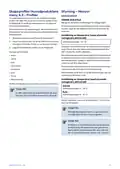


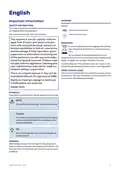


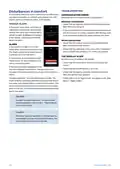


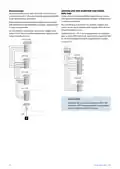

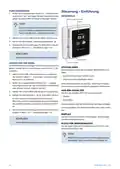







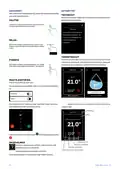


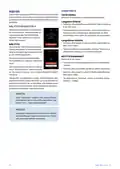




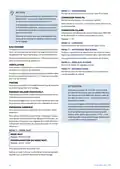




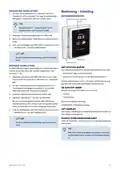
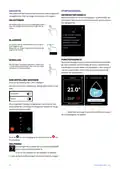


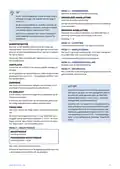
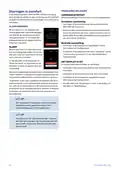


MENU 2 – CONNECTIONS
Select wireless or wired connection.
TIP
If the room temperature is constantly too low/high,
you increase/decrease the value by one step in
menu 1.1.1.
WIRELESS CONNECTION
Select wireless connection.
Go to the main product and select menu 5.4 – "Connect
wireless units".
If the room temperature changes when the out-
door temperature changes, you increase/decrease
the curve slope by one step in menu 1.30.1.
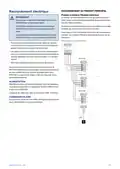
WIRED CONNECTION
Select a communication address for RMU S40 by allocating
it a unique number in this menu.
Wait 24 hours before making a new setting, so that
the room temperature has time to stabilise.
Setting: 1 – 8
H
O
T
W
A
T
E
R
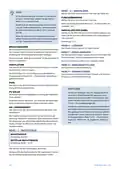
MENU 4 – LICENCES
When there is a temporary increase in hot water demand,
this menu can be used to select an increase in the hot water
temperature for a selectable time.
You can find licences for open source code here.
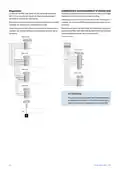
MENU 7 – DISPLAY ZONES
Here, you can select the zones that you want to be displayed
in your RMU S40, for heating and cooling.
You can also select "More hot water" in the main product’s
menu 2.1.
You can choose to display a maximum of ten zones.
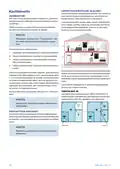
VENTILATION
T
h
e
v
e
n
t
i
l
a
t
i
o
n
i
n
t
h
e
a
c
c
o
m
m
o
d
a
t
i
o
n
c
a
n
b
e
t
e
m
p
o
r
a
r
i
l
y
MENU 8 – FACTORY SETTING
Reset to factory setting.
increased or reduced here.
The return time for the fan may, if necessary, be changed
in the main product’s menu 1.2.5 – "Fan return time".
MENU 9 – INFORMATION
Here, information is displayed about the product and the
software version that is installed.
POOL
Here you can change the temperature of the water in the
pool or activate/deactivate heating.
PV SOLAR
Caution
You can read off the value of the power that the solar panels
are currently providing.
You can choose to control your main product ac-
cording to the moisture content (RH) in the air,
which is measured by your RMU S40. Activate this
choice in menu 7.1.6.4 – "Humidity control" in the
main product.
You can also see how many kWh the solar panels have pro-
duced during the current calendar month.
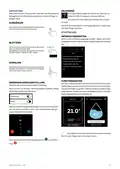
HOME/AWAY
Here you can activate or deactivate the "Away mode” func-
You can also choose to control your main product
according to the relative humidity (RH) in the air
during cooling operation. (If you have cooling in-
stalled and activated.) Activate this choice in menu
7.1.7.2 – "Humidity control" in the main product.
Select "Limit RH in cold"
tion.
The function is activated if you select "Away" when you
leave your home. In order to deactivate, select "Home". The
settings for "Away mode" are made in the main product’s
menu 4.5 "Away mode".
M
E
N
U
1
–
N
I
G
H
T
M
O
D
E
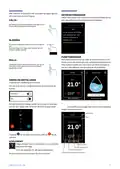
NIGHT MODE
Setting: On/Off
SCHEDULE NIGHT MODE
Setting: 00.00 – 23.59
You can activate night mode here.
Activate night mode during the time of day you want to
switch off the backlight.
N
I
B
E
R
M
U
S
4
0
|
G
B
27

| General | Details |
|---|---|
| Name | NIBE RMU S40 Room Thermostat Instruction Manual |
| Make | NIBE |
| Language | English |
| Filetype | PDF (Download) |
| File size | 3.88 MB |
 (1 votes, average: 5.00 out of 5)
 Loading...


WILLIAMS P322016 Thermostat Instruction Manual

ELKO ep TEV-1 Thermostat Owner’s Manual

ControlTemp Basic Tamper Proof Thermostat Instructions

Danfoss CET B-RF Wireless Electronic Hot Water Cylinder Thermostat Installation Guide

SIEMENS TH192 HC Heating-Cooling Room Thermostat Instruction Manual

GENERAL LIFE Senna 270S RF Wireless Room Thermostat User Manual

Amana DS01 PTAC Wireless Thermostat User Manual

telethings TELESWITCH – 2L Smart LoRaWAN Thermostat User Manual

tado Smart AC Control V3+ Thermostat Instruction Manual

Satel ART-200 Wireless Radiator Thermostat Installation Guide