
NIBE RMU S40 Room Thermostat Instruction Manual













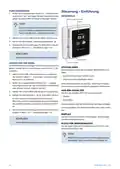





















TROUBLESHOOTING
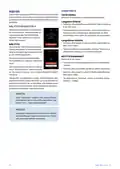
Disturbances in comfort
In most cases, RMU S40 notes a malfunction (a malfunction
can lead to disruption in comfort) and indicates this with
alarms, and instructions for action, in the display.
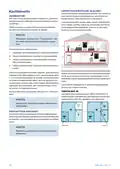
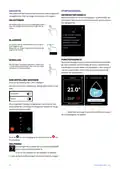
COMMUNICATION ERROR
RMU S40 has lost contact with the main product.
Wireless connection
• Check that the distance between the main product and
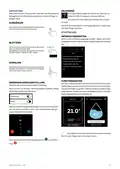
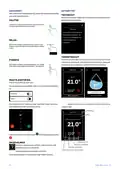
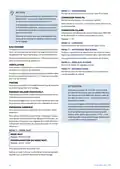
MANAGE ALARM
RMU S40 is not too great.
Heating
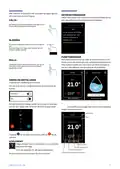
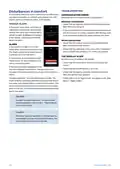
In the event of an alarm, some type of
malfunction has occurred, which is indic-
• If the communication is weak between the main product
and an accessory in a zone, a repeater (RPP 10) may need
to be installed to amplify the signal between the zones.
Alarm
Below is a brief description
ated by the status lamp shining with a
of the alarm, as well as
steady red light. A dialogue box appears
proposed actions.
in the display, containing information
a
b
o
u
t
t
h
e
a
l
a
r
m
.
Wired connection
Show more information
• Check that the cable is correctly connected between
ALARM
RMU S40 and the main product.
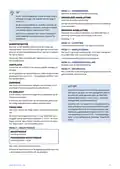
In the event of an alarm with a red
ALARM
• Check that the addresses in the room unit's "Installation"
status lamp, a malfunction has occurred.
menu and the main product’s 7.2.1 menu correspond.
The display shows what type of alarm it
is and lets you reset the alarm.
12
Alarm
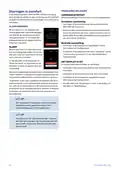
THE DISPLAY IS OFF
In many cases, it is sufficient to select
No information is visible on the display.
Reset alarm
“Reset alarm” for the installation to re-
• Check that the screensaver is active by pressing the
Activate auxiliary operation
vert to normal operation.
screen.
If the alarm indication disappears after
you have selected “Reset alarm”, the alarm has been
remedied. If the alarm recurs, the cause of the problem re-
mains.
• Check that the On/Off button is set to On.
• Check that the cable is correctly connected between
RMU S40 and the main product.
"Auxiliary operation" is a type of emergency mode. This
means that the installation attempts to produce heat and/or
hot water, even though there is some kind of problem. This
could mean that the heat pump’s compressor is not in oper-
ation. In this case, any electric additional heat produces heat
and/or hot water.
• If RMU S40 is set to "Night mode", the display is off. (See
Menu 1 – Night mode.)
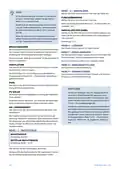
Caution
To select "Auxiliary operation", an alarm action
must be selected in menu 7.1.8.1 – "Alarm actions"
in the main product.
Caution
Selecting "Auxiliary operation" is not the same as
correcting the problem that caused the alarm. The
status lamp will therefore remain red.
28
NIBE RMU S40 | GB

| General | Details |
|---|---|
| Name | NIBE RMU S40 Room Thermostat Instruction Manual |
| Make | NIBE |
| Language | English |
| Filetype | PDF (Download) |
| File size | 3.88 MB |
 (1 votes, average: 5.00 out of 5)
 Loading...

MClimate MC-LW-FCT-01 LoRaWAN Fan Coil Thermostat User Manual

namron 1402746 Touch Thermostat Instruction Manual

GENERAL HT250S Digital Room Thermostat User Manual

telethings TELESWITCH – 2L Smart LoRaWAN Thermostat User Manual

fastwarm HM-01-16A Digital Programmable Thermostat Instruction Manual

ENSTO ECO16BT-J Floor Heating Thermostat User Guide

Schluter DITRA-HEAT-E-RS1 Smart Thermostat Instruction Manual

Aprilaire S84N 1H1C Programmable Single Stage Universal Thermostat Owner’s Manual

BEOK TGP53 China Piano Buttons Underfloor Heating Thermostat User Guide

HIVE SLT3 Thermostat User Guide