
Moes BHT-006 Series Thermostat User Manual


Method Two:
1. Make sure your Smart MOES Smart APP has successfully
connected to a Zigbee gateway.
4. Add the device successfully, you can edit the name of the
device to enter the device page by click “Done”.
2
Registration or Log in
APP operation interface description (heating thermostat)
SERVICE
Maintenance Records
1.During the free warranty period, if the product breaks down
during normal use, we will offer free maintenance for the product.
2.Natural disasters/man-made equipment failures, disassembly
and repair without the permission of our company, no warranty
card, products beyond the free warranty period, etc., are not
within the scope of free warranty.
Failure date Cause Of Issue Fault Content Principal
Name
Edit name
Temperature
adjustment
3.Any commitment (oral or written) made by the third party
(including the dealer/service provider) to the user beyond the
warranty scope shall be executed by the third party.
4.Please keep this warranty card to ensure your rights.
5.Our company may update or change the products without
notice. Please refer to the official website for the updates.
Region
Thank you for your support and purchase at we Moes, we are
always here for your complete satisfaction, just feel free to share
your great shopping experience with us.
Mobile number/e-mail address
Target Temp.
Current Temp.
Obtain verification code
Down
RECYCLING INFORMATION
Up
2. Reset:When the thermostat is off, press and hold the “
until the thermostat screen flashes quickly and displays the “
icon, and then operate according to the following figure.
”
If you have any other need, please do not hesitate to contact us
first, we will try to meet your demand.
Enter the Register/Login interface; tap “Register” to create an
account by entering your phone number to get verification code
and “Set password”. Choose “Log in”if you already have a MOES
account.
All products marked with the symbol for separate collection of
waste electrical and electronic equipment (WEEE Directive
2012/19 / EU) must be disposed of separately from unsorted
municipal waste. To protect your health and the
environment, this equipment must be disposed
”
Weekly
programming
schedule
Mode
switch
ZigBee CONNECTION
Advanced options
Power
of at designated collection points for electrical
Ensure the device is within the effective signal coverage of your
smart ZigBee gateway for successful connection into the ZigBee
gateway in MOES APP.
@moessmart
@moes_smart
@moes_smart
MOES.Official
@moes_smart
5. Click“Done”to enter the device page to enjoy your smart life
with home automation.
and electronic equipment designated by the
government or local authorities. Correct disposal
and recycling will help prevent potential negative
consequences for the environment and human health. To find
out where these collection points are and how they work,
contact the installer or your local authority.
Method One:
Scan the QR code to configure the network guide.
1.Make sure your MOES APP has successfully connected to a
Zigbee gateway.
Simplement Exception Handling
EVATOST CONSULTING LTD
Address: Suite 11, First Floor, Moy Road
Business Centre, Taffs Well, Cardiff, Wales,
CF15 7QR
Tel: +44-292-1680945
Email: contact@evatmaster.com
3.Enter the gateway.Please follow the picture below to finish as
“Add subdevice→LED already blink,and the connecting will take
about 10-120 secondsto complete depending on your network
condition.
No.
Phenomenons
Handling
Power is on but without
display.
Check if the terminals between LCD
panel and Power Unit Box is loosen.
WARRANTY CARD
1
Product Information
Without output but
display works.
Use a new LCD panel or new Power
Unit Box to replace the old one.
Product Name__________________________________________
Product Type___________________________________________
Purchase date__________________________________________
Warranty Period________________________________________
Dealer Information______________________________________
Customer's Name_______________________________________
Customer Phone________________________________________
Customer Address______________________________________
_______________________________________________________
2
3
Room Temp. Is a little
Do temperature calibration in item
AMZLAB GmbH
Laubenhof 23, 45326 Essen
Made In China
different from the actual. 1 of high senior options
Manufacturer:
①
②
WENZHOU NOVA NEW ENERGY CO.,LTD
Address: Power Science and Technology
Innovation Center, NO.238, Wei 11 Road,
Yueqing Economic Development Zone,
Yueqing, Zhejiang, China
Tel: +86-577-57186815
After-sale Service: service@moeshouse.com
Scan this QR code
③

| General | Details |
|---|---|
| Name | Moes BHT-006 Series Thermostat User Manual |
| Make | MOES |
| Language | English |
| Filetype | PDF (Download) |
| File size | 0.83 MB |
 (1 votes, average: 5.00 out of 5)
 Loading...

Moes WTP-BY-EU BHT-12 Smart Thermostat Instruction Manual

MOES BHT-12 Smart Thermostat Instruction Manual

Moes 002 Series Wifi Thermostat User Guide

Moes ZigBee 002 Series Thermostat User Manual

Moes M30 x 1.5 Smart Radiator Thermostat User Manual

MOES BRT-100 Radiator TRV Thermostat Instruction Manual

Moes BHT-3000 Series Thermostat User Guide

MOES BRT-100 Radiator Thermostat User Guide

Moes WIFI 002 Series Wi-Fi Thermostat Instruction Manual

Moes WHT-PJ01 Smart WiFi Thermostat User Manual


EMERSON 1F75C-11NP Non Programmable Single Stage Thermostat User Manual
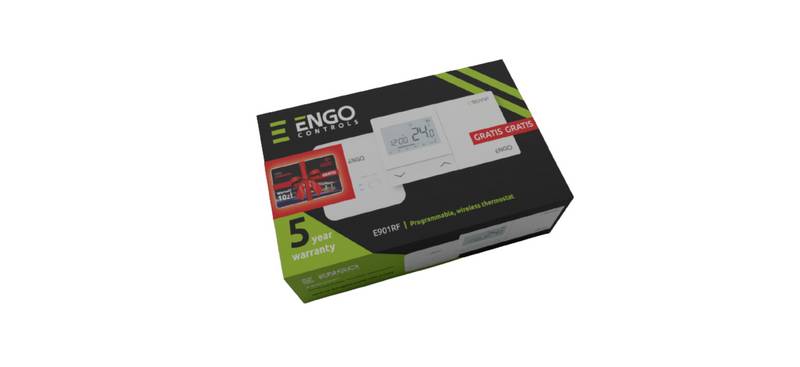
ENGO CONTROLS E901RF Wireless Programmable Thermostat User Guide

Garza 400610 Digital Programmable Thermostat User Manual

OUIETwarmth UTN4-4999 Nonprogrammable Thermostat Instruction Manual

Meross MTS960 Smart Wi-Fi Socket Thermostat Instruction Manual

SHANGHAI TR9B Ultra Large Colorful Screen Capacitive Touch LCD Smart Thermostat User Guide

Honeywell TH8000 VisionPro WiFi Thermostat Instruction Manual

Micro-Air 351 Air Conditioner Digital Thermostat User Guide

sygonix 2522212 Installable Thermostat Instruction Manual

SALUS TS600 Wireless Temperature Sensor Thermostat User Guide