
Midea KJR-29B-BK-E Wireless Thermostat Instruction Manual
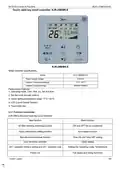


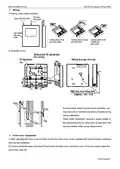


MCAC-VTSM-2013-03
R410A DC Inverter V4 Plus 50Hz
function is turned on, the swing icon will be lighted up.
(12)Follow me function
When the system is running and the operating mode is AUTO. COOL or HEAT, press the left button will
activate the Follow Me function. Press left button again will cancel follow me function. When the operating
mode is changed, and then will cancel this function as well. When the Follow Me function is activated, the icon
will be light up, and the wired controller will display room temperature read from the local sensor, and transmit
the temperature value to the indoor unit every 3 minutes.
(13) Setting addresses
Press the Temp. UP and DOWN button simultaneously for more than 8 seconds, then the controller gets
into address setting mode.
In the address setting mode, there are 2 main functions:
Querying address: Press MODE button, the corresponding indoor unit will display its address.
Setting address: Use the UP and DOWN buttons to choose an address you want. Then press the FAN
button to set the indoor unit's address. The corresponding indoor unit will display the new address and
record it. After about 4 seconds, this displaying will fade out and indoor units turn to normal display mode.
After setting addresses, users can press the 26℃/OK button can exit the address setting mode.
After each setting address and enter the query / set mode again, it will display the last set of address, but if
re-power, this address will be cleared.
In the address setting mode, wired controller does not respond to any command from remote controller.
Installations
※ Preparation before Installation:
Make sure the following pasts has been prepared.
NO.
1
Name
QTY.
1
Remarks
/
Wired Controller
Cross round heat wood
Mounting Screw
2
3
3
2
M4×20(For mounting on the wall)
Cross round heat
mounting Screw
M4×25(For Mounting on the electrical switch box)
4
5
6
7
Installation Manual
Owner's Manual
1
1
3
1
/
/
Plastic expansion pipe
Plastic screw bar
Switching wires for
signal receiving board
Switching wires for wired
controller signal
For Mounting on the Wall
For fixing on the 86 electrician box
For connecting the signal receiving board
and 4-core shielding wire
8
9
1
1
(If needed) For connecting the main control
panel and 4-core shielding wire
Control System

| General | Details |
|---|---|
| Name | Midea KJR-29B-BK-E Wireless Thermostat Instruction Manual |
| Make | Midea |
| Language | English |
| Filetype | PDF (Download) |
| File size | 0.33 MB |
 (1 votes, average: 5.00 out of 5)
 Loading...


Tio TEVO Smart RF Wireless Thermostat User Manual

SALUS RT520TX Thermostat User Guide

BEOK TDS21WIFI-AC Fan Coil Thermostat Instruction Manual

ZigBee BAC-3000 Series Thermostat User Guide

Moes WTP-BY-EU BHT-12 Smart Thermostat Instruction Manual

Hansgrohe 13125000 Ecostat E Wall Mounted Shower Thermostat Instruction Manual
Robertshaw RS8210 Thermostat Installation Guide

Hycontrol HY08AC Central Air Conditioning Thermostat Instruction Manual

WHITE-RODGERS 1F51N-619 Low Voltage Evaporative Cooler Thermostat Instruction Manual

BOSCH II 230V Room Thermostat Instruction Manual