
meross MTS200HK Smart Wi-Fi Thermostat User Manual

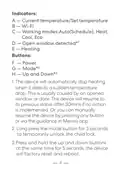


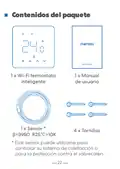
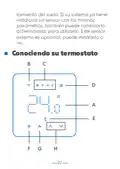

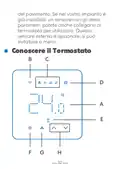
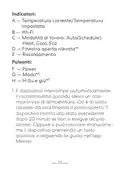



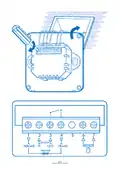





Indicators:
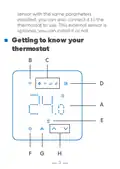
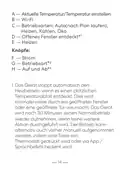
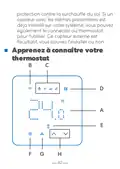
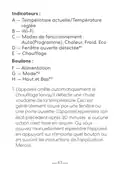
A — Current temperature/Set temperature
B — Wi-Fi
C — Working modes:Auto(Schedule), Heat,
Cool, Eco
1
D — Open window detected*
E — Heating
Buttons:
F — Power
G — Mode*
2
3
H — Up and Down*
1. The device will automatically stop heating
when it detects a sudden temperature
drop. This is usually caused by an opened
window or door. The device will resume to
its previous status after 30mins if no action
is implemented. Or you can manually
resume the device by pressing any button
or via the guidance in Meross app.
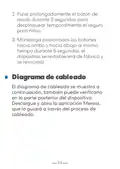
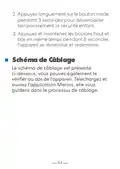
2. Long press the mode button for 3 seconds
to temporarily unlock the child lock.
3. Press and hold the up and down buttons
at the same time for 5 seconds, the device
will factory reset and reboot.
4

| General | Details |
|---|---|
| Name | meross MTS200HK Smart Wi-Fi Thermostat User Manual |
| Make | Meross |
| Language | English |
| Filetype | PDF (Download) |
| File size | 1.44 MB |
 (1 votes, average: 5.00 out of 5)
 Loading...

meross T6R Wireless Smart Thermostat User Manual

Meross MTS200HK Smart Thermostat User Manual

Meross MTS960 Smart Wi-Fi Socket Thermostat Instruction Manual


CANPOL BABIES 77-053 4 in 1 Bottle Warmer and Sterilizer with Thermostat User Manual

Honeywell T8131A Programmable Thermostat Owner’s Manual

aube technologies TH115-AF-GA Programmable Thermostat Owner’s Manual

AJAX108846 White Smart Wifi Thermostat Instruction Manual

ADAX VG11 Digital Thermostat User Guide

ADEPT T6100 Thermostat Instruction Manual

K nighaus Infrarot Thermostat Owner’s Manual

Daikin One Lite Smart Thermostat Instruction Manual

Aprilaire 8570 Premium Programmable Thermostat Instruction Manual

ENGO CONTROLS EASY230W Non-Programmable Wired Thermostat User Guide